Short Term Rental Automation: A Guide for Co-Living Hosts
April 28, 2026
If you're managing a co-living house with multiple rooms, your day probably doesn't break into neat blocks. A pricing question comes in for one room. Another resident reports a broken lock. Someone's move-in is tonight. Someone else's payment is late. You open five tabs, check two calendars, text a cleaner, and promise yourself you'll build a better system next week.
That works for a while. Then the portfolio grows.
Short term rental automation is what turns that scramble into a repeatable operation. For co-living hosts, that matters even more than it does for a standard Airbnb. You're not just turning over one unit. You're coordinating individual rooms, shared spaces, staggered move-ins, ongoing resident communication, and access rules that change constantly.
The gap in most advice is simple. It assumes a whole-home vacation rental. Room-by-room operators need something more granular, more operational, and far more practical.
The End of Juggling Spreadsheets and Late-Night Calls
Alex manages several shared houses. One room is about to open up on Friday. Another resident wants to extend. A third house has a thermostat complaint. At the same time, a cleaner is asking which room turned over, and a new member is waiting for check-in instructions.
None of these tasks is hard by itself. The problem is the pileup.
Manual co-living management creates tiny delays everywhere. You update one calendar but forget another. You send one lock code but don't remove the old one fast enough. You mean to adjust pricing on an empty room, but by the time you do it, the best booking window is gone. The work isn't just time-consuming. It also pulls your attention away from the decisions that grow the business.

This is where short term rental automation starts to matter. Not as some abstract tech stack, but as a digital co-host that handles repetitive tasks around the clock. It updates calendars, triggers messages, manages access, and keeps routine work from landing on your phone at the worst possible time.
According to Hostaway's Summer 2025 report on automation and host performance, 40% of short-term rental hosts increased both occupancy and ADR by adopting automation technologies, and AI adoption among hosts surged from 60% to 84% within 2025 alone. That lines up with what many operators already feel on the ground. The hosts who stop managing from memory and spreadsheets usually make faster, cleaner decisions.
Practical rule: If a task happens more than once per booking, stay, or move-in cycle, it probably shouldn't depend on you remembering it.
For co-living hosts, the primary value isn't just convenience. It's consistency. Residents get faster replies. Turnovers happen with less confusion. Vacant rooms get attention sooner. Shared houses run better when the system carries the repetitive load.
What Is Short-Term Rental Automation for Co-Living
Short term rental automation for co-living is a set of tools and workflows that handles repeatable operating tasks without requiring you to do each one manually. Think pricing updates, scheduled messages, lock-code changes, turnover reminders, payment prompts, maintenance routing, and reporting.
For a standard vacation rental, automation usually focuses on one reservation at a time. One guest books the property, gets one check-in flow, stays for a few nights, and leaves. That model is simpler.
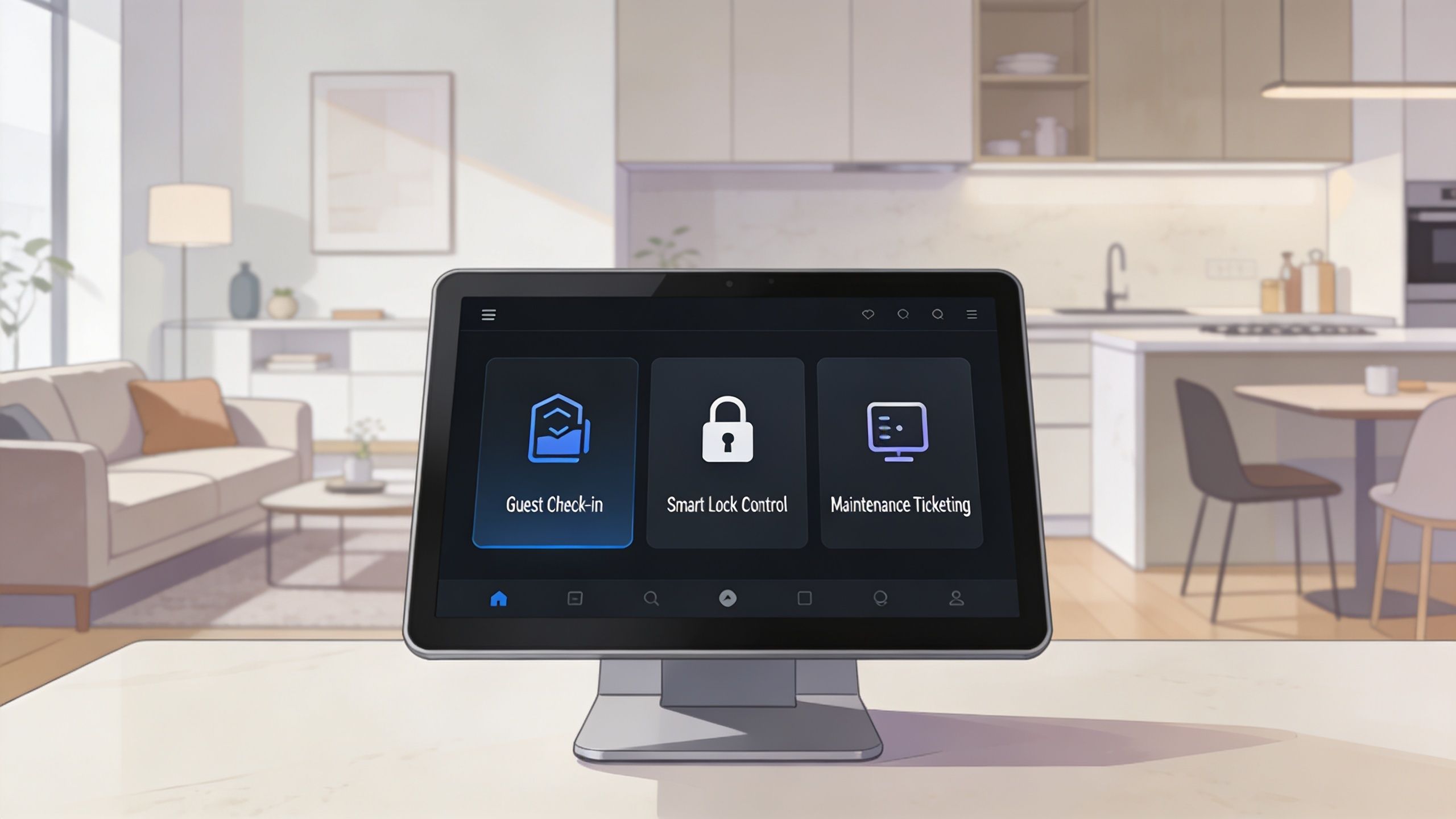
Co-living is different. You're effectively running a small, shared operation inside each house. One room may be vacant while the rest of the home is occupied. One resident may need a room code reset while another needs a kitchen issue resolved. Shared amenities need house rules and communication, not just checkout cleaning.
Why co-living needs a different setup
The easiest analogy is this. Automating a vacation home is like setting up a smart thermostat for one household. Automating a co-living property is closer to managing a small building with separate occupancy, separate access needs, and shared common areas.
That creates a few challenges generic STR guides usually miss:
- Per-room pricing: You don't price one property. You price each room based on room type, occupancy, demand, and house mix.
- Shared-space coordination: Kitchens, laundry, entryways, and bathrooms create more communication and more maintenance events.
- Resident-style communication: Messaging isn't only pre-arrival and checkout. It's also house updates, reminders, and issue resolution during a longer stay.
- Granular access control: The front door, the individual room, and service access may all need different permissions.
Existing advice hasn't really caught up. Guesty's discussion of automation in short-term rentals highlights a major market gap: existing content overwhelmingly targets whole-unit STRs, leaving room-by-room operators without specific guidance despite the U.S. co-living occupancy rate rising by 15% in 2025.
That explains why many room-by-room hosts feel like they're adapting tools that were built for another business model.
What good automation actually looks like
A useful setup doesn't try to remove the host. It removes manual repetition.
The best systems usually do three things well:
- Centralize information so listings, conversations, access, and property status aren't spread across multiple apps.
- Trigger actions automatically when something changes, like a booking, move-in, turnover, or maintenance report.
- Preserve human judgment for exceptions, resident issues, and house culture.
A quick overview helps make that real:
Automation should handle routine operations. The host should handle judgment calls, conflict, and community standards.
If you're new to short term rental automation, that's the right frame. You're not trying to build a robot landlord. You're building a system that keeps repetitive work from eating your time and margins.
The Core Components of an Automated Co-Living System
A solid automation stack for room-by-room rentals doesn't need to be flashy. It needs to reduce friction in the exact places where co-living gets messy. That usually means pricing, communication, access, turnovers, screening, and visibility into performance.
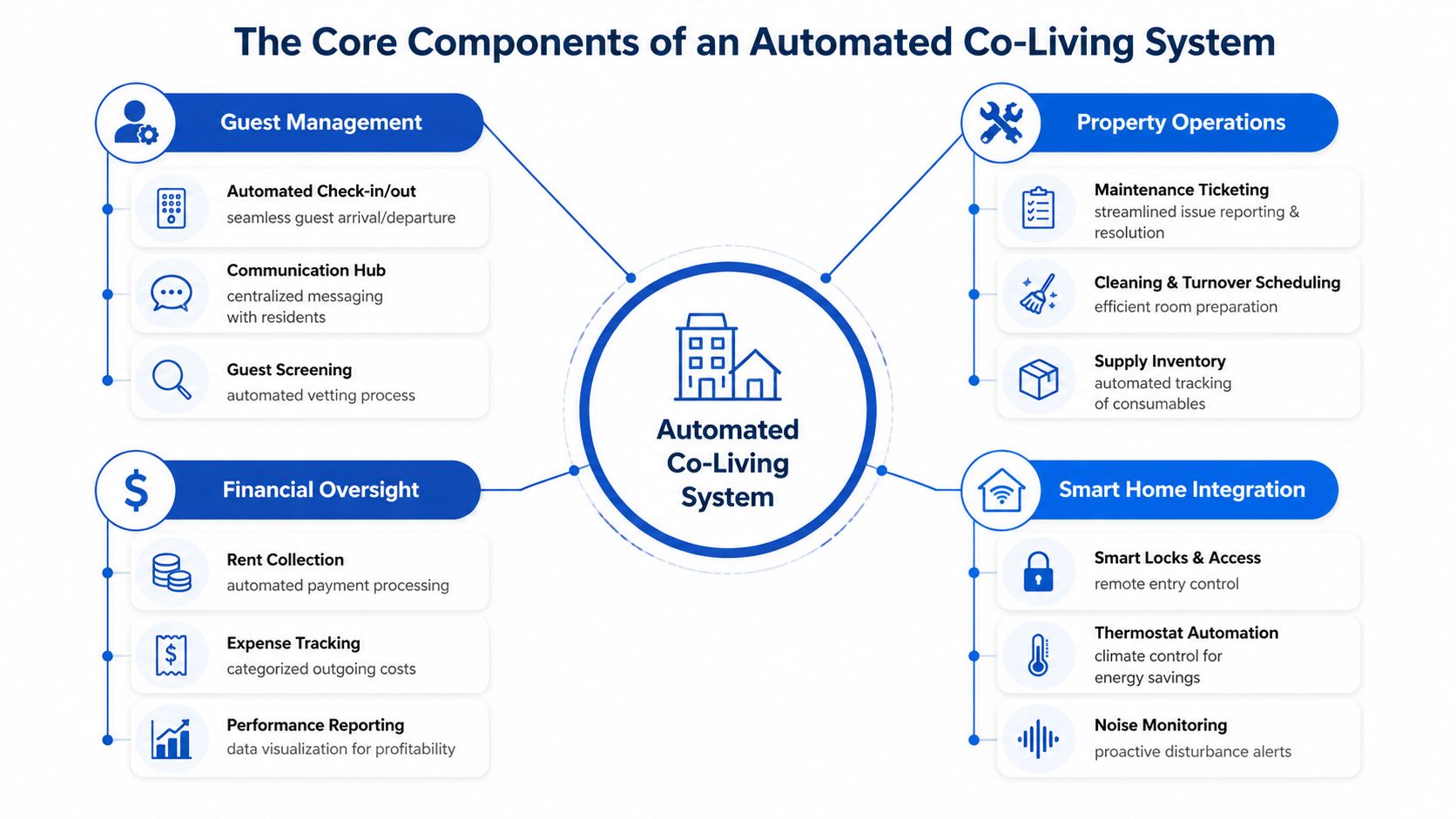
Dynamic pricing for rooms
Dynamic pricing is where many hosts feel the payoff first. Static pricing leaves money on the table when demand rises and slows leasing when a room sits too long.
In co-living, room pricing needs more nuance than a whole-home nightly rate. A larger room, a private bath, a quieter floor, or a better house location can justify a different rate. The vacancy of one room can also affect strategy for the rest of the house. If one room is empty in an otherwise stable property, your goal may be speed. If multiple similar rooms are seeing strong demand, your goal may be yield.
According to Hostaway's guide to automating property management, dynamic pricing tools can increase RevPAR by 20-30% when they use algorithms to fill occupancy gaps. For a co-living host, that matters most when you stop guessing and start repricing based on current availability and market signals.
A few practical uses stand out:
- Gap filling: Lower one room's rate when a vacancy window opens unexpectedly.
- Room differentiation: Price each room by its actual desirability instead of using a house-wide average.
- Seasonal adaptation: Change pricing when local demand shifts instead of waiting until next month.
If you're still manually updating availability across channels, syncing calendars across platforms is usually the first operational fix before advanced repricing.
AI-powered messaging
Messaging automation saves more than time. It creates reliability.
Beginners often think about messaging only as inquiry response. In co-living, it also includes move-in instructions, utility reminders, house rules, maintenance follow-up, renewal conversations, and resident updates. That flow is ongoing, not one-and-done.
What works is a layered approach:
- Immediate automated replies for common questions
- Scheduled messages tied to move-in, stay, and move-out milestones
- Manual escalation for anything involving conflict, exceptions, or sensitive issues
What doesn't work is sending robotic walls of text. Residents notice when every message sounds like a template, especially in shared housing where trust and tone matter.
If a resident is asking where to park or how to access Wi-Fi, automation is perfect. If they're upset about a roommate or a billing issue, step in yourself.
The best message workflows feel timely and clear, not mechanical. Keep templates short, specific, and easy to scan.
Smart access control
Access control gets complicated fast in shared housing. You may need one code for the front door, separate codes for bedrooms, temporary access for cleaners, and a way to revoke access the moment someone moves out.
Manual key handoffs don't scale well. Neither does reusing the same codes across turnovers.
Smart locks solve the operational side when they're connected to your management flow. A booking or move-in can trigger code creation. A checkout or move-out can trigger expiry. Cleaner access can be limited to the right time window. That's far more secure than texting permanent codes around.
This is also one of the clearest operating upgrades for remote hosts. You don't need to drive over because someone got locked out or because a contractor needs entry. The system handles standard access rules, and you keep override control when needed.
Automated turnover and maintenance
Turnovers in co-living aren't always full-property events. One room may need cleaning while the rest of the house stays occupied. One bathroom issue may affect multiple residents. A dishwasher problem may not be urgent for a vacation guest, but in shared housing it can create daily frustration.
That means automation needs to route tasks by unit, room, priority, and vendor.
Useful workflows include:
- Room vacancy triggers: When a room becomes available, cleaning and inspection tasks fire automatically.
- Maintenance ticket routing: Requests go to the right person with the room number, issue type, and resident notes included.
- Status tracking: You can see open, scheduled, and completed tasks without digging through texts.
What works is assigning every task an owner and a status. What fails is relying on screenshots, direct messages, and memory.
Automated screening
Generic STR guides rarely talk about this enough for co-living. In a whole-home booking, screening focuses on fraud risk and property protection. In room-by-room housing, screening also affects household stability.
You still want identity checks and rule enforcement, but you also need consistent intake criteria, documented approvals, and cleaner workflows around move-in readiness. If a resident joins a shared home without clear expectations, the cost shows up later in complaints, turnover, and operational noise.
A practical screening setup should automate the repeatable steps:
- application intake
- document collection
- checklist-based review
- approval or follow-up messaging
- move-in task creation after acceptance
Keep the judgment part human. Don't outsource every decision to a black box, especially when shared-house fit matters.
Unified reporting and analytics
Most host dashboards answer the wrong question. They show top-line activity but not where the operation is leaking.
Co-living operators need reporting that goes deeper than property-wide occupancy. You need to see which rooms stay vacant longer, which houses generate the most maintenance, where pricing lags demand, and where late payments or frequent turnovers are dragging performance.
A useful reporting view should help you answer:
| Reporting question | Why it matters in co-living |
|---|---|
| Which rooms sit longest? | It exposes pricing or merchandising problems at the room level |
| Which houses create the most tickets? | It points to operational drag and resident experience issues |
| Which move-ins convert smoothly? | It shows whether your intake and communication workflows are working |
| Which properties are easiest to manage? | It helps you identify the setup worth repeating |
When reporting is unified, you stop managing by feel. You can compare houses, spot repeat issues, and decide where to invest attention first.
What a complete system changes
The shift isn't that any one tool saves the day. It's that the tools work together.
A vacancy triggers a price adjustment. A new booking or move-in creates a message sequence. Access codes generate automatically. Cleaning gets scheduled. Maintenance stays visible. Reporting shows whether the house is improving.
That connected flow is the difference between having software and having an operating system.
Calculating the ROI of Your Automation Investment
Hosts usually ask the wrong first question. They ask what automation costs. The better question is what manual management is already costing.
If your rooms lease slowly, your pricing is stale, or your evenings disappear into repetitive admin, you're already paying for an inefficient system. Automation just makes the cost visible.
Revenue capture matters more than most hosts think
Lead times have shortened. That changes how fast you need to react.
According to Wander's short-term rental market outlook, last-minute bookings nearly doubled from 16% to 31% between August 2023 and May 2025, and urban market lead times dropped 8.4% year over year. Even if your co-living model doesn't match a vacation rental exactly, the operating lesson is clear. Demand can move quickly, and manual pricing usually reacts too late.
That's why tools that monitor availability and adjust quickly matter. If a room opens unexpectedly, you want the system to respond now, not when you sit down at your laptop later that night.
For hosts comparing options, short-term rental pricing tools become less of a nice-to-have and more of a revenue control system.
Cost savings show up in operations
Automation also protects margins in quieter ways.
Smart access reduces lockout trips and code confusion. Message workflows reduce repetitive back-and-forth. Task automation cuts the missed-cleaning problem that creates delays and refunds. When your operating process is cleaner, small leaks stop adding up.
The biggest hidden cost is context switching. Manual operators bounce between apps, chats, calendars, and reminders all day. That kind of work doesn't just consume hours. It also increases mistakes.
Time has value, even if you don't invoice for it
Many small hosts underprice their own time because they don't pay themselves by the hour. That's a mistake.
If you're spending evenings on code changes, status checks, and repetitive replies, that's time you can't use for acquisitions, renovations, financing, hiring, or resident retention. Even a modest portfolio becomes hard to grow when the owner stays trapped in admin.
A simple comparison helps make the difference visible:
| Task | Manual Method (Time per week) | Automated Method (Time per week) |
|---|---|---|
| Price updates | Repeated checks across listings and rooms | Brief review of system recommendations and exceptions |
| Check-in instructions | Sent one by one | Triggered automatically by booking or move-in status |
| Lock code changes | Manual creation and deletion | Generated and expired through workflow rules |
| Cleaning coordination | Texting cleaners individually | Task automation with status tracking |
| Maintenance follow-up | Chasing updates in messages | Centralized ticket workflow |
Operator mindset: Buy automation when it removes repeatable labor or protects revenue timing. Skip it when it only adds another dashboard.
ROI is strongest when you start with the tasks that repeat often, affect occupancy, or create avoidable errors. In co-living, that's usually pricing, messaging, access, and turnovers first.
Your 3-Phase Roadmap to Implementing Automation
Most hosts get stuck because they try to automate everything at once. That usually creates tool sprawl, messy setup, and frustration. A better approach is to build in layers.
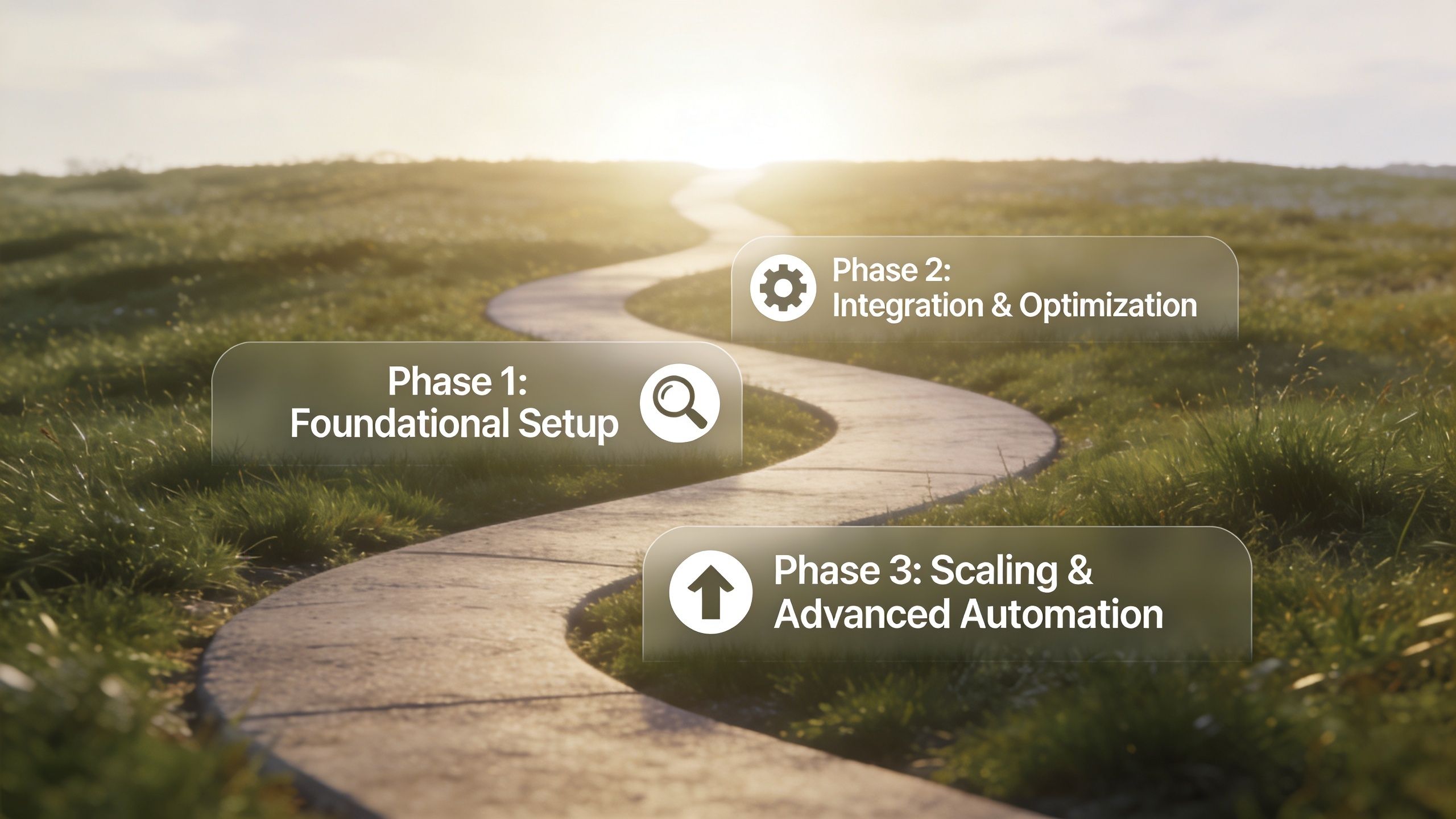
Phase 1: Centralize the basics
Start by putting your operational truth in one place. If calendars, room status, conversations, and task notes live across spreadsheets and message threads, no automation layer will work well on top of them.
Your first goal is centralization:
- Choose one core system: It should hold the key status of each room and house.
- Standardize naming: Use consistent room labels, property names, and turnover stages.
- Clean up workflows: Decide what counts as inquiry, approved applicant, move-in ready, occupied, notice given, and vacant.
This phase is less exciting than smart locks or AI replies, but it's the foundation. A lot of failed automation projects aren't tech failures. They're data and process failures.
A good test is simple. If someone asks, "What's happening with Room 3 at Oak Street?" you should be able to answer it without checking three apps and two text threads.
Phase 2: Automate the highest-friction tasks
Once your data is organized, add automation where it removes the most repetitive work first. For most co-living hosts, that's access, pricing, and routine communication.
Start with the workflows that happen constantly:
- Smart locks for main doors and rooms so codes can be created, updated, and removed without manual handoffs.
- Pricing automation so vacant rooms don't sit at stale rates.
- Scheduled messages for application steps, move-in instructions, reminders, and common questions.
- Turnover tasks that trigger automatically when a room opens up.
Many hosts feel immediate relief. They stop doing the same actions over and over.
What you shouldn't do in this phase is automate sensitive conversations. Resident complaints, payment disputes, roommate friction, and exception requests still need a human decision-maker.
Start with tasks you repeat every week. Leave edge cases manual until your core workflows are stable.
Phase 3: Optimize and scale
After the basics are running, move into refinement. This phase is about using automation to improve decisions, not just reduce labor.
Look for patterns such as:
- Rooms that always take longer to fill
- Houses that generate more maintenance
- Message templates that create confusion
- Move-in sequences where people stall or drop off
Then tighten the system.
Add reporting that helps you act
You want reporting tied to action, not vanity. If a house has slower fills, review pricing and listing quality. If one workflow causes repeated questions, rewrite the template. If a property creates constant maintenance tickets, inspect the house systems and vendor performance.
Build exception rules
Mature automation doesn't mean everything runs the same way. It means the system knows when to stop and flag you.
Examples include:
- Send an automatic reply for common questions, but escalate if someone mentions safety or conflict.
- Create access automatically, but require manual review for unusual timing.
- Trigger a turnover workflow, but hold it if maintenance is still unresolved.
Train your team around the system
If you use contractors, cleaners, or a part-time assistant, document how they interact with the workflow. Good automation reduces ambiguity, but only if everyone follows the same process.
A simple implementation checklist helps:
| Phase | Main goal | What success looks like |
|---|---|---|
| Phase 1 | Centralize information | One reliable record for room, resident, and property status |
| Phase 2 | Remove repetitive tasks | Fewer manual messages, code changes, and turnover misses |
| Phase 3 | Improve decision-making | Better visibility, fewer exceptions, smoother scaling |
Hosts often think automation starts with buying software. Rather, it starts with deciding how your operation should run when you're not personally touching every task.
Best Practices for Co-Living Automation Success
The tools matter less than the operating rules behind them. Co-living has more moving parts than a standard short-term stay, so success depends on what you automate, what you monitor, and where you stay personally involved.
Track the right KPIs
Many dashboards focus on broad occupancy or income totals. That's not enough for room-by-room housing.
Useful co-living metrics usually include room-level occupancy trends, house-level vacancy patterns, turnover frequency, unresolved maintenance volume, and resident retention signals. You also want to watch whether one house consistently needs more intervention than others. The point isn't to admire the numbers. The point is to know where management friction is coming from.
If your systems are still informal, a structured set of property management checklists for recurring operations can help you standardize what gets reviewed each week.
Keep automation out of sensitive moments
Automation is excellent for reminders, instructions, updates, and standard follow-up. It's weak at nuance.
That matters in co-living because some of the highest-stakes issues are relational. Noise complaints, roommate conflict, payment hardship, safety concerns, and house-rule disputes should not feel like they came from a machine. Residents need to know a real person is accountable.
What works is using automation to gather context and route the issue quickly. Then the host or manager steps in.
A shared house can run on systems, but it still depends on trust. Don't automate empathy.
Build compliance into your routine
Compliance is becoming a larger operational issue, and many hosts still treat it as an occasional admin task. That's risky.
According to Seam's overview of short-term rental technology and compliance needs, 25% of STR revenue was lost to fines in major markets last year, yet only 12% of property managers currently use AI for compliance. For co-living operators, the issue can be even more complicated because shared houses often face scrutiny around occupancy, access, and use rules.
You don't need a fully automated legal stack to improve here. You do need a repeatable process.
Practical habits help:
- Document local rules: Keep one current record per market you operate in.
- Tie rules to operations: Make permit renewals, occupancy checks, and house standards part of recurring workflows.
- Use alerts where possible: Compliance tasks shouldn't live only in your head or inbox.
- Review exceptions manually: Regulations change, and edge cases still need judgment.
Don't confuse more tools with better automation
A bloated stack creates new problems. Multiple apps can lead to duplicate alerts, conflicting records, and missed handoffs. The best co-living setup is usually the one your team can use consistently.
If a tool doesn't remove labor, improve visibility, or reduce mistakes, it's probably noise.
From Overwhelmed Host to Scalable Operator with PadPulse
A co-living portfolio starts to break the old way long before it looks large on paper. The first warning sign is usually operational drag. One room turns over while another resident needs a lock code reset, a shared-space issue needs follow-up, and pricing decisions are still sitting in a spreadsheet waiting for your attention.
That pressure hits room-by-room operators harder than traditional short-term rentals. A single house can have multiple move-ins, multiple support threads, and multiple access changes happening at once. Shared kitchens, bathrooms, and house rules add another layer that generic STR systems usually miss.
Operators who scale well build around that reality. They run the property from clear workflows instead of memory, scattered texts, and late-night catch-up. That matters for revenue, but it also matters for house stability. In co-living, a missed message or delayed fix does not just affect one booking. It can affect the roommate dynamic across the whole home.
That gap is why purpose-built software matters.
PadPulse is being built for that use case. Instead of forcing PadSplit hosts and other room-by-room operators to patch together separate tools for pricing, communication, smart access, and reporting, the goal is one operating system built around per-room operations and shared-home management. The platform is being developed to help operators fill vacancies faster, protect NOI, and cut the manual work that keeps portfolios stuck.
I have found that the biggest win from automation is not convenience. It is consistency. When the routine work happens the same way every time, it becomes much easier to grow without losing control of the resident experience.
If you're still running a growing portfolio through spreadsheets, texts, and reminders in your head, the cost is probably already showing up in missed follow-ups, slower turns, and preventable friction inside the house.
PadPulse is an in-development all-in-one platform for co-living hosts who want a cleaner way to run pricing, messaging, smart-home access, and portfolio reporting. If you want early updates, limited beta access, and a chance to help shape the product before launch, join the PadPulse interest list.