8 Essential Property Management Checklists for 2026
April 26, 2026
At 6:15 p.m., one resident is locked out, another is asking when the bathroom repair will be done, and a same-day move-in is waiting for a door code that should have been sent an hour ago. That is a normal evening in co-living if the operation runs on memory, text threads, and scattered notes. Many hosts find themselves reacting all day because the work arrives room by room, not in one clean leasing cycle.
A co-living house behaves more like a small hospitality operation than a standard rental. Turnover happens more often. Shared spaces create chain reactions. One skipped inspection, one unclear rule, or one delayed payment follow-up can affect several residents and cut into NOI faster than operators expect.
The cost shows up first in vacancy. The U.S. Census Bureau tracks national rental vacancy data, and even broad market movement matters when you are managing by the room because every empty bed is revenue you cannot recover later. In this model, a vacancy is not just lost rent for one unit. It usually brings added cleaning, relisting, follow-up, access updates, and more coordination across the house.
That is why property management checklists need to function as an operating system, not a printable reminder sheet.
For PadSplit hosts and co-living operators, the job is to build repeatable control across staggered move-ins, shared kitchens, smart locks, utility usage, room turns, and resident communication. The strongest teams use checklists that connect to software, automate handoffs, and create a record the whole team can trust. If you are building a higher-control co-living property management system, that means tying each checklist to actions inside your lock software, payment tools, messaging workflows, inspection logs, and reporting.
The eight checklists below are built for that environment. They are designed to help operators reduce avoidable vacancy, tighten collections, document house condition, control access, and make faster decisions with cleaner data.
1. Move-In and Occupancy Verification Checklist
A bad move-in creates problems that linger for months. Residents remember the first day. If the room isn't ready, the code doesn't work, or the house rules weren't explained clearly, you've started with friction.
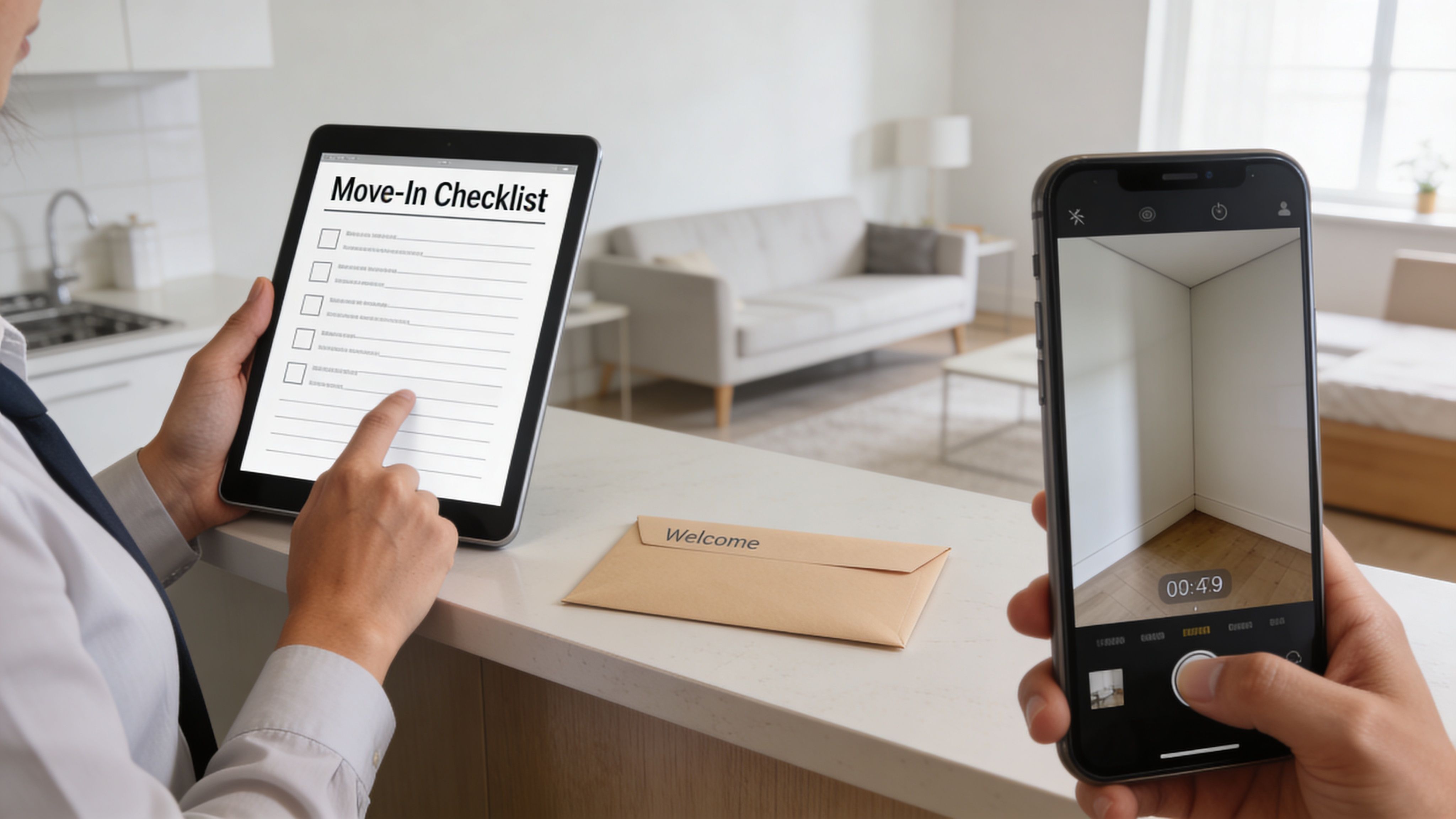
In co-living, move-in quality matters even more because one new resident affects everyone else in the home. A strong onboarding process protects against disputes, confirms the room is ready, and gives you a clean record of what the resident received on day one. If you're building room-by-room systems, this is one of the first areas to tighten, especially if you're following a more specialized co-living property management approach.
What I check before anyone gets a code
I treat move-in as an operational handoff, not a leasing event. Before access goes live, confirm these items:
- Room condition is documented: Take timestamped photos of walls, floors, doors, windows, furniture, and any existing wear.
- Utilities are active: Confirm power, water, internet, and any room-specific devices are functioning.
- Smart lock access works: Test the front door and the resident's room door from the app and at the lock itself.
- Lease file is complete: Make sure the signed lease, addenda, ID records, and emergency contact details are stored in one place.
- House rules are delivered: Send quiet hours, guest rules, cleaning expectations, parking details, and maintenance request instructions before arrival.
- Baseline readings are captured: If you track utilities or smart devices, log starting conditions at move-in.
Practical rule: Never let a resident discover a problem before you do.
One thing that works well is sending a digital move-in packet the night before arrival. Include the address, access instructions, Wi-Fi details, trash day, and who to contact after hours. That cuts down on the flood of avoidable first-day messages.
A quick visual walkthrough helps too.
What doesn't work
Paper checklists get lost. Verbal instructions get forgotten. Unlabeled photos are almost useless later when you're trying to sort out damage claims or move-out charges.
The other common mistake is marking a room "occupied" as soon as the lease is signed. In shared housing, I prefer to verify actual access activation and arrival. That avoids confusion when someone signs but delays move-in, and it keeps your occupancy reporting honest.
2. Monthly Rent Collection and Payment Reconciliation Checklist
On the first business day of the month, the question is simple. Does the cash in your account match the rooms you show as occupied?
In co-living and PadSplit-style operations, rent collection breaks down faster than in a standard single-family rental because every house has more payment events, more edge cases, and less room for delay. One failed autopay, one misapplied partial payment, and one resident who switched rooms without the ledger being updated can throw off the whole month. If you wait until bookkeeping day to sort it out, you are already behind.
A usable rent checklist needs to do more than send reminders. It has to connect the resident, the room, the payment method, and the ledger entry. That is what keeps NOI reporting accurate and gives you a clean record if a balance gets disputed later.
The monthly sequence that keeps records clean
I run rent collection on a fixed cadence and keep the exceptions visible from day one.
- Pre-due reminder: Send an automated reminder before rent is due with the exact amount, due date, accepted payment method, and any lockout or late-fee policy that applies.
- Due-date verification: Review the ledger on the due date by room and resident. Confirm who paid, which payments are pending, and which transactions failed.
- Fast follow-up: Contact unpaid residents within a short window. Early contact catches card issues, payroll timing problems, and simple confusion before they turn into carryover balances.
- Daily reconciliation: Match each payment to the correct room, resident, and charge category the same day it lands.
- Exception log: Record bounced payments, waived fees, payment plans, disputes, and repeat late patterns in one place your operations and bookkeeping teams can both access.
The National Multifamily Housing Council tracks rent payment behavior through its NMHC Rent Payment Tracker. I do not use that dataset as a target for a co-living house, but it is a useful outside benchmark for watching whether collection performance is drifting with the broader rental market or whether the problem is internal.
What good systems do better than manual tracking
Strong collection systems post payments accurately, flag exceptions early, and feed clean numbers into your P&L without manual cleanup at month-end.
For shared housing, track by room first and property second. That sounds minor, but it changes how quickly you find margin leaks. A property can look healthy while one room stays chronically late, one resident keeps triggering NSF fees, or one bed is occupied in your leasing tool but not producing collected revenue.
Smart locks and payment automation help here if you use them as part of one operating system instead of separate tools. Payment status should inform your follow-up queue. Access events should help confirm whether an occupied room is active. AI can sort inbound payment questions, draft reminders, and tag disputes for review, but the rule set still has to come from your team.
Late rent usually starts as an ops failure, a setup error, or a missed follow-up before it becomes a collections problem.
What fails in practice is batch reconciliation at the end of the month, especially across multiple homes. That is how duplicate entries sit for weeks, partial payments get applied to the wrong resident, and bookkeepers inherit a mess that operators could have fixed in ten minutes on the day the payment came in. Automated recurring payments usually outperform manual transfers in co-living because they reduce friction for residents with shift work, irregular schedules, or inconsistent communication.
3. Preventive Maintenance and Room Inspection Checklist
Friday at 9:40 p.m., one resident reports weak airflow, another says the upstairs bathroom smells damp, and by Saturday morning the house chat has turned one small maintenance miss into a credibility problem. In co-living, that is the cost of deferred maintenance. You are not just fixing equipment. You are protecting occupancy, reviews, and the daily experience of several paying residents under one roof.
Shared homes wear out differently than standard rentals. Bathroom fans run longer. Kitchen appliances cycle harder. Door hardware, smart locks, thermostats, and laundry machines get used by multiple people every day. A checklist for co-living has to reflect that heavier use and tie each issue back to the room, common area, and work order history so the team can spot repeat failures fast.
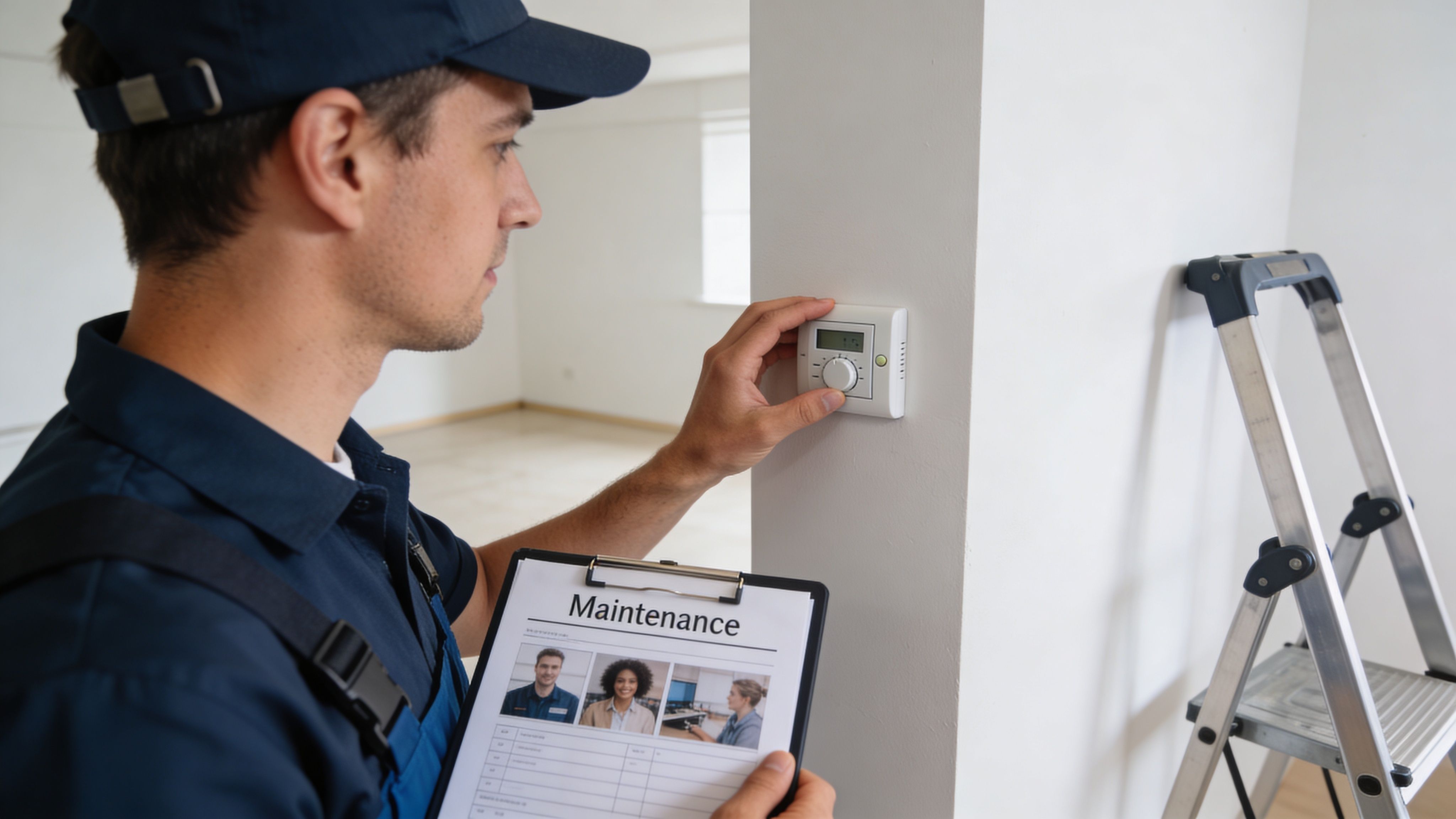
The maintenance checklist I trust
I run this in two lanes. Scheduled prevention, then work-order execution. Combining both in one operating system matters because a home can look fine on paper while the same bathroom leak, lock battery failure, or breaker issue keeps resurfacing.
For recurring inspections, check:
- HVAC and airflow: Filter condition, thermostat response, vent output, condensate lines, and seasonal service status.
- Life-safety items: Smoke alarms, carbon monoxide alarms, exterior lighting, GFCI outlets, and entry hardware.
- Plumbing and moisture: Toilet seals, sink drains, shower caulking, visible supply-line leaks, water heater area, and bathroom ventilation.
- Appliances and shared-use equipment: Refrigerator temperature, stove burners, laundry machines, exhaust fans, and any signs of improper use.
- Doors, locks, and access points: Bedroom doors, closers, strike alignment, smart lock battery levels, and backup entry method.
- Common-area condition: Flooring damage, wall impact points, furniture wear, and cleaning issues that usually turn into maintenance tickets later.
For work orders, measure whether the issue was resolved on the first visit, not just marked complete. The 2024 Property Management Industry Report from zInspector found that maintenance speed and service quality remain major drivers of resident satisfaction, which tracks with what operators see in co-living. Residents will tolerate a short scheduling delay. They lose trust fast when your vendor has to come back twice for the same problem.
What works in co-living homes
Monthly mini-inspections usually outperform long quarterly walks. They create less friction for residents, give staff a shorter punch list, and catch the quiet issues early, loose toilet bases, slow drains, failing fan motors, and battery alerts on smart devices.
I also recommend room-by-room maintenance history, not just property-level notes.
That one change matters more than it sounds. In a PadSplit-style setup, repeated complaints can follow a specific room, bathroom group, or lockset. If your records live only at the property level, your team wastes time rediscovering the same pattern.
Use smart thermostats, leak sensors, and lock alerts as triggers, not as a substitute for inspections. Good tech reduces blind spots. It does not replace a technician who checks the actual fan, tests the outlet, confirms the drain is clear, and closes the loop with a photo.
If your checklist does not produce a repair history by room, your team will miss repeat failures and overspend on avoidable service calls.
Resident-reported maintenance is still useful, but it cannot be the whole system. In shared housing, minor issues often go unreported because each resident assumes someone else already mentioned them, or because they do not want to deal with a long back-and-forth. A strong checklist closes that gap with scheduled inspections, clear ownership, and tech that feeds the right alerts into the right queue.
4. Tenant Communication and Escalation Protocol Checklist
At 9:40 p.m., one resident texts about a lockout, another emails about a billing charge, and a third drops a group chat complaint about bathroom cleanliness. If those messages hit three different people with no routing rules, the problem is no longer communication. It is operations.
Co-living homes create more message volume than a standard single-family rental because one decision can affect six, eight, or ten residents at once. Guest policy, kitchen cleanliness, Wi-Fi outages, smart lock access, parking conflicts, and roommate friction all move fast in shared housing. A checklist has to do more than track replies. It has to control triage, ownership, escalation timing, and documentation across the whole house.
Build the communication system before the problem shows up
I do not run resident communication through one catch-all inbox. That setup looks simple until a lockout gets buried under routine questions.
A workable structure usually includes:
- Urgent issues by phone or text: lockouts, safety concerns, active leaks, no power, no heat or cooling
- Maintenance requests in one ticketing system: photos, timestamps, vendor notes, AI summaries, and status updates stay tied to the issue
- Lease, notices, and billing questions in email or portal: written records matter when money, compliance, or disputes are involved
- House-wide reminders through scheduled messaging: cleaning reminders, inspection notices, rule reminders, shared-space updates, and access changes
Smart locks and connected devices help here, but only if they feed a defined process. A failed entry code, repeated forced-entry alert, or offline device should create a task or alert for the right person. If your tech sends notifications without ownership rules, staff still end up chasing noise.
Escalation has to be timed and assigned
The first response is only part of the job. The checklist should spell out who owns the issue after intake, when it escalates, and what triggers manager review.
Use a simple ladder:
- Level 1: routine question or first complaint, handled by support staff with a template and deadline
- Level 2: no resolution, repeated complaint, or cross-resident issue, assigned to a property manager
- Level 3: safety concern, legal risk, harassment claim, access failure, or payment dispute, escalated to an operator or senior manager with same-day review
That structure matters in co-living because a small issue can spread fast. One unresolved cleaning complaint becomes a house argument. One inconsistent guest-policy answer turns into three residents claiming different rules. One smart lock failure at night becomes a trust problem by morning.
For renewals, timing belongs inside the communication checklist, not buried in leasing notes. The National Apartment Association has reported that resident retention improves when operators stay proactive about communication and service, especially before lease-end decisions harden into move-out plans. See its resident retention guidance here: https://www.naahq.org/7-ways-increase-resident-retention. In practice, that means setting renewal outreach dates, follow-up intervals, and owner assignment well before the end date.
What the checklist should standardize
Templates help. Scripts help. AI-assisted first replies can also help.
But standardization only works if the checklist defines the parts that cannot drift:
- Approved channels by issue type
- Response time targets by severity
- Who owns the next step
- When a house issue becomes a manager issue
- What must be logged in the PMS or CRM
- What requires a human review instead of automation
- How to document resident-to-resident conflict
- How to close the loop once the issue is resolved
Plain language wins. Residents want the next step, the timeline, and the name of the person responsible.
Clear ownership reduces follow-up volume more than fast but vague replies.
I use AI for intake summaries, sentiment flags, translation support, and draft responses. I do not use it to make judgment calls on conflict, rule violations, charge disputes, or safety complaints. Those cases need context, consistency, and someone accountable for the decision.
The payoff is operational, not cosmetic. A good communication checklist cuts duplicate replies, reduces after-hours chaos, protects staff time, and gives residents a predictable system. In a PadSplit-style operation, that consistency supports retention, protects reviews, and keeps small house issues from turning into expensive turnover.
5. Lease Renewal and Move-Out Coordination Checklist
A resident gives notice on the 23rd. By the 24th, the clock is already running on lost rent, cleaner scheduling, lock changes, room condition disputes, and relisting prep. In co-living, those tasks stack faster than they do in a single-family lease because one delayed room turn can create house-level friction and drag NOI across the whole property.
The operators who keep occupancy high do not treat renewal and move-out as separate events. They run one workflow with two paths. Renew early if the resident is a fit and the pricing works. Start the turn plan the moment the answer is uncertain.
Build the decision window before lease end
Last-minute renewal outreach usually creates two bad outcomes. Good residents feel rushed, and your team loses time to price the room correctly if they decline.
Set a firm renewal timeline in your PMS or CRM. In practice, that means assigning an outreach date, a follow-up date, a decision deadline, and an owner for each step. For co-living and PadSplit-style operations, I also want the checklist tied to house-level factors, not just lease dates. If a resident has repeated late payments, unresolved cleanliness issues, or conflict history, that should be visible before the offer goes out.
The checklist should cover:
- Renewal trigger date: Start outreach well before the end date.
- Room-rate review: Check current room comps, house amenities, and recent inquiry volume before quoting a renewal price.
- Resident fit review: Confirm payment history, rule compliance, and any open issues that affect whether renewal makes sense.
- Decision tracking: Mark renewed, undecided, non-renewing, or manager review required.
- Pre-turn prep for undecided residents: Hold tentative cleaner and maintenance capacity before notice becomes official.
- System updates: Sync dates across your PMS, smart lock workflow, task board, and accounting calendar.
That last point matters more than many hosts expect. A disconnected stack causes real mistakes. I have seen teams confirm a move-out in one tool, forget to queue access removal, then realize the room was marketed before the lock code plan and cleaning window were set. If you're already thinking about how cross-platform availability and workflow sync affect room turns, the same discipline behind an Expedia channel manager for property availability control applies here. One source of truth prevents calendar drift.
Move-out coordination should start before the keys are returned
Once notice is in, run cleaning, inspection, maintenance triage, and relisting prep in parallel. Waiting for the room to go fully vacant before assigning work wastes days.
The move-out checklist should standardize:
- Final occupancy date and time
- Photo requirements for pre-move-out and post-move-out condition
- Smart lock code expiration timing
- Utility, Wi-Fi device, and access credential checks
- Cleaning scope by room and shared-area impact
- Repair triage, cosmetic versus revenue-blocking
- Deposit or charge documentation
- Ready-to-market date
Use plain rules for damage decisions. Weak move-in records create slow, subjective deposit disputes. Strong photo records, timestamped inspection notes, and standardized scopes let the team close charges faster and defend them if challenged.
A fast turn does not mean cutting corners.
It means deciding quickly which items block revenue, which items can be bundled into the next maintenance run, and which tasks can happen while the room is already being shown. The National Apartment Association publishes turnover cost guidance that reinforces the same point. Vacancy loss and turn expenses add up quickly, especially when basic tasks are delayed or handled out of sequence, as outlined in its discussion of apartment turnover costs and make-ready planning. For room-by-room operators, the pressure is tighter because each room is a separate income stream.
I run this as an operational system, not a paper checklist. Smart locks should trigger access changes automatically on the scheduled move-out date. AI can draft renewal reminders, summarize resident responses, and flag leases that have no recorded decision inside your renewal window. Staff should still make the call on pricing, exceptions, and charge disputes.
That mix keeps the process fast without giving up control. It also protects the two numbers that matter most in co-living. Occupied room days and turn cost per vacancy.
6. Vacancy Management and Marketing Outreach Checklist
A room goes vacant on Friday. By Monday, the cleaning is half-done, the photos are old, three leads are waiting for replies, and no one on the team can say when the room will be ready. That is how a five-day turn becomes a twelve-day revenue gap.
In co-living, vacancy management is an operating system. Marketing sits inside it, but it does not carry it. The rooms that fill fastest usually have the same pattern behind them: a confirmed ready date, current room-specific media, fast screening, and a follow-up process that does not depend on one person remembering to text back.
The checklist starts before the room is empty.
Build the vacancy workflow before the listing goes live
Once notice is in hand, open a vacancy ticket and assign an owner. That ticket should hold the move-out date, make-ready status, target rent, room notes, and outreach status in one place. If that information lives across texts, spreadsheets, and memory, the listing goes live late and the team starts making avoidable mistakes.
Use a sequence like this:
- Set the ready date early: Give the team a working date based on the move-out schedule, cleaning window, and known repair items.
- Prepare room-specific media: Use current photos, a short video walkthrough, and notes on bathroom access, storage, parking, desk space, and floor location.
- Write listing copy for the actual renter decision: Describe the room, not just the house. Co-living prospects care about privacy, noise, kitchen use, guest rules, and commute fit.
- Push to every active channel: Keep rent, fees, availability date, and house rules consistent across platforms.
- Screen before showing: Confirm move-in timing, income pattern, work schedule, and fit with the home before anyone gets access instructions.
- Set response standards: New leads should get a first response fast, with the next step clearly stated.
- Track lead source and conversion: Count booked showings, completed applications, approved applicants, and days from listing live to deposit paid.
Listing quality still matters. Zillow reports that renters use search filters heavily, especially for price, beds, baths, and amenities, which is why inaccurate or incomplete listing data gets buried quickly on major platforms, as covered in its rental listings guide for property managers. In room-by-room operations, that problem gets worse because one weak room in a strong house still has to compete on its own merits.
Pricing needs the same discipline. A front room with better light and a private bath should not be marketed the same way as a smaller interior room with shared bath traffic. Static pricing leaves money on the table in one case and slows leasing in the other. Operators who already review room performance in their rental property accounting software stack usually make better pricing calls because they can see actual occupancy, concessions, and turn cost by room.
Where conversions usually break
The first leak is slow follow-up. The second is vague listing copy. The third is showing friction.
Self-guided tours can help, but only if the process is controlled. Smart locks should issue time-limited access codes, log entry activity, and expire automatically after the tour window closes. I use that setup to keep showings moving without tying up staff for every appointment, but it only works if the pre-screen is done first and the room is ready to show.
AI can help at the edges. It can draft listing variations, summarize inbound lead questions, and flag leads that have gone untouched for too long. Staff still need to approve pricing, decide on fit, and handle exceptions. That balance matters in co-living, where speed helps, but a bad room match creates more churn than a short vacancy ever will.
I would rather fill a room two days later with a qualified fit than rush an approval that creates complaints, transfers, or an early move-out. Good vacancy control protects occupied room days, but profitable occupancy depends on who moves in, not just how fast.
7. Financial Tracking and P&L Reporting Checklist
A surprising number of operators can tell you which rooms feel profitable but can't show you which ones are. That's risky in co-living because room-by-room performance can hide weak pricing, rising maintenance costs, and inconsistent collections.
Your bookkeeping doesn't need to be fancy. It does need to be structured enough to answer basic operating questions without digging through bank statements.
The checklist behind clean monthly reporting
At minimum, track income and expenses at both the property level and the room level where possible. That makes decisions easier when one room underperforms or one house carries unusual utility or repair costs.
Use a monthly checklist like this:
- Confirm all rent posted correctly: Match collected rent to the ledger before closing the month.
- Categorize expenses consistently: Repairs, utilities, cleaning, supplies, software, contractor labor, and turnover costs should land in the same buckets every month.
- Separate recurring costs from major improvements: Routine operating expenses and long-term upgrades shouldn't blur together.
- Review unpaid balances and credits: Clean up open items before they distort reporting.
- Generate owner-ready summaries: One version for internal decisions, one version for investor or ownership review.
This reporting matters because modern operators rely on connected systems, not isolated spreadsheets. A useful overview of data-driven decision-making for property managers highlights centralized dashboards, portfolio visibility, and reporting routines that combine occupancy, retention, maintenance, and financial performance in one operating view.
What good reporting changes in practice
When financial records are current, you can spot patterns earlier. Maybe one house has higher turnover costs. Maybe another has strong occupancy but weak cash flow because maintenance keeps eating the gains. That's the kind of pattern that gets missed when everything is summarized too broadly.
I also recommend reading your P&L monthly, not just filing it away for taxes. A room-by-room business needs frequent pricing and operating decisions.
If you're tightening your back office, a dedicated guide to accounting software for rental properties can help you choose tools that fit room-level reporting instead of generic landlord bookkeeping.
8. Access Control and Security Management Checklist
A resident arrives at 10:30 p.m., the room is ready, but their code does not work. Five minutes later, they are calling support. Twenty minutes later, another resident lets them in through the front door, and now you have a bad first impression plus an avoidable security gap. In co-living, access control shows its weaknesses fast.
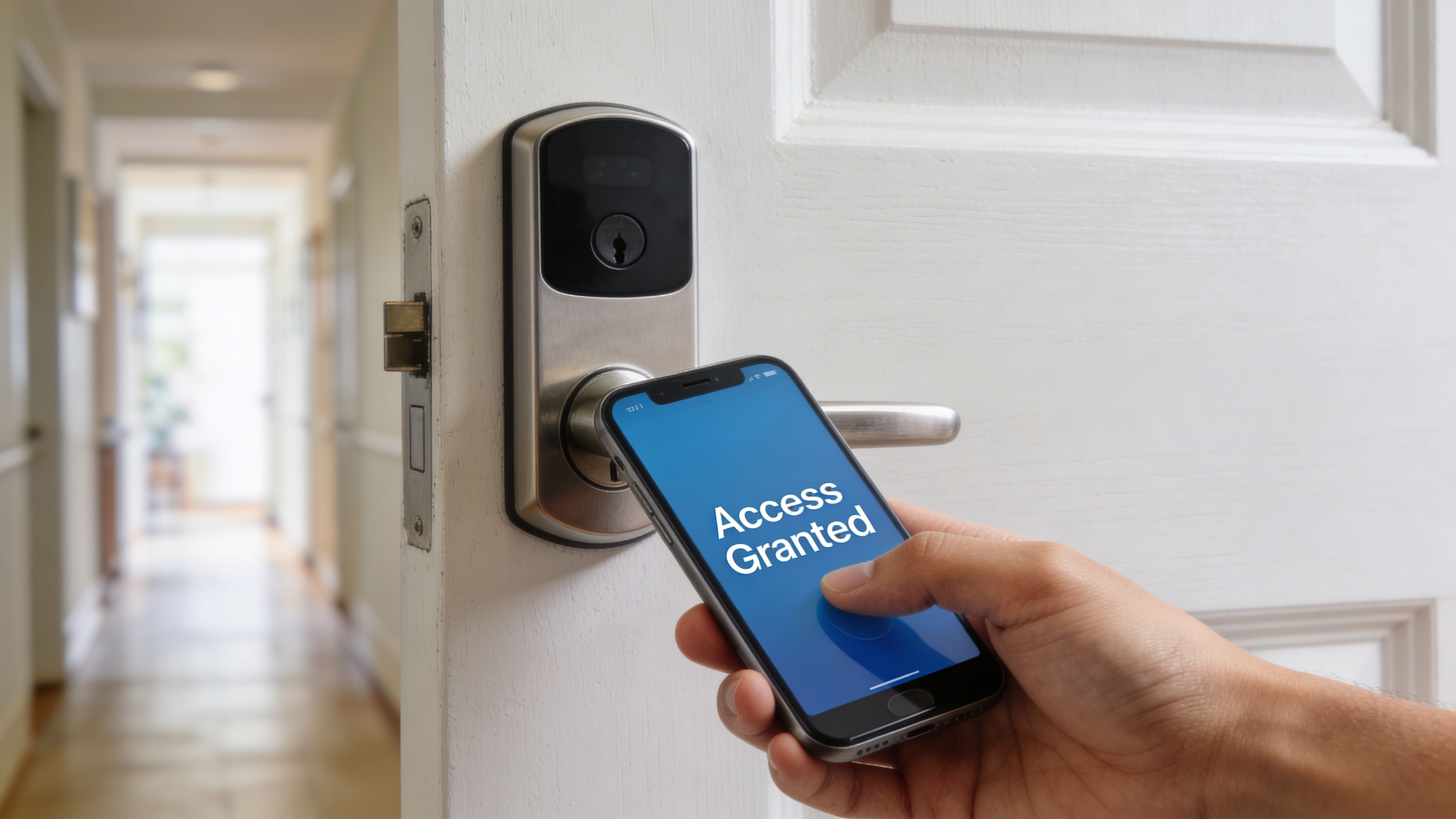
Shared housing has more door events than a standard single-family rental. Residents move in on different dates. Cleaners, vendors, and field staff need limited access. Former residents sometimes try old codes because they assume nobody changed them. Smart locks help, but true control comes from the workflow behind them.
I run access the same way I run occupancy. Every credential needs an owner, a purpose, a start time, and an end time. If your smart lock platform, PMS, and messaging tools are connected, this can happen automatically. If they are not, someone on your team has to own the checklist every day.
Access control checklist for co-living operations
- Approve first, issue second: Create resident access only after ID review, signed documents, and move-in funds are confirmed.
- Set zone-based permissions: Separate front entry, private bedrooms, shared areas, supply closets, and staff-only spaces.
- Test the actual lock before arrival: Verify that the code or app credential works on the assigned door, not just in the software dashboard.
- Time-box every temporary credential: Contractors, cleaners, and tours should get narrow access windows instead of open-ended codes.
- Record every change: Log new credentials, edits, failed activations, guest access, and revocations in one audit trail.
- Remove access during move-out closeout: Revocation should sit inside the move-out workflow so no one has to remember it later.
- Keep a failure plan on-site: Battery issues, Wi-Fi drops, and jammed hardware happen. Staff need a documented backup entry procedure.
- Review exceptions weekly: Flag any code with no expiration, any lock offline too long, and any access assigned to the wrong room.
The trade-off is simple. More convenience usually means more risk. A single static house code is easy to manage until turnover rises, vendor coverage changes, or a resident shares it with someone who should not be there. Unique, expiring credentials create more admin work unless you automate them. They also cut down on liability, lock change costs, and late-night support calls.
Security and operations meet here. Access logs help resolve disputes, confirm vendor arrival windows, and show whether a room was ready for move-in. They also affect maintenance speed. Industry guidance from the National Apartment Association stresses that vendors need clear, reliable entry procedures to complete work orders on time, especially in occupied units, as outlined in its article on improving apartment maintenance operations.
For PadSplit and co-living hosts, the best setup is a live system, not a paper checklist taped inside a cabinet. Smart locks should sync with room assignments. Messaging should confirm access automatically. AI can flag expired vendor codes, offline devices, and credentials that stayed active after move-out. That is how access control stops being a recurring fire drill and starts protecting NOI.
8-Point Property Management Checklist Comparison
| Checklist | Implementation Complexity 🔄 | Resource Requirements ⚡ | Expected Outcomes 📊 | Ideal Use Cases 💡 | Key Advantages ⭐ |
|---|---|---|---|---|---|
| Move-In and Occupancy Verification Checklist | Medium, in-person steps + smart-lock verification | Moderate, staff time, smart locks, messaging workflows | Fewer move-in disputes; verified occupancy records | Room-by-room onboarding; high-turnover units | Clear baseline condition; compliance; smoother onboarding |
| Monthly Rent Collection and Payment Reconciliation Checklist | Medium, payment integrations and reconciliation workflows | Moderate–High, payment processors, accounting tools, staff | Improved cash flow; fewer missed payments; accurate P&L | Multi-tenant buildings collecting recurring rent | Reduced revenue leakage; automated reconciliation; audit trail |
| Preventive Maintenance and Room Inspection Checklist | Medium–High, scheduling + IoT data integration | High, technicians, inspection tools, contractor coordination | Fewer emergencies; maintained asset value; improved safety | Properties with smart devices or older infrastructure | Early issue detection; lower long-term repair costs; safety compliance |
| Tenant Communication and Escalation Protocol Checklist | Low–Medium, templates, SLAs, optional AI automation | Low–Moderate, messaging platform, staff training | Faster responses; higher tenant satisfaction; fewer escalations | Managers handling many inquiries; co-living communities | Consistent communication; SLA enforcement; improved retention |
| Lease Renewal and Move-Out Coordination Checklist | Medium, timing, inspections, legal docs | Moderate, admin time, inspection staff, dynamic-pricing tools | Higher retention; reduced vacancy; smoother turnovers | Staggered lease portfolios; frequent renewals | Predictable turnover; deposit-dispute reduction; revenue optimization |
| Vacancy Management and Marketing Outreach Checklist | Medium–High, multi-channel listings + CRM workflows | High, marketing budget, photography, listing & CRM tools | Shorter days-vacant; higher lead conversion; better occupancy | Competitive markets; rapid turnover risk | Faster re-rental; broad exposure; dynamic pricing advantages |
| Financial Tracking and P&L Reporting Checklist | Medium, chart of accounts + regular reconciliation | Moderate, accounting software, bookkeeping, data feeds | Clear profitability per room/property; tax-ready records | Investors, portfolio managers, tax compliance needs | Accurate financial visibility; data-driven decisions; NOI tracking |
| Access Control and Security Management Checklist | Medium–High, smart-lock integrations & protocols | High, smart locks, connectivity, monitoring platform | Improved security; entry audit trails; faster access control | Multi-tenant co-living; remote management; high-security needs | Remote access revocation; reduced rekey costs; incident documentation |
Build Your Automated Co-Living Engine
Good property management checklists do more than keep you organized. They create a repeatable operating system for a business that can otherwise become chaotic fast. In co-living, that matters because every task overlaps with another one. A missed move-out update affects cleaning. A delayed repair affects reviews and renewals. Weak rent reconciliation distorts your P&L. Poor access control creates security risk and service delays.
The main shift is moving from memory-based management to system-based management. If your operation depends on remembering who said what, which room is turning, which code still works, or which resident hasn't paid, you're carrying too much operational risk. Checklists reduce that risk by forcing consistency. They also make delegation possible. Staff, vendors, and virtual assistants can only help when the workflow is clear enough to follow without guesswork.
For beginners, the smartest move isn't building all eight checklists at once. Start where mistakes are costing you the most. If rooms sit vacant too long, fix your renewal and vacancy workflow first. If residents complain about silence, tighten your communication and escalation process. If your books feel messy, standardize your monthly financial close. One reliable checklist used every time beats a perfect system that never gets implemented.
For experienced operators, the bigger opportunity is integration. Paper forms and isolated spreadsheets can work for a while, but they eventually create delays, duplicate entry, and missing data. A stronger setup connects pricing, messaging, maintenance, access control, and reporting so each action updates the rest of the business. When a resident gives notice, your listing prep, move-out scheduling, lock revocation, and room turn should already be in motion. When rent posts, it should update your ledger without another manual step. When maintenance closes, the resident should know automatically.
That's where modern co-living operations are heading. Not more admin. Better systems. The operators who scale cleanly are usually the ones who treat checklists as live workflows inside a platform, not static documents buried in a folder.
PadPulse fits that direction well because it's being built around the actual needs of PadSplit hosts and room-by-room operators. The planned feature set lines up with the pressure points that matter most in shared housing: dynamic pricing to balance revenue and occupancy, AI messaging to handle repetitive communication, smart-home integrations for locks and thermostats, and portfolio-level financial visibility that helps you protect NOI. Instead of stitching together separate tools, the goal is to centralize the workflows you've just read through.
Start with one checklist this week. Put it in a format your team will readily use. Tighten it after the next turnover, the next rent cycle, or the next maintenance issue. Then build the next one. That's how a stressful rental operation turns into a controlled, scalable co-living business.
If you're running PadSplit-style rentals and want fewer manual tasks, faster room fills, and clearer NOI tracking, join the interest list for PadPulse. It's an in-development platform built specifically for co-living operators, with planned tools for dynamic pricing, AI messaging, smart lock and thermostat integrations, and room-level financial reporting.