Expedia Channel Manager: A Co-Living Operator's Guide
April 22, 2026
You’re probably dealing with this already. One room gets booked on Expedia. Another team member forgets to block it on your direct site. A prospect messages about the same room from a listing marketplace. Suddenly, you’re not managing a house. You’re managing a mistake.
That’s where an expedia channel manager starts to matter. For co-living operators, it’s less like a nice add-on and more like traffic control for room inventory. If you rent by the room, every listing change creates ripple effects across pricing, availability, rules, and guest communication.
Generic hotel advice often misses that reality. A co-living house isn’t one unit with one nightly rate. It’s a bundle of individual rooms, each with its own quirks, restrictions, and occupancy patterns. That difference changes how you should think about Expedia connectivity from day one.
The End of Double Bookings for Co-Living Operators
A lot of new operators begin with spreadsheets, browser tabs, and memory.
One tab has Expedia. Another has your direct booking page. A third has notes about which room has the larger closet, which room includes parking, and which room can’t be offered for certain stay lengths. It works, until it doesn’t.
The problem usually shows up in a very ordinary moment. Someone books Room 3 through Expedia late at night. By morning, that room is still showing as available somewhere else. A second guest tries to book it. Now you’re calling people, refunding money, and trying to preserve trust before move-in even starts.
Why manual channel management breaks down fast
Expedia is too large to treat casually. Expedia’s network processed over 70 million bookings annually and reached a record $110 billion in total bookings in 2024, with lodging making up nearly 80% of global revenue, according to Prostay’s overview of Expedia channel management. That same source notes that manual management can consume 15 to 20 hours per week and lead to overbookings.
For a co-living operator, those hours don’t disappear into abstract admin work. They show up as:
- Missed vacancy response time because someone has to update calendars by hand
- Pricing lag when one room changes and the rest of your listings stay stale
- Staff confusion when team members aren’t sure which platform has the latest availability
- Guest frustration when a room looks available but isn’t
Practical rule: If one booking requires you to update more than one system manually, you already have a scaling problem.
The better mental model
Think of an expedia channel manager like an air traffic controller for bookings.
Planes are your room listings. Airports are your booking channels. The control tower’s job is to prevent two planes from trying to use the same runway at the same time. In co-living, the “runway” is a single room.
That’s why this matters more for room-by-room operators than for many traditional landlords. If you’re renting whole units on one lease, availability changes less often. If you’re operating multiple furnished rooms with different amenities and mixed booking patterns, the chances of mismatch rise quickly.
Why co-living operators need a different playbook
Traditional hotel content tends to assume every room in a category is interchangeable. Co-living rooms usually aren’t. One room may have an en suite bath. Another may allow a different occupancy rule. A third might be priced differently because it’s quieter or larger.
When operators use hotel-style setup logic on a co-living property, problems pile up:
- The wrong room gets assigned
- Guests expect features that belong to another room
- Policies don’t match how the house operates
- Revenue leaks because availability isn’t tracked at the room level
An expedia channel manager solves the first layer of the problem by automating updates. But for co-living, a significant advantage comes from setting it up with room-level accuracy. That’s where the rest of the process either works smoothly or keeps generating avoidable errors.
What Is an Expedia Channel Manager and How Does It Work
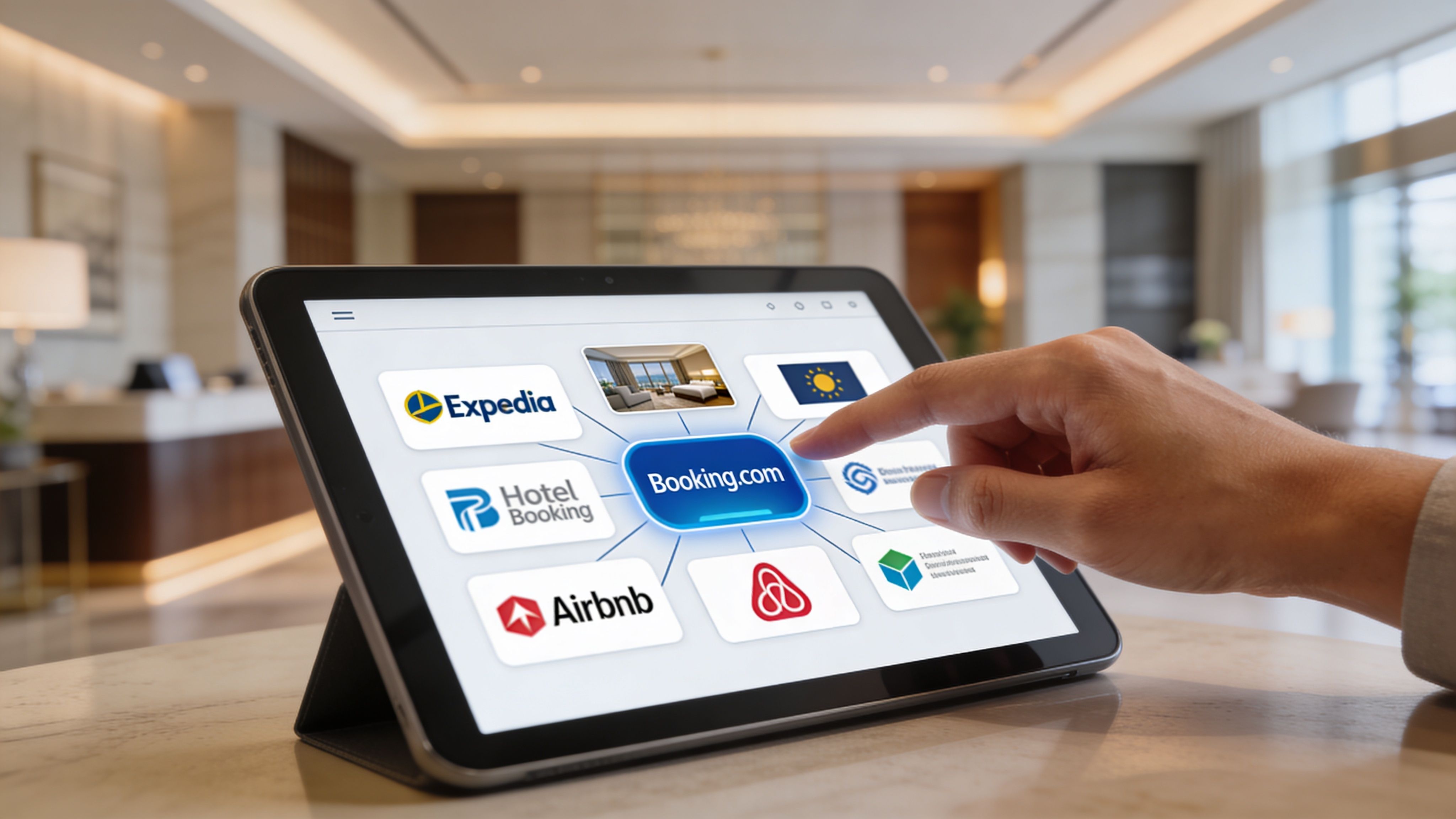
An expedia channel manager is software that connects your property management system to Expedia so your availability, rates, and inventory stay in sync automatically.
Instead of logging into Expedia every time something changes, you update one central system. That system then sends the right information to Expedia and receives booking updates back.
The simplest way to understand it
Use the air traffic controller analogy again, but this time focus on communication.
Without a channel manager, every pilot has to radio every airport separately. That’s slow, messy, and easy to get wrong. With a channel manager, one control tower coordinates the movement.
In practical terms:
- A guest books Room A on Expedia
- Your connected system receives that booking
- Room A gets blocked across your other connected channels
- Inventory stays accurate without manual updates
Professional channel managers use real-time, bidirectional API synchronization, which means the connection sends and receives updates automatically. According to Hostex’s explanation of Expedia channel manager architecture, that setup can instantly block dates across connected platforms when a booking is confirmed, reducing the 5 to 10 hours weekly operators might spend on manual updates to near-zero while eliminating double-booking errors.
If you want a broader primer on how connected tools fit together, this guide to technology in property management is a useful companion.
What bidirectional API sync means in plain English
“API” sounds technical, but the idea is simple. It’s a structured way for software systems to talk to each other.
“Bidirectional” matters because the conversation goes both ways.
When a booking happens
Your channel manager doesn’t just push listing data outward. It also pulls reservation data back in. So if Expedia confirms a booking, your central system knows right away.
That creates a chain reaction:
- The room is marked as unavailable.
- Other connected channels get updated.
- Your team sees the reservation in one place.
- Manual re-entry isn’t needed.
When you make a change
The same logic works in reverse. If you update a rate, close a room for maintenance, or reopen inventory, the channel manager pushes that change outward.
That’s what turns disconnected listings into one operating system.
The real value isn’t just automation. It’s having one version of the truth for every room.
What happens with cancellations and edits
Beginners often understand the booking flow but get confused when plans change. Cancellations, date edits, and room closures are where manual systems break down.
A strong setup handles those events the same way it handles bookings:
- Cancellation comes in: availability opens back up where appropriate
- Reservation dates change: affected nights update across channels
- Room is removed from sale: connected calendars stop offering it
This is also why operators should care about centralizing content, not just calendars. Some providers support broader content synchronization, including descriptions, amenities, and images, which matters when each room in a shared home has different features.
A quick visual helps make the workflow concrete:
For co-living, the takeaway is straightforward. The software isn’t replacing your judgment. It’s replacing repetitive updates that humans are bad at doing consistently across multiple platforms.
Connecting to Expedia Direct API vs Third-Party Managers
When operators first hear about Expedia connectivity, they often assume there are only two possibilities. Either Expedia magically “integrates,” or it doesn’t.
In reality, there are two different paths. You can build a direct API integration yourself, or you can use a third-party channel manager that already has the connection in place.
For most co-living operators, those paths are not equally practical.
The two connection models
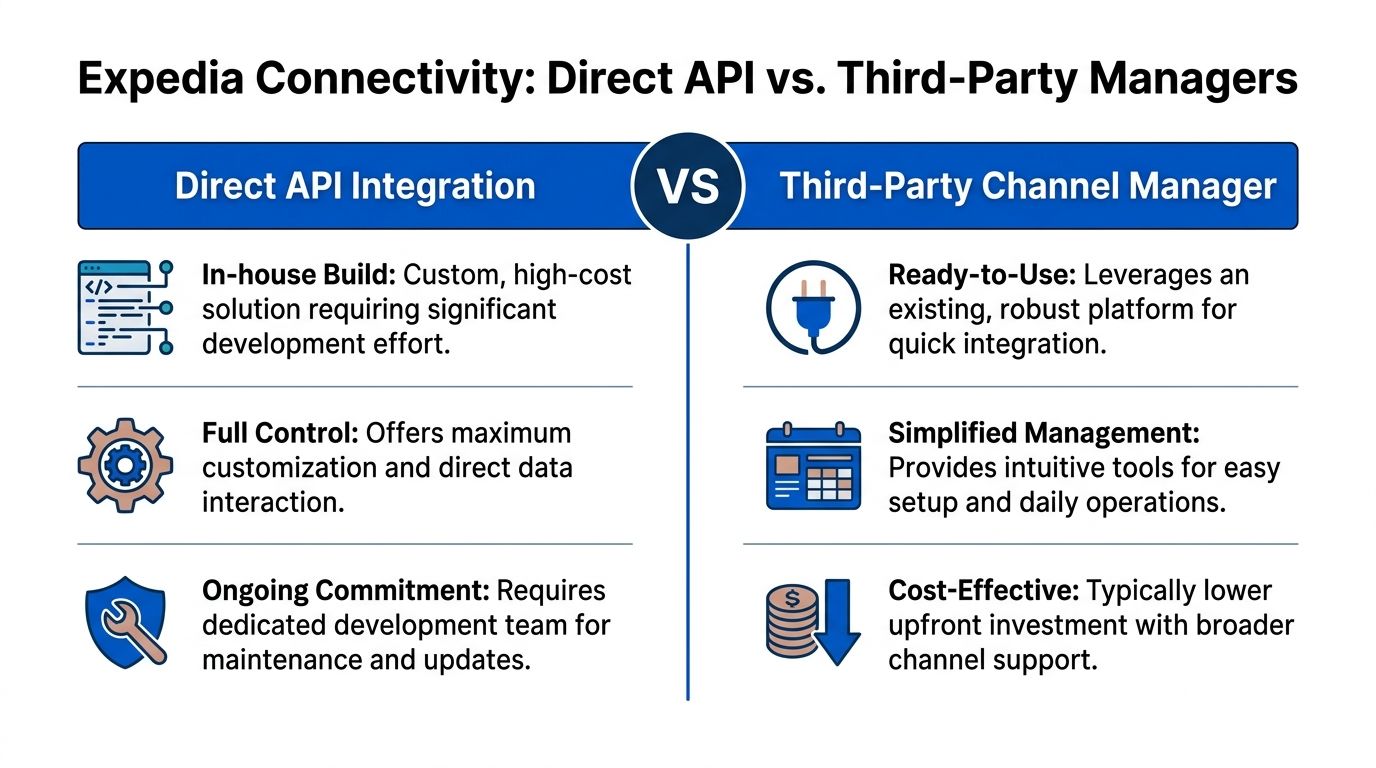
A direct API connection means your team builds and maintains software that talks to Expedia’s systems. A third-party manager means you use an existing platform that already supports that connection.
According to Business of Apps’ Expedia statistics summary, Expedia Group handled 108.2 million booked room nights by Q3 2025, an 11% annual increase, and generated about $11 billion from lodging in 2024. That scale is exactly why operators want access to Expedia. The same source supports the practical conclusion that a reliable third-party channel manager is the most effective route for small-to-mid-sized operators that don’t want to build a direct API from scratch.
A side-by-side comparison
| Factor | Direct API Integration | Third-Party Channel Manager |
|---|---|---|
| Setup effort | Requires custom technical work | Usually starts with configuration, not coding |
| Control | More direct control over how data flows | Control within the features the provider supports |
| Maintenance | Your team handles updates and troubleshooting | Vendor handles most connection maintenance |
| Speed to launch | Slower for non-technical teams | Faster for operators who need to go live sooner |
| Best fit | Large software teams or enterprise operators with special needs | Most independent landlords, co-living hosts, and growing operators |
| Daily operations | May require internal technical oversight | Usually designed for operations teams, not developers |
Why direct API sounds better than it usually is
A direct API build can sound appealing because it offers customization. If you have an in-house engineering team, unusual business logic, and enough scale to justify ongoing technical work, that can make sense.
But most room-by-room operators don’t need to own the plumbing. They need bookings to flow cleanly, calendars to stay accurate, and rates to update without engineering tickets.
That’s the key difference.
- Direct API is a software project
- Third-party channel management is an operations tool
If you’ve ever exported data into spreadsheets just to make sense of property operations, you’ll recognize the difference between raw connectivity and usable workflows. This walkthrough on moving API data into Excel helps illustrate why connected data still needs operator-friendly structure.
What co-living operators should optimize for
A room-by-room business has enough complexity already. You’re managing room types, household rules, inventory mapping, guest movement, and often different stay patterns under one roof.
So your Expedia connection should prioritize:
- Operational clarity over technical purity
- Room-level control over generic property-level syncing
- Faster launch over custom engineering
- Maintainability over novelty
If your core business is renting rooms, not building software, your Expedia strategy should look like an operations decision.
When a direct API might still make sense
There are exceptions.
A direct connection may be worth exploring if you operate at enterprise scale, have internal developers, and need workflows that standard channel managers can’t support. Some operators also have proprietary systems and want total control over how reservation logic interacts with pricing, finance, or internal reporting.
For everyone else, the more sensible route is usually the one that gets you to accurate inventory, cleaner operations, and dependable synchronization with less friction.
That’s especially true in co-living, where the hard part usually isn’t “Can I connect to Expedia?” It’s “Can I connect in a way that respects room-by-room reality?”
Mapping Room-by-Room Inventory for Co-Living Success
Many co-living setups often stumble at this point.
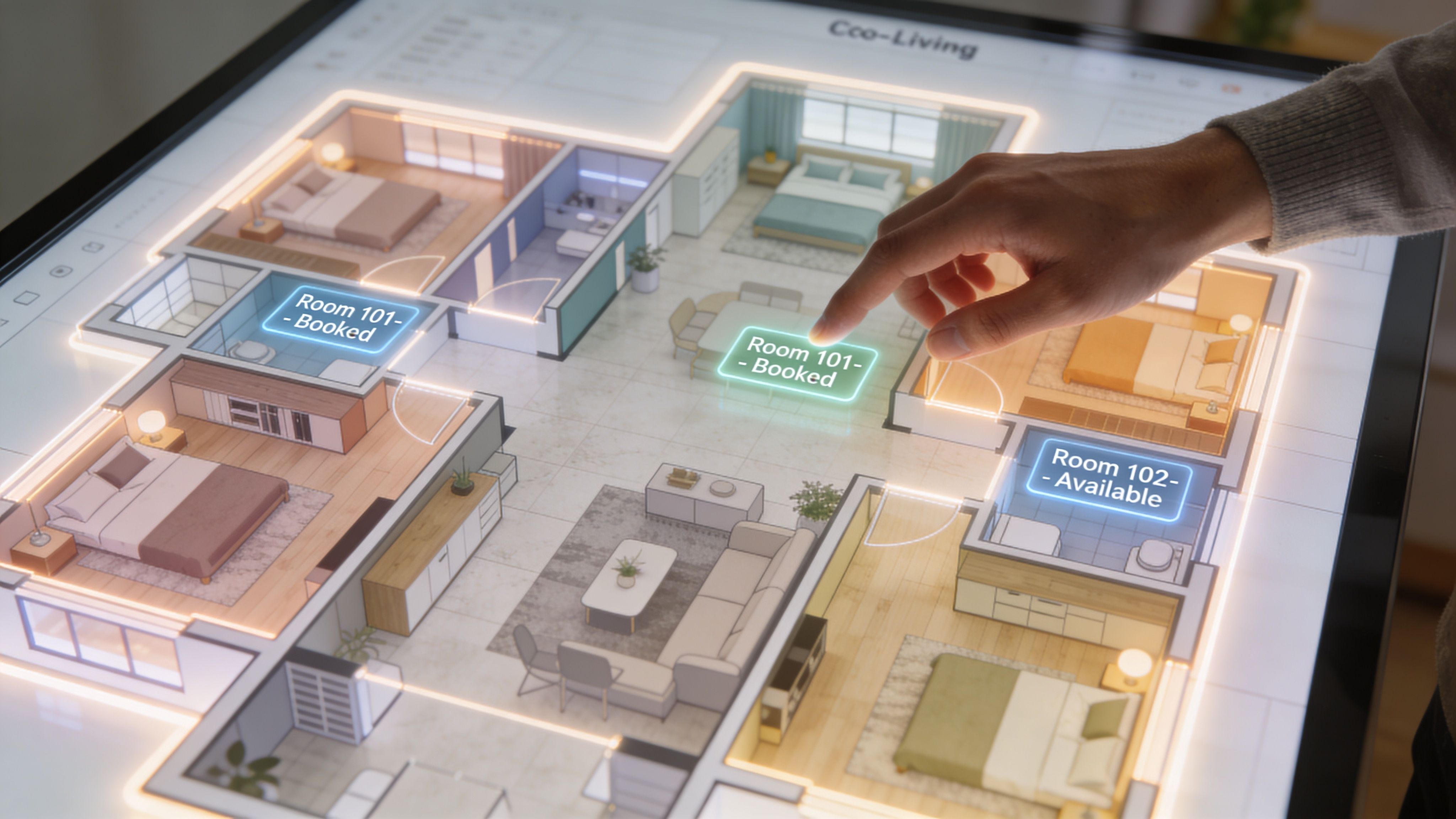
Operators connect to Expedia, import a property, and assume the software will somehow understand the difference between the front room, the basement suite, and the room near the kitchen. It won’t. You have to map inventory with intention.
Start with the room, not the property
Hotels often think in room categories. Co-living operators should start by thinking in individual rentable spaces.
That means each room should have a clear identity in your system:
- Room name or code
- Key features
- Occupancy rules
- Rate logic
- Availability rules
- Photos that match that exact room
If Room 2 has a private bath and Room 4 doesn’t, they should not be treated as the same product just because they’re in the same house.
A practical mapping method
A clean setup usually follows a sequence like this.
First, define each room as its own inventory unit
Don’t rely on broad labels like “standard room” unless the rooms are interchangeable. In most co-living houses, they aren’t.
Use names your team can recognize quickly, such as:
- House Oak, Room 1
- House Oak, Room 2 with private bath
- House Oak, Room 3 garden side
That naming discipline helps with operations later, especially when reservations, maintenance, and move-ins overlap.
Then connect each room to the right Expedia listing
Each Expedia listing should represent a real room offering, not a vague placeholder. The goal is simple. When someone books one room, only that room should close.
This sounds obvious, but it’s where sloppy mapping causes hidden vacancy loss. If multiple rooms are tied to one inventory bucket, the wrong nights can get blocked.
Operator note: The more unique your rooms are, the more dangerous “shortcut mapping” becomes.
Pricing should follow room reality
Co-living operators often underprice or misprice because they use one average rate across the property.
A better approach is to price each room according to what the guest is getting. Larger room, different value. Better privacy, different value. Different house rules, different value.
That also improves how you read performance later. If every room has the same pricing logic, it becomes harder to see which room types drive stronger occupancy and margin.
A rent roll can help you sanity-check whether your setup reflects real unit economics. This example of a rent roll for room-based operations is useful for spotting whether room definitions and revenue assumptions line up.
A simple test before going live
Before opening availability, do one dry run.
Create a fake scenario and ask:
- If Room 2 gets booked, does only Room 2 close?
- Do the room photos match the booked room?
- Do pricing and house rules match the listing?
- Can your team identify the reserved room instantly?
If the answer to any of those is no, the inventory isn’t ready.
The channel manager can only automate what you’ve mapped correctly. Good automation begins with precise room definitions. For co-living, that’s the difference between smooth occupancy growth and a support inbox full of avoidable problems.
Avoiding Common Pitfalls for Shared Housing Operators
The biggest mistake shared housing operators make is assuming that hotel-style setup advice will transfer cleanly to co-living. It often doesn’t.
That gap is well documented. RoomRaccoon’s discussion of Expedia channel manager limitations for room-based operations notes that existing advice often focuses on property-level syncing and misses the need for granular room pricing, room availability, and policy management. For co-living operators, that creates billing mismatches and rate parity headaches when rooms in the same property follow different rules.
Pitfall one: treating the house like one sellable unit
If your software setup treats a shared home as one property with one inventory pool, guests can end up booking something more general than what is available.
That creates problems fast:
- The listing promises the “property” instead of a specific room
- Guests assume access to features that belong to another room
- Your team has to manually assign rooms after booking
- Rate consistency becomes hard to defend
The fix is operational, not technical theater. Define each room as a distinct offering whenever the guest experience differs in a meaningful way.
Pitfall two: forcing nightly logic onto mixed-length stays
Expedia is built around hospitality booking logic. Many co-living operators work with longer stays, flexible durations, or house rules that don’t fit neatly into standard nightly assumptions.
That doesn’t mean you can’t use Expedia. It means you have to be careful about how you present and govern inventory.
What usually goes wrong
A room gets published with rules that make sense on the platform but not in your actual operating model. Then one of two things happens. Either you accept bookings that create friction for your team, or you reject bookings that should never have been available in the first place.
Watch for mismatches around:
- Minimum stay logic
- House-specific eligibility requirements
- Move-in timing
- Cleaning and turnover assumptions
- What the guest is reserving versus what your team can deliver
Pitfall three: mixing room features under one listing
This one causes disputes more often than operators expect.
If two rooms in the same house have different amenities, but your listing language and images blend them together, guests may believe they booked something that isn’t guaranteed. In shared housing, that can sour the relationship before arrival.
Use room-specific descriptions wherever possible. If a feature isn’t universal, don’t present it like it is.
Guests are usually reasonable about room differences when you explain them clearly up front. They’re much less reasonable when they find out after payment.
Pitfall four: weak communication boundaries in a shared home
Shared housing creates communication challenges that many generic channel manager guides don’t address. A guest in a private hotel room and a resident in a co-living house don’t need the same messaging workflow.
Be careful with automated communication around:
- House access details
- Names or information about other residents
- Move-in instructions
- Sensitive operational notes
- Messages triggered before eligibility checks are complete
Good automation should reduce manual work without exposing information that shouldn’t be broadly shared.
Pitfall five: sloppy rate parity across unlike rooms
Rate parity becomes confusing when operators try to keep “one house rate” in sync even though rooms inside the property are not equivalent.
If Room A has different amenities, privacy, or restrictions from Room B, strict sameness may create more problems than it solves. The practical goal is consistency between what a guest sees and what your team can honor, not forced uniformity across inherently different spaces.
A healthier approach is:
- Keep each room’s pricing tied to its own value
- Make listing details match the room offered
- Avoid broad manual overrides that affect unrelated rooms
- Review policy differences before copying settings property-wide
The theme across all these pitfalls is simple. Shared housing is more granular than hotel inventory. If your setup hides that granularity, the software won’t save you. It will just automate the wrong assumptions faster.
Your Expedia Integration Checklist for PadPulse
Most operators don’t need more theory at this stage. They need a working checklist.
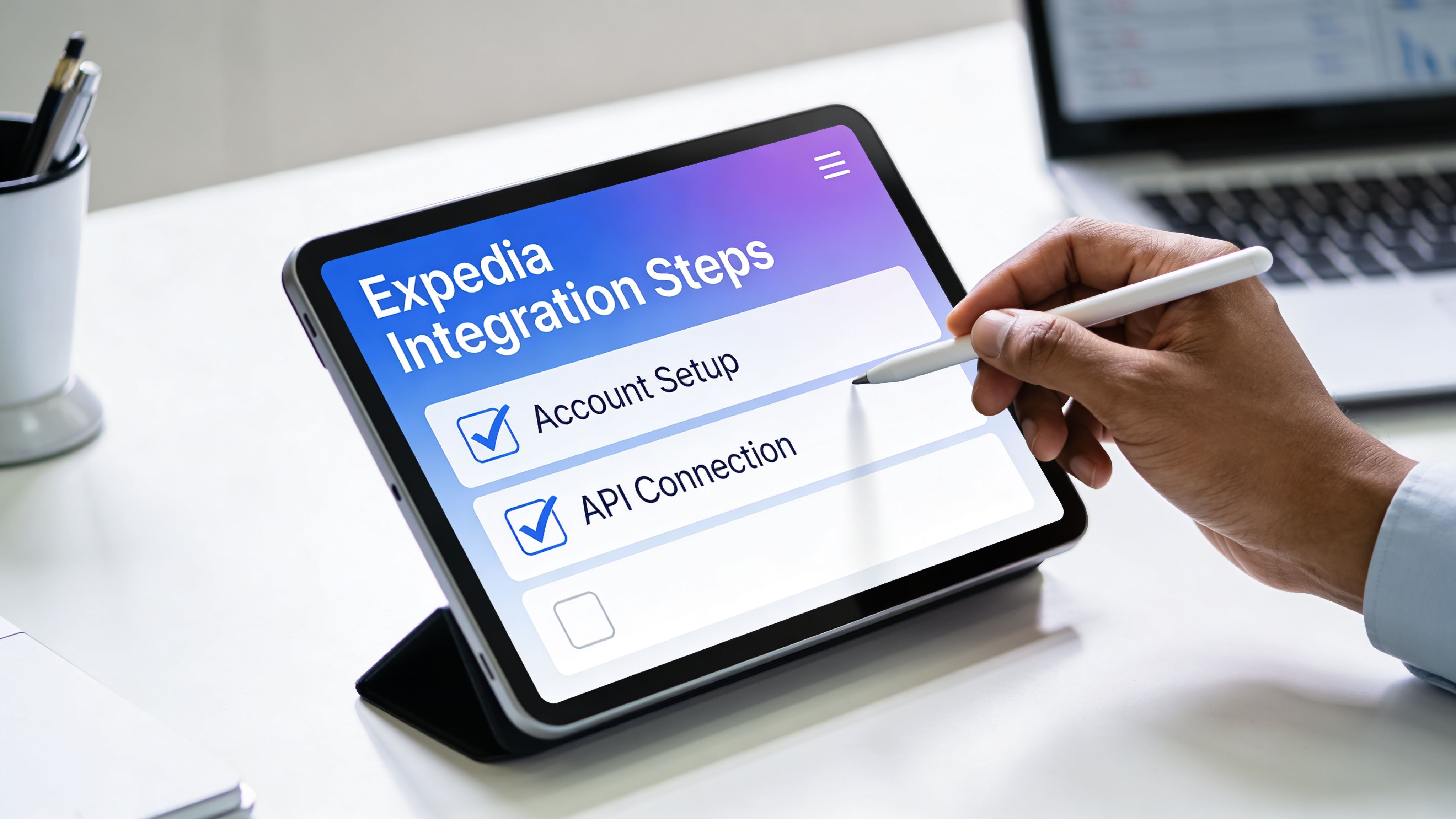
The cleanest way to approach an expedia channel manager setup is to think in phases: prepare the data, configure the connection, test the workflow, then go live carefully.
Before you connect anything
Gather the material for each room first. Failure to do so often leads to many bad launches. Operators try to connect before they’ve defined what they’re selling.
Prepare:
- Room-specific photos that clearly match each rentable room
- Descriptions that distinguish one room from another
- Rate logic for each room
- Availability rules that fit your real operations
- House policies translated into booking-friendly language
If a room would confuse a first-time guest, it needs more setup work before integration.
Configuration inside your system
Once your room data is ready, move into the actual connection process.
Step one: create or verify room inventory
Make sure each room exists as a separate inventory item where needed. Shared homes usually need more granularity than a standard apartment portfolio.
Check for naming issues, duplicate room records, or placeholder inventory that could get mapped by accident.
Step two: connect the Expedia account
At this stage, you’re authorizing the software connection and selecting the property or properties involved. Go slowly here. This step is usually straightforward, but mistakes made here can affect every downstream mapping decision.
Step three: map room inventory carefully
This is the heart of the setup. Each internal room record should connect to the correct Expedia listing.
A simple review question helps: if a guest books this listing, will your onsite team know exactly which room was sold?
If not, stop and fix the mapping.
Launch habit: Never approve a mapping screen just because the names look “close enough.” Room-level systems need exact matches.
Rules, rates, and booking logic
After mapping, configure the operating logic that controls how your listings behave.
This usually includes:
- Rates for each room
- Availability windows
- Booking restrictions
- Policies that affect guest expectations
- Any listing-level content that needs review
Don’t copy one room’s settings across the whole property unless the rooms are genuinely alike. Co-living operators often create their own problems by standardizing too aggressively.
Test before public launch
A test booking is worth the extra time.
Run through a real scenario:
- Open one room for sale.
- Trigger or simulate a booking workflow.
- Confirm that only the booked room closes.
- Review how the reservation appears in your dashboard.
- Check that your team can identify next steps without manual detective work.
Also test cancellation and edit behavior if your workflow allows it. The first successful booking is not enough. You want confidence that the system behaves well when real-life changes happen.
What to review in the first days after launch
Going live isn’t the finish line. It’s the beginning of observation.
In the first stretch after launch, watch for:
- Unexpected room closures
- Listing content mismatches
- Reservations landing in the wrong room record
- Rate discrepancies
- Guest questions that reveal unclear descriptions
Those signals usually point back to setup assumptions, not random software failure.
A careful launch doesn’t require you to become technical. It requires you to be precise about rooms, rules, and what each listing represents. That’s how an expedia channel manager becomes a time-saver instead of a new source of confusion.
Conclusion: Automate and Grow Your Co-Living Portfolio
For co-living operators, an expedia channel manager is really about control.
Not control in the sense of micromanaging every booking by hand. Control in the sense of knowing that when one room gets reserved, your inventory updates correctly, your team sees the right information, and your listings stay aligned with reality.
That matters because room-by-room operations are more delicate than generic rental setups. Each room may carry different pricing, features, and rules. When you manage that manually across Expedia and other channels, errors become part of the workflow. Automation removes that burden only if the room mapping and policies are built correctly.
The upside is practical. You reduce repetitive admin. You avoid double bookings. You create a cleaner path to filling vacancies through a major travel platform without turning your operation into a software project.
For many operators, that leads to a bigger shift. Better synchronization doesn’t just save time. It makes the business more scalable. You can add rooms, properties, and channels without multiplying chaos at the same rate.
If you’re serious about improving occupancy and protecting NOI in a room-by-room model, this isn’t optional infrastructure. It’s part of running a modern co-living business well.
PadPulse is building an all-in-one platform for PadSplit hosts and co-living operators who need better control over pricing, communications, operations, and portfolio performance. If you want updates on the upcoming platform and early access opportunities, join the PadPulse interest list.