Airbnb Calendar Sync: Prevent Double Bookings Now
April 23, 2026
You open Airbnb, see a fresh reservation, and feel that quick burst of relief. Then Vrbo pings. Same room. Same dates. Different guest.
That’s the moment airbnb calendar sync stops being a settings task and turns into an operations problem.
If you run one listing and rarely take bookings elsewhere, you can sometimes get away with a simple setup. If you manage a co-living house with several rooms, overlapping turnovers, maintenance holds, and listings across multiple channels, you can’t. One missed block can force a cancellation, trigger a refund, upset two guests, and throw off your cleaner, lock codes, and move-in schedule in one shot.
The good news is that this is fixable. The better news is that most calendar problems follow patterns. Once you know which sync method you’re using, where it breaks, and how to structure room-by-room availability, you can stop babysitting calendars all day.
The Real Cost of a Single Double Booking
A double booking starts as a calendar error and ends as an operations failure.
One reservation slips through before another platform updates. Now two guests hold valid confirmations for the same room, and your team has to choose who gets displaced. In a co-living property, that decision rarely stays contained to one booking. It can affect cleaner schedules, access codes, room turns, maintenance holds, and any listing that shares inventory logic with that room.
The direct cost is obvious. You may refund one guest, discount the stay for the other, or eat the cost of moving someone to another property. The larger cost is the cleanup time. Someone has to patch calendars, message both guests, update the team, fix automations, and check whether the conflict created new errors in linked listings.
Calendar problems in co-living rentals often follow predictable patterns. A room-level booking conflicts with a whole-home listing. A manual block gets added on Airbnb but not on another channel. A same-day turnover changes availability in one system but not the rest. The more rooms you manage inside one property, the more one missed sync spreads across the operation.
What the panic actually looks like
The operational mess includes:
- Guest disputes: Two guests believe they have the same room, and both have confirmation records to prove it.
- Manual calendar cleanup: Your team starts blocking dates across platforms, then checks whether linked room combinations and parent listings are still accurate.
- Staff errors: A cleaner, co-host, or leasing coordinator works from an outdated schedule and prepares the wrong room.
- Access problems: Smart lock codes, check-in instructions, or move-in notes go to the wrong guest.
- Future revenue loss: To stop the bleeding, you over-block dates and create vacancy that should have stayed bookable.
I treat every double booking as a system failure.
That framing matters because it changes the fix. The answer is not “be more careful.” The answer is to identify where your process broke. In room-by-room rentals, the usual causes are delayed syncing, weak listing structure, or too many manual edits across platforms.
Why co-living operators feel it harder
A single-unit host can sometimes recover with a few messages and a refund. A co-living operator is managing layered inventory. Individual bedrooms, shared spaces, whole-property blocks, maintenance windows, and sometimes flexible combinations like two rooms sold together.
That setup makes calendar accuracy part of daily execution, not just distribution. If availability is wrong, the booking is wrong. If the booking is wrong, everything downstream gets harder.
Understanding Your Sync Options iCal vs API
Calendar sync stops being a basic feature once one property contains six, ten, or twenty bookable rooms. At that point, the primary question is not whether your calendars connect. It is how fast they update, how much booking detail they carry, and how much manual cleanup your team still has to do.
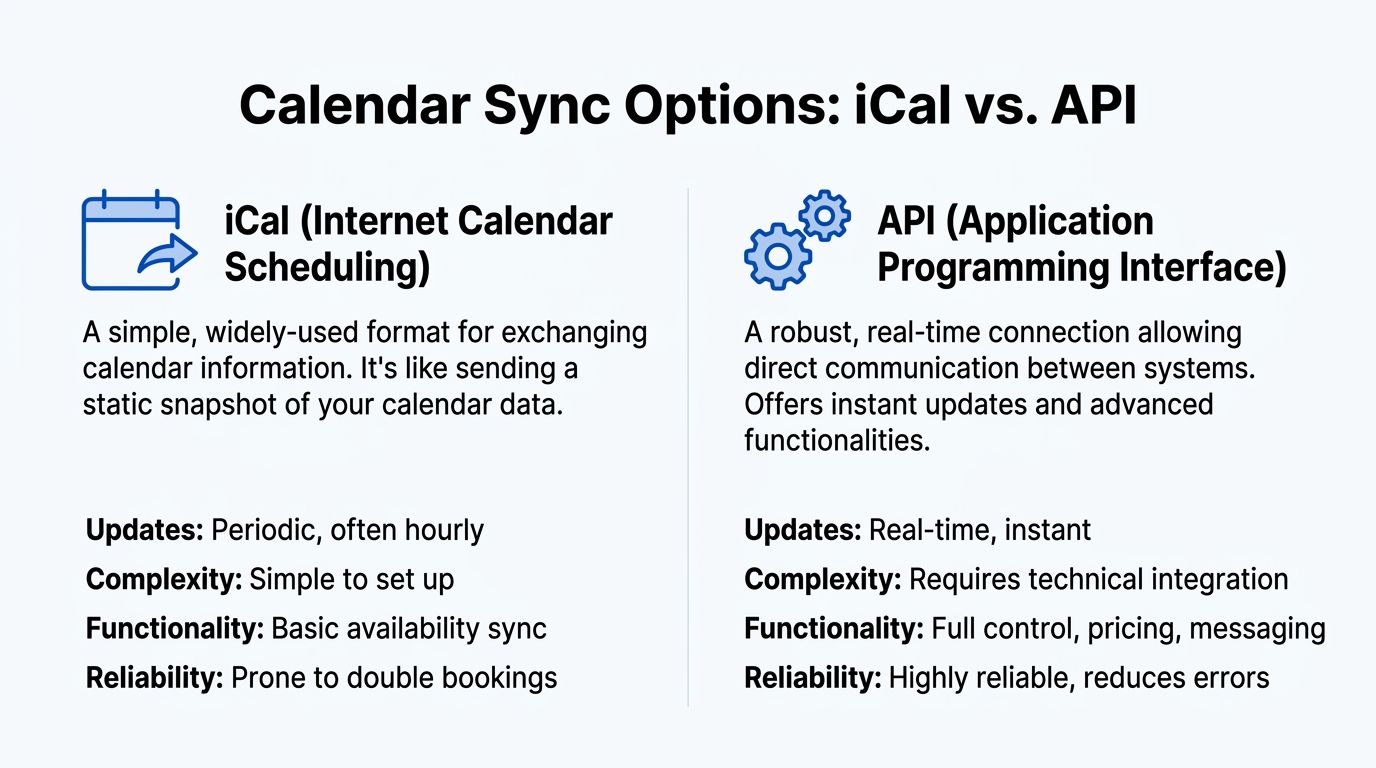
iCal and API solve different operational problems.
What iCal actually does
iCal shares availability through a calendar feed, usually a .ics link. One platform exports the feed, another imports it, and each side reads booked dates and blocked dates from that file.
That makes iCal useful for small setups. It is free, common across booking platforms, and usually enough for operators with a low booking volume and only a few listings to monitor.
The trade-off is timing and detail. iCal updates on a refresh cycle, so changes do not always appear the moment a reservation comes in. It also passes limited calendar information compared with a direct software connection. For a single apartment, that delay may be manageable. For co-living inventory, where several room listings sit under one roof and staff rely on one accurate schedule, those gaps create work.
I have seen this show up in ordinary ways. A room gets booked on one channel, another platform still shows it as open for a while, and the team starts checking which room-level listing, combo listing, or house-level block needs to be corrected.
What API does differently
An API connection gives your software a direct way to exchange reservation and availability data with the booking platform. This is the setup used by channel managers and property management systems built for multi-listing operations.
The practical benefit is speed. Updates usually move much faster, and the connection often supports more than simple open or closed dates. Depending on the system, you can also control pricing, minimum stays, restrictions, and reservation data from one place.
That matters a lot more in room-by-room rentals than in a standard single-home listing. Co-living operators are often managing overlapping inventory rules, maintenance blocks, room turns, and occasional whole-property holds. A slower feed can still work at very small scale. Once booking volume rises, the calendar method itself becomes part of your risk profile.
The trade-off in plain English
| Sync method | Best for | Strength | Weak point |
|---|---|---|---|
| iCal | Small setups, low booking volume, few listings | Free, simple, widely supported | Slower refreshes, limited data, more manual checking |
| API via channel manager | Multi-room operations, co-living, higher volume | Faster updates, centralized controls, better operational visibility | Paid software, setup time, stricter onboarding |
Cost is the obvious difference. Labor is the hidden one.
Many operators stay on iCal because it looks free. Then the team spends time checking imported blocks, fixing room mismatches, and confirming whether a reservation hit every place it needed to hit. If you manage three listings, that may be acceptable. If you manage twelve bedrooms plus a few bundled listing variations, the math changes fast.
Which one should you choose
Use iCal if:
- You run a small portfolio: A few listings with simple availability rules
- You rarely get last-minute bookings: Fewer timing conflicts means lower sync risk
- You need a low-cost starting point: It works for proving the process before paying for software
Move to API if:
- You manage rooms inside the same property: Shared inventory creates more chances for overlap
- You sell across multiple channels: Faster updates protect you from calendar lag
- You change rates, restrictions, or blocks often: Central control saves hours
- Your staff needs one reliable operating calendar: Cleaning, check-in, and guest messaging all depend on the same data being current
For co-living, iCal is usually a starting tool. API is what operators use once calendar accuracy becomes part of daily operations, not just distribution.
How to Set Up Basic Calendar Sync for Free
If you’re not ready for a channel manager yet, start with Airbnb’s built-in iCal tools. They’re simple, free, and enough to keep a small setup organized if you understand the limits.
The key is to sync in both directions. Exporting Airbnb into another platform is only half the job. You also need to import the other platform back into Airbnb so each calendar can see the other’s reservations and blocks.
Export your Airbnb calendar
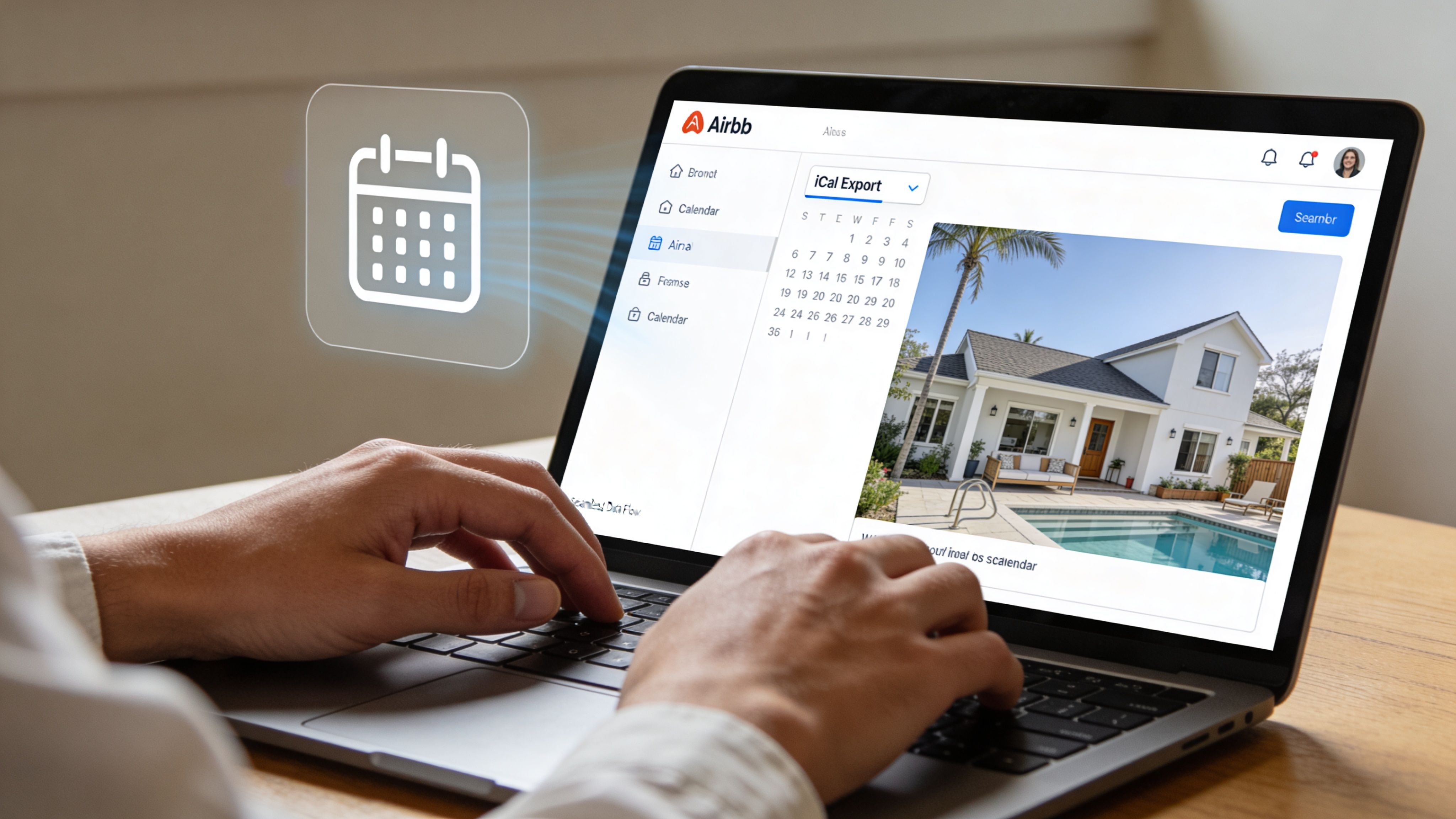
Inside Airbnb, go to the listing calendar you want to share. Look for the calendar connection or availability options, then choose the option to export the calendar link.
That gives you a URL ending in .ics. That link is what another platform, or a tool like Google Calendar, uses to read your availability.
A few practical habits help here:
- Name each calendar clearly: “Airbnb Room 1” is better than “Calendar A.”
- Keep a simple sheet of links: If you manage multiple rooms, store each listing name with its export URL.
- Avoid mixing up room labels: In co-living, one wrong pasted link can block the wrong room for weeks before anyone notices.
Import Airbnb into another calendar
Once you have the Airbnb .ics link, you can paste it into another system that accepts iCal imports.
Common examples include:
- Google Calendar: Useful as a visibility layer for you, your cleaner, or your co-host.
- Vrbo or Booking.com: Useful when you need basic cross-platform availability blocking.
- A shared team calendar: Helpful when you want operations staff to see move-ins and move-outs in one place.
The exact menu names vary by platform, but the process is usually the same:
- Open the target calendar.
- Choose the import or add-by-URL option.
- Paste the Airbnb iCal link.
- Save it with a recognizable name.
Import the other platform back into Airbnb
This is the step many new hosts skip.
If you list on Vrbo, Booking.com, or another booking site, export that calendar from the other platform and import it into Airbnb. Without that second connection, Airbnb won’t know about reservations happening elsewhere.
Your setup should look like this:
- Airbnb exports to Platform B
- Platform B exports back to Airbnb
If you only do one direction, your sync is incomplete.
Field note: Bidirectional sync is the minimum safe setup for multi-platform hosting.
Using Google Calendar as a management layer
Google Calendar won’t replace a proper booking system, but it can help beginners see everything in one place.
That’s especially useful for co-living houses where the booking itself is only one piece of the schedule. You may want your cleaner to see turnovers, your maintenance person to see blocked dates, and your leasing assistant to see which rooms are occupied.
A simple approach works well:
- One calendar per room: Keep each room separate.
- A color for maintenance blocks: So repair holds stand out from guest bookings.
- A private ops calendar: Add notes for lock changes, inspections, and supplies.
Here’s a useful walkthrough if you want a visual on the process:
What free sync handles well
Free iCal sync is solid for a few tasks:
- Blocking booked dates across platforms
- Giving your team a read-only view of reservations
- Reducing basic overlap risk
- Helping you manage one or two listings without extra software
It’s also a good way to learn your operational pattern before paying for more automation.
Where free sync starts to fail
The trouble starts when your business gets faster.
Airbnb’s native sync pulls updates on a cycle instead of continuously, so your calendars aren’t always current the instant a booking lands. That delay is manageable for low-volume listings. It’s much harder to live with when you manage several rooms or accept fast-moving bookings across multiple channels.
Watch for these warning signs:
- You manually check calendars every day because you don’t trust the sync
- You often block dates by hand after new bookings
- Your room turnovers happen too quickly for delayed updates
- You’re listing room-by-room and whole-home combinations
- Your team keeps asking which calendar is correct
A simple free workflow that works
If you’re staying with iCal for now, use a disciplined routine:
- Start with clean calendars: New listings should begin without leftover test blocks or old imports.
- Connect only what you need: Don’t create a spaghetti mess of unnecessary calendar feeds.
- Refresh manually after key changes: If you change a block or receive an important booking, trigger a manual refresh where available.
- Review every week: Look for missing imports, stale links, and odd blocks.
- Use short booking buffers when needed: A small gap between stays can protect you from sync lag.
This setup won’t make you bulletproof. It will make you far safer than running multiple calendars by hand.
Leveling Up with a Channel Manager
Friday at 5:40 p.m., one room gets booked on Airbnb, another teammate blocks that same room for maintenance in a spreadsheet, and Booking.com still shows it as open. That is the moment a free sync setup stops being a shortcut and starts creating risk.
A channel manager gives you one control point for availability, restrictions, and often pricing across every listing. For co-living operators, that matters more than it does for single-unit hosts. You are not managing one calendar. You are managing a stack of room calendars, shared operational blocks, and sometimes whole-home availability that has to stay consistent.

What a channel manager changes
With a channel manager, updates flow from a central system instead of being patched together across separate dashboards. A new reservation, a housekeeping block, or an owner hold gets pushed out from one place. That reduces the two problems that hurt room-by-room operators most. Stale availability and conflicting edits.
The difference is not just speed. It is control.
If Room 3 needs to be closed for flooring work, that hold should hit every connected channel for that room. If your setup allows same-day turns, the system should preserve the afternoon check-in window instead of blocking the entire date by mistake. If you sell both individual rooms and occasional full-property stays, the software needs rules that prevent one listing from overrunning another.
Why operators upgrade
The trigger is usually operational pain, not portfolio size.
Teams upgrade when staff stop trusting the calendars, when manual checks become part of the daily routine, or when one bad conflict costs more than months of software fees. Earlier analysis from PriceLabs points to the same pattern. Manual multi-platform syncing creates real exposure to double bookings, revenue loss, and wasted admin time. In practice, the biggest gain is usually not a flashy metric. It is getting your team out of calendar policing so they can focus on guests, turns, and occupancy.
I have seen this shift happen fast. Once one person on the team starts asking, “Which calendar is right?” every day, the setup is already too fragile.
What to look for in a co-living setup
A lot of channel managers are built for standard short-term rentals. Co-living needs more than that.
Look for:
- Two-way API connections so availability and restrictions update fast both ways
- Room-level inventory management so each bedroom can be sold and blocked independently
- Shared property rule controls for maintenance, inspections, utility work, and house-wide closures
- Same-day turnover handling so partial-day logic does not create false blocks
- Clear conflict logs so your team can see what changed, where, and when
- Pricing and minimum-stay sync if you adjust rates or rules across channels
Test the software against your real inventory, not the sales demo. If you run eight rooms in one house, ask the vendor to show eight room calendars, one house-wide closure, and one temporary room outage. If they can only explain the whole-home case, keep looking.
If you are comparing cost against labor saved, setup effort, and room-count complexity, review PadPulse pricing for co-living operators alongside the other tools on your shortlist.
The trade-off
You will pay for a channel manager. You will also spend time on setup, mapping listings correctly, and cleaning up bad naming conventions from older systems.
That work is worth it when the alternative is hidden labor and preventable mistakes.
Here is the practical cutoff:
| Situation | Better fit |
|---|---|
| One listing, low booking volume | iCal may still be fine |
| Two or three channels, occasional manual intervention | Temporary hybrid setup |
| Multiple rooms in one property | Channel manager |
| Team access, fast turns, frequent rule changes | Channel manager |
| Room listings plus whole-home logic | Channel manager with strong inventory controls |
For co-living, the mistake is usually waiting too long. The best time to switch is when your inventory starts behaving like a small network, not after a bad overlap forces the decision.
The Co-Living Playbook Managing Room-by-Room Sync
A co-living calendar breaks in more ways than a single-unit calendar.
One guest extends in Room 3. Housekeeping blocks Room 2 for a mattress swap. Your sales team opens a two-room combo for the weekend. If those changes do not hit the right calendars in the right order, you create either a double booking or dead nights you never meant to block.
That is the core difference with room-by-room rentals. You are not managing one listing across channels. You are managing related inventory inside one address, where one change can affect several listings at once.
Build a source of truth before you add complexity
Every co-living setup needs one calendar system that wins when records conflict. Without that, staff start checking three places, making judgment calls, and creating mismatches by trying to fix them.
For some operators, that system is a channel manager. For smaller houses, it can be a tightly controlled manual process. The tool matters less than the rule. Everyone on the team needs to know which calendar is final.
Use a structure like this:
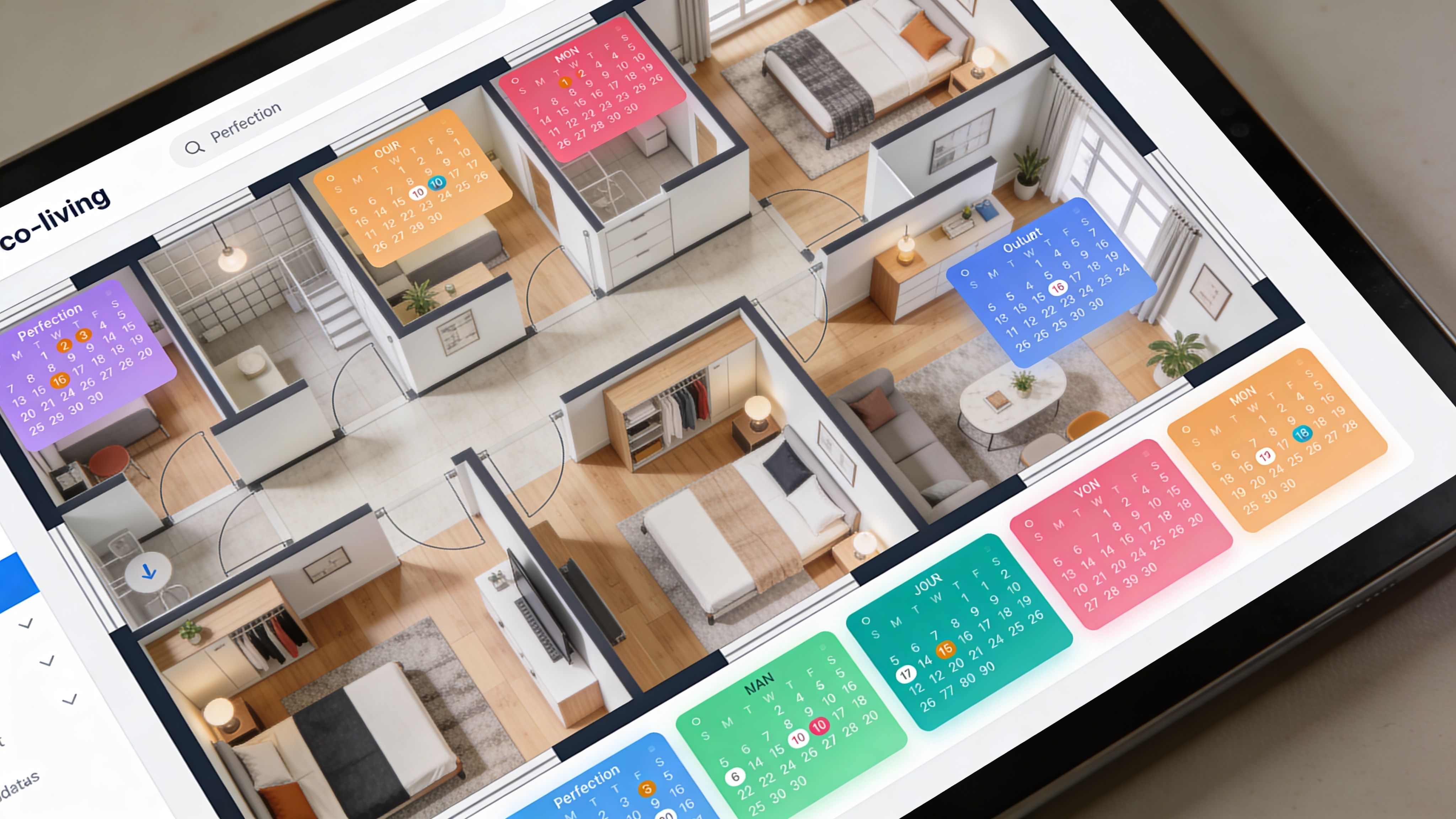
- One calendar per rentable room
- One clear process for whole-house closures
- One owner for final availability edits
- One naming format across every platform
Naming sounds minor until you manage six or ten rooms. “Garden Queen” in one system and “Rear Left” in another is how teams block the wrong unit.
If you need a wider view of how room inventory should map across channels, this Expedia channel manager guide for co-living operators helps frame the distribution side.
Link overlapping listings on purpose
The highest-risk setup in co-living is overlapping inventory. That usually means individual room listings plus a bundled listing for a suite, floor, or full unit.
A common example looks like this:
- Room A is listed separately
- Room B is listed separately
- Room A + Room B is listed as a combined stay
If the combined listing books, both room calendars need to close. If one room books first, the combo listing may need to close too. Operators who skip that logic usually discover the gap after the first conflict.
Set those relationships early. Retroactive cleanup is harder because the listings already have booking history, existing rules, and staff habits built around them.
Separate reservation blocks from operating blocks
Co-living teams lose time when every blocked date means something different.
A booked stay is not the same as a cleaning hold. A maintenance closure is not the same as an owner decision to pause a room. When all four appear as the same generic block, staff start overriding dates without understanding why they were closed.
Keep these categories distinct:
- Guest reservations
- Turnover and cleaning holds
- Maintenance outages
- Planned closures for strategy or seasonality
That one change improves handoffs fast. Your team can tell whether a room is occupied, unavailable for operations, or intentionally off-market.
Protect same-day turns and room moves
Co-living calendars often fail around edge cases, not standard stays.
A guest checks out at 10 a.m. Another arrives at 4 p.m. One resident moves from a smaller room to a larger room mid-stay. A direct booking gets added while OTA calendars are still catching up. These are normal operating events in shared housing, but they expose weak setup fast.
Use a simple rule set:
- Confirm how each system handles check-out and check-in on the same date.
- Test room transfers before they happen in real life.
- Add short buffers where your workflow is still uncertain.
- Avoid manual overrides unless one person owns the follow-up across every affected listing.
I learned this the hard way. The room calendar is rarely the only calendar touched by a move. In co-living, one reservation edit can change housekeeping, availability, and a linked combo listing at the same time.
Keep the system boring enough to scale
The best room-by-room calendar setup is the one your staff can follow at 11 p.m. without guessing.
That usually means clean naming, limited edit access, weekly audits, and no clever workaround that lives in one ops manager’s head. If your process depends on memory or Slack messages, it will fail when booking volume rises.
Boring wins here. Boring prevents overlap. Boring keeps a six-room house from turning into a spreadsheet investigation every Monday morning.
Troubleshooting Common Sync Errors and Best Practices
A single bad sync in a co-living house rarely stays isolated. One room shows open when it is not. A same-day turn gets missed. Staff cleans the wrong unit. Then support time disappears into screenshots, timestamps, and guest messages.
That is why troubleshooting has to be operational, not just technical.
Problem one. The room still looks available after it already booked
Symptom: A reservation lands on one platform, but another calendar still shows that room as open.
What is happening: iCal does not update instantly. It pulls on a schedule, so a lag between calendars is normal. That delay is manageable on a slow listing. It becomes risky when you run multiple rooms, short stays, or same-day backfills.
What to do:
- Force a refresh after important bookings or blocks: Do this for high-risk rooms first, not every listing in the house.
- Add turnover protection where your process is still tight: Even a small buffer can reduce exposure.
- Stop using iCal as your final system for fast-moving inventory: If a room books often, the delay becomes an operating cost.
I treat sync lag as a system constraint, not a surprise. Once you accept that, the fix gets clearer.
Problem two. Checkout days block incorrectly
Symptom: A guest checks out, but the room still appears blocked on the next valid check-in date.
Cause: iCal often imports reservations as full-day blocks. That can break the timing logic you need for same-day turns, room transfers, and staggered arrivals.
This hits co-living operators harder than standard hosts. A whole-home host might lose one night of availability. A room-by-room operator can lose a handoff, delay cleaning, or accidentally block the wrong linked listing.
What to do:
- Check your shortest-stay and highest-turn rooms first: They are usually where this shows up.
- Review imported reservations as date blocks, not time-aware bookings: That assumption prevents a lot of mistakes.
- Use manual review for rooms with frequent same-day activity: Especially if staff rely on one calendar view.
- Move those listings to API-based sync when possible: API connections usually handle partial-day availability better.
Problem three. A reservation never appears on the other calendar
Symptom: One platform shows the booking. Another linked calendar never receives it.
In practice, this is usually setup drift, not a mystery bug. I see the same causes repeatedly:
- The wrong iCal URL was pasted into the wrong room
- An old export link is still attached to a retired listing
- The connection was set up one-way
- Internal room names no longer match the listing names your team uses
That last one causes more problems than people expect. In a six-room house, "Room 2 Rear," "Blue Room," and "Downstairs Queen" can all mean the same inventory to different staff members. Calendar sync does not care what your team meant.
Fix checklist:
- Copy fresh export links from the live listing
- Confirm each room syncs in both directions if both calendars need to stay aware
- Standardize room naming across your PMS, OTA listings, and ops sheet
- Run a controlled test block and watch where it appears
If you want better room-mapping and workflow support for co-living inventory, submit co-living calendar feature requests.
Problem four. You still got a double booking
This is the failure that matters most, because it creates guest pain immediately.
Use a tight response order:
- Block the affected room everywhere
- Check which reservation was confirmed first
- Pause any staff action tied to that room
- Message guests with the resolution, not a technical explanation
- Record the actual cause while the details are fresh
For co-living operators, the root cause often sits outside the room itself. It may be a stale imported calendar, a duplicate listing, a manual hold that never got removed, or a linked inventory rule that broke after a room move. Do not reopen availability until that specific failure is fixed.
Best practices that prevent repeat errors
Good operators use routine. They do not rely on memory.
- Run a weekly audit across every room, not just the problem listings
- Remove old test holds and duplicate imports
- Keep one source of truth for availability
- Limit who can make manual calendar edits
- Write a short mismatch process for staff so they know who checks what
The goal is simple. If someone spots a conflict at night or during turnover, they should be able to follow the process without guessing.
A practical weekly audit for room-by-room rentals
| Task | What to check |
|---|---|
| Room review | Each room shows the expected occupied and open dates |
| Turnover review | Checkout and next check-in windows match your actual cleaning capacity |
| Maintenance review | Repair holds sit only on the rooms affected |
| Cross-platform review | No room is open on one platform and blocked on another without a reason |
| Naming review | Listing names, room labels, and ops tracking still match |
The teams that avoid sync fires are usually the ones with the least drama in their process. Clean names, clear ownership, fewer manual touches, and a standing audit beat clever fixes every time.
Automate Your Calendars Automate Your Growth
If you’re new, start with the free tools and get the basics right. Airbnb calendar sync through iCal is a valid starting point. It teaches you how availability moves, where delays show up, and which listings create the most friction.
But don’t confuse a starting point with a permanent system.
Co-living operations need cleaner inventory logic than standard hosting. The more rooms you manage, the more important it becomes to centralize updates, reduce manual edits, and make one system the source of truth. That’s how you stop solving the same problems every week.
The operators who scale smoothly usually do one thing early. They stop treating calendar work as admin and start treating it as infrastructure.
If you want to shape the kind of software co-living operators need, you can share ideas through PadPulse feature requests. Input from working hosts is usually what separates useful automation from pretty dashboards.
If you're running PadSplit-style or room-by-room rentals and want a simpler way to manage pricing, messaging, access, and operations in one place, join the early interest list for PadPulse. It’s being built for co-living operators who need fewer manual tasks, faster vacancy fills, and better control as they scale.