Optimize Co-living: Best Property Management Systems 2026
July 4, 2026
You're probably managing your co-living house with a messy stack of tools right now. Rent lives in a spreadsheet. Maintenance requests arrive by text. A prospect asks whether Room 3 is available, and you check your notes, your calendar, and maybe a payment app before answering.
That setup works for a while. Then a resident moves out early, another wants a lease extension, the cleaner needs access, and a smart lock code has to change before the next move-in. At that point, you're not really running one property. You're running dozens of small workflows inside one building.
That's where property management systems start to matter. Not as “software” in the abstract, but as the thing that pulls your operations into one place so you can stop reacting all day and start managing like a business.
From Chaos to Control with Property Management Systems
A new host usually hits the same wall.
They start with one house and keep everything in simple tools. One spreadsheet tracks who paid. Another tracks room turns. Messages come through phone, email, and listing platforms. Maintenance sits in a note on someone's laptop. It feels manageable because the portfolio is small.
Then room-by-room reality kicks in.
One resident pays late. Another asks to swap rooms. A contractor needs entry while the house manager is at work. A prospect wants to move in next week, but the room still needs cleaning, photos, and a pricing update. None of these tasks is huge on its own. The problem is the pileup.
Why co-living creates more operational noise
Traditional apartments are simpler because the unit is the product. In co-living, the room or even the bed is the product, but the house still has shared utilities, common spaces, shared rules, and frequent turnover.
That creates a different kind of admin load:
- More leases to track: One house can mean several resident agreements at once.
- More communication threads: Every resident has separate questions, dates, and issues.
- More access changes: Move-ins and move-outs create lock and permission updates constantly.
- More pricing decisions: A vacant room in a shared home needs its own pricing logic.
Practical rule: If you're copying the same information into multiple places, you've already outgrown your current system.
This is why property management systems have become part of the industry's shift toward more professional operations. The global property management software market was valued at USD 6.53 billion in 2026 and is projected to reach USD 9.93 billion by 2031, growing at a CAGR of 8.74%, according to Mordor Intelligence's property management software market report. That growth reflects a broader move toward data-driven tools becoming standard for operators who want stronger returns.
What control actually looks like
For a co-living host, control doesn't mean doing more manually. It means having one place to:
- see occupancy by room
- collect rent
- track maintenance
- message residents
- manage access
- review property financials
A good PMS becomes your operating system. Instead of chasing information, you open one dashboard and know what needs attention today.
What Is a Property Management System Anyway
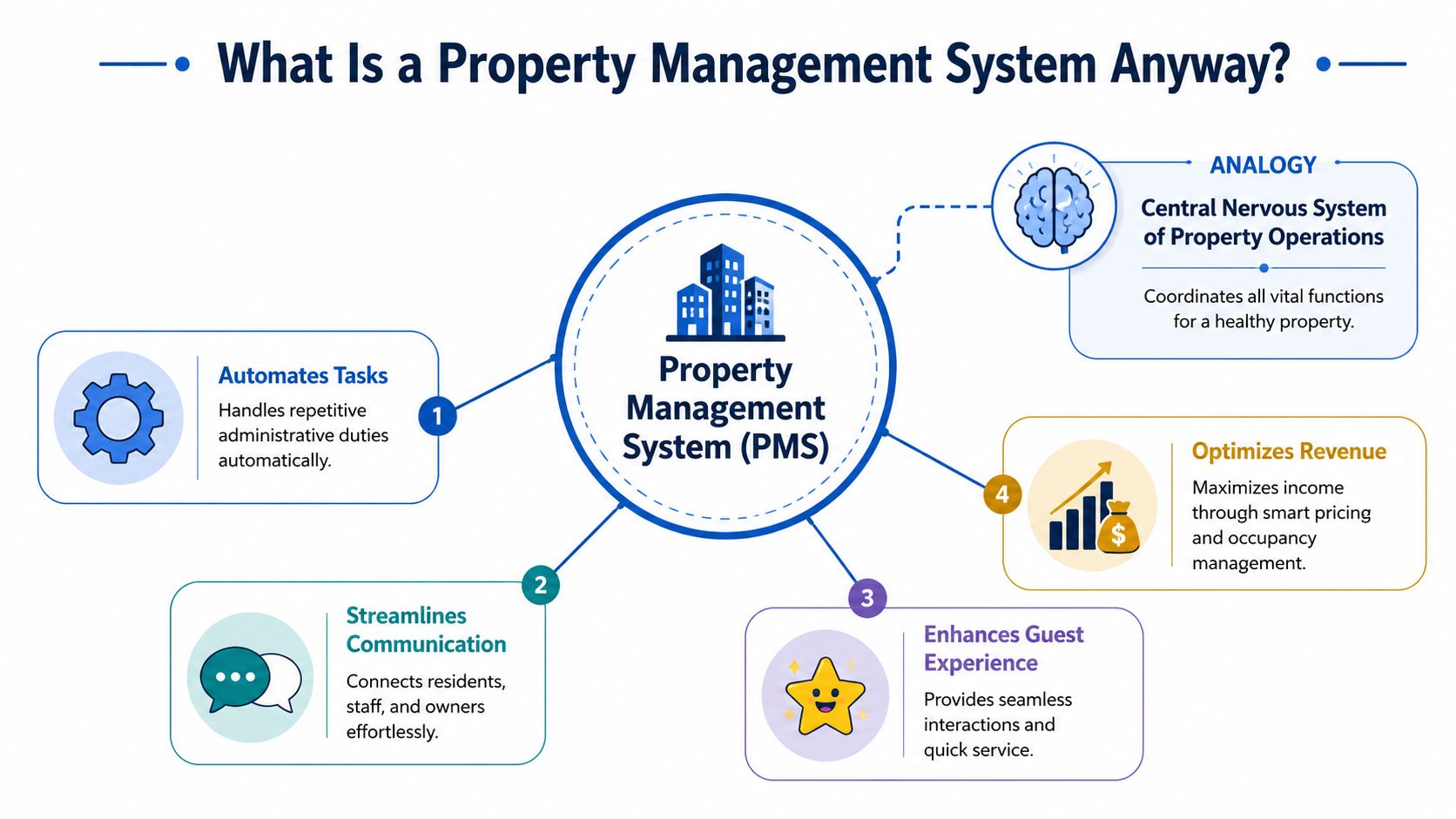
A property management system, often shortened to PMS, is your digital headquarters. It functions as the central nervous system for your rental operation. It collects signals from leasing, payments, maintenance, resident communication, and reporting, then organizes them so you can act quickly.
That sounds technical, but the day-to-day idea is simple. A PMS replaces scattered tools with one shared workflow.
What a PMS does in plain language
Instead of opening five apps to answer one question, a PMS helps you do things like:
- Track residents and leases: Who lives where, when their agreement ends, and what they owe.
- Collect payments: Rent, fees, and records of what has or hasn't been paid.
- Handle maintenance: Log issues, assign work, and follow status.
- Message people in context: Keep resident communication tied to the right room, lease, or task.
- Review performance: See whether the property is healthy without rebuilding reports manually.
If you're brand new to the category, this beginner guide on what property management software is gives a useful baseline before you compare platforms.
Why generic software often breaks in co-living
Here's where many new hosts get confused. They search for property management systems and assume all PMS tools do roughly the same thing. They don't.
A standard apartment PMS is usually built around whole units. One tenant, one lease, one rent amount, one renewal cycle. That works fine for a duplex or a conventional multifamily building.
Co-living operations are different. Resharmonics defines coliving property management systems as all-in-one software designed for shared living properties, combining automated messaging, billing, bookings, sales channel management, maintenance scheduling, and access control in a single platform, as explained in this coliving PMS overview from Resharmonics.
That difference matters because your real operating object isn't just the property. It's the room, the resident, and the shared house rules all at once.
To see the concept explained visually, this short walkthrough is helpful.
A generic PMS manages apartments. A co-living PMS has to manage people, rooms, shared spaces, turnover, and access changes at the same time.
A quick example
If Unit 2B in a normal apartment building becomes vacant, you market one unit.
If Bedroom 2 in a six-bed shared house becomes vacant, you still have five active residents in place. You may need to update pricing for one room, screen one new resident, issue one new access credential, and coordinate move-in without disrupting the rest of the house.
That's why the right PMS isn't just a nicer dashboard. It's a different operating model.
Must-Have Features for Co-Living Operations
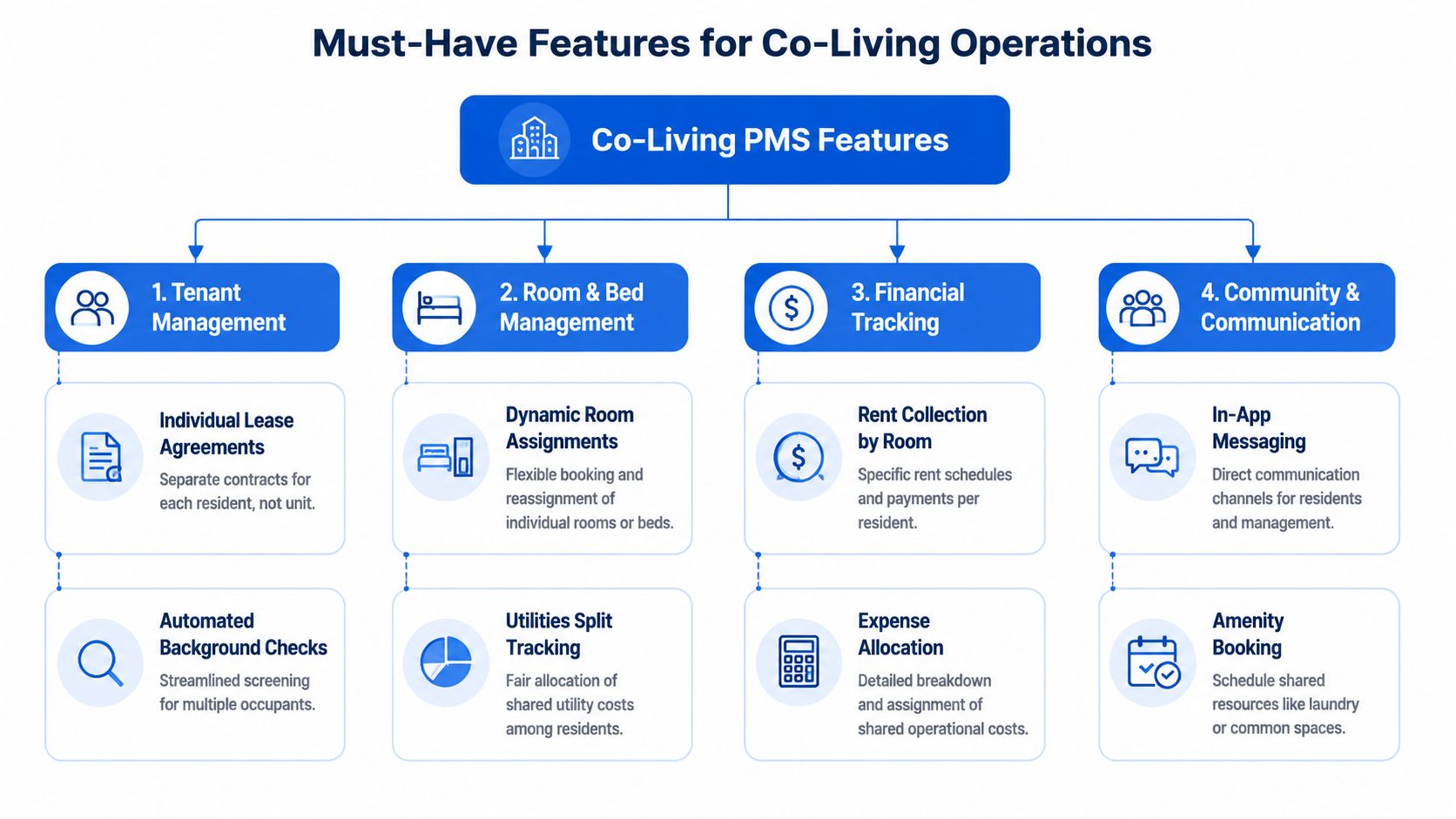
To evaluate a PMS for co-living, ask one key question: can this system handle room-by-room operations without workarounds?
That question matters because a shared house runs more like a small hotel inside a home than a standard apartment building. One resident moves out. Five others stay put. Access changes for one room, cleaning happens on one floor, and rent may differ from the room across the hall. If the software only understands whole units, your team ends up translating real operations into spreadsheets, notes, and side apps.
Start with room and bed logic
A co-living operator leases pieces of a property, not just the property itself.
Your PMS should treat each room, and sometimes each bed, as its own inventory item. That affects availability, assignments, pricing, deposits, and status tracking. If a platform only sees one lease per unit, simple daily tasks become manual fixes.
A closer look at software built for room-by-room co-living operations can help you compare this room-first setup with standard landlord systems.
Essential co-living features
The right feature set should match the way a shared house works in real life.
- Individual room management: You need to see which room is occupied, reserved, offline for repairs, turning, or ready to fill. "Property occupied" or "unit occupied" does not give enough detail.
- Per-room billing and rent collection: Shared homes rarely have one flat rent structure. A larger room, furnished room, or ensuite room may carry a different rate and fee setup.
- Resident records tied to the correct room: Each resident profile should connect to documents, payments, messages, lease dates, and house assignment so staff are not hunting through separate tools.
- Shared-space and private-space maintenance tracking: A broken hallway light affects the home. A damaged bedroom door affects one rentable room. Your workflow should separate those cases clearly.
Access control needs to connect to turnover
In co-living, access is part of operations, not a separate tech decision.
Nimbio notes in its remote property management analysis that co-living operators often handle locks outside the PMS, which creates delays and security gaps in shared homes with frequent resident turnover. That problem shows up fast when move-ins and move-outs overlap.
If staff have to update codes in a separate system every time someone changes rooms, small mistakes pile up:
- Move-ins stall: A new resident arrives before access is live.
- Move-outs stay open too long: Old codes or permissions remain active after departure.
- Vendor access gets harder to control: Cleaners, handymen, and inspectors need timed entry that matches the work order.
For a new host, the easiest way to picture this is as a relay race. Leasing hands the room to operations. Operations hands it to cleaning. Cleaning hands it to the resident. If access control sits outside the PMS, each handoff has one more chance to fail.
Pricing has to work below the unit level
Generic apartment software usually assumes one rent amount per unit type. Co-living does not work that way.
Rates often vary by room size, bathroom type, furnishing level, demand, and how long a room has been vacant. You need pricing tools that let you adjust one room without rewriting the whole property.
Look for systems that support:
- Room-level pricing
- Availability-based pricing updates
- Portfolio comparisons across similar room types
- Status views that show where one underpriced or overpriced room is slowing leasing
Flexible leases and message automation matter in shared homes
Co-living portfolios often mix lease lengths, renewal timing, and house rules across properties. A PMS should handle that variety without forcing your team into custom spreadsheets or manual reminders.
Messaging matters for the same reason. Shared living generates repeat questions about move-in steps, utility rules, guest policies, rent due dates, and maintenance access. Good automation keeps those communications organized and consistent, so residents get clear answers and staff do not spend every week rewriting the same message.
The True ROI of a PMS Beyond Saving Time
Most hosts buy software because they want fewer headaches. That's valid, but it understates the value.
The true return from a strong PMS shows up in how the property performs. Faster turns, fewer missed tasks, clearer reporting, and better maintenance all shape income and expenses. Over time, that's much bigger than saving a few hours each week.
Better systems support revenue quality
When your data is centralized, you can make cleaner operating decisions. You can spot which rooms sit vacant too long, where follow-up is breaking down, and whether pricing or process is the issue.
That matters in co-living because one vacant room can drag on performance while the rest of the house looks occupied. A PMS helps you catch that earlier and respond faster.
For many operators, the first financial win is simpler than people expect. It's not a dramatic “hack.” It's reducing the small leaks caused by scattered information, slow vacancy turns, and inconsistent follow-up.
Maintenance is a profit issue, not just an operations issue
Hosts often think of maintenance software as an organizational bonus. It's more than that.
According to Hostify's explanation of property management system functions, predictive maintenance powered by IoT sensors and AI can reduce unexpected HVAC and plumbing failures by up to 45% and lower operational expenses by 20–30%, while preserving property value through continuous asset monitoring.
For a co-living house, that matters because maintenance problems affect multiple residents at once. A broken HVAC system or plumbing issue doesn't just create one unhappy tenant. It can disrupt the entire home, increase support load, and complicate renewals.
Financial lens: The best property management systems don't just organize work. They help prevent expensive surprises.
Reporting changes how owners manage
A PMS also improves the quality of conversations with partners, lenders, or investors. Clean reports signal that the property is being run like a business, not as a side project held together by personal notes.
That's especially useful when you're reviewing net operating income basics for rental operators. If revenue, occupancy, and maintenance records all live in separate places, it's hard to trust the numbers. When they live in one system, decision-making gets sharper.
Resident experience affects the bottom line too
Residents don't usually praise your software. They notice the outcome.
They notice when payments are simple, maintenance requests don't disappear, and move-in instructions are clear. In shared housing, those basics matter even more because every bad process creates friction inside a community setting.
A PMS doesn't replace good management. It gives good management a repeatable structure.
How to Choose the Right PMS for Your Portfolio
Shopping for a PMS gets overwhelming fast because every vendor says they automate everything. The better approach is to evaluate software against the way your portfolio runs.
For co-living, I'd start with one blunt question: does this system understand rooms and residents, or only units and leases?
Use this filter before you book demos
MonkSpaces highlights a critical threshold for coliving software: the system should be able to handle both short-term and long-term rental leases within the same tenant and lease tracking module, a requirement many generic platforms struggle with, as noted in MonkSpaces' guide to choosing coliving management software.
If a platform can't do that, many “integrations” are really just patches.
Co-Living PMS Evaluation Checklist
| Feature / Criteria | Importance (High/Med/Low) | Notes / Questions to Ask Vendor |
|---|---|---|
| Room-level inventory management | High | Can you manage individual rooms or beds instead of only full units? |
| Mixed lease support | High | Can short-term and long-term stays live in the same system cleanly? |
| Native access control | High | Does the PMS handle smart locks directly or rely on separate apps? |
| Resident communication workflows | High | Can the team automate reminders, move-in messages, and common updates? |
| Rent collection by resident | High | Can each resident have separate charges, due dates, and payment records? |
| Maintenance tracking | High | Can you assign, monitor, and close tasks by room and common area? |
| Reporting and P&L visibility | High | Can you see property performance without exporting data manually? |
| Ease of use for on-site teams | Med | How quickly can a house manager learn the interface? |
| Resident portal experience | Med | Is the resident side simple enough that people will actually use it? |
| Accounting and smart-home integrations | Med | What connects out of the box, and what requires custom setup? |
| Pricing transparency | Med | Are there setup fees, per-room charges, or extra costs for integrations? |
| Scalability | Med | Will the platform still work if your portfolio grows materially? |
Questions worth asking live
During a demo, don't stay at the feature list level. Ask the vendor to show a real workflow.
For example:
- Show me a room turn: What happens from move-out through cleaning to move-in?
- Show me a lease change: Can one resident switch rooms without creating a mess in the records?
- Show me access updates: What changes when someone leaves and a new resident arrives?
- Show me the reporting: Where do I see rent status, open maintenance, and occupancy together?
One practical option in this niche is PadPulse, which is being built for PadSplit hosts and co-living operators with features centered on room-by-room pricing, AI-powered messaging workflows, smart-home integrations, and portfolio-level financial visibility.
Don't choose a PMS based on the homepage. Choose it based on the workflows you run every week.
Onboarding Your PMS and Avoiding Common Pitfalls
The switch to a new PMS feels bigger than it usually is. Most hosts aren't worried about the software itself. They're worried about disruption.
That concern is fair. If onboarding is sloppy, residents get confused, staff revert to old habits, and the new system ends up becoming one more tool instead of the main one.
Start small and get one workflow stable
The smoothest rollouts usually begin with one property or one core process.
Good starting points include:
- Rent collection first: This gives you an immediate operational anchor.
- Resident records next: Get leases, contact details, and room assignments cleaned up.
- Maintenance after that: Once the team trusts the system, task workflows become easier to adopt.
You don't need every advanced feature turned on in week one. You need one reliable source of truth.
What usually goes wrong
A few mistakes show up again and again:
- Importing messy data: If your spreadsheets are inconsistent, the PMS won't magically fix them. Clean names, lease dates, room labels, and balances before migration.
- Skipping staff habits: Teams keep using text threads and side spreadsheets if you don't define the new process clearly.
- Poor resident communication: If residents don't understand how to pay, submit requests, or receive updates, they'll default to old channels.
- Buying too much complexity: A feature-rich platform isn't helpful if your team avoids it.
Change management matters as much as software setup. People need simple rules about where work happens now.
A practical rollout approach
Use a phased plan:
- Week one: Import core data and verify it.
- Week two: Run payments and resident messaging through the system.
- Week three and beyond: Add maintenance, access, automation, and reporting routines.
Also give tenants a short, clear message about the switch. Tell them what's changing, what action they need to take, and where to go for help.
The goal isn't a perfect launch. It's a stable one.
The Future Is Integrated A Look at PadPulse
The biggest lesson in co-living operations is simple. The pain usually isn't caused by one bad tool. It comes from too many disconnected ones.
Hosts end up with one app for pricing, another for locks, another for resident communication, another for financial tracking, and a spreadsheet holding the rest together. That stack creates delays, missed handoffs, and extra manual work every time a room turns.
A more useful direction is integrated software designed around room-by-room operations from the start. That means bringing pricing, communications, smart access, and reporting into one operating layer so the team doesn't have to rebuild context all day.
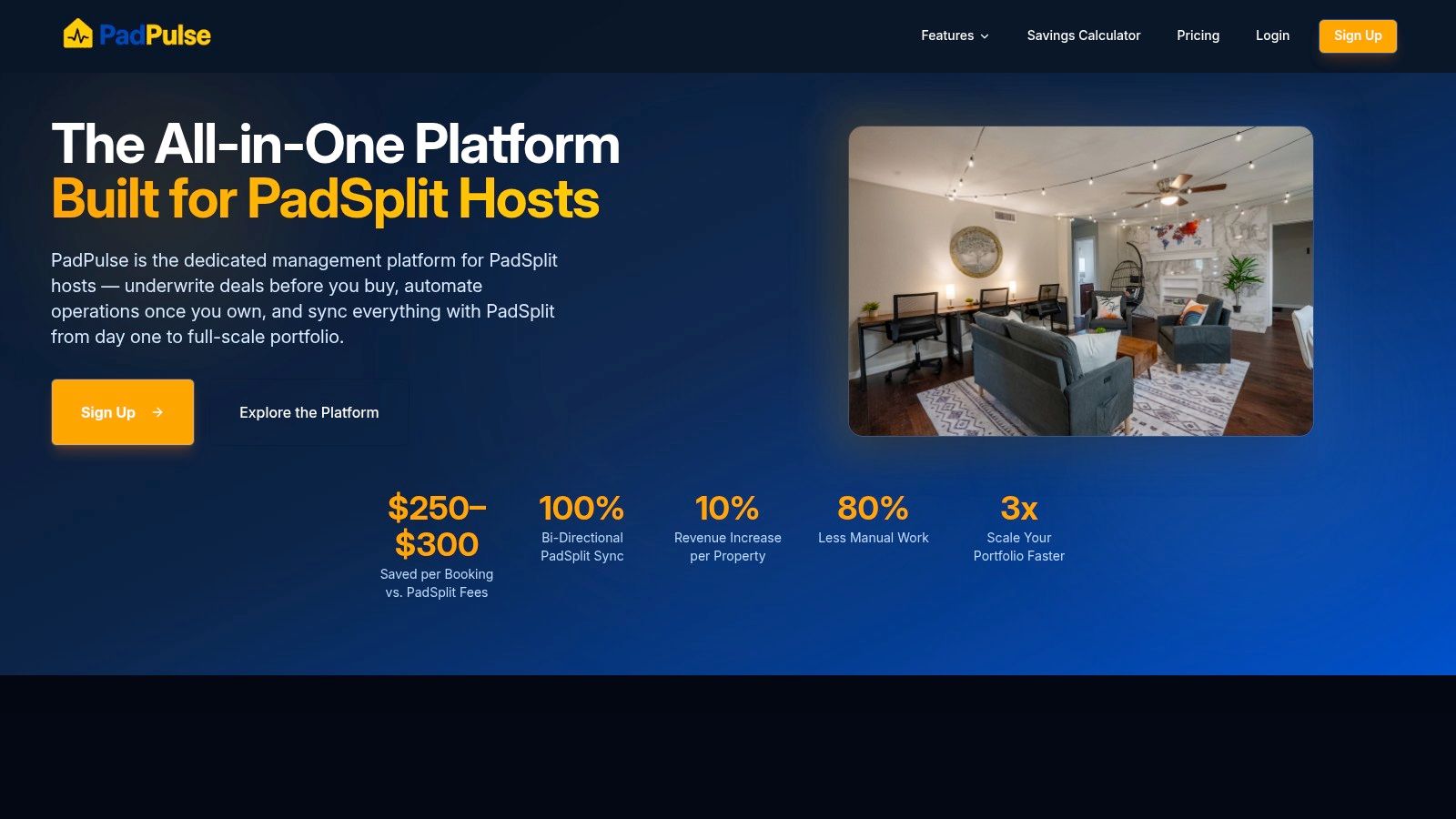
For hosts in the shared-housing niche, that's the gap many general property management systems still haven't closed. The software category is growing, but room-by-room operators still need tools that reflect how co-living works on the ground.
If your current setup depends on spreadsheets, separate lock apps, and manual follow-up, the right PMS won't just help you stay organized. It can change how confidently you scale.
If you're exploring a more centralized way to run room-by-room rentals, PadPulse is building an all-in-one platform for PadSplit hosts and co-living operators. You can join the interest list for beta updates and early access as the product develops.