Optimize Co Living Software: Your 2026 Operator Guide
June 4, 2026
If you're running a co-living house with spreadsheets, payment app screenshots, text threads, and a half-updated vacancy tracker, you already know where the day goes. One resident pays through one app, another asks for a late fee waiver by text, a prospect wants to tour tonight, and someone in Room 4 says the lock battery is dying. None of those tasks is hard on its own. The problem is the pileup.
That pileup gets expensive fast. Empty rooms linger because follow-up is slow. Rent comes in late because reminders are manual. Maintenance gets missed because the request lived in a message thread instead of a system. In a room-by-room model, small lapses multiply because you're not managing one lease per home. You're managing many moving parts inside one asset.
That's why co-living software matters now in a way it didn't a few years ago. The global co-living market was estimated at USD 7.82 billion in 2024 and is projected to reach USD 16.05 billion by 2030, according to Grand View Research's co-living market analysis. As the category professionalizes, operators need systems built for occupancy, pricing, communication, and room-level operations, not generic tools held together with manual workarounds.
The End of Spreadsheets and Text Message Chaos
Most operators start the same way. A spreadsheet tracks who lives where. Another tab tracks deposits. Rent reminders go out by text. Showings live in your calendar. Maintenance issues arrive through email, SMS, and the occasional late-night call.
That setup works until it doesn't.
The breaking point usually isn't dramatic. It's a collection of small misses. You forget to update one room's availability. A prospect goes cold because nobody followed up in time. A resident says they paid, but the confirmation is buried in a thread. You spend your morning reconciling transactions instead of filling a vacancy.
Practical rule: If you need to check three different apps to answer “Who owes rent, which rooms are open, and who needs a key,” you've outgrown manual operations.
Co-living software fixes that by giving you one operating layer for the business. Instead of separate tools for rent, messaging, occupancy, and access, you get a central system that keeps the room, resident, payment, and task tied together.
For new hosts, it helps to compare it with a broader property management software overview. The difference is that co-living operations run at a finer level. You're leasing bedrooms, not just units. You're often handling faster turns, shared spaces, bundled services, and more resident communication.
A room-by-room model creates more revenue opportunities, but it also creates more operational drag if your systems are loose. Co-living software isn't a luxury add-on for larger operators. It's the tool that keeps your NOI from leaking through avoidable friction.
Common symptoms that tell you it's time to switch:
- Late rent follow-up is inconsistent: Some residents get reminders, some don't, and you end up chasing money manually.
- Vacancy tracking is unreliable: A room may be physically ready but still not marketed correctly.
- Communication lives everywhere: Text, email, WhatsApp, and calls create duplicate work and missed context.
- Turnovers feel chaotic: Cleaning, lock access, and move-in details aren't tied to a single workflow.
What Exactly Is Co-Living Software
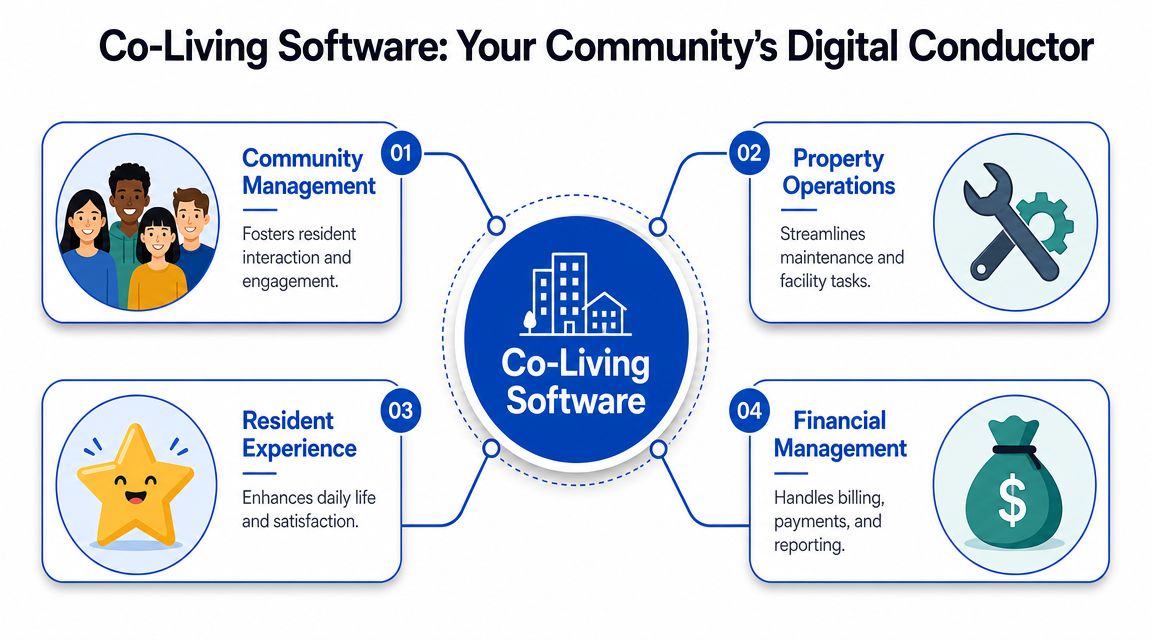
Think of co-living software as the digital headquarters for a room-by-room rental business. It's the place where leasing, billing, resident communication, maintenance, and access control come together so the house runs as one system instead of a collection of disconnected tasks.
Traditional property management software was built around apartments or single-family leases. One unit, one lease, one ledger. Co-living rarely works that neatly. Different residents move in on different dates, pay separately, use shared spaces, and generate more frequent support requests.
Why generic PMS tools fall short
A standard PMS can usually record leases and payments. Where it starts to struggle is the operating reality of shared housing.
That includes things like:
- Per-room leasing: Each bedroom needs its own availability, pricing, resident profile, and billing trail.
- Shared-house coordination: Kitchen, bath, cleaning, access, and house rules affect multiple residents at once.
- High message volume: Prospects and residents ask more operational questions in co-living than in a conventional annual lease.
- Frequent micro-events: Move-ins, renewals, transfers, lock changes, and house notices happen constantly.
Buildium's industry coverage notes that the organized U.S. market was still early with about 5,000 co-living beds across 150 co-living properties in the United States at the end of 2019, based on a 2019 CBRE estimate, while more recent coverage describes co-living as spanning 70+ countries and 380+ cities, which is why a dedicated PMS is now framed as the “most critical piece” of the stack in Buildium's guide to managing coliving properties.
What it should do day to day
Good co-living software acts less like a filing cabinet and more like air traffic control. Every room, payment, message, and task should move through one place with clear status and accountability.
A beginner-friendly way to evaluate it is to ask whether the system helps with these core jobs:
| Operational need | What the software should handle |
|---|---|
| Room inventory | Track which specific rooms are occupied, ready, or vacant |
| Resident billing | Charge each resident separately and keep clear ledgers |
| Messaging | Centralize inquiries, reminders, notices, and support |
| Turnover workflow | Coordinate cleaning, inspections, and next move-in |
| Reporting | Show occupancy, rent status, and portfolio performance |
The best systems reduce context switching. You stop asking, “Where did that information go?” and start asking, “What action is next?”
That's its definition in practice. Co-living software isn't just software for landlords. It's software for operators who make money one room, one workflow, and one resident interaction at a time.
Key Features That Drive Profitability and Efficiency
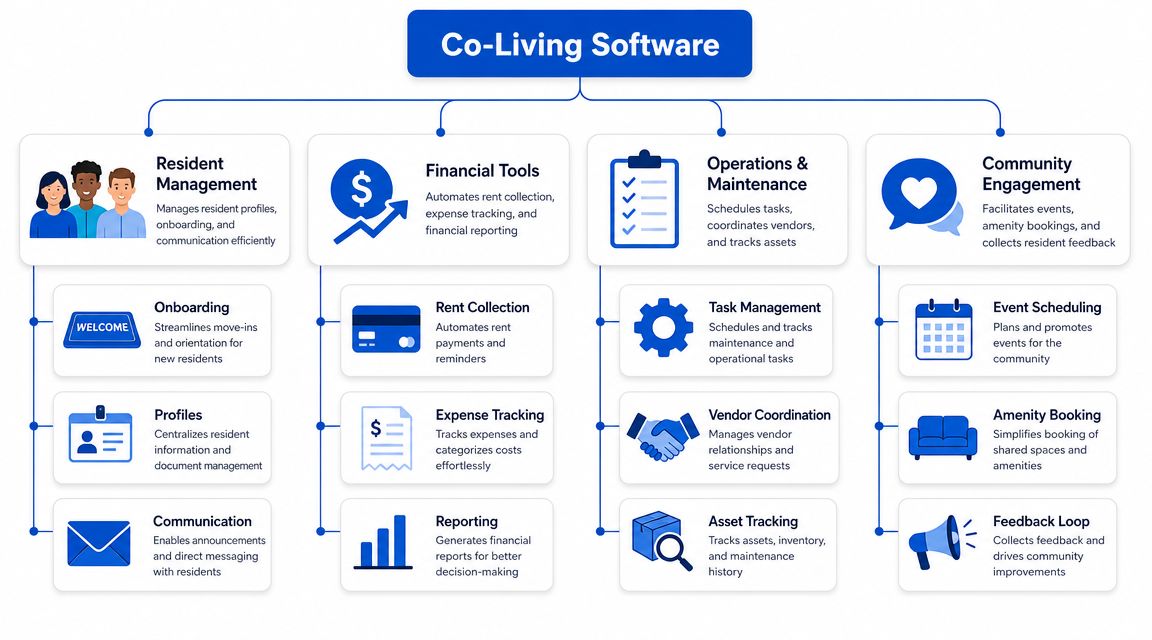
When operators shop for co-living software, they often focus on feature lists instead of operational outcomes. That's a mistake. A useful platform isn't the one with the longest menu. It's the one that removes the specific friction points that hurt occupancy, collections, and staff time.
Rent-by-the-room billing
This is the first feature I'd check because it exposes whether the platform was specifically developed for co-living.
You need software that handles individual resident ledgers, different move-in dates, recurring charges, and payment status without forcing you into manual adjustments every week. In a shared house, one resident may be current, another may be late, and another may be moving out mid-cycle. If the platform thinks in units instead of rooms, you'll feel that mismatch immediately.
What works:
- Separate ledgers by resident: Each occupant has their own balance and payment history.
- Automated reminders: Rent notices go out consistently without staff chasing every payment.
- Clear charge visibility: Residents can see what they owe and why.
What doesn't work:
- Shared-houseworkarounds: One lease record with notes for multiple roommates.
- Manual proration in spreadsheets: It creates errors and disputes.
- Payment tracking outside the system: Reconciliation becomes a daily headache.
Vacancy and leasing workflow
Empty rooms kill momentum because every vacant day is revenue you can't recover. The software should make it obvious which rooms are ready to market, where leads stand, and what's blocking move-in.
That means your leasing pipeline shouldn't live in one tool while room readiness lives in another. If a room is cleaned, priced, and available, the system should reflect that clearly. If it isn't listed or inquiries aren't getting replies, you should see that too.
A practical leasing stack usually needs:
- Room-level availability tracking
- Lead capture and follow-up
- Application and screening handoff
- Move-in coordination tied to the room record
Dynamic pricing
Most operators underuse pricing because changing rates manually is slow and uncomfortable. They either leave money on the table or hold rates too high for too long while a room sits.
Dynamic pricing helps by adjusting room rates in response to demand, market conditions, and occupancy goals. If you want a simple primer, this guide on how dynamic pricing works explains the core logic well.
The important part isn't the buzzword. It's control. You want software that helps answer practical questions like:
- Should this smaller room be discounted to move faster?
- Should a larger furnished room carry a premium?
- Should pricing change when demand softens?
Without that, pricing becomes a static guess.
Messaging automation and AI support
In co-living, message volume is part of operations. Prospects ask if utilities are included. Residents ask how to pay, when cleaning happens, or who to contact for a maintenance issue. Teams lose hours every week answering repeat questions.
Independent guidance on co-living tech notes that modern platforms use open APIs to connect workflows such as room booking, digital key issuance, and billing updates, and that AI is used to automate responses to common inquiries via WhatsApp or email, which helps operators reduce manual entry and free up time, as explained in Conscious Coliving's tech guide.
If your staff types the same answer ten times a week, that answer belongs in a workflow.
AI can help at the front line, but only if the system behind it is organized. A chatbot that isn't connected to rent status, access control, or maintenance data won't solve much. Useful automation routes the message, logs the interaction, and triggers the next action.
Smart-lock and device integrations
Access control is where co-living gets operationally sensitive. People move in and out regularly. Vendors need temporary entry. Former residents should lose access on time. Manual key handoffs don't scale well.
A strong platform should connect with smart locks and, where relevant, building systems such as thermostats or sensors. The core value is workflow continuity. A confirmed move-in can trigger access setup. A move-out can revoke access. A maintenance visit can get a time-bound code.
That reduces two common risks:
- Stale permissions: Someone keeps access longer than they should.
- Disconnected tasks: Leasing says move-in is complete, but operations hasn't issued entry.
Maintenance and house operations
Beginners often underestimate how much shared-space upkeep affects retention and reviews. In co-living, a clogged sink or broken laundry machine doesn't affect one lease. It affects the house mood.
The software should make maintenance easy to submit, assign, and close. Bonus points if it can group recurring operational work such as cleaning checks, supply restocks, and turnover prep.
Look for:
| Feature | Why it matters in co-living |
|---|---|
| Mobile maintenance requests | Residents report issues quickly instead of texting random staff |
| Task assignment | Team members and vendors know who owns the job |
| Status tracking | Residents stop asking for updates if they can see progress |
| Property notes | House-specific quirks stay with the property record |
The Tangible Benefits for Your Co-Living Business
Software features are only useful if they change the economics of the property. In co-living, that usually comes down to three things: fewer empty rooms, faster collections, and less admin work.

Better NOI starts with fewer leaks
Most NOI problems in room-by-room rentals don't start as dramatic failures. They start as preventable leakage.
A room sits unlisted for too long after move-out. A late payment isn't followed up promptly. A prospect drops because nobody replied outside business hours. A thermostat runs wastefully because occupancy and controls aren't connected. Good co-living software closes those gaps by keeping pricing, communications, access, and operations in sync.
That changes how the business feels day to day. Instead of reacting, you manage by exception. The team focuses on the rooms and residents that need attention, not the entire portfolio at once.
Time savings are operational savings
Admin time has a real cost, even if you don't put it on a line item. If one person spends the morning checking payment apps, texting prospects, updating lock codes, and relaying maintenance notes, that's labor tied up in work the system should handle.
The biggest time savers tend to be:
- Automated rent reminders and payment tracking
- Centralized resident and prospect communication
- Move-in and move-out workflows
- Maintenance routing with visible status
Operators usually don't need more software. They need fewer handoffs.
That's also why portfolio growth gets easier with a centralized stack. Managing twenty rooms shouldn't require four times the mental overhead of managing five. The right platform creates repeatable processes instead of operator memory.
A quick walkthrough of the operating mindset helps here:
Resident experience affects revenue too
New operators sometimes think software is only for back-office efficiency. In co-living, residents feel the difference directly.
When onboarding is smoother, access works on time, questions get answered quickly, and maintenance requests don't disappear, the house feels more organized. That lowers friction. It also reduces the kind of small frustrations that lead to complaints, transfers, and avoidable churn.
The payoff is practical, not abstract. Happy residents pay more predictably, cooperate more with house systems, and create fewer operational fires. In a shared living model, that stability matters as much as any headline feature.
How to Choose the Right Platform for Your Portfolio
The wrong platform usually looks fine in a demo. Clean dashboard, solid marketing, enough features to seem capable. Problems show up later, when you try to run real volume through it.
That's why selection should start with operating fit, not appearance.
Start with the room-by-room test
Ask the vendor to show exactly how the system handles one house with multiple bedrooms, separate residents, separate ledgers, and different move-in dates. Don't accept a verbal “yes, it can do that.” Watch the workflow.
If the software was adapted from conventional rentals, you'll often see friction here. Staff have to create workarounds, notes, or duplicate records just to mirror how the house operates.
Use this quick test list:
- Room inventory: Can you track each bedroom as its own rentable asset?
- Resident accounting: Does each resident have a clean payment trail?
- Shared-house operations: Can you manage notices, maintenance, and tasks at the house level?
- Turnover flow: Does the platform connect move-out, cleaning, and next move-in?
Check scalability before you need it
One of the clearest warnings in industry guidance is that software can look strong with a small portfolio and then become slow or awkward at higher volume. Bidrento notes that many platforms struggle with bulk edits and reporting at scale, which turns high-volume workflows into a bottleneck in its guide to choosing coliving software.
That matters even if you're small today. Once a portfolio grows, weak systems create hidden costs:
| If the platform struggles with | You'll feel it as |
|---|---|
| Bulk updates | Staff doing repetitive manual edits |
| Portfolio reporting | Slow decisions and poor visibility |
| Multi-site workflows | Errors between properties |
| Performance under load | Frustration and missed follow-up |
Don't buy for today's size alone. Buy for the workflow you want six months after growth starts.
If you're comparing options, broad market roundups like this review of property management software for growing operators can help frame the field, but you still need a live test tied to your exact portfolio type.
Prioritize integrations and ease of use
A platform can have strong core features and still create friction if it won't connect to your existing stack. For co-living, I'd pay close attention to smart locks, communications, accounting, and any resident-facing tools you already use.
Also check daily usability. Can your onsite team learn it quickly? Can they complete common tasks without opening multiple tabs or asking for help? If basic actions feel clunky in a trial, they'll feel worse under pressure.
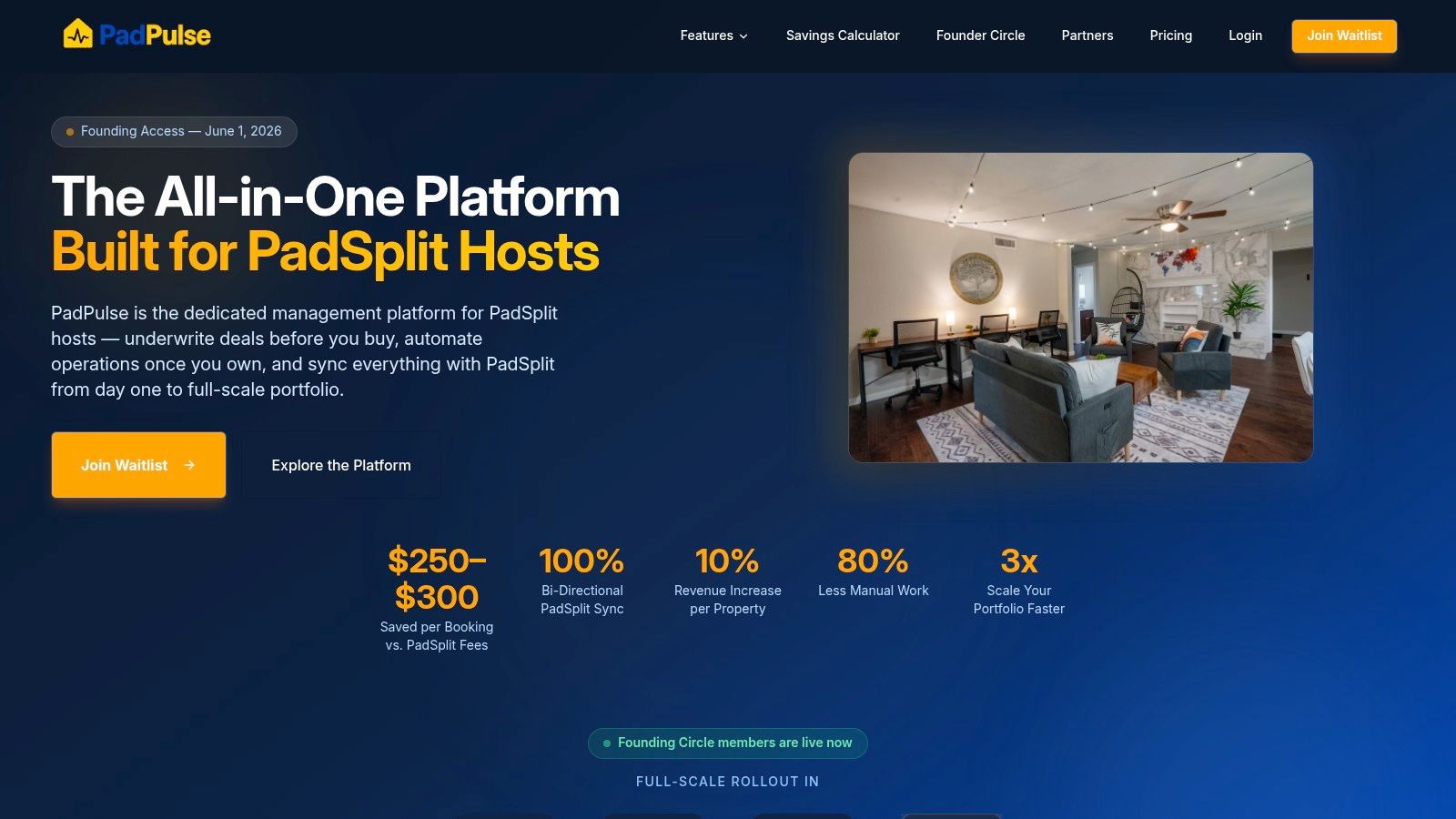
One current example in this category is PadPulse, an in-development platform for PadSplit hosts and co-living operators that is being built around rent-by-the-room operations, dynamic pricing, messaging workflows, smart-home integrations, and portfolio reporting. That positioning makes sense for operators who want a stack designed around shared housing rather than retrofitted from conventional leasing.
A Simple Roadmap to Get Started
Most operators delay a software change because they expect a messy migration. In practice, the process is usually manageable if you break it into stages and keep the first rollout narrow.
Step 1: Clean up your operating data
Before you move anything, make sure your basics are accurate. List every property, every room, current occupancy, rent amounts, move-in dates, and any outstanding balances or open maintenance items.
Bad inputs create bad rollouts. If your rent records are inconsistent or room names don't match across tools, fix that first.
Step 2: Configure the platform around real workflows
Don't just import data and hope the system structure works itself out. Set up the property and room hierarchy properly. Define who gets notified for leasing, collections, and maintenance. Map your recurring tasks and message templates.
A practical setup checklist:
- Property structure: Houses, rooms, amenities, and shared operational notes
- Resident data: Contact details, lease terms, balances, and documents
- Automation rules: Rent reminders, inquiry follow-up, and status changes
- Permissions: Who on your team can edit pricing, payments, and access
Step 3: Connect hardware and external tools
If you use smart locks, thermostats, or accounting tools, connect them early enough to test but not so early that you create confusion during setup. Start with one house if possible.
Many operators discover at this stage whether the software really reduces handoffs. Booking, access, and billing should connect cleanly. If they don't, you'll end up recreating manual work in a newer interface.
Step 4: Go live with one property first
A phased launch is usually smoother than switching everything at once. Train the team on daily actions first: checking rent status, replying to inquiries, assigning maintenance, and preparing move-ins.
Then monitor the first few weeks closely.
A calm rollout beats a fast rollout. The goal isn't to turn every switch on at once. The goal is to remove chaos without creating new chaos.
If you're evaluating newer tools, joining an early access or beta list can be a low-pressure way to see how the workflows fit before making a full commitment.
Frequently Asked Questions About Co-Living Software
Is co-living software different from regular property management software
Yes. Traditional PMS tools are usually built for unit-based rentals. Co-living software is built around bedrooms, separate resident billing, shared-house operations, and higher communication volume. That difference shows up quickly when you manage turnovers, collections, and access room by room.
Can a small operator benefit from it
Absolutely. In fact, smaller operators often feel the pain more because one person is handling leasing, support, rent follow-up, and maintenance coordination at the same time. Centralization matters even when you only have one house, because manual work creates mistakes at any size.
Do I need technical skills to use it
Usually not. A good platform should be easy for a non-technical host to operate. The main learning curve isn't coding or configuration. It's deciding how you want your workflows to run so the software can support them cleanly.
What should I care about most when comparing vendors
Three things matter most in practice:
- Operational fit: Can it handle room-by-room rentals without awkward workarounds?
- Scalability: Will it still work when your portfolio grows?
- Workflow clarity: Does it reduce handoffs between pricing, leasing, payments, access, and maintenance?
Is AI the main reason to adopt co-living software
No. AI can help with inquiry response and repetitive messaging, but it's not the foundation. The foundation is having one reliable system of record. If the underlying operations are fragmented, AI just replies faster inside a messy process.
If you run shared housing and want one system built around rent-by-the-room operations, PadPulse is worth watching. It's being developed for PadSplit hosts and co-living operators who need pricing, messaging, access control, and reporting in one place. You can join the interest list to follow the launch and explore beta access as it becomes available.