Property Access Control Guide for Co-Living Operators
September 20, 2026
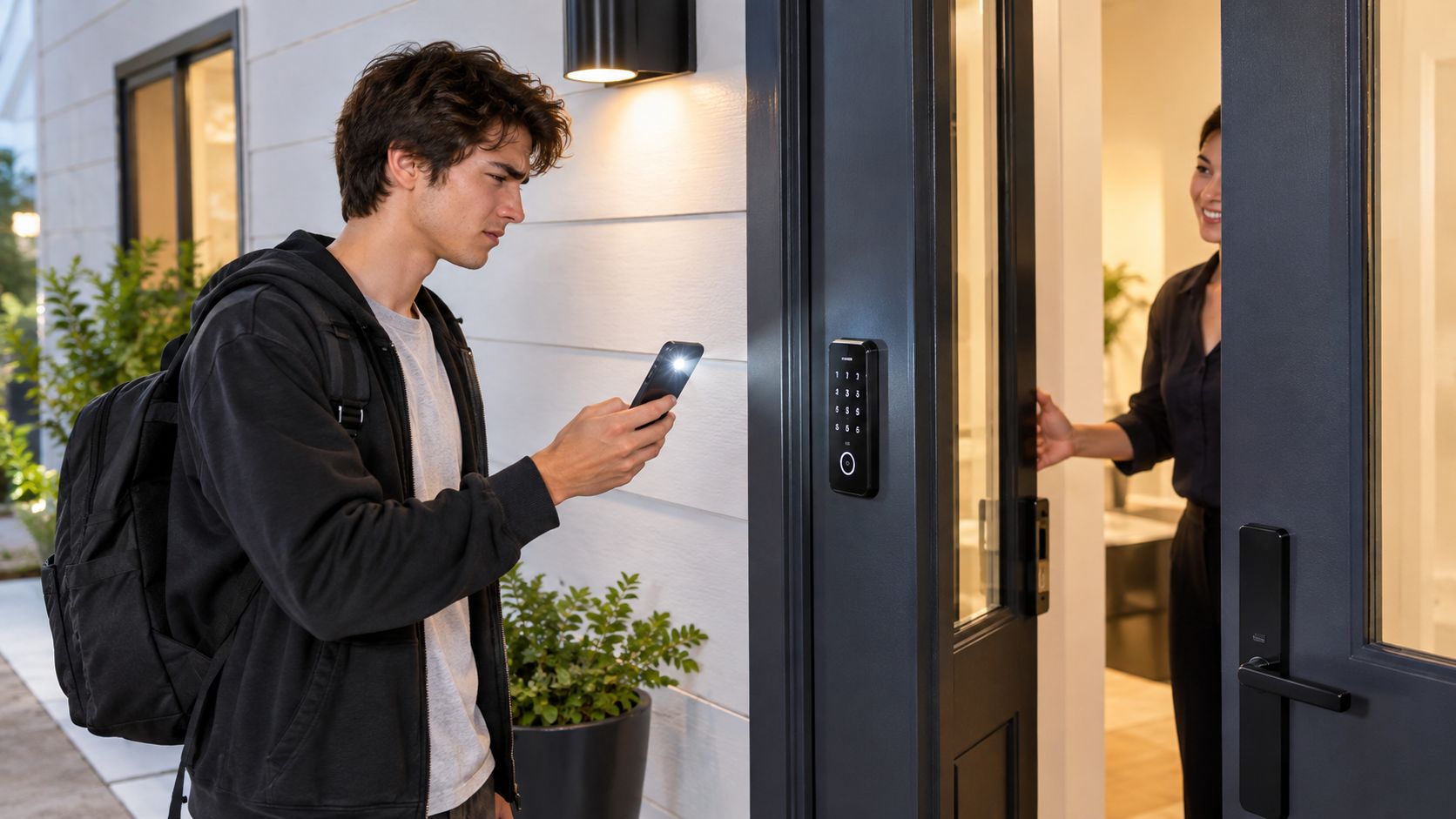
It's 10:40 p.m. A new resident is outside with luggage, the cleaner finished early and locked the wrong bedroom, and your maintenance tech is texting for the garage code you changed last week. Nobody is doing anything unusual. This is just a normal day in room-by-room rentals.
That's why property access control matters so much in co-living. It isn't only about putting a smart lock on the front door. It's about deciding who should get in, where they should get in, when their access should expire, and how you'll handle the messy real-world moments like lost phones, dead batteries, late arrivals, and vendor visits.
For a host running one house, these issues feel personal and constant. For an operator managing several homes, they become a workflow problem. Keys, codes, lockboxes, room turnovers, touring prospects, and common-area access all pile into the same operational bucket. If that bucket is messy, staff spend the day answering lockout messages instead of filling rooms and solving resident issues.
The good news is that modern systems are more available than they used to be. The global access control market was valued at USD 11.3 billion in 2025 and is projected to reach USD 19.9 billion by 2034, with North America holding over 38% of the market in 2025 according to IMARC's access control market outlook. In other words, this is no longer a niche building add-on. It's mainstream property infrastructure.
For co-living operators, the question isn't “Should I install better locks?” It's “How do I build an access model that reduces friction without creating more admin work?”
That's the practical lens here. You're not shopping for gadgets. You're designing a repeatable system for residents, tours, vendors, cleaners, maintenance staff, and move-outs.
Introduction to Property Access Control for Modern Rentals
A lot of hosts start with whatever works in the moment. One house gets keypad locks. Another keeps physical keys because the doors are older. A third uses a smart lock on the front entry but traditional keys for bedrooms. That patchwork approach is common, especially in shared housing.
The trouble shows up during turnover. One resident moves out on Tuesday. A cleaner comes Wednesday. A tour is booked Thursday. A new resident arrives Friday night. If access isn't coordinated, your team starts improvising with copied keys, shared codes, and last-minute texts.
Why this matters more in co-living
In a single-family lease, access changes don't happen very often. In co-living, they happen constantly.
You're managing:
- Front entry access for residents and staff
- Bedroom-level access for privacy and turnover control
- Common-area permissions for kitchens, lounges, laundry, or storage
- Vendor access windows for cleaning, repairs, pest control, and inspections
- Tour access when prospects need escorted or controlled entry
That's why property access control should be treated like an operations system, not a hardware purchase.
Practical rule: If your access process depends on one person remembering who has which key or code, you don't have a system yet.
The business side is bigger than the lock
Access problems slow down leasing and create resident frustration. They also create hidden labor. Someone has to answer lockouts, coordinate contractors, reset codes, rekey doors, and document incidents.
At the same time, demand for modern systems keeps rising. In the U.S., the access control market is estimated at USD 3.94 billion in 2026, up from USD 3.79 billion in 2025, with forecasts reaching USD 4.81 billion by 2031 at a 4.05% CAGR according to Mordor Intelligence's U.S. access control market report. That sustained growth reflects a simple reality. Electronic locks, credentials, and cloud-managed access are becoming standard across property portfolios.
If you already care about leasing speed, operations, and NOI, access belongs in that same conversation.
What Property Access Control Really Means
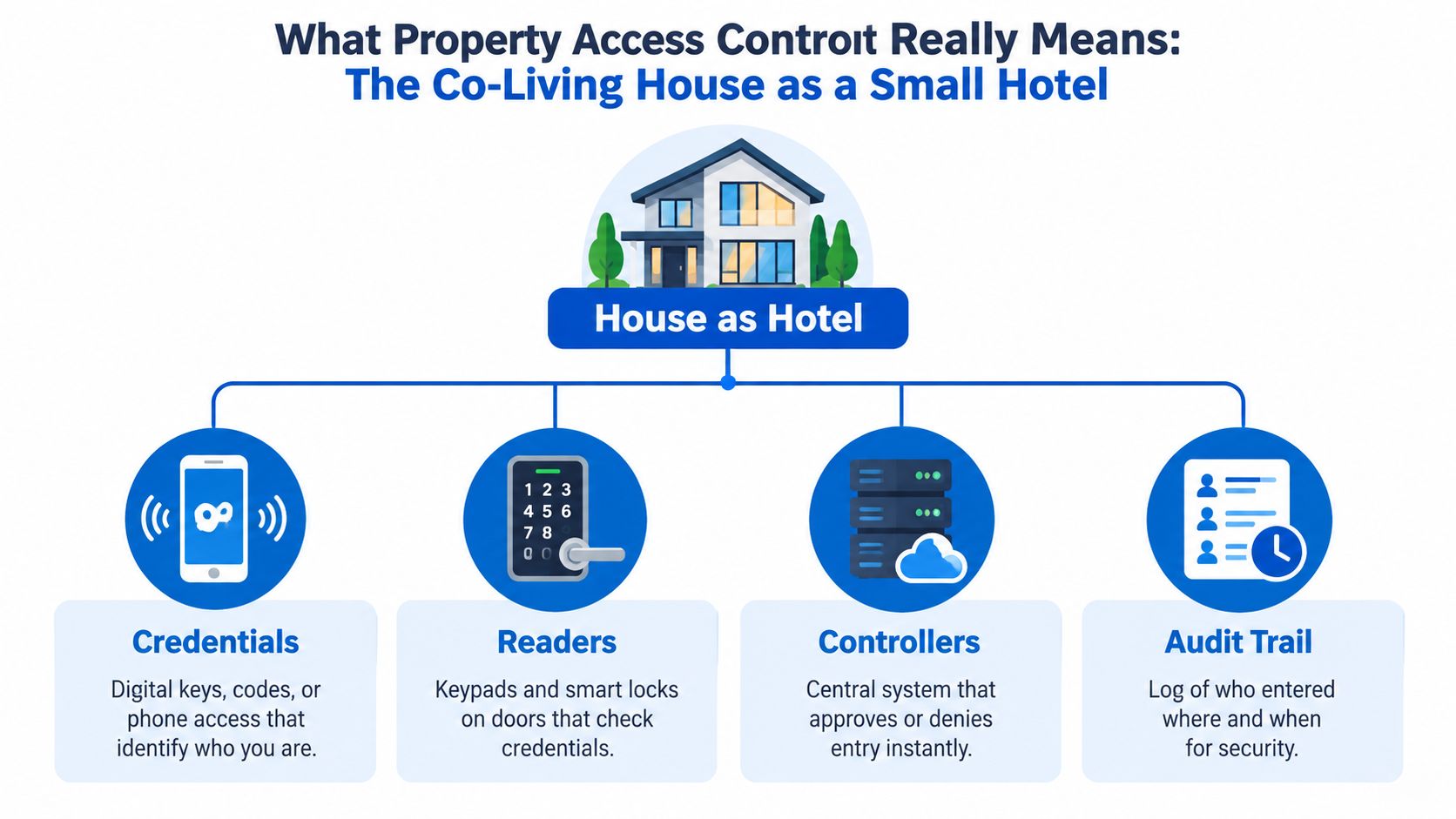
Think of a co-living house as a small hotel. Not in style, but in logic. Different people need different access at different times. A resident should open the front door and their own room. A cleaner might need the hallway and a vacant bedroom, but not occupied rooms. A prospect on a tour shouldn't get unrestricted entry at all.
That's property access control in plain language. It's the system that decides who can enter which spaces and when.
A government access management guide says these systems can include identification and access cards, doors and locks, proximity cards, coded keypads, and perimeter points such as gates and turnstiles. It also says they should permit only authorized persons to enter and exit and provide information for emergency muster reports, as outlined in the RCMP access management guide.
The four pieces most operators need to understand
You don't need to be technical to understand the moving parts. Start with these four.
- Credentials are the thing a person uses to prove they should get in. That might be a PIN code, a key fob, a phone-based credential, or a physical key as backup.
- Readers are where that credential gets checked. In co-living, that's often a keypad, smart lock, or reader near a door.
- Controllers are the decision-makers. They approve or deny entry based on rules you set.
- Audit trails are the logs. They show who entered, where, and when.
A simple example helps. A resident walks to the front door and enters a code. The lock checks whether that code is valid for that door at that time. If yes, it opens. If not, it stays locked. The system can also record that event.
Physical hardware and software rules both matter
Beginners often assume access control is just the lock. It isn't.
There are at least two layers:
| Layer | What it includes | Why it matters |
|---|---|---|
| Physical layer | Doors, locks, strikes, closers, hardware | This is what actually secures the opening |
| Electronic layer | Keypads, readers, credentials, local electronics | This checks access requests |
| Management layer | Dashboard, rules, schedules, logs, remote changes | This controls who gets what access |
That management layer is where co-living operators either gain time or lose it.
Treat every access point like a policy decision attached to a door. The lock is only the last step.
If you keep that hotel-style model in mind, the rest gets easier. You're not choosing a gadget. You're choosing how your house will handle identity, timing, and accountability.
Comparing Common Technologies and Architectures
Most operators don't need every access technology. They need the right mix. In co-living, the best setup often balances convenience for residents with simple administration for staff and a reliable fallback when things go wrong.
Independent multifamily guidance recommends a strong baseline built around mobile credentials or PIN and fob fallback, remote permission management, time-bound access, and audit logs. The same guidance points to hardware using Bluetooth Low Energy 4.2, AES-256 encryption, and ANSI/BHMA Grade 2 certifications, showing what modern residential access systems now tend to require, according to this multifamily access control overview.
Common credential options
Some tools are easier to manage during heavy turnover. Others are easier for residents who don't want an app.
| Technology | Best For | Pros | Cons |
|---|---|---|---|
| PIN codes | Bedroom doors, short stays, vendors, backup access | Easy to issue, easy to revoke, no hardware to carry | Codes can be shared, staff must manage code hygiene |
| Fobs or cards | Buildings with shared entries, residents who prefer physical credentials | Familiar, simple to use, works well for common areas | Items get lost, replacements create admin work |
| Mobile credentials | Residents, staff, portfolios with remote management | Remote revocation, strong accountability, fewer physical handoffs | Requires phone comfort, some operators still need backup methods |
| Wallet-based access | Mobile-first properties seeking a smoother resident experience | Convenient, familiar, good fit for modern leasing flow | May be more than a small operator needs at first |
| QR access | Tours, temporary guests, short-duration permissions | Useful for controlled short-term access | Less ideal as a primary resident credential |
| Biometrics | Higher-control environments, selected shared amenities | Harder to share than a code or card | Raises privacy and governance questions in residential settings |
A practical article on keyless entry explains why PINs remain common. Each resident or guest can receive a unique numeric code that can be changed or revoked without any physical key exchange, which makes turnover simpler, as described in RemoteLock's keyless entry explainer.
Architecture matters as much as the credential
The same PIN can behave very differently depending on the system behind it.
- Standalone locks store access rules at the door. They're simple, but updates can require more manual work.
- Networked systems connect multiple doors and may centralize control within a building.
- Cloud-managed systems let staff change permissions remotely, review logs, and manage multiple properties from one place.
Recent coverage of multifamily access shows the market moving toward cloud-managed, mobile-first, wallet-based access, and broader unified platforms. But it also shows a fragmented reality. Smart-lock adoption in multifamily more than doubled from 7% in 2022 to 16% in 2024, while 76% of multifamily professionals still use traditional keys exclusively and 81% of those have no plans to implement smart locks, according to SDM Magazine's multifamily access feature. That gap matters for co-living hosts because many properties are still hybrid by necessity.
For operators trying to connect locks, dashboards, and daily workflows, this overview of access control integration options is a useful planning reference.
A simple decision lens
If you manage one small house, a keypad plus clear code-management rules might be enough. If you manage multiple properties, mobile credentials and remote revocation often reduce day-to-day coordination.
The best question isn't “Which technology is best?” It's “Which setup fits my turnover volume, staffing model, and tolerance for manual work?”
Benefits and Security Trade Offs You Should Understand
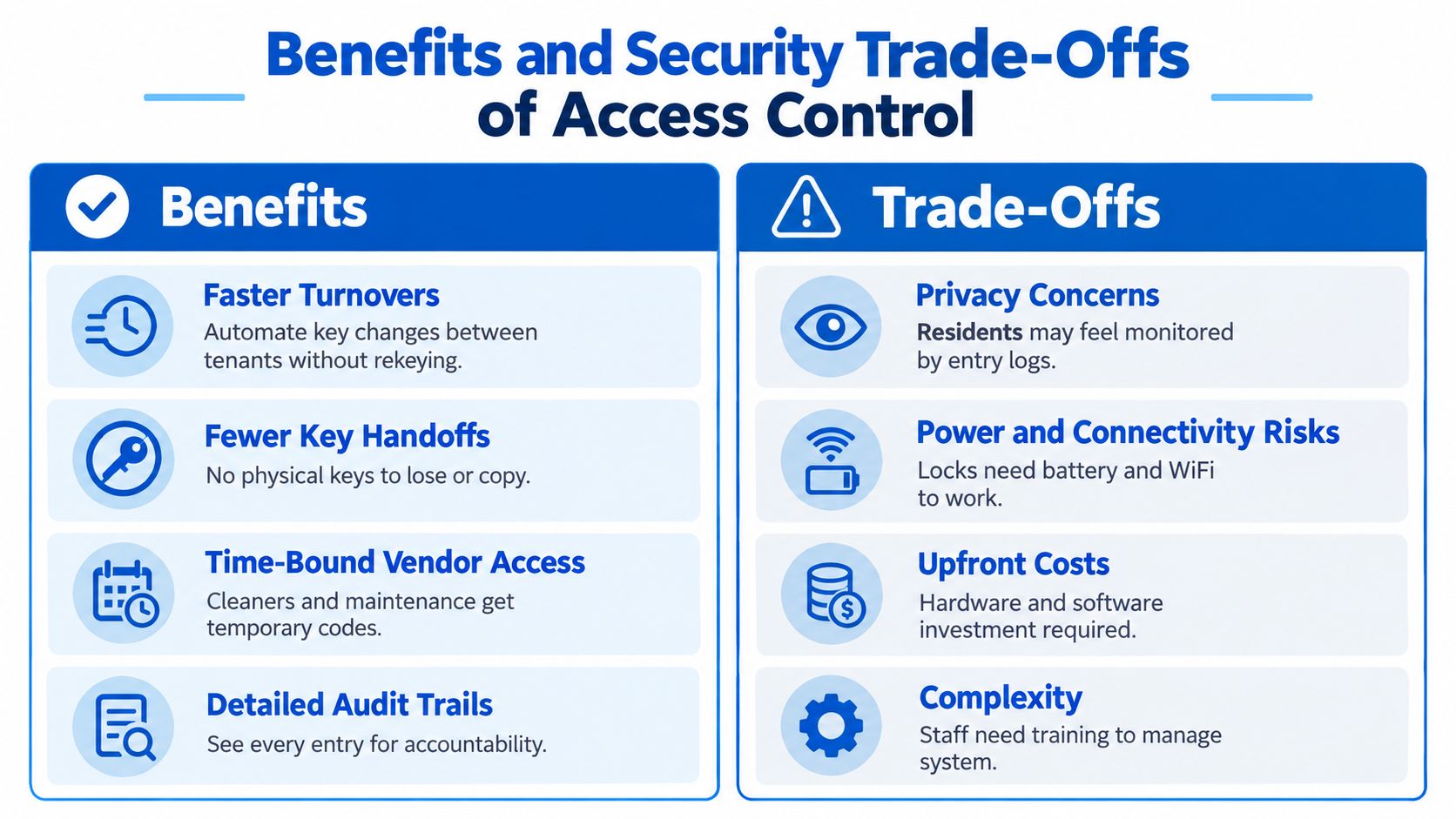
Access control can save time and tighten accountability. It can also create new failure points if you install hardware first and think about operations later.
That trade-off is where many residential properties struggle. Trend coverage points to mobile credentials, biometrics, QR access, and cloud-hosted systems, while a separate industry survey suggests 90% of U.S. MDU owners and operators plan to deploy, upgrade, or replace a smart building solution in the next 12 months, according to this access control trends roundup. But strong momentum doesn't erase the practical concerns operators still have around privacy, reliability, emergency override, and day-to-day governance.
The operational wins
When property access control is designed well, the upside is immediate.
- Turnovers get cleaner because staff can revoke old access and issue new credentials without chasing keys across town.
- Vendor coordination improves when cleaners and maintenance techs get time-bound access instead of permanent codes.
- Incident review gets easier because audit logs show what happened at the door, not just what people remember.
- Resident onboarding feels smoother when access delivery is part of move-in communication instead of a separate scramble.
A strong technical baseline for connected systems includes encrypted data transmission, secure authentication protocols, detailed audit trails, and system-integrity monitoring, as summarized in this building access control guide referencing NIST SP 800-82.
For a closer look at remote management models, this guide to cloud-based access control for property operations shows how centralized permissions can reduce manual coordination.
The safety and compliance issues you can't skip
Here's the part many beginners miss. Not every door should get whatever smart lock looks convenient online.
For multifamily and shared-housing deployments, hardware installed on fire-rated doors must preserve the door assembly's tested rating. Independent guidance says locks on those doors should be certified to UL 10B and UL 10C, and a 90-minute rating means the complete door-and-lock assembly has been tested to maintain integrity for up to 90 minutes under fire conditions, as explained in this access control compliance article.
A fire-rated opening is an engineered assembly first. It's not just a door you can upgrade casually.
That same guidance warns that adding an unlisted smart lock can invalidate compliance. In practice, that means every opening should be reviewed for life safety, single-motion egress, accessibility, and fire-rating requirements before you choose hardware.
Failure modes to plan for
Good operators stand out. They don't assume technology will always work perfectly.
Plan for at least these scenarios:
- Battery issues because smart locks still need power.
- Connectivity interruptions if your system depends on network access for updates or monitoring.
- Resident edge cases such as lost phones, forgotten codes, or accessibility needs.
- Emergency entry for lawful management access, urgent repairs, and lockout recovery.
Backup keys and override procedures still matter. Good access control doesn't remove those realities. It organizes them.
How Access Control Fits Into Co-Living Operations
The best co-living setups connect access to daily work. They don't treat locks as a separate project owned by maintenance alone. Access touches leasing, onboarding, house rules, turnovers, and service coordination.
That's especially important in shared housing, where the toughest challenge often isn't awareness of the technology. It's fit. Operators need a hybrid model across bedrooms, common spaces, storage areas, vendors, and tours without creating more work or forcing a full retrofit.
Map access to the resident lifecycle
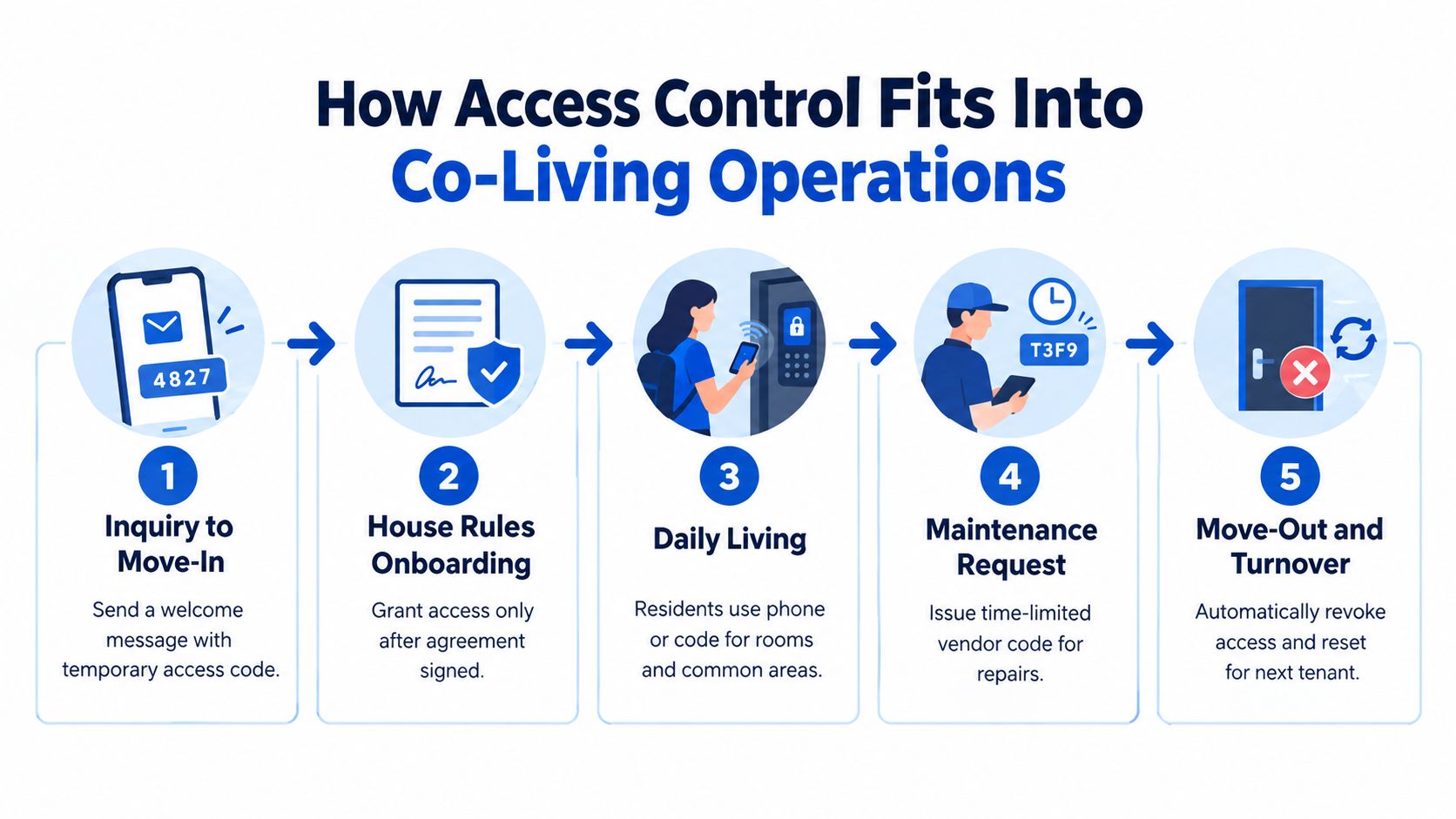
A simple house-level workflow usually looks like this:
Inquiry and tour
Prospects don't need resident-level access. They need controlled entry, escort support, or a limited tour workflow.Approval and move-in prep
Once a room is assigned and paperwork is complete, staff can prepare the right credential for the front door, bedroom, and any allowed shared spaces.Active residency
Residents use their primary credential daily. Staff should know what the fallback is if the phone dies or a code is forgotten.Maintenance and cleaning
Vendors get narrow, time-limited permissions. Not open-ended access that nobody remembers to remove.Move-out and turnover
Access expires, logs remain available, and the room is reset for the next resident.
Hybrid access is normal
Many operators assume they need a perfect property-wide retrofit before starting. They don't.
A practical rollout might look like this:
- Front door first for the highest-volume access point
- Bedroom doors next where privacy and turnover control matter most
- Common areas after that if misuse or scheduling is becoming a problem
- Storage, utility, or staff-only spaces last based on operational need
That staged approach is often easier to manage than trying to modernize every opening at once.
The cleanest system on paper often fails in the field if staff have to remember too many exceptions.
Centralizing the workflow
Operators usually need access events tied to messaging, issue tracking, and property status.
For example:
| Operational event | Access action |
|---|---|
| New resident approved | Issue room and entry permissions |
| House rules signed | Activate move-in access |
| Cleaner scheduled | Create temporary credential |
| Maintenance ticket opened | Limit access to specific doors and time windows |
| Resident moved out | Revoke all active permissions |
A platform such as PadPulse is being built around that kind of centralized workflow, combining room-by-room operations with smart-lock and thermostat integrations, messaging, pricing, and reporting for co-living portfolios.
If you're thinking about permissions across residents, staff, and shared spaces, this guide to multi-tenant access control workflows is a helpful model.
Implementation Checklist and ROI Metrics That Matter
Most access-control mistakes happen before installation. Operators buy hardware, mount it quickly, and only later realize one door is fire-rated, another needs different egress behavior, and staff have no standard process for vendor access.
A better rollout starts small and gets specific.
A practical implementation checklist
Use this as your pilot framework before you scale across a portfolio.
- Survey every opening. List front doors, bedroom doors, common-area doors, storage, gates, and staff-only spaces. Treat each opening as its own use case.
- Check life-safety and door conditions. Confirm fire-rating status, egress requirements, door material, frame condition, and whether the planned hardware is appropriate for that opening.
- Choose your credential strategy. Decide where residents will use mobile credentials, where PINs make more sense, and where physical backup is still required.
- Define fallback procedures. Write down what happens if batteries die, internet service drops, a resident loses a phone, or a cleaner arrives outside the scheduled window.
- Set permission rules. Specify who can access which doors, during what hours, and how access gets approved, changed, and removed.
- Connect it to operations. Access shouldn't sit in isolation. Tie it to move-in messaging, turnovers, cleaning, maintenance, and incident logs.
- Train staff on exceptions. The normal flow is easy. The value comes from how well your team handles the exceptions.
- Pilot one house first. Test the workflow on a manageable property before expanding.
What to measure
You don't need fancy analytics to know whether a pilot is helping. Track operational metrics that reflect actual pain points.
Consider monitoring:
- Turnover time from move-out to ready-for-showing
- Lockout incidents and how long they take to resolve
- Vendor access compliance such as whether temporary credentials were issued and removed properly
- Vacancy days where delayed access setup slows leasing activity
- NOI impact through labor savings, faster turns, and smoother occupancy flow
These aren't abstract technology metrics. They're operating metrics. If access control is doing its job, your team should spend less time coordinating entry and more time leasing rooms and managing resident experience.
Why a pilot-first approach works
Property access control is a growing category because owners increasingly treat it as standard infrastructure, not an optional add-on. But co-living operators still need fit, not feature overload.
Start with one house. Pick the highest-friction doors. Test your credential model, your backup plan, and your staff process. Then expand what works.
Next Steps for Operators Evaluating Solutions
If you're evaluating property access control for co-living, keep the order straight.
First, define your access model. Decide who needs access, to which spaces, and under what conditions. Residents, cleaners, maintenance techs, touring prospects, and managers do not need the same permissions.
Second, shortlist two or three solutions that fit your property type and staffing reality. Don't compare products only on lock features. Compare them on daily workflow. Ask how they handle temporary access, revocation, logs, backup entry, and mixed hardware across older homes.
Third, pilot one property. Use a house with frequent turnover and enough activity to reveal weak spots quickly. Watch what happens during move-ins, late-night lockouts, vendor visits, and room turns.
Finally, measure whether the system reduces work. If staff still rely on side texts, handwritten code lists, and one person who knows the “real process,” the setup needs redesign.
The strongest operators treat each opening as an engineered assembly first and an access endpoint second. That mindset keeps safety, compliance, and operations in the same frame.
Start small. Tighten the workflow. Then scale what your team can run.
PadPulse is building an all-in-one platform for PadSplit hosts and co-living operators that brings together pricing, messaging, reporting, and smart-home integrations such as keyless locks and thermostats. If you want to manage property access control as part of a broader room-by-room operating system instead of a disconnected hardware project, visit PadPulse.