Cloud Based Access Control: Boost Security & Efficiency
July 2, 2026
If you run room-by-room rentals, you probably know the routine too well. A tenant moves out and forgets to return a key. A new tenant arrives early and needs access before you're free. A maintenance tech needs entry to one room, but you don't want them wandering through the whole house. None of this is hard on its own. It becomes hard when you're managing it every week.
That's why more operators are moving away from physical keys and toward cloud based access control. It sounds technical, but the basic idea is simple. You manage doors from your phone or laptop instead of chasing keys around town.
For co-living and rent-by-the-room properties, that shift can clean up a surprising amount of daily friction. It can also tighten security, reduce manual work, and make turnover much easier to handle.
Tired of Managing Keys? There Is a Better Way
A lot of small operators start the same way. One house. A lockbox. A spare key in the truck. Maybe a color-coded keychain system that works fine until it doesn't.
Then the portfolio grows.
Now one tenant is locked out after work. Another moved out last week and still hasn't returned their copy. You're coordinating a cleaner at noon, a contractor at three, and a room showing at six. If you use physical keys, each one of those tasks turns into a small logistics project.
The real problem is not the key
The key itself isn't the issue. The problem is everything attached to it.
- Late-night interruptions when someone loses access
- Security uncertainty when you can't confirm how many copies exist
- Turnover headaches when one move-out means changing locks or collecting hardware
- Staff coordination problems when cleaners, handymen, and leasing helpers need entry at different times
For room-by-room rentals, this gets messy faster than it does in a standard single-family lease. You have more residents, more bedroom doors, more common areas, and more frequent changes in who should be allowed where.
A good access system doesn't just open doors. It reduces the number of decisions you have to make every day.
That's one reason the broader market is moving in this direction. The global access control market is valued at USD 4.09 billion in 2026 and is projected to reach USD 5.94 billion by 2031, with hosted Access Control as a Service models taking 51.60% of the market share in 2025, according to Mordor Intelligence's global access control market analysis.
What this looks like in practice
Instead of meeting people for key handoffs, you send a digital credential.
Instead of wondering whether an old tenant still has a copy, you remove their access.
Instead of driving across town so a vendor can get in, you create time-based entry for the exact hours they need.
You don't need to be technical to use it well. You just need a clear setup and a system that fits how your properties run.
What Is Cloud Based Access Control?
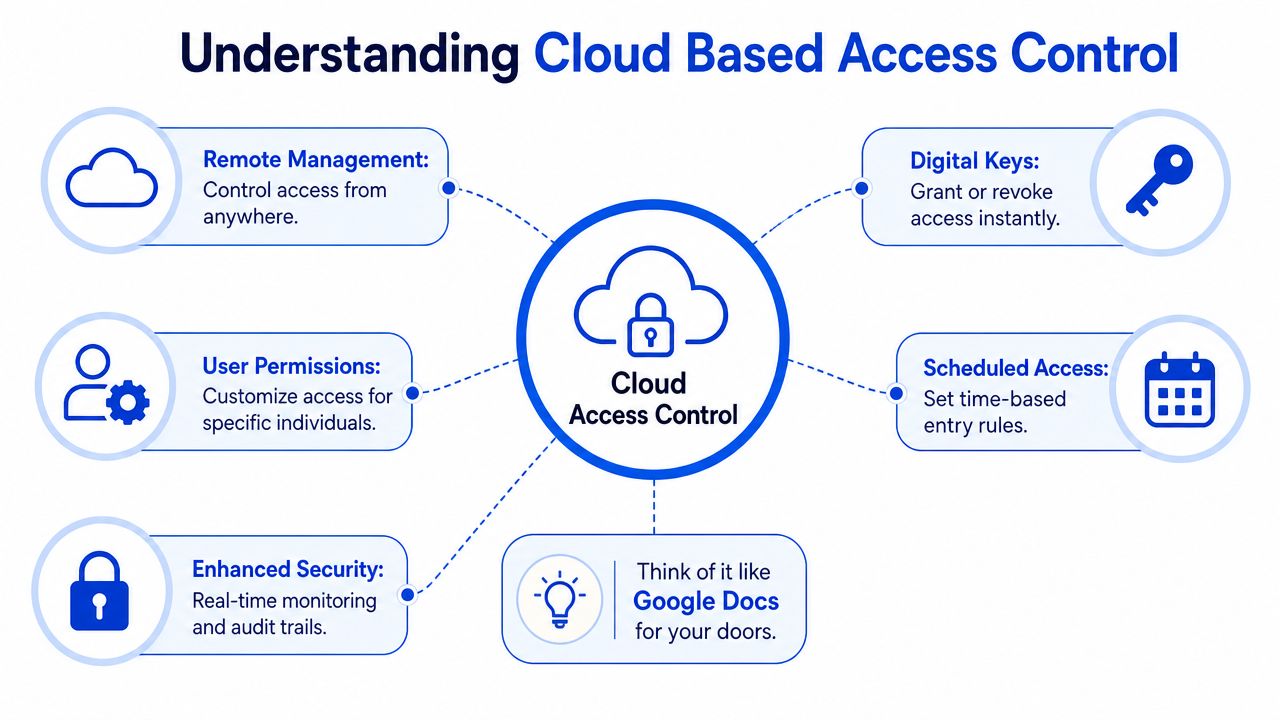
Think of cloud based access control like Google Docs for your doors. You don't hand someone a physical object and hope they give it back. You grant access digitally, change it when needed, and remove it instantly when the job, stay, or lease ends.
That simple model helps cut through the jargon.
Three parts that matter
Most systems have three basic pieces.
| Part | What it is | Everyday example |
|---|---|---|
| Credential | The thing a person uses to unlock the door | A phone app, mobile key, PIN code, or digital pass |
| Cloud | The online control center | The dashboard where you add users, set schedules, and view activity |
| Hardware | The lock or door device | A smart lock on a bedroom, front door, or utility room |
Here's the part many owners find refreshing. You usually don't need an on-site server sitting in a closet somewhere. That's a major difference from older systems that depended on local hardware and dedicated computers.
Why the cloud part matters
When the system lives in the cloud, you can manage access from anywhere with an internet connection. That means you can:
- Add a new tenant before move-in so they arrive to a ready-to-use code or app credential
- Shut off access at move-out without tracking down a key
- Create temporary entry for cleaners, maintenance, inspectors, or room showings
- Review door activity if there's a question about who entered and when
If you're comparing options, it helps to understand how these tools fit into the wider move toward keyless property operations. This overview of keyless entry systems for rental properties is a useful companion if you want to see how access control connects to guest and tenant workflows.
Practical rule: If you can explain your system to a new tenant in under two minutes, it's probably set up well.
A simple rental example
Say you operate a six-bedroom co-living house. You may want one resident to access the front door, their bedroom, and common areas. You may want your cleaner to access only the front door and common areas during weekday afternoons. You may want a leasing assistant to enter one vacant room for showings, but not occupied bedrooms.
Cloud based access control lets you set those rules without swapping locks or passing around key copies. That's its core value. It gives you finer control with less effort.
Cloud vs On-Premise Systems Explained
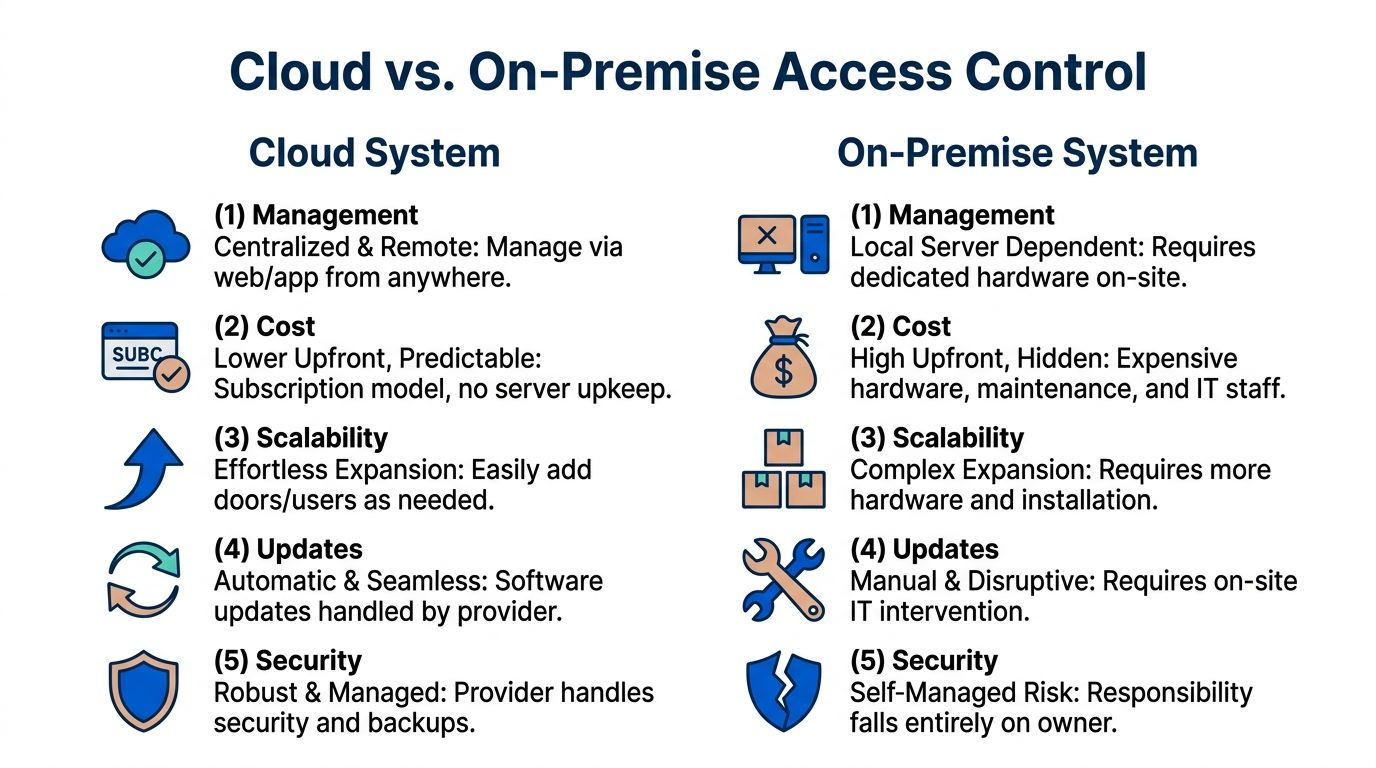
Older access systems often worked like a mini IT project. They needed local servers, dedicated hardware, and someone who knew how to maintain them. For a room-by-room rental operator, that's usually more burden than benefit.
Cloud systems changed that equation.
The side-by-side difference
Here's a plain-English comparison.
| Category | Cloud system | On-premise system |
|---|---|---|
| Setup | Managed online | Managed through local hardware |
| Cost style | Ongoing operating expense | Bigger upfront capital expense |
| Expansion | Add doors and users more easily | Expansion often needs more hardware |
| Access changes | Remote | Often tied to local equipment or on-site management |
| Updates | Usually automatic | Often manual |
According to Honeywell's overview of cloud-based access control architecture, cloud-based systems eliminate onsite servers, convert capital expenses into operational expenses, allow organizations to add access points without physical infrastructure upgrades, and provide superior security through automatic, continuous updates.
Why that matters for rental operators
A traditional on-premise setup can make sense in a large facility with a dedicated security team. That's not how most co-living portfolios operate. You might manage several houses across different neighborhoods, with lean staffing and constant turnover.
In that environment, the best system is usually the one that asks the least from you.
- You don't want server maintenance. You want to add a room without calling IT.
- You don't want local-only control. You want to change access from your phone when a tenant texts you.
- You don't want delayed updates. You want the system provider handling software upkeep in the background.
One door versus ten doors
It's in day-to-day use that cloud systems usually feel different.
If you add one more door in an on-premise environment, you may need more hardware planning, more installation complexity, and more coordination. In a cloud setup, expansion is generally much cleaner because the platform is built to handle additional doors and users without the same local infrastructure burden.
The more distributed your portfolio is, the more remote management stops being a convenience and starts being a requirement.
Security is also an operations issue
Owners often think of security as break-ins and unauthorized entry. That's part of it, but there's another layer. Security also means keeping the system itself current.
With an older setup, updates can depend on someone remembering to install them. With a cloud model, the provider can push updates across the network automatically. For small operators, that removes a task that might otherwise sit on the list for weeks.
Key Benefits for Room by Room Rental Operators
Cloud based access control transcends being merely a nice feature. For co-living operators, it lines up with the exact pain points that make this business harder to run at scale.
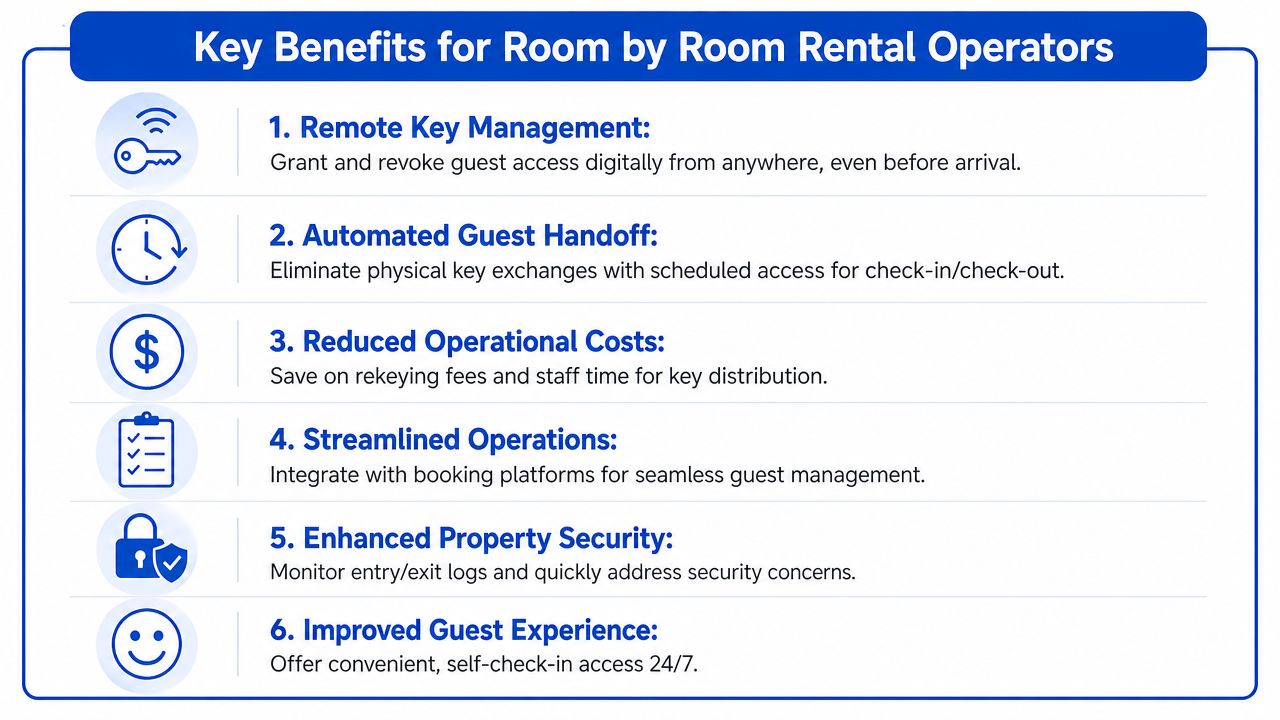
The category itself is growing quickly. The cloud-based access control market is projected to grow at a 12.4% CAGR from 2026 to 2033, with over 60% of organizations adopting cloud-native systems, and enterprise integration with IAM platforms improving security and operational efficiency by nearly 25%, according to this cloud-based access control market analysis on LinkedIn. Those trends are easy to understand when you map them to the realities of rental operations.
Faster turnover with less chaos
When one resident leaves and another arrives, you don't want a security gap in the middle.
With digital access, you can remove one person's permission and issue the next person's access without chasing keys or replacing cylinders. That matters in room-by-room housing because turnover is frequent and often staggered. One resident may leave while five others stay.
That lets you protect the rest of the household without disrupting everyone else.
Better control over shared spaces
Co-living properties aren't just one front door and one tenant. They're layered environments.
You might have:
- Private bedrooms that only one resident should open
- Shared entries for the whole house
- Supply or owner closets that tenants should never access
- Temporary vendor access for cleaners, maintenance staff, and inspectors
Cloud systems let you shape those permissions around actual roles. That's much cleaner than passing around one master key and hoping people use it correctly.
Less time spent on handoffs
Physical key exchange sounds minor until it fills your calendar.
A digital system can support:
- Self check-in for new residents arriving after hours
- Scheduled access windows for vendors
- Remote approval for ad hoc entry needs
- Cleaner staffing across multiple houses without extra travel
That doesn't just save effort. It also removes bottlenecks that slow leasing and turnover.
If your team is still coordinating key pickup by text message, access control is doing too much of your operations work.
Better visibility when something goes wrong
Shared housing creates disputes that don't happen as often in single-tenant rentals. A resident says someone entered without notice. A contractor claims they couldn't get in. A door was left unsecured and nobody knows when.
Access logs can help you investigate what happened. They won't solve every tenant issue, but they give you a record to work from instead of relying on memory and screenshots.
A smoother renter experience
Many renters now expect convenience. They're used to digital workflows for payments, messaging, and scheduling. Access is no different.
A simple app, code, or mobile credential can make move-in feel more organized. It can also reduce one of the worst first impressions in housing. Standing outside with bags, waiting for somebody to answer a text.
For operators, that professionalism matters. It supports trust, helps standardize onboarding, and makes the property feel more modern without requiring a huge process change.
How to Choose and Implement Your System
Choosing a system isn't just about finding a smart lock with good reviews. You're picking an operational tool that will affect move-ins, maintenance, resident communication, and security routines.
Start with the property, not the product.
Step one is mapping your doors
Before you compare vendors, list every access point you need to control.
That often includes:
- Main entry doors
- Individual bedroom doors
- Back or side entrances
- Storage and supply closets
- Utility or owner-only spaces
Some operators discover they don't need every door on day one. Others realize the bedroom doors matter most because resident privacy is central to the co-living model.
What to evaluate in a vendor
Not all systems fit rental operations equally well. A slick app isn't enough if the admin side is frustrating or the hardware struggles in real properties.
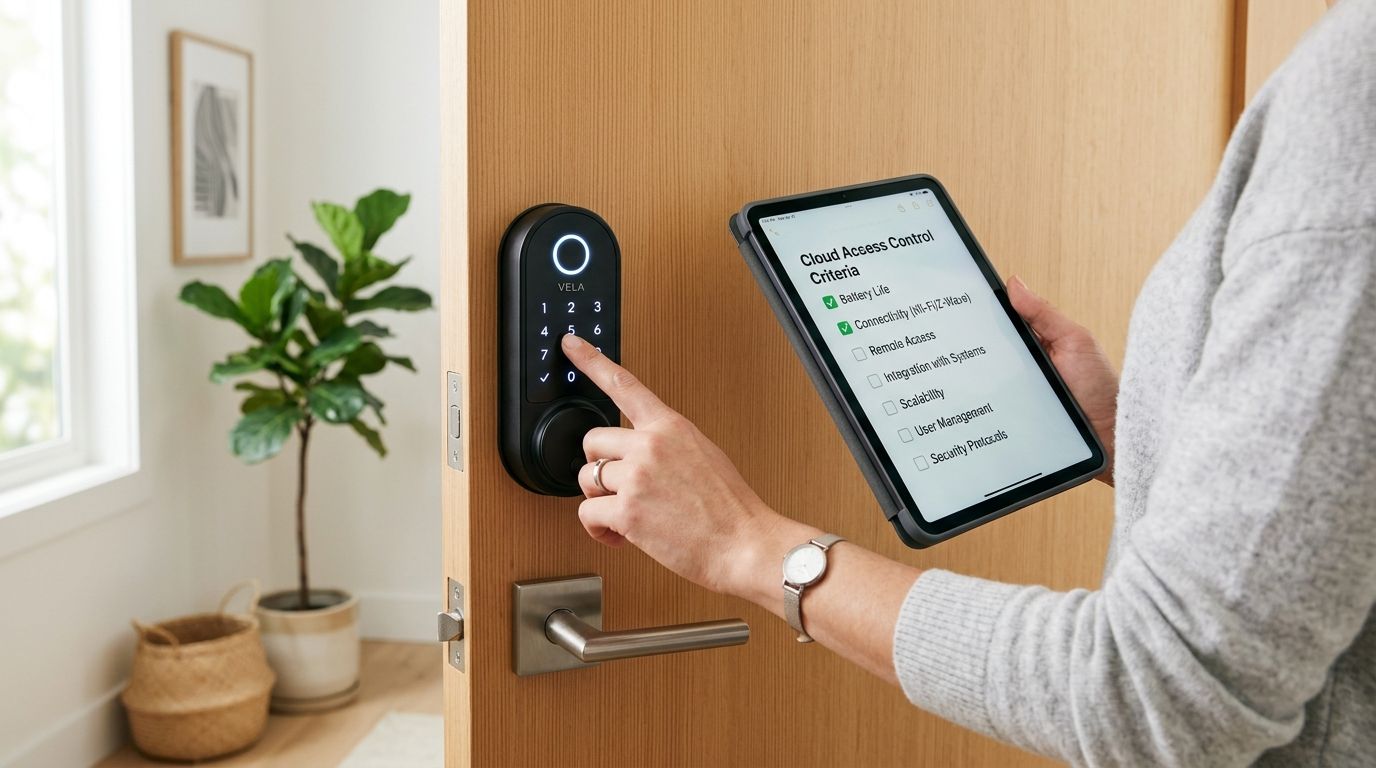
Look closely at these areas:
Hardware reliability
Ask whether the lock is designed for your door type, weather conditions, and traffic level. Exterior front doors and interior bedroom doors may need different hardware.Admin usability
You should be able to add, remove, and edit access without digging through five menus. If the dashboard feels confusing in a demo, it won't feel better during turnover week.Resident experience
Tenants need a simple process. App-based access, PINs, and backup entry methods should all be clear.Support quality
When a lock issue affects move-in, you want responsive support and clear documentation.
Integrations matter more than most owners expect
The biggest long-term win often comes from connecting access control to the rest of your operating stack. If your leasing or property workflow system can trigger access changes automatically, you cut down on manual errors.
For example, the best setup is often one where access starts when a lease starts and ends when that lease ends. That reduces forgotten permissions and saves admin time.
If you're preparing the physical side too, this guide to smart lock setup for rentals can help you think through installation and rollout details before you commit.
Field note: Test your system with one property first. A small pilot will reveal tenant questions, installation quirks, and workflow gaps before you scale it across the portfolio.
A simple rollout plan
A practical implementation usually looks like this:
Pick one pilot property
Choose a house with normal turnover, not your most chaotic location.Define user roles
Residents, cleaners, maintenance, leasing staff, and managers should each have different access rules.Document move-in and move-out workflows
Decide who creates access, when it starts, how it's revoked, and what backups exist.Train residents and staff
A short written guide solves many early problems.Keep a fallback plan
Battery issues, forgotten phones, or connectivity problems happen. Have a backup entry process ready.
That kind of structure keeps the technology from becoming another loose end to manage.
Understanding Costs and Calculating Your ROI
Most operators ask the right question first. What will this cost, and will it pay off?
The answer depends on the number of doors, the type of locks, and the software plan. But the financial logic is usually bigger than the hardware bill.
According to ProdataKey's overview of cloud-based access control pricing, cloud-based access control systems can reduce upfront costs by 40 to 60% compared with traditional on-premises systems because they eliminate onsite servers and proprietary hardware and use a subscription-based model.
Where the savings usually come from
For room-by-room rentals, ROI often comes from several smaller wins rather than one giant line item.
Consider the value of:
- Fewer lock changes or rekeying jobs when residents leave
- Less staff time spent on key pickup, drop-off, and tracking
- Faster turnovers because access can be scheduled in advance
- Lower risk of lingering access after move-out
- Less travel for showings, vendors, and emergency entry coordination
Some of those are direct expenses. Others are time savings that free you to focus on leasing, maintenance oversight, or vacancy reduction.
A simple ROI framework
You don't need a complex spreadsheet to start.
Add up your current costs tied to physical access:
- locksmith or rekeying costs
- staff hours spent on key management
- mileage or travel time for handoffs
- time lost when access issues delay turnover or vendor work
Then compare that to the expected hardware and subscription costs of the new system.
If you want a structured way to think through the numbers, a rental operations savings calculator can help you estimate time and cost improvements across recurring tasks.
Don't evaluate cloud access control as a gadget purchase. Evaluate it as an operations tool that removes recurring friction.
The hidden ROI many owners miss
The most overlooked return is consistency.
When access management becomes standardized, fewer things slip through the cracks. Residents get in on time. Vendors show up with the right permissions. Former tenants don't keep working credentials longer than they should. Those improvements may not always show up as one obvious invoice reduction, but they improve the reliability of the whole business.
Operational Best Practices and Troubleshooting
Once your system is live, success comes from routine. The operators who get the best results usually treat access like a standard operating process, not a one-time install.
Day-to-day habits that help
- Set clear tenant rules so residents know how to use their app, code, or credential and who to contact if there's a problem.
- Review access permissions regularly to confirm former tenants, old vendors, and temporary users no longer have entry.
- Check batteries on a schedule instead of waiting for a lock to warn you at the worst possible moment.
- Use role-based access so cleaners, maintenance staff, and leasing help only get the doors and times they need.
Common issues and simple fixes
If a lock doesn't respond, start with the basics. Check battery status, confirm the device has the connectivity it needs, and make sure the user still has active permissions.
If the internet goes down, your backup plan matters. Some systems keep working locally for previously authorized users, while others rely more heavily on connectivity. Know how your setup behaves before there's an urgent problem.
Reputable providers also help reduce security maintenance on your side. As described in Kisi's guide to cloud-based security practices, reputable cloud providers maintain SOC 2 Type II compliance, use AES-256 encryption, and roll out security patches automatically, which reduces vulnerability exposure compared with systems that depend on manual user intervention.
Good access control works quietly in the background. If you're constantly babysitting it, the setup needs work.
PadPulse is building an all-in-one platform for PadSplit hosts and co-living operators who want tighter control over pricing, communications, reporting, and smart-home operations in one place. If you're exploring better access workflows for room-by-room rentals, join the PadPulse interest list to follow the upcoming platform, beta updates, and smart-lock integrations designed for this business model.