Process Automation for Co-Living Operators Made Simple
September 22, 2026
You start the morning by checking messages about room availability, confirming a move-in, chasing a cleaner, answering a lock-access question, and looking for a maintenance update that arrived in a different app. By lunchtime, the work hasn't stopped. Every room creates its own stream of dates, payments, conversations, access events, turnovers, and exceptions.
That workload is why process automation matters for co-living operators. It isn't about sending an automatic message or adding a smart lock. The larger opportunity is connecting the handoffs between pricing, inquiries, bookings, cleaning, maintenance, payments, access, and reporting so the right action happens without you becoming the connection point.
This guide is for PadSplit hosts, room-by-room landlords, property managers, and portfolio operators who want fewer repetitive tasks without losing control. You'll learn what automation includes, where it creates value, which workflows are practical starting points, how to implement integrations safely, and how to measure whether the result is saving labor or merely moving it somewhere else. For a related operational example, see these workflow follow-up automation practices.
Introduction to Process Automation for Busy Operators
A room-by-room rental operation can look simple from the outside. A resident applies, someone approves the application, a room becomes available, a cleaner prepares it, a guest receives access, rent is collected, and the operator monitors the property. In practice, each step often lives in a different place.
An inquiry may arrive by email, a booking may be recorded in a property management system, a cleaner may rely on text messages, and a smart lock may use its own dashboard. If one person has to copy information from one system to another, that person becomes the workflow.
The hidden cost of manual handoffs
Suppose Room 4 becomes available. You update the listing, adjust the price, answer new inquiries, schedule cleaning, confirm the move-in date, create an access code, and remember to notify the resident. If the move-in date changes, several of those steps must be repeated. If one update doesn't reach the cleaner or access system, the room can remain unavailable even though the listing says otherwise.
The problem isn't always the individual task. Sending one message is manageable. Updating one price is manageable. Creating one access code is manageable. The strain appears when the same information must travel across multiple systems for many rooms, while each room has its own status.
What better operations look like
A well-designed automated process gives each event a clear next action. A confirmed booking can trigger a turnover task. A completed cleaning task can update room readiness. A move-in date can determine when access instructions are sent. A failed payment can create a follow-up task, rather than relying on memory.
You still need people for judgment, resident relationships, unusual maintenance problems, and sensitive decisions. Automation handles predictable movement of information and work, while humans handle situations that don't fit the rules.
The pages ahead focus on that distinction. You'll see why cross-system coordination matters more than isolated task automation, how room-by-room examples work, and how to begin with a manageable workflow. The practical objective is simple: reduce avoidable handling, protect service quality, and make operating performance easier to see.
What Process Automation Really Means in Plain English
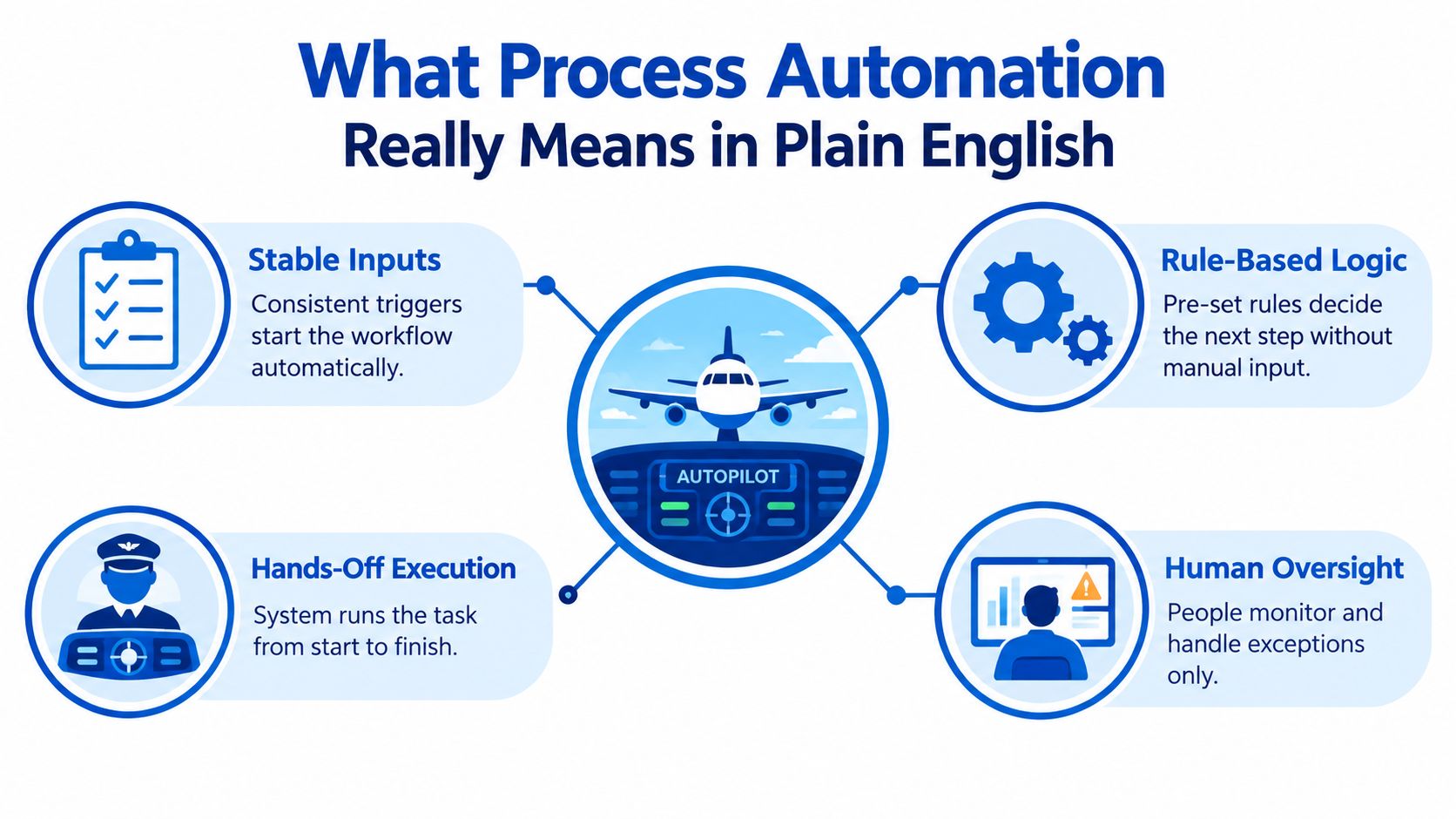
Think of a well-run bakery assembly line. Ingredients arrive in a known format, a machine follows a repeatable recipe, the product moves to the next station, and a person steps in when something looks wrong. Process automation works in a similar way, except the inputs are events and data, the stations are software systems, and the exceptions are situations that need human judgment.
A task is only one action, such as sending an email. A process includes the full chain around that action. For a room rental, the chain might begin with an inquiry, continue through screening and booking, and end with payment, access, cleaning, and reporting.
The conditions that make automation reliable
Automation performs best when three conditions are present:
- Stable inputs: The trigger is clear, such as a confirmed booking, a payment status, or a maintenance form.
- Explicit rules: The system knows what should happen next, including who receives the task and when.
- Low exception rates: Most cases follow the normal path, so staff aren't forced to repair the workflow constantly.
When these conditions exist, time savings and fewer errors can reinforce each other. A controlled workflow automation benchmark reported average execution time falling from 185.35 seconds manually to 1.23 seconds automatically, a roughly 151× reduction. In the same benchmark, observed errors fell from 5% in manual runs to 0% in automated runs. That result applies to the controlled workflow tested, not to every rental operation, but it illustrates why structured work is a strong automation candidate.
Core idea: Automation isn't just a digital version of a manual task. It's a reliable handoff from one event to the next, with people managing exceptions.
Digitizing a task versus connecting a process
A digital form can replace paper without changing what happens afterward. That's useful, but it isn't necessarily end-to-end automation. If someone still reads the form, copies its contents into another system, texts the cleaner, and updates the room status manually, the handoff remains manual.
A connected process might route the form automatically, check whether required information is present, create the right task, notify the responsible person, and record the result. Human oversight remains important, especially when a resident has unusual circumstances or a repair affects safety.
For co-living, the difference is significant. One room may be easy to manage, but a portfolio creates many simultaneous states. Automation becomes valuable when it keeps those states aligned across the tools your team already uses.
Why Process Automation Pays Off for Room by Room Rentals
Room-by-room operations have a distinctive cost structure. The operator handles many smaller transactions and service events instead of a single lease event for an entire property. That creates repeated work around inquiries, scheduling, payment reminders, access, cleaning, and maintenance.
The financial case for automation comes from reducing unnecessary handling while improving consistency. One business process automation statistics roundup cites 66% adoption of at least one automated process, a projected market size of $23.9 billion by 2029, and reported cost reductions of 10–50% after implementation. Those figures describe broad business reporting, so operators should treat them as context rather than a guaranteed property-level result.
Where the operating value appears
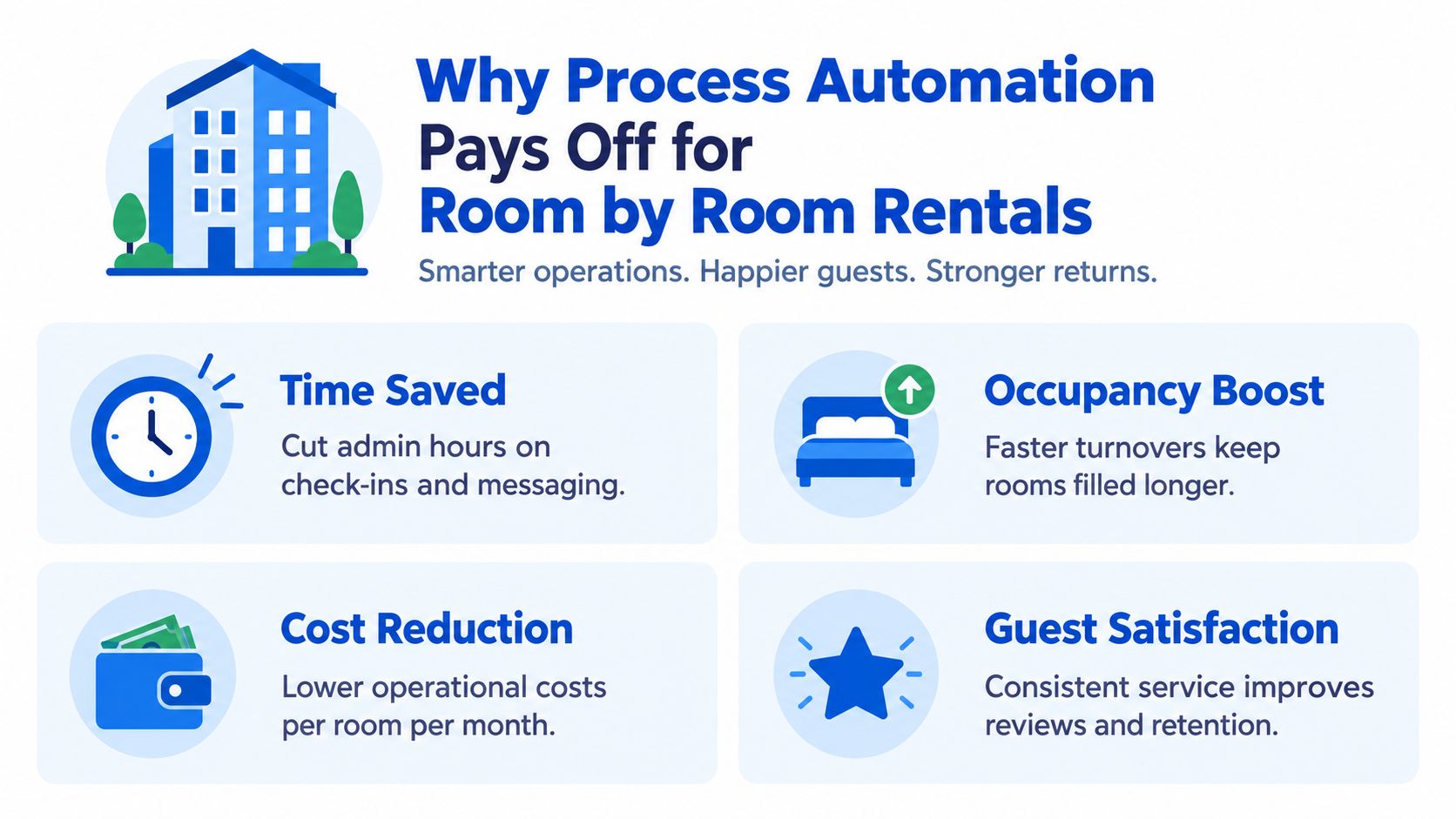
Time savings are usually the first visible benefit. A workflow automation summary reports that 60% of employees could save 30% of their time by automating routine tasks, while another cited finding says companies save 10–15 hours per employee per week on average. These are generalized workplace figures, not a promise that every host will achieve the same result. For a co-living team, the relevant question is which repeated activities consume attention every week.
That time can move toward work that affects occupancy and resident experience:
- Faster inquiry handling: Prospects receive consistent answers and follow-ups.
- Shorter turnover gaps: Cleaning and inspection tasks appear promptly after a departure.
- Fewer access mistakes: Instructions and codes follow the correct move-in event.
- Better financial visibility: Payment and room data reach reports without repeated copying.
Cost reduction follows when fewer staff hours are spent on rework, chasing updates, and correcting data. Quality improves at the same time when the system applies the same rule to every normal case. The strongest design doesn't force a choice between speed and accuracy. It removes repetitive handling while keeping a person responsible for exceptions.
Payback depends on measurement
Automation can pay back quickly, but the outcome depends on the workflow, data quality, implementation effort, and ongoing governance. One UK workflow automation report cites an average first-year ROI of 250% and a 6–9 month payback period, while another finding in that report says 78% of respondents across EMEA, APAC, and North America expected ROI within 6 months of software implementation. These are reported survey and roundup figures, not a forecast for an individual rental portfolio.
For an operator, the safer approach is to calculate the baseline first. Track how long staff spend on a process, how often corrections occur, and what happens when a room status is late or inaccurate. Then compare those measures after launch. NOI improves only when automation changes real operating costs, revenue timing, vacancy exposure, or service capacity.
Co-Living Use Cases That Save Hours Every Week
A room becomes vacant, a prospect asks a question, or a resident reports a broken fixture. Each event can start work across several systems. The value of automation appears when those handoffs continue correctly, including the unusual cases that would otherwise stop the process.
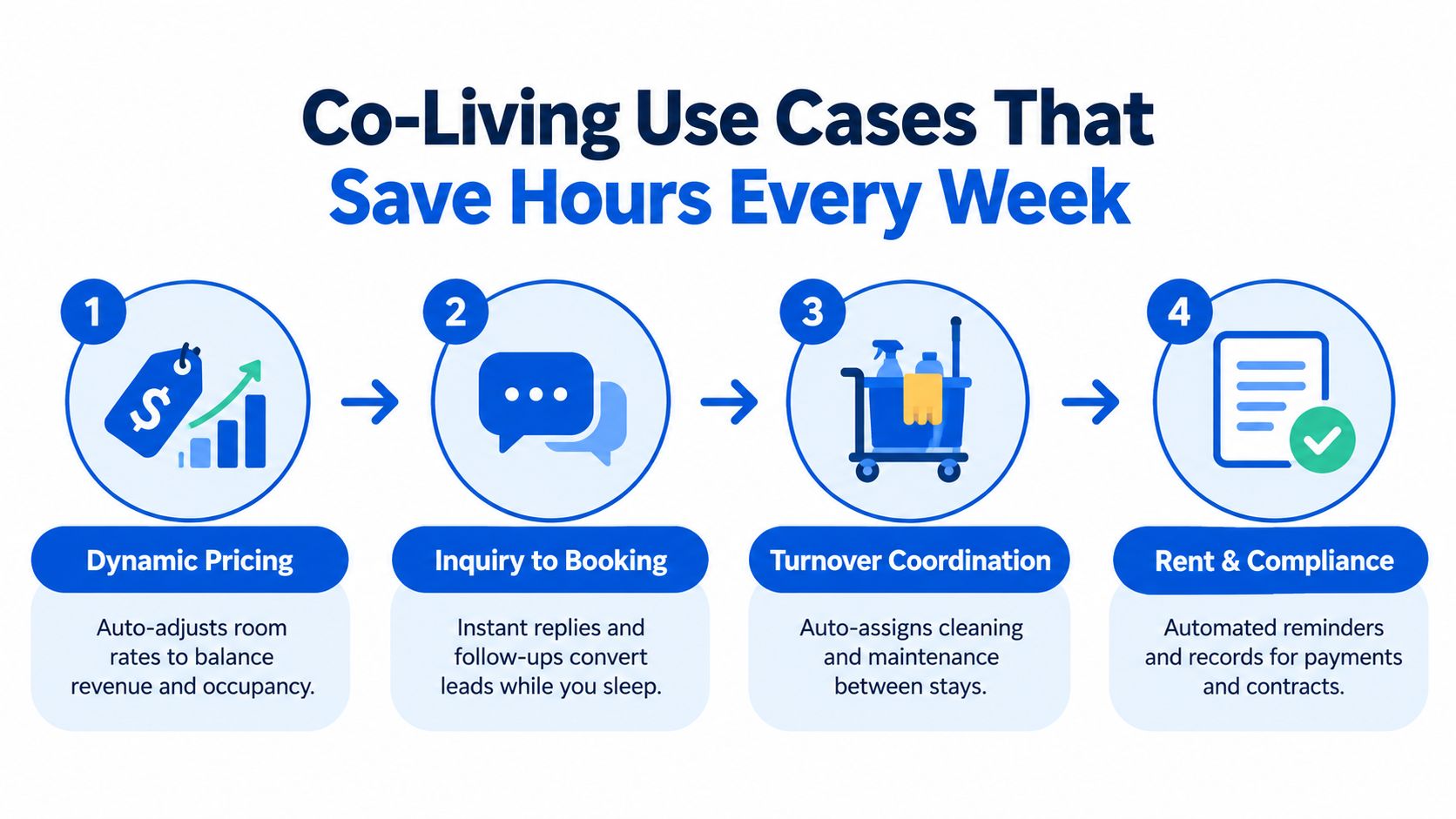
Dynamic pricing tied to room status
A manual pricing routine requires checking vacant rooms, reviewing demand, comparing nearby listings, and changing rates individually. The operator must also remember when a room is reserved, when move-in is approaching, and when a listing should become active again.
An automated workflow can read availability, booking status, and defined pricing rules before suggesting or applying a rate change. It can send unusual cases for review, such as a sudden market shift or a room placed on a maintenance hold. The useful connection joins availability, demand, booking activity, and financial reporting, rather than changing a price in isolation.
Inquiry to booking
A prospect may ask about availability, included utilities, access, and move-in timing in one message. A manual reply can answer those questions, then lose track of the conversation if the prospect stops responding.
A connected workflow can acknowledge the inquiry, send approved information, collect missing details, and create a human follow-up task when screening or another judgment is needed. It can also stop messages after the prospect books or declines. Keep a person involved when fairness, accommodation, or other sensitive decisions require judgment. For practical sequence ideas, see this guide to follow-up automation for rental inquiries.
Turnover and maintenance coordination
A departure can affect cleaning, damage review, repairs, room status, and advertising. If those actions live in separate tools, one missed update can make a room appear ready before the required checks are complete.
A turnover workflow can create cleaning and inspection tasks from the departure event, assign each task to the right person, and update the room only after required steps are complete. If the cleaner reports a broken fixture, the workflow should open a maintenance path and hold the room from advertising. That exception path matters more than just creating the first task.
Access, rent, and compliance reminders
A confirmed move-in can trigger access instructions, while a departure can deactivate access according to defined rules. Payment reminders can follow account status, and contract records can retain a clear activity history for later review.
These automations save attention, but they need guardrails. A message should not promise a service the property cannot provide. A lock event or payment status should not change a room record without an audit trail and a clear owner for corrections. Research on process automation efficiency reported that organizations reporting gains rose from 40% in 2023 to 54% in 2024, as documented in the SAPinsider process automation research report. For room-by-room operators, the practical lesson is clear: automation reaches its ceiling when systems cannot pass context across handoffs or route exceptions to a person.
Your Implementation Roadmap From Prioritization to Integration
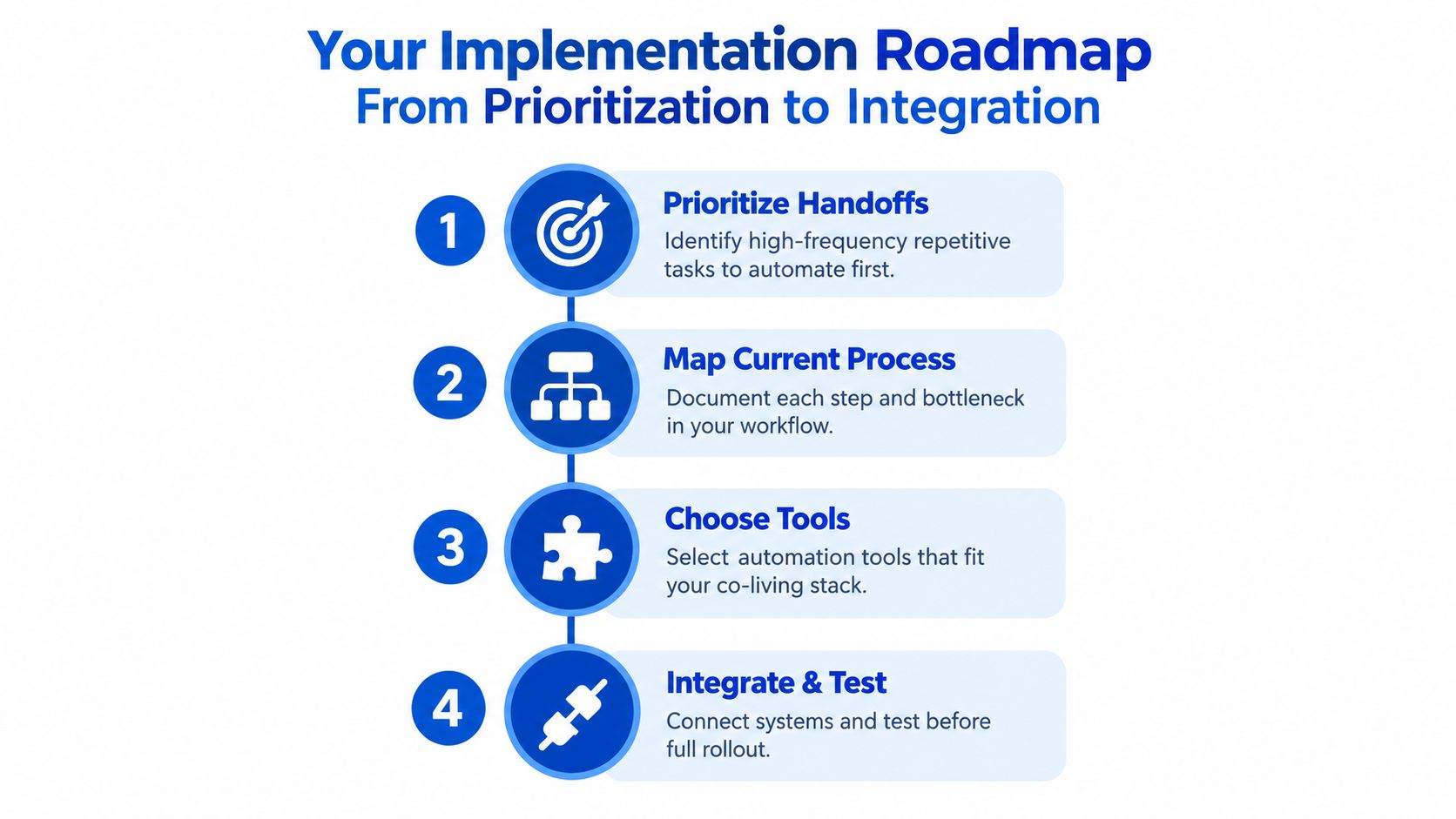
Start with the workflow that creates repeated handoffs and visible delay. Don't begin with the most impressive technology. Begin with the process where staff repeatedly copy information, wait for another person, or repair missing updates.
Start with one high-frequency handoff
List recurring room events and note how many tools or people each event touches. A move-in may involve the property management system, messaging platform, access control, cleaning schedule, and financial record. That kind of chain usually offers more opportunity than a task that stays inside one application.
Choose a workflow with:
- A clear trigger: such as a confirmed booking or completed departure.
- A defined outcome: such as a ready room, issued access, or assigned repair.
- A manageable exception path: unusual cases can go to a person instead of stopping the entire process.
Map the process before selecting tools
Write down every step, input, decision, owner, and output. Include what happens when information is missing, a resident changes dates, a cleaner reports damage, or a payment doesn't clear.
This map exposes hidden work. It may show that the delay isn't the message itself. The delay may come from an outdated room status, duplicate resident records, unclear approval rules, or a task that has no owner.
Choose tools only after that map exists. Your stack may include a property management platform, messaging software, pricing tools, smart locks, payment services, and reporting systems. The right integration is the one that keeps the room's state consistent across those systems. These software integration best practices can help teams evaluate data ownership, permissions, testing, and maintenance.
Test the exception path before rollout
A workflow that handles only the normal case isn't finished. Test a late departure, a missing phone number, a duplicate inquiry, an unsuccessful payment, a lock that doesn't respond, and a repair that needs approval.
A manufacturing automation outlook reports that 98% of manufacturers are exploring or considering AI-driven automation, while only 20% feel fully prepared to use it at scale and only 40% have automated exception handling. Co-living operators face a different operating environment, but the automation ceiling is relevant: connecting the normal path is easier than managing breakdowns across systems.
Release the workflow to a small operating group first. Review logs, missing fields, duplicate actions, and manual interventions. Then adjust the rules before expanding to more rooms.
KPIs to Track and Common Pitfalls to Avoid
Automation should make performance easier to verify. A dashboard full of completed tasks isn't enough if staff still spend the same time resolving exceptions or if rooms remain unavailable because systems disagree.
Track the baseline before launch, then compare the same measures afterward:
- Time per process: Measure handling time for inquiries, turnovers, access setup, or payment follow-up.
- Error rate: Count incorrect messages, duplicate tasks, missed updates, and access problems.
- Response time: Monitor how quickly prospects and residents receive the next appropriate action.
- Room availability: Watch vacancy days and the time between departure, readiness, and the next move-in.
- Financial visibility: Check whether room-level revenue, costs, and operating results reach the reporting layer consistently.
- Human intervention: Record how often staff must repair, override, or restart the workflow.
A recent UK business survey reported that only 10% of businesses had highly automated banking and payment workflows, while 24% lost 20–29 hours per month to manual administration and 15% lost up to 39 hours per month, as summarized in this research on manual finance administration. The figures aren't a co-living benchmark, but they show why payment administration deserves measurement rather than assumption.
Pitfall to Prevention Matrix for Co-Living Automation
| Common Pitfall | How to Avoid It | KPI to Watch |
|---|---|---|
| Automating a broken process | Remove duplicate approvals and clarify ownership before building rules | Time per process |
| Ignoring cross-system handoffs | Assign a source of truth for room, resident, and booking status | Error rate |
| Treating every case as routine | Create escalation paths for missing data and unusual events | Human intervention |
| Launching without monitoring | Review workflow activity and failed actions on a set schedule | Response time |
| Measuring activity instead of outcomes | Connect automation reports to vacancy, service, and financial results | Vacancy days and NOI visibility |
For deeper reporting workflows, use this guide to reporting automation for property operations. The best KPI isn't the number of automations switched on. It's whether the operator can explain what improved, what still requires attention, and why.
Conclusion and Next Steps With PadPulse Early Access
Process automation becomes practical when you stop asking, “What task can I automate?” and start asking, “What room event should move cleanly from one system to the next?”
For co-living operators, the strongest opportunities usually involve recurring handoffs. Pricing should reflect room status. Inquiries should move toward a clear booking outcome. Departures should launch turnover work. Access, payments, maintenance, and reporting should share reliable status information. People should remain responsible for exceptions, sensitive decisions, and quality control.
Use this starter checklist:
- Choose one high-frequency room workflow.
- Record its current time, errors, delays, and manual interventions.
- Define the normal path and the exception path.
- Connect only the systems needed for the intended outcome.
- Test unusual cases before expanding.
- Review the results and improve the rules continuously.
PadPulse is being developed as an all-in-one platform for PadSplit hosts and co-living operators, with planned automated dynamic pricing, AI-powered messaging, smart-home integrations, and portfolio analytics. Its early access program is intended for operators who want to help shape a practical toolkit for pricing, communications, access control, and financial visibility, with a Winter 2026 beta planned and no billing before launch.
PadPulse brings pricing, resident messaging, smart-home integrations, and portfolio reporting into one co-living operations toolkit, helping you design process automation around room-level outcomes instead of isolated tasks. Visit PadPulse to join the early access interest list for the planned Winter 2026 beta and receive updates without billing before launch.