Follow-Up Automation for Co-Living Hosts: A Guide
June 30, 2026
Your phone has unread texts from prospects. Your inbox has tour requests from three listing channels. Two current members need move-in details, one resident missed rent, and someone who asked about a room yesterday still hasn't heard back. That pileup feels like proof that demand is strong. In practice, it's often proof that your operation is running on memory, not a system.
For room-by-room operators, slow follow-up leaks money in small increments. A missed inquiry turns into another vacant day. A late onboarding message creates confusion on move-in day. A forgotten rent reminder becomes a collection issue you could've prevented. The more houses you add, the worse manual communication performs.
Follow-up automation fixes that by turning repeatable communication into a workflow. New inquiries get a fast first response. Approved applicants get the next step automatically. Members receive the right reminders before problems start. You stop spending your day copying, pasting, and apologizing for delays.
Why Manual Follow-Up Is Costing You Rooms
Manual follow-up breaks first in co-living because the member lifecycle has more touchpoints than a standard rental. You're not just answering one leasing question and sending a lease. You're managing inquiry responses, screening updates, tour confirmations, approval notices, move-in instructions, utility expectations, house rules, rent reminders, maintenance follow-ups, and move-out logistics.
That workload creates a false choice. Either you reply fast and spend your day buried in messaging, or you protect your time and let response speed slip. Neither option is good for NOI.
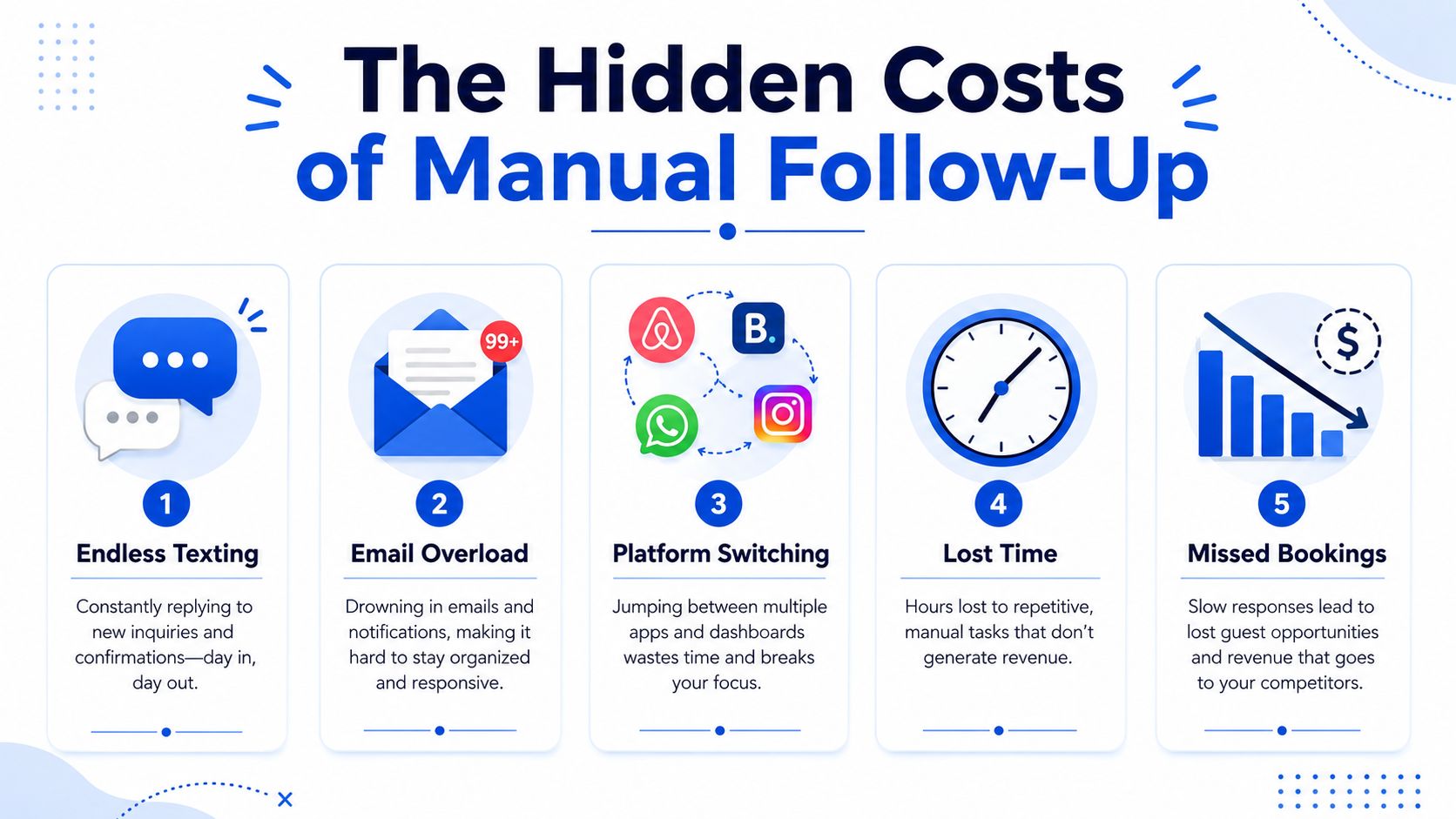
Manual work looks busy, not efficient
When hosts handle every message themselves, the same problems show up quickly:
- Inquiry lag: Prospects ask about availability when they're actively comparing options. If you answer later, someone else gets the tour.
- Channel chaos: Messages live in email, SMS, Facebook Marketplace, listing platforms, and your phone notes.
- Inconsistent replies: One prospect gets full details. Another gets a rushed one-liner.
- Dropped handoffs: Leasing, onboarding, and collections sit in separate mental checklists.
- Owner bottlenecks: Everything depends on one person remembering the next step.
Most operators don't need more hustle. They need fewer manual steps.
According to workflow automation adoption and ROI data from Gitnux, 89% of organizations have adopted or are planning to adopt workflow automation by 2024. The same data says businesses with high automation maturity report efficiency gains at a 74% rate, average returns of 200–300% of initial investment, and process cycle time reductions of 50–70% within 12 months. For a co-living host, that means fewer missed follow-ups, faster replies, and less vacancy drag.
Practical rule: If you send the same message more than a few times a week, it should probably become an automated step.
What this changes for a co-living operator
In a room-by-room model, response speed and consistency matter because every room has its own leasing clock. One empty room can erase a lot of the upside you expected from higher gross rent. Automation helps protect that margin.
A simple system can automatically:
- Reply to new inquiries with room details, screening criteria, and tour links
- Confirm appointments and reduce no-shows
- Send application nudges when someone starts but doesn't finish
- Deliver move-in instructions at the right moment
- Trigger rent reminders before a payment issue turns into a collections problem
If you're already thinking about broader operational efficiency, this guide on short-term rental automation strategies gives useful context on how automated workflows reduce admin load across a property business.
Manual follow-up feels personal. In reality, it often creates uneven service. Automation, done well, gives every prospect and member a reliable experience while freeing you to handle the parts that require judgment, like screening edge cases, resolving house conflict, or deciding which acquisition deserves your attention next.
Defining Your Automation Goals and Triggers
Most follow-up automation projects go sideways for one reason. The owner starts with software instead of operations. Before you touch Zapier, HubSpot, Salesforce, or any messaging tool, decide what outcome you want.
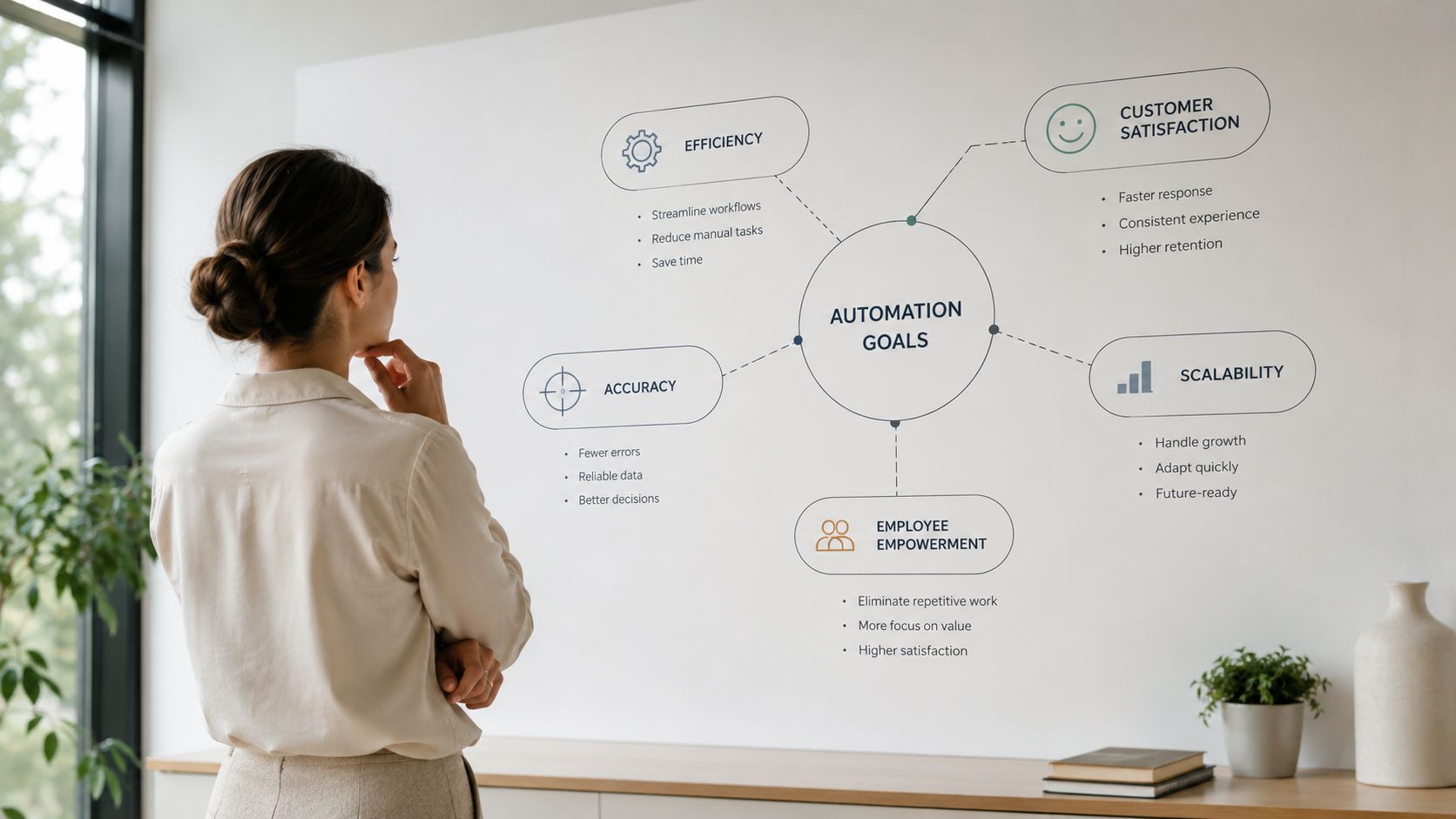
Start with one business problem
Pick the bottleneck that hurts your portfolio most right now. For most co-living operators, that falls into one of these buckets:
Faster leasing You want inquiries to become tours and applications without delays.
Smoother onboarding You want approved members to receive every instruction without back-and-forth.
Better rent collection You want reminders and escalation steps to happen on schedule.
Cleaner move-out coordination You want notice, unit turn tasks, and deposit-related communication to happen in order.
Automation usually works best when each workflow has one job. “Improve communication” is too vague. “Respond to every new inquiry instantly with room details and a booking link” is specific enough to build.
A broader set of automation statistics compiled for business teams supports that operational discipline. In the United States, 89% of employees reported feeling more satisfied with their jobs after automation was introduced, 80% of sales teams attribute increased lead generation to CRM-integrated workflow automation, and marketing automation software increases qualified leads by 451% and boosts overall lead volume by 80%. The lesson for housing operators is simple. Automation works best when it's tied to a real pipeline outcome.
Map the member lifecycle into trigger points
Once the goal is clear, define the exact event that should start a message sequence. In co-living, common triggers usually come from status changes and dates.
Here's a practical trigger map:
New inquiry received Send an immediate acknowledgment, room basics, qualification criteria, and a tour link.
Tour booked Send confirmation, parking or access notes, and a reminder before the appointment.
Application submitted Confirm receipt and explain what happens next.
Application approved Send next-step instructions, required documents, and payment expectations.
Lease signed Deliver move-in checklist, house rules, and utility or app setup details.
Move-in date minus a few days Send arrival instructions, lock access steps, and what to bring.
Rent due date approaching Send a friendly reminder with payment instructions.
Rent due date passed Trigger a firmer follow-up with the next action required.
A trigger should be observable. If your software can't detect it reliably, the workflow won't stay reliable either.
Document before you automate
Write each workflow in one sentence using this format:
When [trigger] happens, send [message] to achieve [result].
Examples:
- When a new inquiry arrives, send a screening and tour message to reduce response delay.
- When a lease is signed, send onboarding instructions to prevent move-in confusion.
- When rent becomes overdue, send a reminder and escalation sequence to improve collections consistency.
That small exercise prevents bloated workflows. It also helps you spot gaps where your process is unclear, which is usually the underlying issue.
Designing High-Impact Follow-Up Cadences
A cadence is the sequence of messages someone receives after a trigger. Good cadences feel timely and useful. Bad ones feel repetitive, robotic, or desperate. In co-living, a strong cadence moves someone one step forward at a time.
The simplest rule is also the one most operators ignore. Every follow-up should add something new. Don't resend the same “just checking in” text three times.
What a strong cadence looks like
The best automated sequences use three to five messages spaced a few days apart, and each message should introduce fresh value rather than repeating the last one, according to Yesware's follow-up guidance. That structure fits co-living especially well because prospects usually need a small amount of information at each step, not a giant wall of text all at once.
For leasing, that “new value” might be:
- room availability
- pricing and move-in cost
- a tour link
- qualification criteria
- commute or neighborhood details
- a reminder that the room is still open
For current members, it might be:
- exact due dates
- payment links
- arrival instructions
- required documents
- house expectations
Sample co-living follow-up cadences
| Cadence | Timing | Channel | Sample Message |
|---|---|---|---|
| New inquiry | Immediately | SMS | “Thanks for reaching out about the room. It's still available. Here's the tour link and basic qualification info.” |
| New inquiry | A few days later | “Sending more details on the home, monthly payment structure, and what current members usually ask before booking a tour.” | |
| New inquiry | A few days later | SMS | “Checking back in. If timing works, you can still book a tour here. Happy to answer questions about move-in requirements.” |
| Tour no-show | Same day | SMS | “Sorry we missed you. If you still want to see the room, use this link to pick another time.” |
| Application started but not finished | A few days later | “You're partway through the application. Here's what's still needed and where to complete it.” | |
| Approved applicant | Immediately after approval | “You're approved. Here are the next steps to secure the room, submit documents, and prepare for move-in.” | |
| Pre move-in | A few days before move-in | SMS | “Move-in is coming up. Here's the address, arrival window, access instructions, and what to bring on day one.” |
| Rent reminder | Before due date | SMS | “Friendly reminder that rent is coming up. Pay here if you haven't already.” |
| Late rent | After due date | “Your payment appears overdue. Please complete payment today or reply if there's an issue we need to review.” | |
| Move-out | After notice is given | “Here's the move-out checklist, room condition expectations, and key steps to complete before departure.” |
Copy that works better than filler
These message patterns tend to perform better than generic nudges:
- Lead with context: “You asked about the furnished room on Elm Street.”
- Give one clear next step: “Book a tour here.”
- Reduce uncertainty: “Income verification and ID are required before approval.”
- Use channel-appropriate tone: Email can carry detail. SMS should stay short.
Don't ask a prospect to do three things in one text. Ask for one action, then let the next message handle the next step.
A common mistake is writing one “master template” and forcing it into every situation. Inquiry messages, onboarding messages, and collections messages need different tones. A prospect should feel welcomed. A late-pay reminder should feel clear and professional. A move-in sequence should remove friction.
If your operation also struggles with leases, forms, and approvals getting stuck between inboxes, this article on how to automate document workflow pairs well with message automation because the two systems usually need to work together.
What doesn't work
Avoid these habits:
- Repeating the same ask in every touch
- Sending long paragraphs by text
- Using urgency too early when the lead is still gathering basics
- Forgetting stop conditions after someone replies, books, or pays
- Treating current members like prospects with overly promotional language
The right cadence should feel like a guided path. Each message has a reason to exist. If it doesn't, cut it.
Choosing Your Channels and Automation Tech Stack
Most hosts overcomplicate the stack in the wrong places and underbuild it in the places that matter. You don't need a giant enterprise system on day one. You do need a setup where your lead source, workflow logic, and outbound channels stay connected.
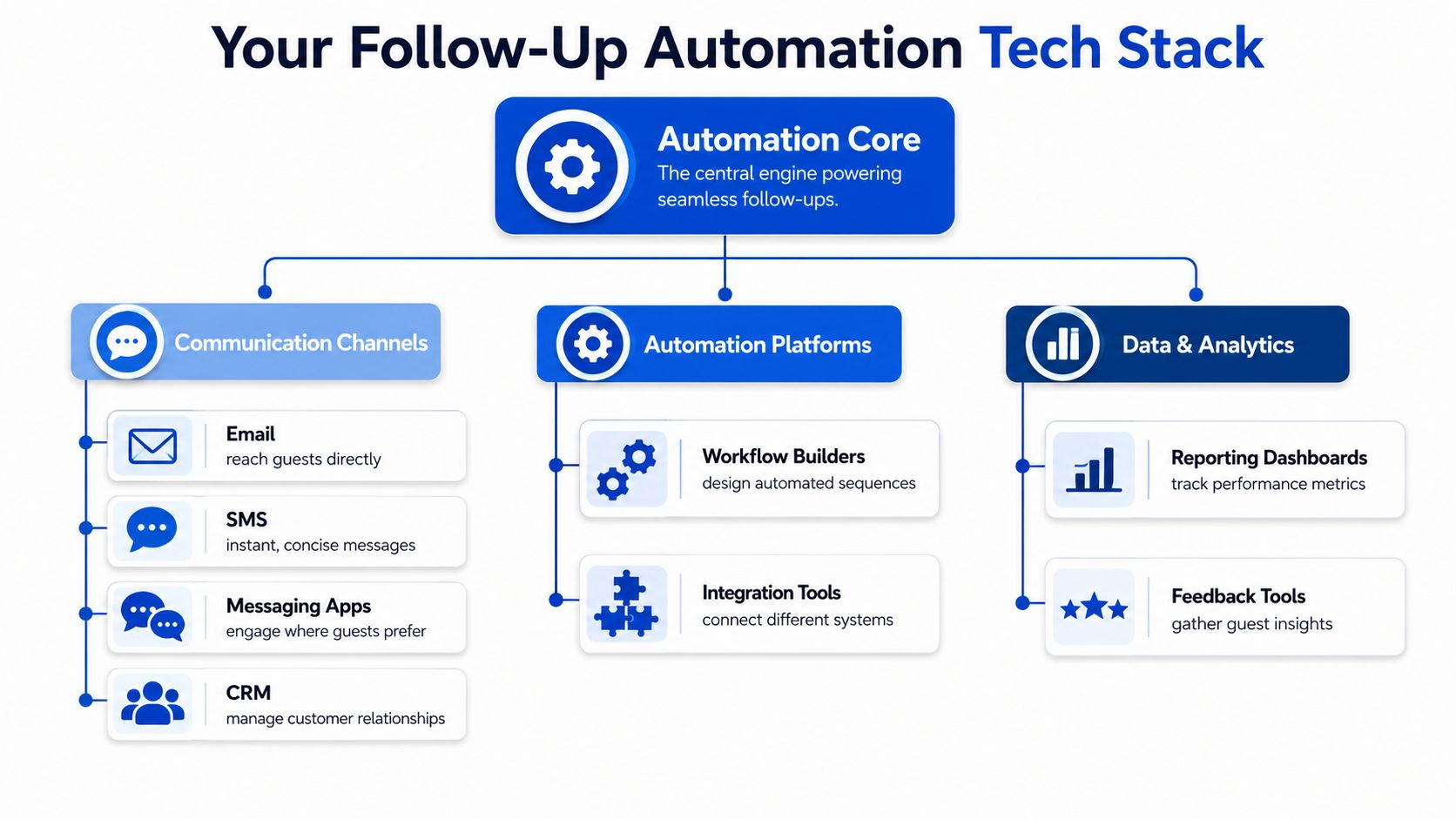
Think of the stack like a nervous system. One tool detects the event. One tool decides what happens next. One tool sends the message. One system records the result.
Pick channels by use case, not preference
Different channels do different jobs well.
| Channel | Best use in co-living | Watch out for |
|---|---|---|
| Detailed info, approvals, move-in instructions, policy reminders | Too much text gets ignored if the lead is still early-stage | |
| SMS | Fast inquiry response, confirmations, reminders, urgent updates | Overuse feels intrusive and can create opt-out risk |
| Phone | Screening nuance, objections, complex issues, conflict resolution | Hard to scale for repetitive updates |
| In-app or platform messaging | Early-stage replies when leads contact you through a marketplace | Important details can get buried if you never move the conversation into your core system |
Email carries detail. SMS drives action. Phone calls handle complexity. That split matters.
The core stack most operators actually need
A reliable system usually includes:
- CRM or lead database such as HubSpot or Salesforce
- Engagement or messaging platform to send email, SMS, or call tasks
- Automation middleware such as Zapier or Make
- Property or operations system where resident status, rent events, and occupancy live
According to Keap's guidance on automated follow-up systems, effective follow-up automation requires a tech stack that integrates CRM systems like HubSpot or Salesforce, engagement platforms like Kixie or Outreach, and automation middleware like Zapier or Make so lead capture, workflow triggers, and notifications stay in sync. The same guidance notes that co-living operators need multi-channel sequences tied to customer journey stages so follow-ups match booking intent.
That's the difference between “we send messages” and “we run a process.”
For operators trying to centralize inboxes, resident communication, and workflow triggers, a unified communication system for property operations is often the missing layer between scattered conversations and actual automation.
Here's a useful walkthrough on how these components fit together in practice:
Where smart-home triggers become useful
Room-by-room rentals have an advantage over generic leasing businesses because your operation has real-world events that software can use.
Examples:
- First smart lock activation triggers a welcome message and house guide
- Access not activated before move-in day triggers a staff alert
- Maintenance issue marked complete triggers a satisfaction check
- Move-out access removed triggers turnover tasks and next-step messaging
A good automation stack doesn't just send messages. It reacts to operational events that matter.
The trap is adding too many tools too quickly. If data doesn't flow cleanly between systems, automation creates confusion faster than manual work. Start with one lead source, one messaging flow, and one clean source of truth for member status. Then expand.
Testing and Measuring Your Automation Success
Automation isn't “set it and forget it.” It's “launch it, inspect it, tighten it.” A workflow that saves time but fails to convert inquiries or collect rent on time isn't helping much.
The first benchmark to protect is speed. According to Ontraport's lead follow-up research, responding within five minutes of the initial inquiry produces a nine-fold increase in the probability of converting a lead, while 25–50% of all sales are lost because the seller never follows up at all. In co-living, that's the difference between a booked room and a stale lead.
Track operational metrics, not vanity metrics
Open rates and click rates can help, but they aren't enough on their own. A room-by-room operator should care more about whether messages moved someone to the next operational stage.
Track metrics like:
- Inquiry-to-application rate to see whether your early leasing sequence is working
- Time-to-lease to measure how quickly a vacant room gets committed
- Application-to-approval handoff quality to spot friction in screening communication
- On-time payment percentage to evaluate rent reminder workflows
- Member satisfaction feedback after move-in, maintenance, or renewal touchpoints
If a sequence gets lots of opens but few tour bookings, the issue probably isn't deliverability. It's message relevance or CTA clarity.
Test one variable at a time
Keep A/B testing simple. Change one thing, then look for a practical difference.
Good tests for co-living:
- SMS opener: “The room is still available” versus “Thanks for your interest in the room”
- Email CTA: “Book a tour” versus “Reply with your questions”
- Reminder timing: same-day versus next-day follow-up for incomplete applications
- Message order: send pricing first versus send qualification criteria first
Don't test five changes in one sequence and hope to learn something. You won't know what caused the result.
If a workflow underperforms, inspect the first message first. Most breakdowns happen at the opening step, not the fourth reminder.
Build a review rhythm
A simple review process is enough:
- Check new inquiry workflows regularly for response delays or broken links.
- Review reply patterns to see where prospects go quiet.
- Pull rent reminder outcomes and compare them against your manual collection notes.
- Retire stale templates that no longer match your house rules, fees, or process.
You don't need a data team for this. You need a habit. The operators who improve fastest are usually the ones who read their own automations like a prospect would, then clean up every awkward handoff.
Best Practices for Smart and Compliant Automation
Automation should feel organized, not robotic. The best systems save time while making it easier for prospects and members to get answers. The worst systems send canned messages at the wrong time, ignore context, and make people work harder to reach a human.
Keep automation useful and human
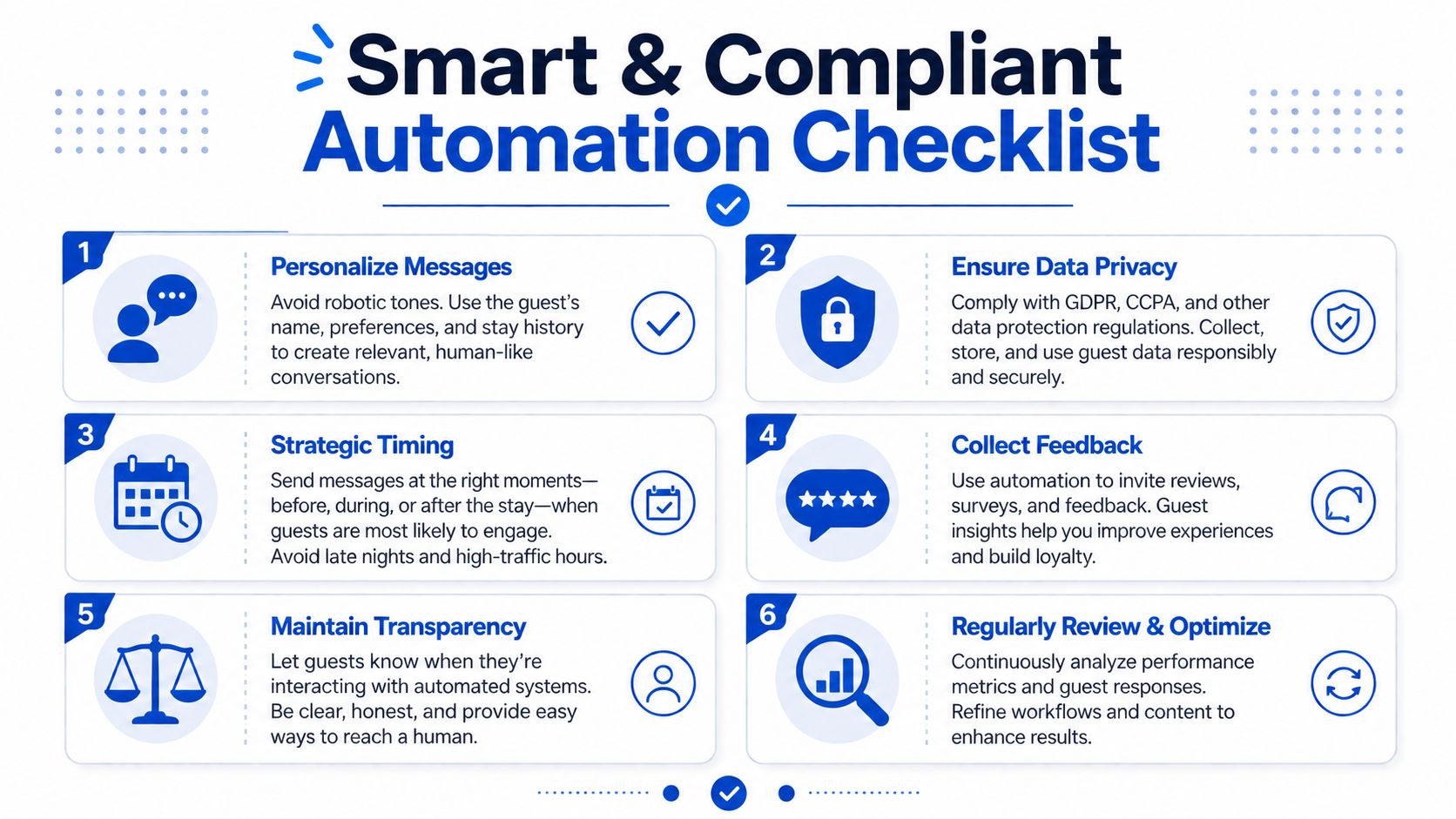
A few habits make a big difference:
- Add a human escape hatch: Every important sequence should make it easy for someone to reply and reach a real person.
- Personalize with actual context: Reference the room, move-in timing, house location, or application stage.
- Match tone to the moment: Leasing can be warmer. Late rent and policy communication should be firm and clear.
- Use timing carefully: Same-day first follow-up works best when the inquiry is still fresh, and broader follow-up timing works better when messages are spaced thoughtfully. Guidance from This and That on follow-up timing recommends sending the first follow-up within the same day or within 24 hours, while Martal's sales follow-up benchmarks note that cold follow-up campaigns perform best with 2–3 day gaps and often see the strongest engagement on Tuesdays and Wednesdays between 10:00 AM and 11:00 AM.
- Stop sequences when the goal is met: If someone booked, paid, replied, or withdrew, the automation should stop or branch.
One more timing rule matters in practice. The Nimble framework for CRM follow-up says teams should define lead scoring first, trigger multi-channel workflows after a threshold is met, personalize by channel, and optimize by testing one variable at a time. It also warns that sending outside 8 AM–9 PM local time and failing to segment by engagement can hurt performance, while behavior-based follow-ups can deliver 3–5x higher conversion rates and AI-driven engagement analysis can shorten deal cycles by 20–30% according to Nimble's best practices for automated follow-ups.
Don't automate away judgment
Some parts of property operations need human judgment, especially when money, conflict, or exceptions are involved. If a member disputes a charge, raises a safety concern, or needs a special move-in accommodation, the system should route that case to a person.
That matters even more as AI-generated messaging becomes common. The Virtual Workforce analysis of AI follow-up automation says 71% of IT teams flag new security threats from generative AI models used in follow-ups, and recent 2025 data in that same analysis says 54% of lost deals occur because AI follow-ups handled high-complexity negotiations without human escalation. The takeaway for co-living is straightforward. Let automation handle repetitive touchpoints. Let humans handle nuance.
Compliance matters in housing
Property communication isn't just an efficiency issue. It can become a legal one.
Use this checklist:
- SMS consent: Make sure your text messaging practices align with TCPA requirements before sending automated SMS.
- Fair Housing consistency: Keep screening and communication standards consistent across prospects. Your templates should never suggest different treatment based on protected characteristics.
- Local landlord-tenant rules: Some jurisdictions have specific requirements around notices, delivery methods, or timing.
- Privacy and data handling: Limit access to applicant and member information, especially when third-party tools are involved.
The cleanest automation systems are the ones with clear rules, clear handoffs, and regular audits. Review templates often. Remove anything outdated. Make sure your actual process matches what your messages promise.
Follow-up automation works best when it supports the way a co-living house really runs. Fast inquiry response fills rooms faster. Structured onboarding reduces friction. Timely reminders improve collections. Human escalation protects trust.
PadPulse is building an all-in-one platform for PadSplit hosts and co-living operators who want to centralize pricing, communications, access control, and reporting without stitching together a dozen tools. If you want updates on the Winter 2026 launch, early beta access, and referral opportunities, join the interest list at PadPulse.