Automate Document Workflow: A Landlord's Playbook
May 14, 2026
You're probably feeling the drag already. A prospect applies for one room, sends an ID photo by text, asks for a lease tweak by email, pays a deposit through another app, and then wants a move-in checklist the same day. By the time the room is filled, you've touched six tools, renamed four files, and double-checked the same data more than once.
That's why landlords try to automate document workflow. Not because automation sounds modern, but because room-by-room rentals create more paperwork than traditional single-family leases. Every bed, addendum, renewal, house rule, and notice multiplies fast in co-living.
Generic business guides usually talk about invoices or enterprise contracts. They don't deal with shared kitchen riders, roommate conduct addendums, parking acknowledgments, sublet requests, or renewal notices tied to one room instead of one whole unit. In practice, those are the documents that eat your week.
The good news is that you don't need a giant software rollout to fix it. You need a clean map, a sensible stack, and a few workflows that handle the repetitive parts while keeping human review where it matters.
Mapping Your Core Property Management Workflows
Most failed automation projects start with the wrong first move. People buy software before they understand their own process. Then they wonder why the tool feels clunky.
Start with one workflow you repeat often. For co-living operators, tenant onboarding is usually the best place because it touches everything: application, screening authorization, ID collection, lease generation, room assignment, deposit receipt, and move-in checklist. If you map that clearly, the rest gets easier.
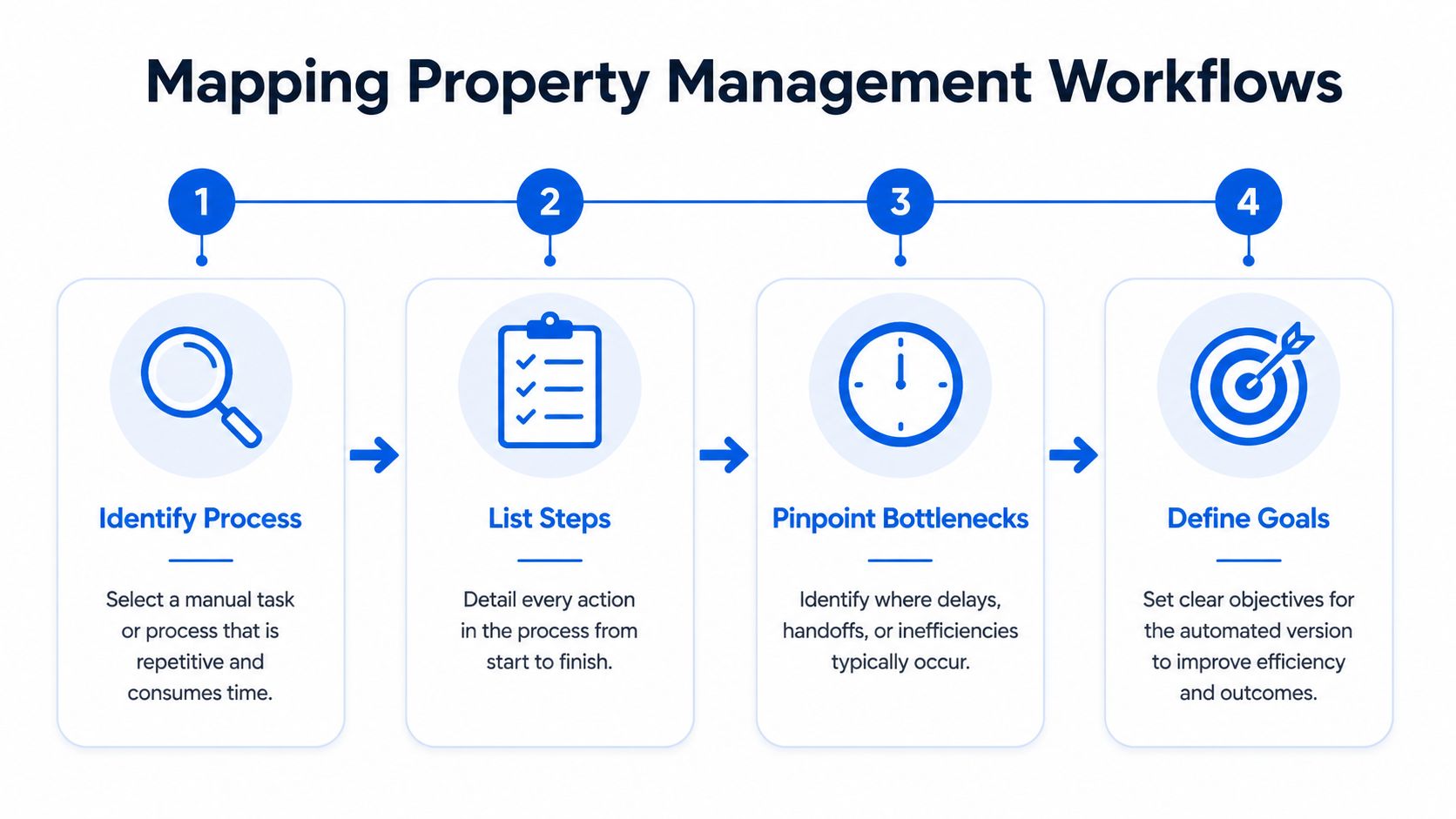
Follow one tenant from inquiry to move-in
Take a real recent onboarding and write down every step in order. Don't tidy it up yet. Include the messy parts.
A typical co-living flow might look like this:
- Prospect submits an application form
- You request ID and income documents
- Prospect signs background check authorization
- You review screening results
- You assign a room and rate
- Lease and house rules rider are generated
- E-signature request goes to tenant
- Deposit is paid
- Receipt is sent
- Move-in checklist and access instructions go out
- Signed documents are stored in the tenant folder
Now add the hidden handoffs. Where do you pause because you're waiting for someone? Where do you copy data from one system into another? Where do filenames get inconsistent?
Practical rule: If you had to search your inbox to answer “what's the current version,” that step belongs on the map.
Mark the friction points
In co-living, the bottlenecks are rarely dramatic. They're small delays that pile up.
Look for issues like these:
- Split communication channels. A tenant sends the application by form, uploads pay stubs by text, and asks lease questions by email.
- Manual data re-entry. You type the tenant's name, room number, rent amount, and move-in date into multiple documents.
- Version confusion. Someone signs an older lease file because you edited the house rules after the first draft went out.
- Unclear ownership. Nobody knows whether leasing, operations, or the onsite manager sends the final move-in packet.
This mapping step is where you discover what to automate and what to leave manual. It also tells you which templates you need before any automation rule will behave well.
Build a simple workflow sheet
You don't need fancy software for this. A spreadsheet, whiteboard, Notion page, or Miro board works fine. I prefer a five-column layout:
| Step | Trigger | Who owns it | Document used | Common failure |
|---|---|---|---|---|
| Application received | Form submitted | Leasing | Application PDF or web form | Missing fields |
| Screening consent | Application complete | Prospect | Authorization form | Signature delay |
| Lease creation | Room approved | Leasing admin | Lease template + riders | Wrong room details |
| Deposit receipt | Payment confirmed | System | Receipt template | Not saved to folder |
| Move-in packet | Lease fully signed | Ops | Checklist + house rules | Sent late |
That one sheet becomes your blueprint.
A big reason this matters is that document-heavy teams get real relief when they centralize and standardize the work. In document-heavy industries, manual tasks drop by 50%, employees save an average of 8 hours weekly, and centralized storage cuts lost or misplaced documents by 90%, according to SenseTask's document workflow statistics.
If you want a practical companion for operational reviews, a solid set of property management checklists helps catch the handoffs and missing documents that your day-to-day routine tends to hide.
Choosing Your Automation Tools and Integrations
Once the workflow is mapped, the next decision is structural. You're not just picking software. You're deciding how many moving parts you want to manage.
I've seen three setups work for landlords who automate document workflow well. The right one depends on portfolio size, tolerance for setup work, and whether you want one hub or a stack of specialists.
Option one uses an all-in-one platform
This setup is best for operators who want fewer tools and one source of truth. Your leasing data, messaging, document generation, and reporting live close together.
The upside is simplicity. Your team spends less time stitching apps together. The downside is flexibility. Some all-in-one systems are strong in accounting but weak in document logic, or good at leasing but limited on co-living addendums.
Use this approach if you want:
- Fewer logins. One place to train staff and one place to look for records.
- Cleaner permissions. Easier control over who can see applications, leases, and notices.
- Less maintenance. Fewer integrations to break.
Option two uses best-in-class tools
This is common with hands-on landlords. You keep your existing property software and add strong specialists around it. For example:
- DocuSign for e-signatures
- PandaDoc for document generation and reusable variables
- Google Drive or Dropbox for storage
- Jotform or Typeform for intake forms
- Zapier or Make for workflow connections
This model works when one tool handles signatures better, another handles templates better, and your current PMS already stores tenant basics. It gives you precision, but it also creates dependency on integrations.
The stack is only as good as the handoff between tools. A smart lease template with poor foldering still creates cleanup work.
Option three uses a DIY integration layer
Some operators already have tools they like and just need them to talk. That's where Zapier, Make, or Microsoft Power Automate come in. This route can be very effective for room-by-room rentals because you can build custom rules around room numbers, amenity riders, or property-specific notices.
The trade-off is maintenance. DIY setups are powerful, but someone has to own them. If nobody checks failed tasks, watches webhook errors, or updates templates, the system becomes fragile.
Here's a simple comparison:
| Setup style | Best for | Main strength | Main risk |
|---|---|---|---|
| All-in-one | Small teams wanting simplicity | Centralized workflow | Less customization |
| Best-in-class stack | Operators with specific needs | Stronger feature depth | More integration points |
| DIY integration layer | Advanced or growing teams | Custom logic | Ongoing upkeep |
What matters more than features
The biggest buying mistake is choosing based on feature lists instead of workflow fit. Ask these questions instead:
- Does it pull tenant data into documents automatically?
- Can it generate different riders by property or room type?
- Does it store signed files back into the right tenant folder?
- Can it trigger messages after a signature or payment event?
- Can non-technical staff update templates without developer help?
That last point matters more than people think. If every lease edit requires outside help, your automation won't last.
There's also a business case for moving sooner rather than later. According to DocuClipper's workflow automation statistics, 60% of businesses see returns within 12 months, and users save $46,000 annually on average by automating repetitive tasks. Those numbers are broad, but the pattern is familiar in property operations too. The repetitive admin work is expensive even when it doesn't show up as a separate line item.
If you're weighing platform architecture in a broader property software context, this comparison of Buildium vs AppFolio is useful for thinking through how tightly your document tools should connect to your core management system.
Designing Your First Automated Document Workflows
Don't start with every document in your business. Start with two workflows that happen often and have low legal ambiguity. For most co-living operators, that means onboarding and receipts. Once those are stable, add renewals, notices, maintenance approvals, and roommate-related forms.
A common mistake is trying to automate messy inputs. That's where trouble starts. According to Emakin's workflow automation guidance, 52% of workflow automation failures happen when teams automate before standardizing document formats, and unified templates can reduce automation errors by 40-60%. In plain terms, fix your lease templates, receipt format, and naming rules first.
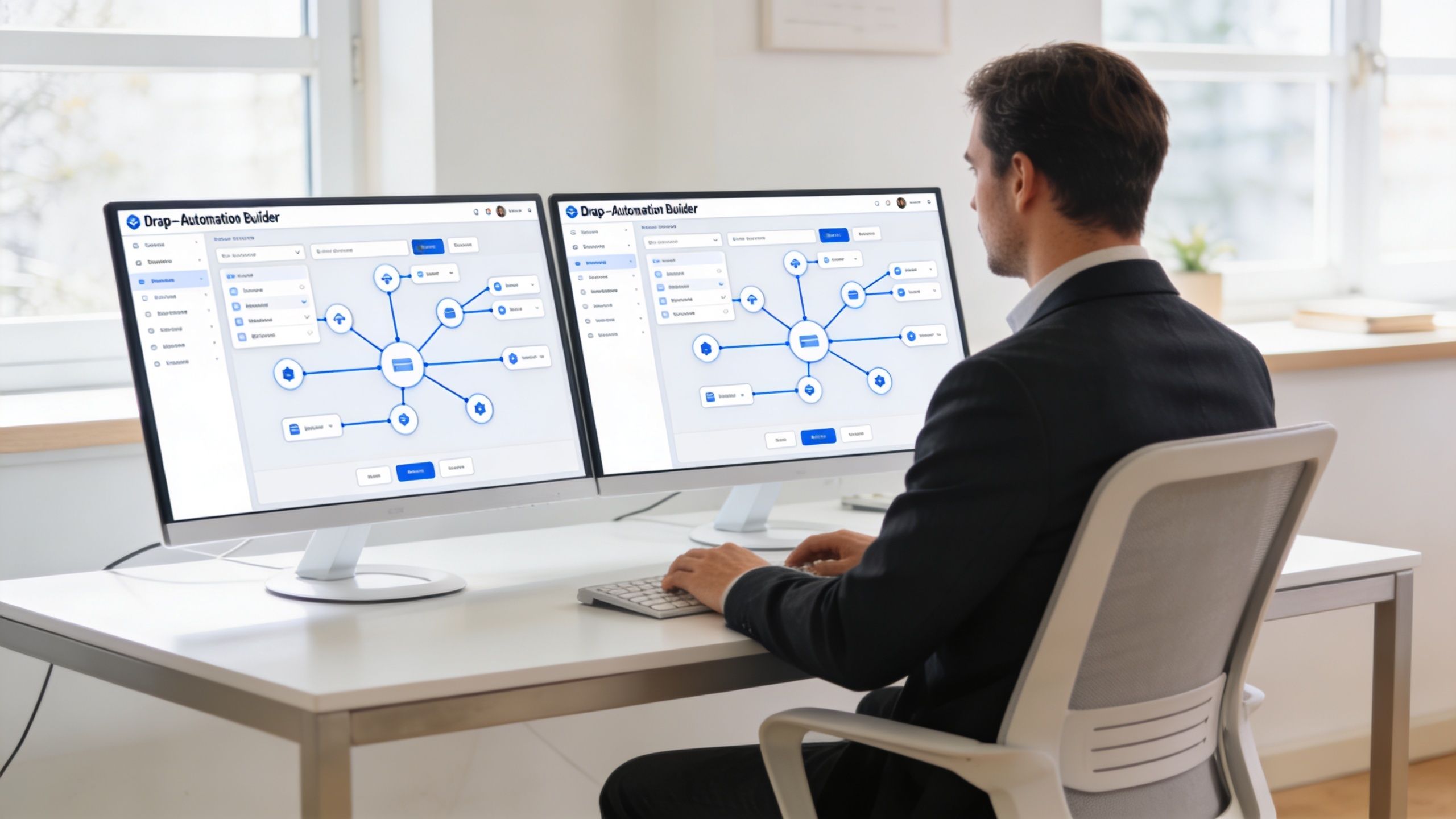
Tenant onboarding and lease signing
This is the first workflow I'd automate in a room-by-room rental business because it combines speed, consistency, and tenant experience.
Start with a standardized input set. Every applicant should enter the same core fields in the same structure. That usually includes full legal name, email, phone, property, room, target move-in date, and uploaded ID. If you collect these details inconsistently, the automation will produce inconsistent leases.
Then build the rule sequence.
Trigger
Application marked approved
Action
Create tenant folder in cloud storage using a naming pattern such as Property > Room > Tenant Name
Condition
If property equals shared housing type A, attach the shared-space rider
If parking selected, attach parking addendum
If furnished room selected, attach inventory checklist
Next action
Generate lease packet from template with merge fields
Next action
Send e-signature request through DocuSign or PandaDoc
Completion
When all signatures are complete, save the signed lease and notify operations to prepare move-in steps
Here's what that looks like in plain English:
- Approved applicant enters the leasing stage. The system creates a folder automatically.
- Room-specific data fills the documents. Rent, deposit terms, room number, and move-in date populate from the record.
- Property-specific riders attach automatically. Shared kitchen rules for one house don't get mixed with another house that has parking or laundry addendums.
- The final signed packet is archived. No one manually downloads and re-uploads files.
Don't automate custom legal judgment. Automate the assembly, routing, reminders, and storage around it.
That distinction matters. If a tenant asks for a nonstandard concession, dispute language change, or unusual occupancy term, route it for human review before signature. Automation should handle the predictable path, not override legal judgment.
A practical template structure
For co-living, one master lease template usually isn't enough. What works better is a modular document set:
| Template type | Purpose | Variable fields |
|---|---|---|
| Core lease | Base legal agreement | Tenant name, room, rent, dates |
| Shared space rider | Common area rules | Property name, amenity rules |
| Utilities addendum | Billing terms | Utility arrangement |
| Move-in checklist | Condition and handoff | Room, furniture, access items |
That modular setup prevents constant edits to one giant lease file.
If you want examples of how operators build these kinds of repeatable logic layers, this overview of customized automation solutions gives a useful lens on when standard workflows are enough and when specific rules pay off.
Automated rent receipts and renewals
Receipts are a good second workflow because they're repetitive and easy to standardize. Renewals come next because they use existing data and benefit from timely reminders.
The receipt workflow can be simple:
Trigger
Payment status changes to paid
Action
Generate PDF receipt using tenant name, amount paid, date, property, and room
Condition
If payment is partial, label it as partial receipt and notify staff for balance follow-up
Completion
Email receipt to tenant and save copy in tenant folder
This isn't flashy, but it removes constant admin touchpoints. It also creates cleaner records when tenants ask for proof of payment later.
After you've built that, add a renewal workflow.
Trigger
Lease end date approaches internal renewal window
Action
Create a renewal review task for leasing
Condition
If room is flagged for rent adjustment, use renewal template with updated pricing language
If tenant has unresolved violations or payment issues, route to manager review before notice is sent
Completion
Send renewal notice, archive the sent version, and track status
For non-technical users, seeing a live walkthrough helps. This example shows the kind of rule-based builder many landlords can use without writing code.
What usually works and what usually breaks
The workflows that hold up in real operations share a few traits:
- They start with clean templates. No one is editing five old versions.
- They use simple conditions first. Property, room type, amenity choice, payment status.
- They include exception routes. Manager review catches nonstandard situations.
- They save documents automatically. A workflow isn't complete until filing is complete.
The ones that break tend to have the opposite pattern. Too many branches. Too many custom one-offs. No owner assigned to update templates when policy changes.
Keeping Your Automated Documents Secure and Compliant
Speed is great until it creates liability. Tenant files contain IDs, income documents, signatures, payment records, and sometimes dispute history. If your document system is fast but sloppy, you've created a bigger problem than the one you solved.
This is why security and compliance belong inside the workflow design, not bolted on afterward. Shared housing adds extra complexity because one property can involve multiple tenants, room-specific agreements, house rules, and sensitive roommate issues that generic document tools weren't built around.

Your minimum security checklist
When evaluating any tool that will store or route rental documents, look for these basics:
- Role-based access. Leasing staff shouldn't automatically see everything finance sees, and maintenance staff shouldn't access screening files.
- Encryption. Data should be protected in storage and in transit.
- Audit logs. You need a record of who viewed, sent, signed, edited, or downloaded a document.
- Version history. If a file changes, you should be able to track what changed and when.
- Secure storage of originals. Keep the original signed file, not just extracted data or a renamed copy.
- Legally supported e-signature flow. The platform should preserve signer identity steps and timestamps in a defensible way.
Co-living needs better context than generic tools
A single-family lease process is relatively linear. Co-living isn't. You may need separate documentation for room transfers, shared-space incidents, guest policy acknowledgments, sublet reviews, or roommate disputes. Those documents shouldn't float around in email threads.
A clean audit trail matters most when a situation turns messy, not when everything goes right.
That's why digital document history is becoming more important in shared housing. According to 2toLead's analysis of document workflow management, post-2025 regulations in major markets are expected to mandate digital audit trails for shared housing, and generic tools often miss co-living context such as roommate disputes or sublet approvals. That's a projection, not a current universal rule, but it points in the same direction many operators are already moving.
Keep a human review point for sensitive documents
Even strong automation should pause for review in certain cases. That includes:
- Lease violations involving behavior or safety
- Payment disputes with conflicting records
- Accommodation-related requests that need careful handling
- Sublet or occupancy changes that affect compliance
- Conflict documentation between house members
For these scenarios, route the document into a review queue instead of auto-sending. That gives you consistency without pretending every tenant issue fits a template.
A sustainable system does two things at once. It reduces routine admin work and preserves a defensible record when you need one. If your software can't do both, keep looking.
Launch Plan and How to Measure Your Automation ROI
Don't launch your new workflow on a real tenant first. Run a test tenant through the full process using fake but realistic data. Submit the form, trigger the lease, sign it, generate the receipt, and confirm every file lands in the right folder.
Then roll it out in phases. Start with one property or one document type. Fix the naming issues, broken conditions, and confusing notifications there. Once the team stops asking where files went, expand.
Use a small rollout plan
A low-risk launch usually follows this pattern:
- Test with a ghost tenant. Catch template errors, broken merge fields, and missing attachments.
- Pilot one property. Shared housing varies by house, so one clean pilot tells you more than a broad rollout.
- Assign one owner. Someone has to maintain templates, approval rules, and failed tasks.
- Collect edge cases. Save every exception you find, then decide whether it needs a manual step or a new rule.
Track the KPIs that show real improvement
The easiest way to lose faith in automation is to skip measurement. Teams that establish baseline metrics and track KPIs like approval turnaround time and document revision cycles see 65% higher automation success rates, especially in smaller businesses, according to Monograph's guide to document workflow automation.
For landlords, the most useful KPIs are usually:
| KPI | What it tells you |
|---|---|
| Approval turnaround time | How long documents sit waiting for action |
| Document revision cycles | Whether your templates are stable or constantly reworked |
| Rejection rate by cause | Whether applications or leases fail for missing info, wrong terms, or signature issues |
| Admin hours saved per property | Whether the system is actually reducing manual workload |
Measure the old process before you improve it. Otherwise, you'll have a new system but no proof it helped.
If those numbers move in the right direction, your automation is doing its job. If they don't, the answer usually isn't “buy more software.” It's simplify the workflow, tighten the templates, and reduce the number of exceptions.
If you run room-by-room rentals and want a platform built around co-living operations instead of generic property management, join the interest list for PadPulse. It's being developed for PadSplit hosts and shared housing operators who need tighter control over pricing, communication, reporting, and operational workflows without stitching everything together manually.