Customized Automation Solutions for Room Rentals
May 13, 2026
Monday starts with three lead messages, one lock battery alert, a roommate dispute, and a room that just turned over. By lunch, you're bouncing between texting prospects, checking whether rent came in, and trying to remember which house still needs a thermostat schedule update. Nothing feels huge on its own. Put together, it eats your day.
That's where customized automation solutions start to matter for room-by-room rentals. Not as some giant enterprise project, but as a practical way to stop repeating the same manual work every week. If you run co-living homes, affordable shared housing, or furnished room rentals, the best automation usually isn't the most complicated. It's the one shaped around how your properties operate.
What Are Customized Automation Solutions for Co-Living
Most landlords have used some kind of software. A rent collection app. A messaging tool. Maybe a lock app from a smart lock brand. Those tools help, but they often live in separate places and solve only one problem at a time.
Customized automation solutions are different. They connect the routine parts of your business so tasks happen automatically based on real conditions in your portfolio. In co-living, that could mean pricing adjusts when demand changes, inquiry replies go out instantly, access gets granted when a move-in is approved, and property data flows into one reporting view instead of five scattered apps.
Think autopilot, not cruise control
A simple tool is like cruise control. It helps with one function.
A customized system is closer to autopilot. It still needs your oversight, but it can coordinate multiple actions at once based on rules you set.
For a room-rental operator, that might look like this:
- When a lead comes in: the system sends an immediate reply, answers basic screening questions, and offers a showing time.
- When a room is leased: access permissions and move-in communication get triggered automatically.
- When utility-heavy seasons hit: thermostat settings and occupancy data inform operating decisions.
- When month-end arrives: performance data rolls into a cleaner profit-and-loss view.
That's why custom matters. A traditional apartment workflow and a rent-by-the-room workflow aren't the same. Co-living has faster turns, more resident communication, more access control events, and more moving pieces per property.
Practical rule: If your team repeats the same task more than a few times a week, it's a candidate for automation.
Why this isn't just for big companies
A lot of owners hear “custom automation” and think expensive factory software or enterprise property tech. But the underlying idea is simple. You tailor the system to your workflow instead of forcing your workflow into a generic setup.
That shift is happening well beyond manufacturing. The global market for customized automation reached USD 59.4 billion in 2024 and is projected to reach USD 117.7 billion by 2033, according to Dataintelo's custom automation equipment market report. The reason is straightforward. Businesses want tools that match their real operating needs, not broad software that covers only part of the job.
If you want a basic primer on where this is heading in rentals, this guide to short-term rental automation is also useful because many of the same operational ideas carry over.
What co-living owners usually get wrong
The biggest misconception is that automation means removing the human element. It doesn't. It means letting software handle repeatable admin so you can focus on judgment calls, resident issues, and growth decisions.
Another common mistake is assuming automation must be all or nothing. It doesn't. You can automate one pain point first, then add more once the process is working.
Why Automation Is a Game-Changer for Room Rentals
A room-rental business has thin margins for wasted time. One missed lead, one delayed follow-up, or one extra vacant week can undo a lot of good management. That's why automation matters so much more in co-living than many operators expect.
The business case usually comes down to three things. Less admin, faster fills, and better NOI.
It gives you time back
Most operators don't lose time on one giant task. They lose it in fragments.
You answer the same questions repeatedly. Is the room still available? What's included? Can I move in next week? Then you chase maintenance updates, remind members about payments, and manually piece together data from locks, thermostats, and leasing tools.
Automation helps by taking the first pass on repeatable work:
- Lead replies: instant responses to common inquiries
- Scheduling: automatic showing coordination
- Member communication: reminders, check-in notes, and recurring updates
- Task routing: sending maintenance items to the right person faster
That kind of consistency matters because follow-up speed often decides who gets the lease.
It helps fill vacancies faster
Vacancy is expensive, especially when each room is its own revenue unit. A vacant bedroom isn't just unused space. It's lost income, plus extra attention from your team.
Automated workflows help reduce that drag by tightening the handoff from inquiry to showing to lease decision. Dynamic pricing can keep rates aligned with demand. Messaging tools can respond after hours. Smart access tools can support easier self-guided or staff-guided visits.
Quick follow-up beats perfect follow-up. A solid automated response sent right away usually performs better than a thoughtful message sent too late.
It supports stronger NOI
NOI improves when you combine better occupancy, cleaner operations, and clearer financial visibility. That's the core promise of automation. Not just doing things faster, but running the business with fewer leaks.
The broader trend backs that up. The industrial automation market is projected to grow from USD 299.21 billion in 2026 to USD 632.12 billion by 2034, and 66% of companies report revenue increases from adopting AI-driven automation, according to Fortune Business Insights on the industrial automation market. Property management isn't identical to industrial operations, of course, but the takeaway is relevant. Businesses adopt automation because precision and consistency improve financial performance.
What this means in practice
Here's the simple version:
- Save time: remove repetitive admin from your day
- Fill rooms faster: tighten lead response and leasing workflows
- Protect margin: reduce missed revenue and improve decision-making
For a co-living operator, that can mean fewer dropped balls and a calmer daily rhythm. It also means your portfolio becomes easier to manage as it grows. Without that, every added house adds a fresh layer of manual work.
The Four Core Components of a Co-Living Automation System
Most co-living automation systems boil down to four working parts. When owners feel overwhelmed by “automation,” it usually helps to stop thinking about software categories and start thinking about problems that need solving.
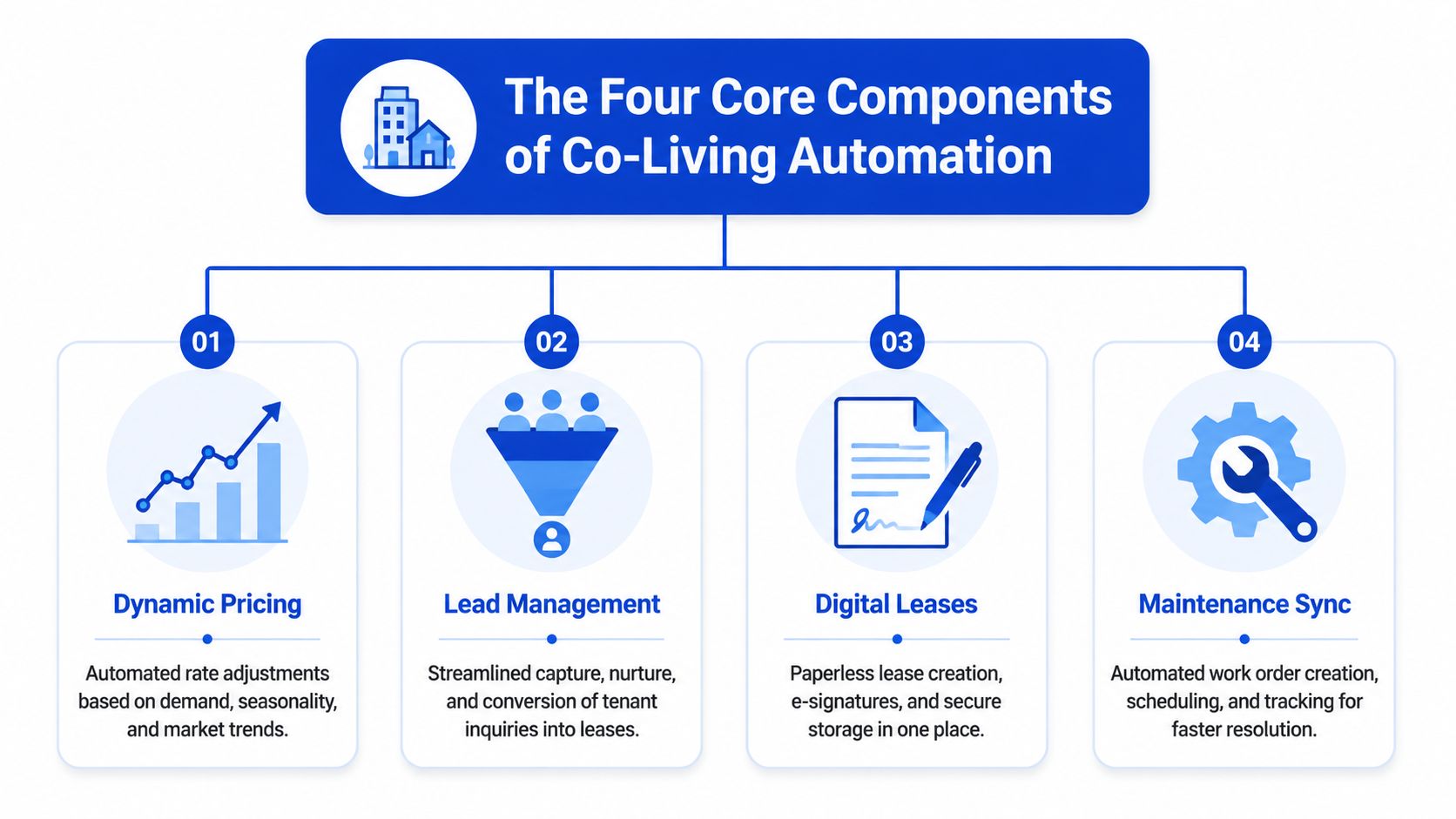
Dynamic pricing
Static pricing is simple, but it can leave money on the table or slow down leasing if you're priced out of the market. In room rentals, demand can change by neighborhood, season, employer hiring cycles, and even room type within the same house.
Dynamic pricing tools adjust rates using market signals and your own leasing performance. If demand rises, rates can move with it. If a room sits too long, pricing can respond faster than a manual review might.
That doesn't mean surrendering control. Good systems let you set guardrails. You choose the strategy, the tool handles the repeated adjustments.
Messaging and lead management
This is often the first automation layer landlords feel immediately.
Leads want answers now, not tomorrow morning after you finish your day job or property rounds. A messaging workflow can acknowledge inquiries instantly, answer common questions, and push qualified leads toward the next step.
The primary benefit isn't only speed. It's consistency. Every lead gets a baseline level of attention, even when you're busy.
A strong setup can support:
- Inquiry triage: separating serious prospects from casual browsers
- Showing coordination: cutting back-and-forth scheduling
- Move-in communication: sending the right instructions at the right time
- Ongoing reminders: rent, inspections, and house notices
Smart-home integrations
Smart locks and thermostats aren't just gadgets. In co-living, they solve practical operating problems.
Smart locks can simplify access changes, reduce key handoffs, and support cleaner move-in and move-out processes. Smart thermostats can help you manage comfort and energy use with more control across multiple homes.
If you're comparing options, this roundup of the best smart thermostat for rental property is a useful place to start.
The best smart-home setup is the one your team will actually use every day. Fancy features don't matter if basic access and HVAC workflows still live in text threads and sticky notes.
Centralized reporting
This is the piece many operators skip until they're already buried in complexity.
You might have lock data in one app, leasing conversations in another, and expenses in a spreadsheet. The reporting problem isn't just inconvenience. It's that disconnected information makes it harder to spot what's helping or hurting performance.
Modern data automation can reduce manual effort by up to 80%, and by cleaning and standardizing data from different systems, operators can get unified reporting. In rental operations, that kind of setup can support clearer P&L visibility and a 10% to 15% potential NOI uplift, as described in Improvado's overview of data automation.
Here's why that matters in plain language:
| Component | What it does | Problem it solves |
|---|---|---|
| Dynamic pricing | Adjusts room rates | Rooms sitting too long or underpriced demand |
| Messaging | Responds and routes communication | Missed leads and repetitive admin |
| Smart-home tools | Manages access and HVAC | Manual key handling and scattered property control |
| Reporting | Combines operating data | Poor visibility into performance |
None of these components has to be perfect on day one. They just need to remove friction from the parts of your business that repeat constantly.
Real-World Examples of Automation in Action
Theory is helpful. Day-to-day examples are what usually make this click.
A pricing problem that stopped being a weekly chore
Nina runs a few shared homes near a hospital and a warehouse district. Before, she reviewed rents manually whenever a room sat too long. That meant opening competitor listings, guessing whether demand had softened, and making one-off changes when she had time.
Once pricing rules were automated, she stopped treating every vacancy like a mini research project. Rooms could react faster to local conditions, and she could spend her time approving strategy instead of editing numbers all week.
A lead pipeline that didn't depend on perfect timing
Marcus used to lose prospects while he was working his primary job. Someone would message during the afternoon, and by the time he replied that evening, the prospect had already booked somewhere else.
Now the first response happens right away. Basic questions get answered, qualified leads get nudged toward a showing, and he only jumps in once a human decision is needed. That doesn't replace him. It protects the early part of the funnel from delays.
Most automation wins are small on their own. Together, they remove enough friction to change how the whole operation feels.
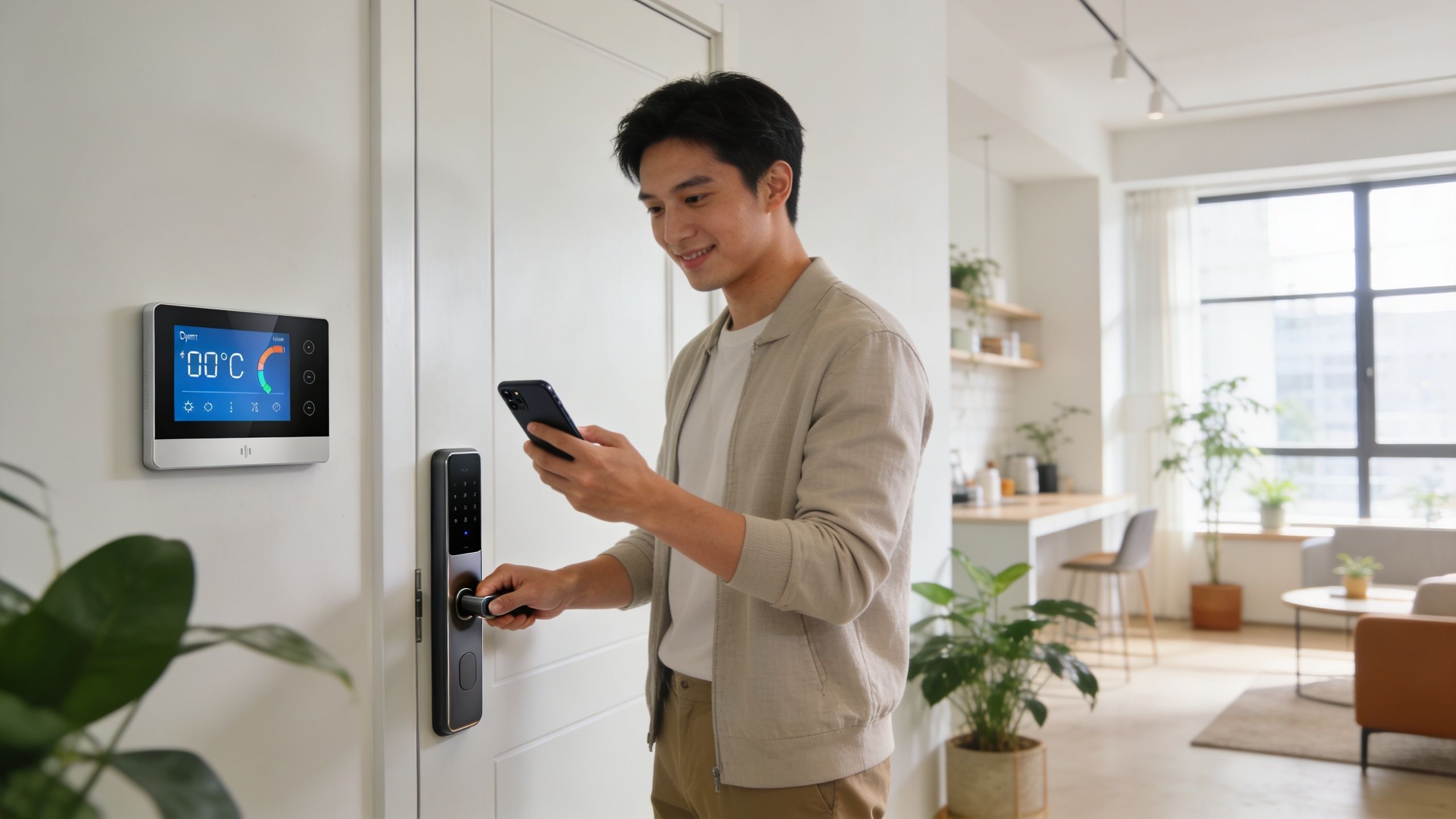
A smoother move-in at the front door
Tasha manages furnished rooms across several houses. She used to coordinate keys in person or rely on lockbox workarounds that created confusion during odd-hour arrivals.
With smart locks connected to leasing status, move-ins became much cleaner. Residents received the right access at the right time, and former members could be removed from access without a scramble. Her process got tighter, and her houses felt more professional.
A monthly close that no longer felt like detective work
Owen's reporting process lived in spreadsheets, app dashboards, and memory. At month-end, he spent too much time figuring out what happened instead of deciding what to do next.
Once his property data was pulled into one reporting rhythm, he could review occupancy trends, room performance, and operating issues with less manual cleanup. The numbers didn't run the business for him, but they gave him a clearer view of where to act.
These examples aren't about flashy tech. They're about reducing delay, confusion, and rework in the parts of co-living that repeat over and over.
Your Step-by-Step Guide to Implementing Automation
A lot of landlords delay automation because they assume they need to rebuild everything at once. They don't. The safer approach is to start with one problem, test carefully, and expand only after the process is stable.
Start with the pain, not the platform
Before you shop for tools, write down where your team loses time each week. Be specific.
Maybe it's late lead follow-up. Maybe it's move-in coordination. Maybe it's that every property has a different thermostat routine and no one knows the latest setting.
A simple workflow audit should answer:
- What gets repeated most often
- What gets missed when things get busy
- What requires copying data from one tool into another
- What creates resident frustration
If you skip this step, you can end up automating a messy process instead of fixing it.
Pick one primary goal
Good automation projects have a clear first target. Not “improve operations.” Something more concrete.
Examples of healthy first goals include reducing response lag on new inquiries, tightening access control at move-in, or getting cleaner portfolio reporting. One goal is enough for a pilot.
Custom projects often struggle when owners try to connect too many systems too early. According to RD Custom Automation's discussion of implementation pitfalls, 40% to 60% of custom projects can fail initial scalability tests due to poor integration with existing systems. The same source notes that phased rollouts and hybrid AI-human oversight can reduce error rates by 30%.
That lesson applies directly to room rentals. Keep a human in the loop while the system proves itself.
Choose your rollout style carefully
Some operators prefer an all-in-one platform. Others stitch together separate tools for messaging, locks, pricing, and reporting. Neither route is automatically right.
A critical question is how much operational complexity you can manage.
If you're comparing broader software options, this look at Buildium vs AppFolio can help frame what different management systems handle well and where specialized workflows may still need attention.
A practical rollout usually looks like this:
- Pilot one property with the clearest use case.
- Keep manual backup procedures during the test period.
- Review exceptions weekly so you catch broken rules fast.
- Expand only after the process feels boring. Boring is good. It means stable.
Here's a short walkthrough that shows how operators think through automation projects in practice.
Train for oversight, not just operation
Teams often assume automation means no training. Usually it means different training.
Your staff or assistants need to know:
- Which messages are automated
- When a human should step in
- How access permissions are reviewed
- What to do when data looks wrong
Don't aim for hands-off on day one. Aim for controlled, visible, and easy to correct.
A simple implementation checklist
| Step | What to do |
|---|---|
| Audit workflows | Find repeat tasks and recurring bottlenecks |
| Set one goal | Choose the first outcome you want to improve |
| Select tools | Favor fit and integration over feature overload |
| Run a pilot | Test in one house or one part of the workflow |
| Keep human review | Check decisions, exceptions, and resident impact |
| Expand gradually | Roll out only after the pilot is stable |
That's usually the difference between automation that helps and automation that creates fresh headaches.
How to Measure Success and Calculate Your ROI
If you can't measure the effect of automation, it's easy to treat it like a nice convenience instead of a business decision. The fix is simple. Track a few operating numbers before rollout, then compare them after the process settles.
The KPIs that matter for room-by-room rentals
You don't need a giant dashboard. Start with a short scorecard you can review monthly.
Focus on measures like these:
- Time to fill vacancy: how long a room stays open before it's leased
- Inquiry-to-lease conversion: how many leads turn into signed residents
- Manual admin hours: time spent on follow-ups, reminders, scheduling, and reporting
- Revenue per available room: whether each room is pulling its weight
- Access or maintenance exceptions: how often the process still needs manual rescue
These numbers tell a clearer story than vague feelings about being “less busy.”
Use balanced automation, not blind automation
The goal isn't to automate every decision. It's to automate the repeatable parts while keeping human control where judgment matters.
That approach matters even more in housing, where compliance, resident experience, and access control can't be treated casually. According to OSCO Controls on custom automation solutions, automation can reduce operational costs by 20% to 30%, and balanced automation that blends AI with user controls has been shown to improve productivity by 40% while helping address compliance needs.
For landlords, that means you should expect software to assist, not replace, your oversight.
A simple monthly ROI table
You don't need fancy finance formulas to test whether automation is paying off. A basic before-and-after table works well.
Sample Monthly ROI Calculation for a 10-Room Portfolio
| Metric | Before Automation | After Automation | Monthly Gain |
|---|---|---|---|
| Vacancy loss | Higher due to slower follow-up and leasing | Lower due to faster response and cleaner workflows | Reduced lost rent from vacant rooms |
| Admin labor | More hours spent on repetitive tasks | Fewer hours spent on messaging, reminders, and coordination | Recovered staff or owner time |
| Pricing performance | Rates adjusted manually and inconsistently | Rates updated more systematically | Better alignment between demand and rent |
| Utility control | HVAC managed house by house with little coordination | Thermostat settings managed more consistently | Lower waste and fewer comfort complaints |
| Reporting effort | Data pulled from multiple systems | Data viewed in one cleaner workflow | Faster decisions and less month-end cleanup |
| Software cost | Minimal or fragmented tool spend | New automation expense added | Subtract this from total gains |
The final step is straightforward. Add the financial value of lower vacancy, time saved, and improved pricing. Then subtract your software and setup cost. If the result is positive and the operation feels easier to run, the system is doing its job.
Keep your review cycle short
Check results monthly at first. Quarterly is too slow when you're still tuning workflows.
If something isn't working, ask three questions:
- Is the process itself solid
- Is the automation rule correct
- Does a human need to handle this step instead
That last question matters more than most owners realize. Good automation improves control. It doesn't remove accountability.
Your Next Step Toward Effortless Property Management
Customized automation solutions aren't about turning your rental business into a robot. They're about reducing the repetitive work that drains your time and slows down decisions. For co-living operators, the biggest wins usually come from better pricing, quicker lead handling, cleaner access control, and reporting you can reliably trust.
You also don't need to do everything at once. Start with one workflow, test it in one property, keep a human eye on the process, and expand from there. That approach is usually safer, easier, and more profitable than chasing a giant all-at-once rollout.
If your portfolio is growing and your current systems feel stitched together, automation is worth serious attention. Not because it's trendy, but because room-by-room operations get complicated fast.
If you're ready for a platform built around rent-by-the-room operations, join the interest list for PadPulse. It's being developed for co-living operators who want help with pricing, messaging, smart-home workflows, and portfolio reporting, with no billing required before the planned 2026 launch.