Reporting Automation for Co-Living Operators
August 23, 2026
You've finished reconciling rent payments, occupancy, maintenance tickets, and access logs, but the report is already out of date. One room changed status while you were building the spreadsheet, another tenant's payment landed in a different system, and a property manager is asking which house needs attention first.
That's the operational problem reporting automation is meant to solve. For room-by-room rentals, however, automation isn't just a prettier dashboard or a scheduled PDF. It's a workflow that must connect imperfect systems, apply consistent definitions, flag exceptions, and help people make faster property decisions without hiding the work that still requires human judgment.
What Reporting Automation Actually Means for Your Properties
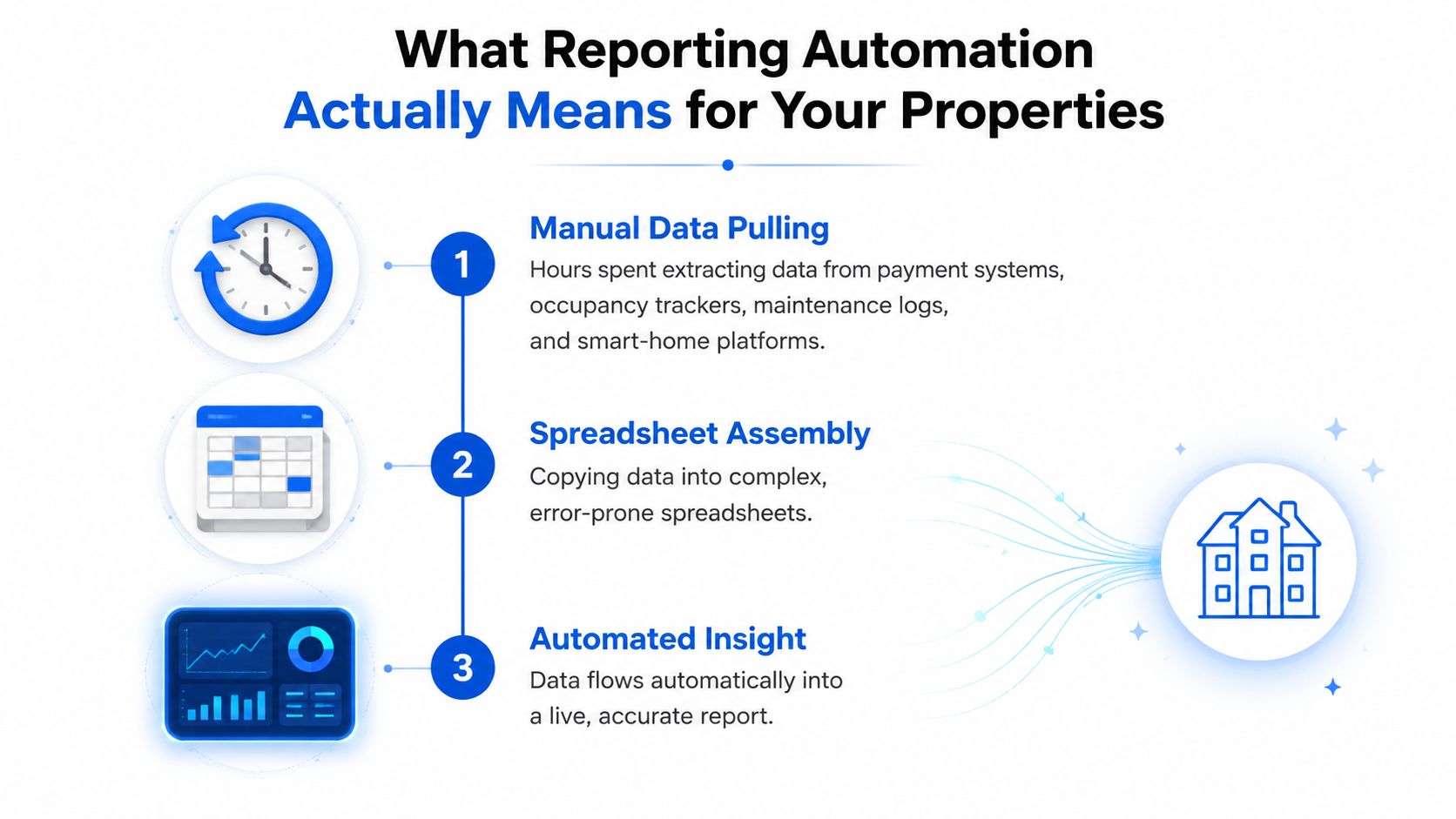
A co-living operator can lose an entire workday assembling a weekly report. Payment data comes from one platform, room status from another, maintenance activity lives in a ticketing system, and smart-home events may sit somewhere else. The operator exports each dataset, pastes values into a spreadsheet, checks formulas, formats charts, and distributes a file that may be inaccurate by the time anyone opens it.
Manual reporting resembles hand-copying ledger entries from several books. Reporting automation is closer to having a bookkeeper working continuously, pulling information from approved sources and placing it into a defined reporting structure. The system collects data, organizes it according to agreed rules, visualizes the result, and refreshes the output on a schedule. That core model is also described in Domo's overview of automated reporting tools.
The difference becomes practical when a room turns over. In a manual workflow, someone may need to update the occupancy tracker, revise the revenue sheet, note the cleaning or repair status, and then remember to reflect the change in an executive summary. In an automated workflow, those connected changes can flow into the relevant views, while an exception queue calls attention to information that doesn't reconcile.
From batch processing to context-aware workflows
Reporting automation developed through several stages. Mainframe ledger automation appeared in the 1950s, VisiCalc launched in 1979, Excel became standard in 1993, web-based dashboards rose in 2001, machine-learning analytics entered mainstream use in 2015, and AI-powered report generation appeared around 2020. Context-aware automation was projected for 2025 in the reporting automation history and comparison from FutureTask.
Each milestone reduced the manual effort involved in compiling, formatting, and distributing reports. The important shift for operators isn't visual polish. It's the move from a periodic clerical task toward a more frequent decision-support function.
A definition that sets realistic expectations
For property operations, reporting automation means connecting trusted data sources to predefined metrics, templates, and delivery rules so reports refresh with minimal recurring manual work. A useful system should do four things:
- Collect: Pull payments, room status, expenses, maintenance activity, and relevant device data from connected systems.
- Standardize: Apply the same definitions for occupied rooms, collected rent, arrears, expenses, and available inventory.
- Surface: Present property, room, and portfolio views that match actual management decisions.
- Escalate: Identify missing data, conflicts, unusual results, and other exceptions instead of producing a confident-looking report.
That definition matters because automation isn't the same as autonomy. People still need to decide whether a vacant room needs a pricing change, whether an unpaid balance reflects a failed payment or a data delay, and whether a maintenance cost is routine or signals a capital problem.
The Metrics That Actually Drive Co-Living Decisions
A single-family rental can often be understood at the property level. A room-by-room portfolio needs several layers of measurement because the property contains multiple leases, payment patterns, turnover events, and revenue opportunities at once.
Collections should be tracked per room, not only per house. A property-level collection figure can look healthy while one tenant is building arrears and another room has an unresolved payment issue. Room-level reporting lets an operator distinguish collected rent, pending payments, arrears, credits, and move-in or move-out adjustments.
Occupancy also needs a more precise denominator. A house with multiple rentable rooms can have one room occupied, another reserved, another offline for repairs, and another available for marketing. The report should show room status and the reason for unavailability, not just a broad property occupancy label.
The metrics behind daily operating decisions
The most useful co-living reporting layer connects each metric to an action:
- Room-level collections: Identify which balances require follow-up and whether a collection issue is isolated or recurring.
- Economic occupancy: Separate rooms that are physically occupied from rooms that are unavailable, reserved, under repair, or marketed but vacant.
- Arrears aging: Show how long balances have remained unresolved and connect them to tenant, room, and property records.
- Turnover duration: Track the operational gap between move-out, readiness, marketing, and the next move-in.
- Revenue per available room: Show where vacancy is costing the portfolio, even when a property's total revenue appears stable.
- NOI by property: Include rent revenue alongside turnover, repairs, utilities, cleaning, management costs, and other expenses that can be more visible in shared housing.
- Property and portfolio P&L: Keep individual property performance separate from portfolio trends so strong assets don't conceal weak ones.
An operator might use these views to adjust pricing for a slow-filling room, direct maintenance resources toward a house with repeated tickets, or investigate a property whose revenue is steady but whose turnover expenses are rising.
| Metric Category | Traditional Property Management | Co-Living Operations |
|---|---|---|
| Revenue | Property rent and collected income | Rent by room, tenant, lease, and property |
| Occupancy | Unit occupied or vacant | Room status, availability reason, and move-in pipeline |
| Collections | Property-level payment status | Room-level payments, arrears, credits, and exceptions |
| Expenses | Property operating costs | Property costs plus room turnover, cleaning, repairs, and shared services |
| NOI | Property income less operating expenses | Property NOI with room-level revenue and co-living operating costs |
| P&L | Asset or owner statement | Property-level results compared with portfolio-level trends |
| Operations | Work orders by unit | Maintenance tickets linked to rooms, shared spaces, turnover, and recurring issues |
Operators often start with broad KPIs and add detail only after problems appear. A better approach is to design the reporting hierarchy before selecting a dashboard. The property management metrics guide can help establish the wider KPI vocabulary, but room-by-room operations require a more granular operating view.
Building Your Automation Foundation Before You Automate
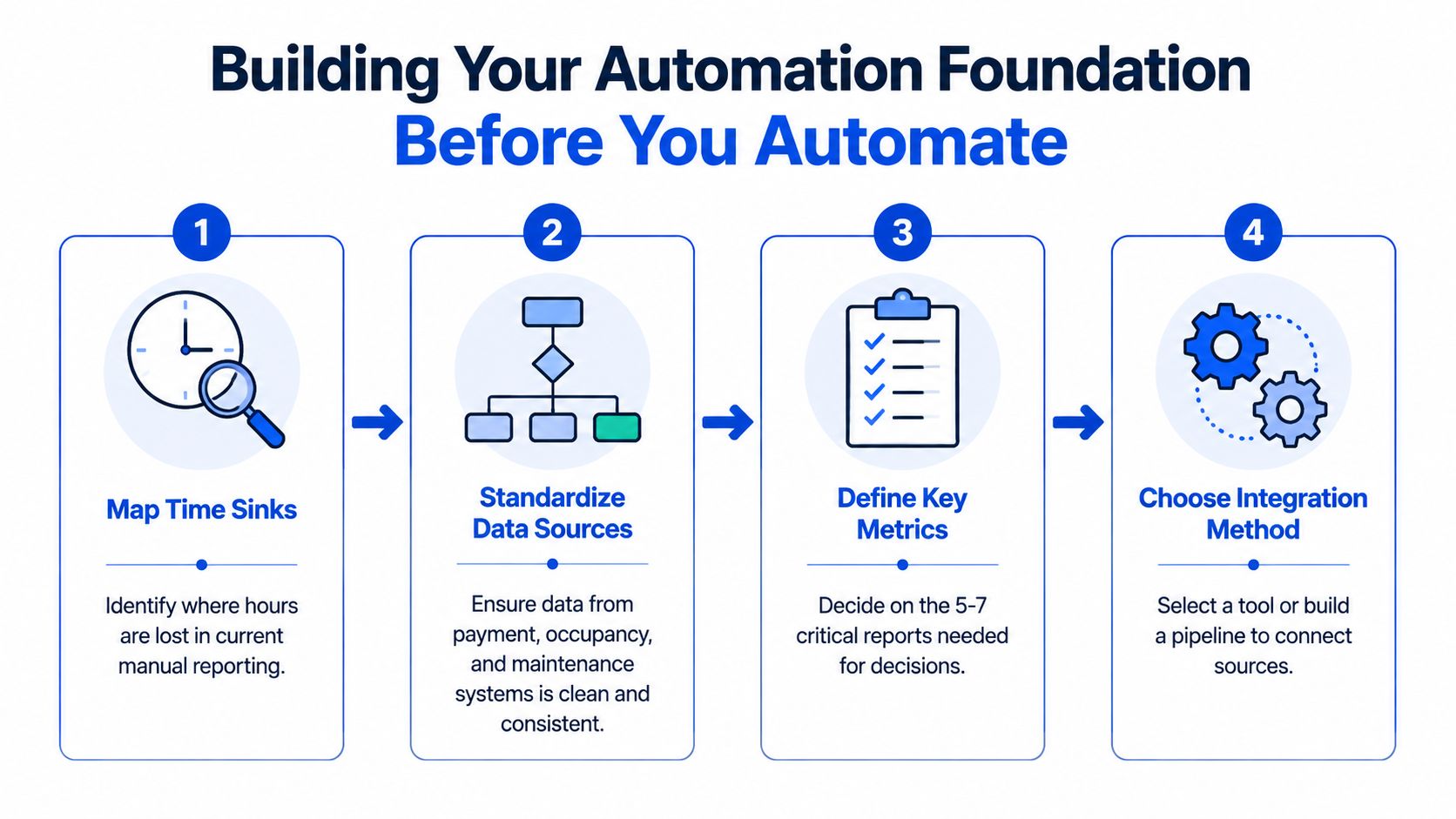
Automation should follow a prerequisite chain. Map the work first, remove unnecessary reporting second, standardize definitions third, and automate only after those steps are stable. Skipping the sequence often turns a bad spreadsheet process into a faster bad spreadsheet process.
Start with the work, not the software
Document every recurring report and every action required to produce it. Note who exports data, who checks formulas, who resolves discrepancies, who approves the final result, and who uses it. Operators frequently find that people spend hours preparing reports that nobody reads or that duplicate another view.
Remove reports that don't support a decision. Combine versions that answer the same question. Keep a report only when someone can identify the decision it informs, the person responsible for acting on it, and the timing that decision requires.
Standardize the meaning of every field
A connected system can move inconsistent information very efficiently. Before integration, define terms such as:
- Occupied: Does this mean a tenant has moved in, a payment is active, or a room is reserved?
- Available: Does a room count as available while it is being cleaned or repaired?
- Collected rent: Are pending card payments included, or only settled funds?
- Maintenance cost: Does the figure include labor, materials, vendor fees, and emergency callouts?
- Property expense: Which costs belong to an individual house, and which belong to the portfolio?
Write those rules down and apply them across properties. A shared data dictionary prevents one manager from treating a reserved room as occupied while another treats it as vacant.
Build the connections around decisions
The technical layer may include connectors to payment processors, property management systems, maintenance platforms, and smart-home tools. The goal isn't to connect everything. It's to connect the sources needed for the defined reports and preserve a clear path back to the original record.
Templates should balance detail with readability. A room-level operations view may need granular rows, while an owner report may need summarized revenue, expenses, and NOI. Refresh timing should match the decision cycle. A collections queue may need frequent updates, while a strategic portfolio review can use a slower cadence.
Practical rule: If the source data isn't trustworthy, a more frequent refresh only produces unreliable information sooner.
Assign ownership for data quality before launch. Someone should know who investigates failed imports, resolves duplicate rooms, checks missing expenses, and approves changes to definitions. For report structure and reusable financial layouts, the financial reporting templates resource provides a useful starting point.
Where Automation Saves Time And Where It Doesn't
The clearest gains come from repeatable production work. Direct connections, defined calculation rules, scheduled refreshes, and reusable templates reduce manual collection, spreadsheet cleanup, and slide rebuilding. A HubSpot guide to automated business reporting describes potential reductions in recurring report-production effort, but its figures are directional rather than property-management benchmarks. Room-by-room operators should validate savings against their own systems and reporting cadence.
For example, automation may prepare a weekly occupancy report from payment, leasing, and maintenance records. It will not decide whether a missing move-in date reflects a genuine vacancy, a delayed synchronization, or an incorrectly mapped room.
The work moves into oversight
Automation shifts effort into reconciliation, exception handling, and maintenance.
A payment can fail to match a tenant because identifiers differ between systems. A room can appear vacant because a move-in update has not synchronized. A smart-home platform can record a lock event without a matching property or room record. Someone must investigate the discrepancy, correct the source, and decide whether the report is reliable enough to use.
That distinction matters in co-living portfolios because one bad room status can affect occupancy, pricing, collections, and owner reporting at the same time. The promised time saving is therefore conditional on clean mappings, clear ownership, and a process for handling exceptions.
A 2025 enterprise automation survey reported by Control Engineering found that automation tools were underused by many organizations, while only a small share had reached end-to-end autonomous automation in a core process. The practical lesson is to measure adoption and follow-through, not just whether a tool has been connected. A dashboard that nobody reviews, or a failed import that nobody owns, creates another reporting risk.
Measure more than hours saved
Track whether the workflow improves operations, not only whether a report arrives sooner:
- Rework rate: How often must someone rebuild or correct a report after distribution?
- Exception volume: How many unresolved mismatches enter each reporting cycle?
- Close-time variance: How consistently does the team complete financial reporting on schedule?
- Decision latency: How quickly can a manager act after identifying a vacancy or arrears issue?
- Decision quality: Do pricing, maintenance, and staffing decisions improve because the data is more complete and timely?
Review these measures by source and property, not only at portfolio level. A report can be faster while still creating extra review work.
Time savings matter, but an early report with unresolved errors can increase operational risk.
Centralizing Your Reporting Workflow with PadPulse
Operators generally choose among three approaches. DIY spreadsheets offer control and can be useful while a portfolio is small, but they depend heavily on one person's formulas, discipline, and institutional knowledge. Enterprise BI platforms provide extensive modeling and customization, yet they often require technical setup, data engineering, governance, and ongoing maintenance that smaller property teams don't need.
The middle ground is a purpose-built property operations platform. It can standardize common workflows without forcing an operator to build a full data warehouse. That approach makes sense when the team needs more than spreadsheets but doesn't want to maintain a complex enterprise reporting stack.
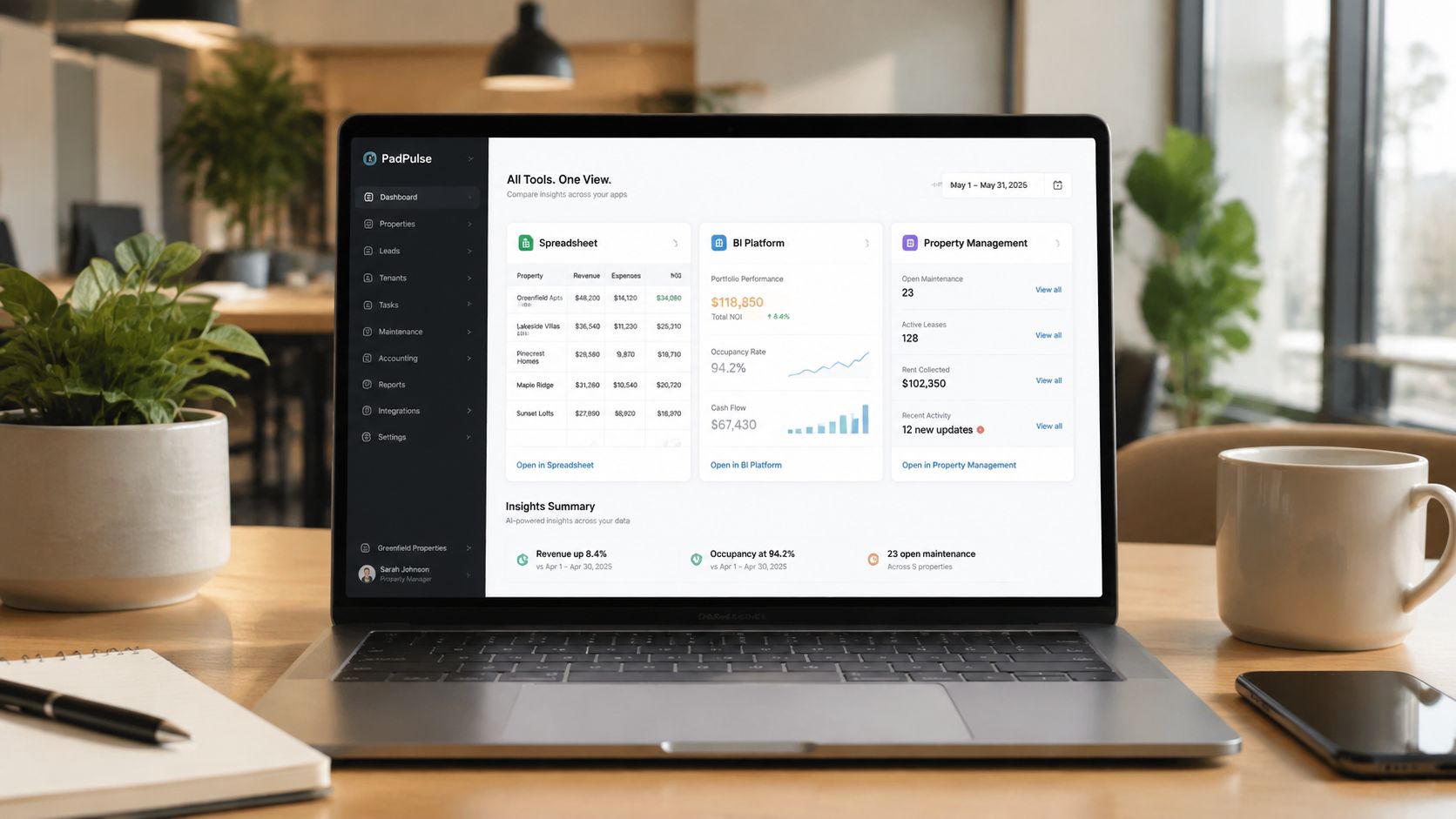
PadPulse is an in-development platform for PadSplit hosts and co-living operators. Planned capabilities include automated dynamic pricing that balances revenue and occupancy, AI-powered messaging workflows, smart-home integrations for keyless locks and thermostats, and portfolio-level analytics with P&L tracking. Centralizing those functions can reduce the number of separate handoffs between pricing, tenant communication, access control, and reporting.
The trade-off is customization. DIY systems can be adjusted to almost any local process, while a focused platform typically asks operators to work within supported workflows and definitions. In exchange, the operator takes on less setup and maintenance work, and the reporting layer can reflect the operational context of room-by-room rentals rather than forcing every room into a generic unit model.
PadPulse is targeting a Winter 2026 launch and is inviting operators to join an early adopter interest list for limited beta access, updates, and referral opportunities. The product is planned as a centralized toolkit rather than a replacement for every accounting or property system, so operators should evaluate source connections, reporting depth, permissions, exception handling, and export requirements before adopting it.
A visual overview helps show how a centralized workflow can connect operating data to management decisions. The following video offers another way to assess the type of property dashboard experience operators may expect from this category.
Sample Reports and ROI Examples from Real Operations
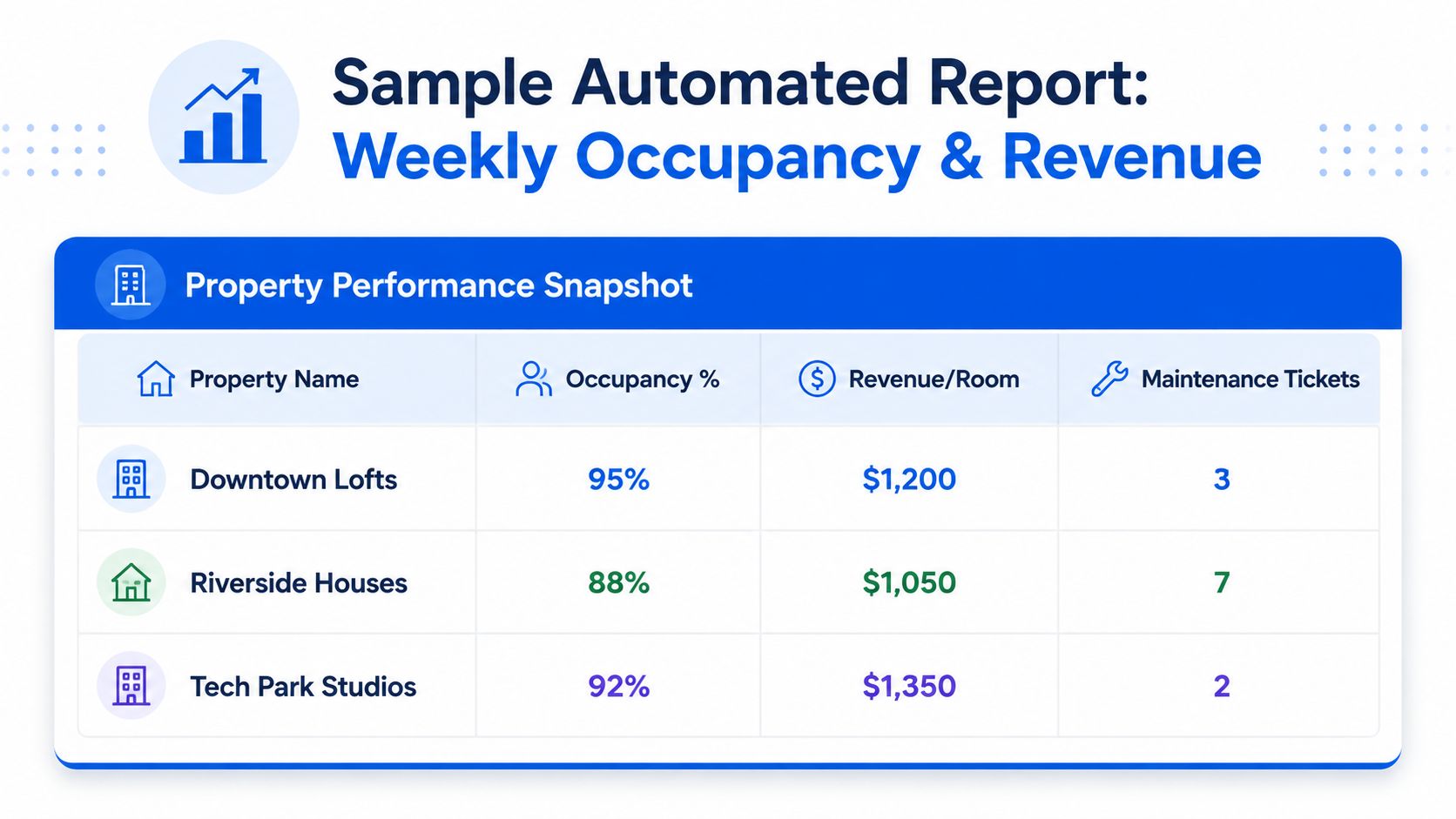
A useful automated report starts with a decision, not a chart. For example, a weekly occupancy and revenue report can show each room's status, revenue, recent turnover activity, and maintenance tickets across the portfolio. The operator can then identify whether an underperforming room needs a pricing adjustment, faster readiness work, better listing information, or a collections follow-up.
Three reports worth automating
Weekly occupancy and revenue report: Pull room status and payment data from the property management and payment systems, with maintenance information added from the ticketing workflow. A scheduled refresh helps managers prioritize vacant rooms, overdue tasks, and weak revenue performance before the next operating meeting.
Monthly P&L report: Organize revenue by property, expenses by category, and NOI trends over time. The report should preserve property-level detail while allowing an owner or executive to compare assets across the portfolio. A strong budget-to-actual structure, such as the one discussed in PadPulse's budget versus actual reporting guide, helps separate planned spending from operational variance.
Quarterly portfolio analysis: Combine occupancy, pricing, turnover, maintenance, collections, and NOI views to identify properties that may need pricing changes, capital improvements, or process changes. This report should support strategic review rather than daily intervention, so it can emphasize trends and recurring exceptions.
The ROI isn't limited to staff time. A 2026 report automation guide cites 2–6 hours saved per week on manual reporting tasks and a 70–80% reduction in report generation time. For property operators, the larger benefit may be moving from delayed monthly visibility to live dashboards, helping teams act in days rather than waiting for the next reporting cycle.
PadPulse is being built to centralize room-by-room pricing, messaging, smart-home operations, portfolio analytics, P&L tracking, and reporting automation in one workflow. Visit PadPulse to join the early adopter interest list and evaluate whether the planned platform fits your co-living reporting needs.