Occupancy Rate Improvement for Co-Living Operators
September 18, 2026
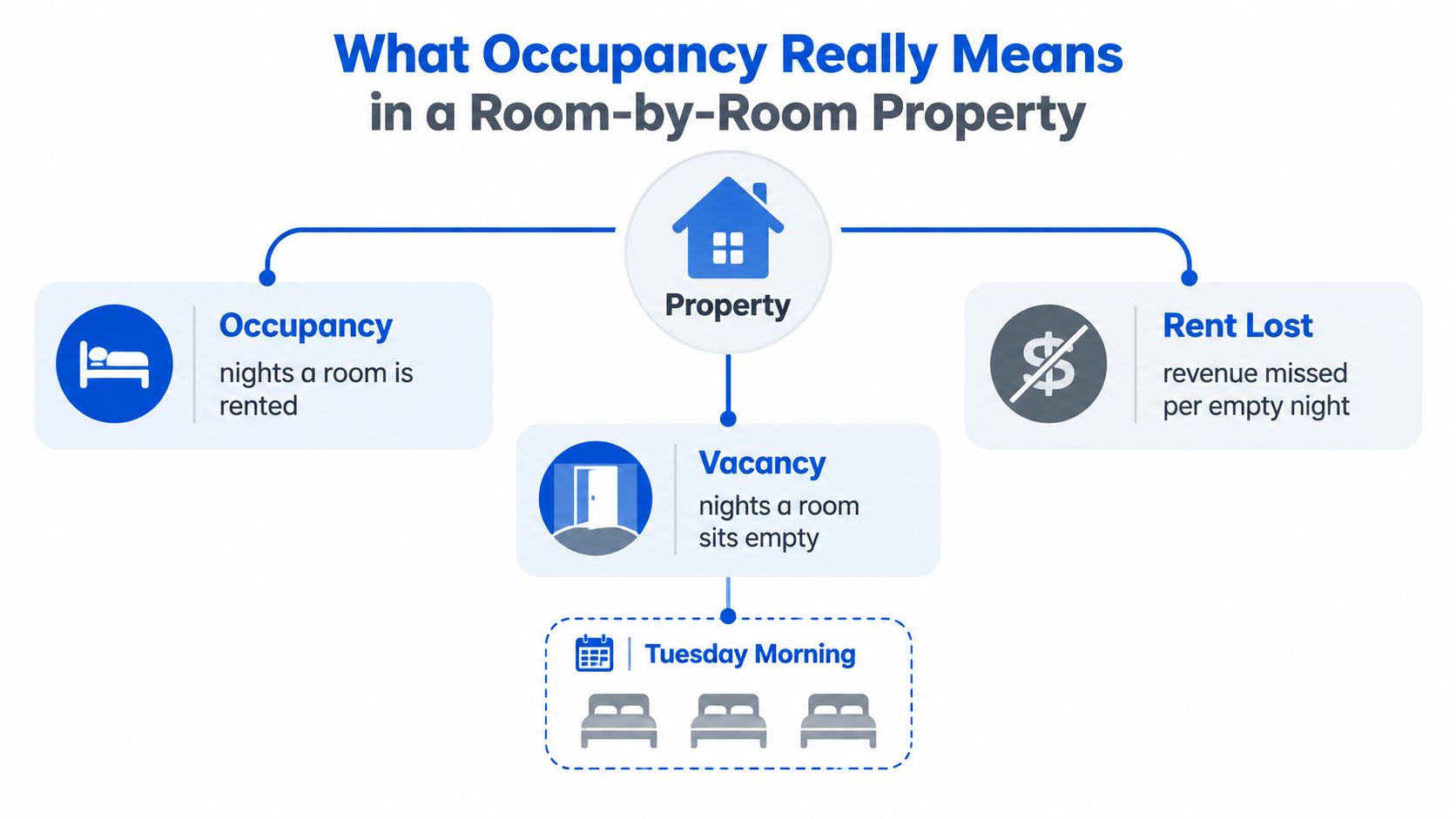
A Tuesday morning turnover can expose the weakness in a room-by-room business faster than a monthly report. Three residents moved out over the weekend, three beds are now empty, and rent stops the moment each room becomes available. The listing may be live, but every night without a qualified move-in is still lost earning capacity.
That's why occupancy rate improvement for co-living operators requires more than lowering rent or buying more advertising. The reliable approach treats every empty room as a funnel problem. Leads must arrive, inquiries need fast responses, tours must happen, applications need approval, move-ins must be smooth, and residents need reasons to stay.
What Occupancy Really Means in a Room-by-Room Property
Occupancy rate is the share of available inventory that's rented or in use. The basic formula is occupied units or rooms divided by total available units or rooms, multiplied by 100, as explained in this occupancy rate calculator guide. If a property has 15 occupied rooms out of 50 available rooms, its occupancy rate is 30%.
Vacancy rate is the portion that remains empty. Wall Street Prep defines it as 1 minus occupancy rate, while rental operators can also calculate it as vacant days divided by total days available for rent, multiplied by 100, using this vacancy rate explanation.
Choose the right occupancy denominator
A traditional landlord may measure occupancy by leased units. A co-living operator needs more detail:
- Unit occupancy: occupied apartments or houses divided by available apartments or houses.
- Room occupancy: rented bedrooms divided by rentable bedrooms.
- Bed-night occupancy: occupied bed nights divided by available bed nights in shared rooms.
For hotels and vacation rentals, operators commonly use occupied room nights divided by available room nights. Commercial properties may instead measure leased square footage against total leasable square footage, as outlined by this occupancy rate methodology.
Room-by-room operators feel vacancy more sharply because each bedroom produces its own revenue stream. A fully leased house can still have a meaningful revenue problem if one bedroom remains empty. There's no occupied unit-level buffer hiding that gap. In a PadSplit-style model, the operator must watch the room, the bed, the lease term, and the actual collected revenue.
Use weekly and trailing-30-day views rather than relying only on a monthly snapshot. A monthly report can hide a weekend move-out, a delayed turn, or a room that filled halfway through the period. The weekly view shows current booking velocity, while the trailing-30-day view reveals whether the property is improving or benefiting from a temporary move-in cluster.
Find the leak before changing the price
Occupancy sits at the top of an operating funnel. The stages below feed it:
- Lead: Track inquiries by room and source. A sharp drop means your listing, distribution, or visibility needs attention.
- Inquiry: Measure response time and inquiry-to-tour conversion. If inquiry-to-tour falls below 40 percent, investigate response speed, qualification language, access friction, and listing accuracy.
- Tour: Watch completed tours and no-shows. A weak completion rate usually points to scheduling, directions, access, or unclear expectations.
- Application: Track tour-to-application conversion. A drop can signal pricing mismatch, poor house presentation, or concerns about rules and roommates.
- Approval: Measure approval time and approval rate. Slow decisions send qualified residents elsewhere, while an unusually high approval rate may indicate weak screening.
- Move-in: Track days-to-fill from notice or turnover. Past 21 days is a clear warning that the workflow needs intervention.
- Month-one retention: Monitor early complaints, payment issues, and service requests. A room that fills quickly but empties again has not solved the occupancy problem.
- Renewal: Compare renewal activity by house, room type, and resident profile. Low renewal performance creates future vacancy even when current occupancy looks strong.
A simple example makes the cost visible. At $165 per room per week, one room left empty for 30 days represents roughly $1,650 in missed revenue, based on the stated operator benchmark. That makes a faster response, a completed tour, or a pre-leased turnover more valuable than an unfocused marketing push.
Practical rule: Don't spend on the next tactic until you can name the largest leak in the current funnel.
Pull the data from a PadSplit-style dashboard, a property-management export, or a spreadsheet. Create one row per room and columns for listing date, inquiries, response time, tours, applications, approvals, move-in date, rent collected, and notice date. Label the dominant leak, then fix that stage first. Occupancy rate improvement comes faster when the operator removes one serious bottleneck instead of making small changes everywhere.
Setting Dynamic Pricing That Fills Rooms Without Cutting NOI
Dynamic pricing works best when it follows booking evidence rather than panic. Start with a base weekly rate built from comparable rooms within a 1.5-mile radius, then adjust for private bathrooms, furnishings, utilities, parking, house condition, and access to employment or transit.
The process should be mechanical. If a room has been vacant for seven days, reduce the listed rate by 5 to 10 percent. At day 14, consider another 5 percent adjustment. Set a floor once a concession already covers utilities or the remaining discount would weaken NOI more than it helps fill speed.
The dynamic pricing workflow for rental operators should also include a controlled test. Use a 90-day window, hold each price change for at least 14 days before judging it, and monitor both time to fill and trailing-30-day revenue per room. A lower rate that fills quickly may outperform a higher rate that produces a long vacancy.
| Days Vacant | Price Adjustment | Expected Fill Window | NOI Guardrail |
|---|---|---|---|
| 0 to 6 | Hold base rate | Continue normal lead generation | Protect the established floor |
| 7 to 13 | Reduce 5 to 10 percent | Seek renewed activity promptly | Confirm the change improves qualified inquiries |
| 14 or more | Consider another 5 percent | Escalate listing and follow-up work | Stop at the rate floor tied to utilities and NOI |
Layer in demand signals that matter locally. Employer relocations, nearby job postings, seasonal enrollment, and known move-in cycles can justify a rate change. Airbnb-style surge chasing usually doesn't translate cleanly to stable shared housing, where residents care about predictable weekly cost and house quality.
If a discounted room fills in under 10 days, the discount usually earns itself back within the first month. Judge every adjustment against revenue per available room, not occupancy alone. A fuller house at a rate that weakens collections, increases churn, or attracts poor-fit residents isn't a durable win.
Optimizing Your Listings and Marketing Funnel
Most room-by-room operators don't lose demand because their price is unknowable. They lose it because the listing makes a qualified prospect work too hard to understand the offer.
Treat each room as its own landing page. A title such as “Private room with bath near [neighborhood]” gives searchers a clear reason to click. The first 150 characters should state the practical benefit, such as furnished space, included utilities, transit access, or a simple move-in process. Don't bury the room's strongest feature beneath a paragraph about the property.
Use three daylight phone photos for each room:
- Door-open view: Show the complete room and approximate layout.
- Empty-closet view: Demonstrate storage.
- Window view: Give prospects context about light and surroundings.
Add a 60-second walkthrough video and a floor-plan image that clearly marks private and shared areas. Generic stock images create uncertainty, and uncertainty delays tours.
Distribute the same room across PadSplit, Facebook Marketplace, Craigslist, Zillow, Apartments.com, and a simple one-page property site. Send every channel to one lead form with a source field. That lets you compare cost per lead, qualified lead rate, tour activity, and lease outcomes without guessing which platform deserves attention.
| Channel | Avg. Leads/Week | Lead-to-Tour Rate | Tour-to-Lease Rate | Notes |
|---|---|---|---|---|
| PadSplit | Not provided | Not provided | Not provided | Use a consistent room description and source tag |
| Facebook Marketplace | Not provided | Not provided | Not provided | Refresh stale posts and answer quickly |
| Craigslist | Not provided | Not provided | Not provided | State rules, pricing, and location plainly |
| Zillow | Not provided | Not provided | Not provided | Emphasize verified amenities and availability |
| Apartments.com | Not provided | Not provided | Not provided | Keep room details aligned with other listings |
| Property website | Not provided | Not provided | Not provided | Use one form for attribution and follow-up |
Review channel performance weekly. Shift attention toward the source that produces qualified tours soon after launch, not the channel that generates the largest number of casual messages. More leads don't improve occupancy if they don't become completed tours and approved move-ins.
Screening and Onboarding Residents Faster
A room can be priced correctly and marketed well, then remain empty because the operator takes too long to make a decision. Speed doesn't require weaker standards. It requires removing avoidable waiting from a consistent screening flow.
A practical process starts with a pre-qualification form embedded in the first listing image or directly beside the inquiry button. State the income requirement of 2.5 to 3 times monthly rent, or request voucher documentation where applicable. Ask for identification, income proof, references, move-in timing, and agreement to the house rules before scheduling a full tour.
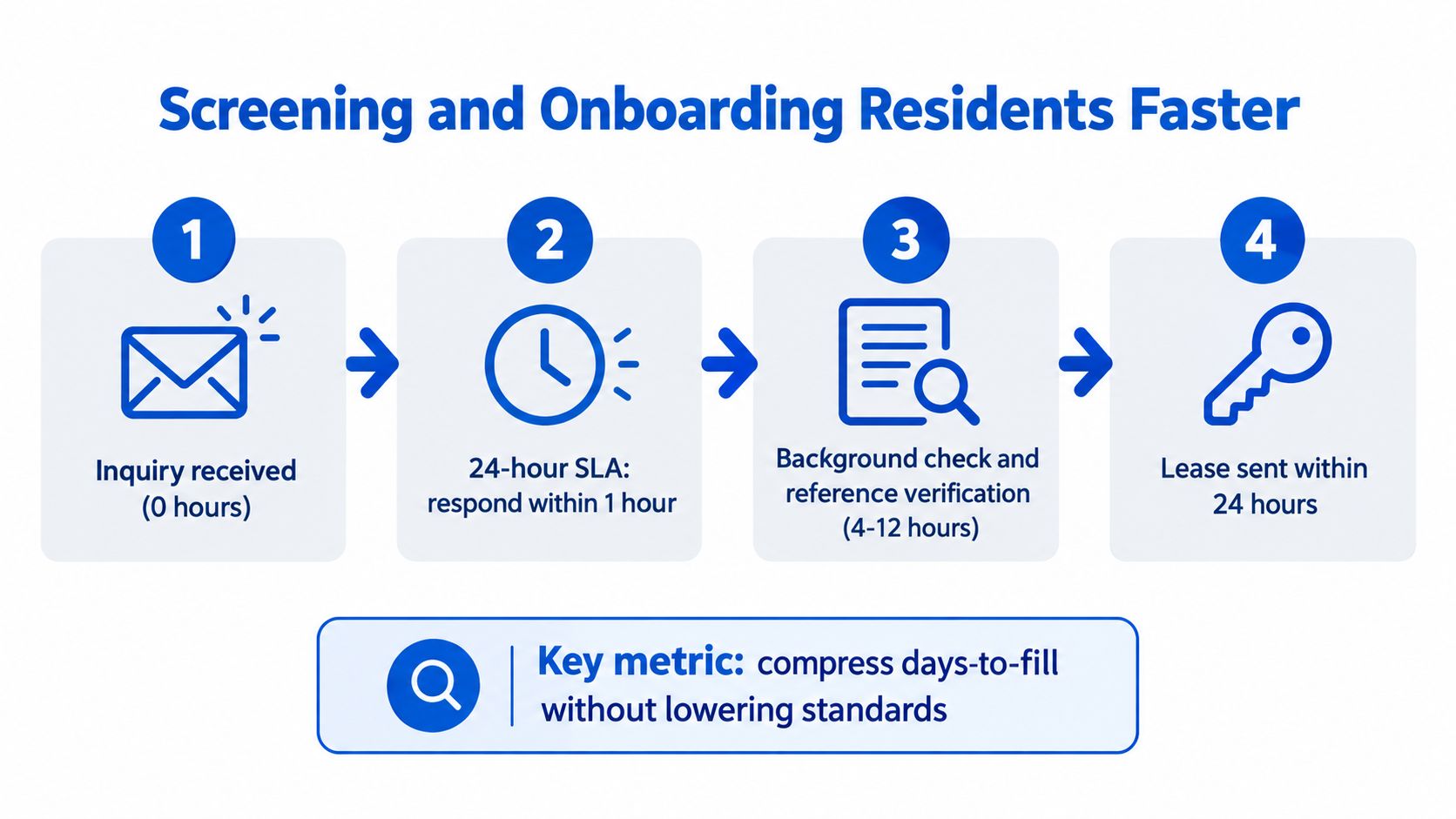
Use a 24-hour service-level agreement for every inquiry. Acknowledge the message within one hour, offer a self-tour or virtual tour within 48 hours, and move complete applications to review without manual back-and-forth. The background-check integration workflow should make the status visible to the operator and the applicant.
A strong flow looks like this:
- Inquiry arrives and receives an immediate acknowledgment.
- The prospect completes pre-qualification and selects a tour slot.
- Identity, income, and references are collected in one place.
- The operator reviews the file, communicates the decision, and sends the lease.
- Payment clears, the smart-lock code is issued, and move-in instructions arrive in one message.
On move-in day, provide one page covering house rules, Wi-Fi credentials, trash collection, emergency contacts, and maintenance reporting. Provide access as soon as payment clears, rather than making a resident wait for a separate handoff. Then send a day-seven check-in with one direct question: “Anything not working as expected?”
A standardized workflow can reduce days-to-fill from 14 days to 5 to 7 days, according to the provided operational benchmark. The improvement comes from removing delays, not from approving people who don't meet the property's requirements.
The following video can help operators think through a cleaner onboarding experience:
Reducing Turnover and Protecting Stable Occupancy
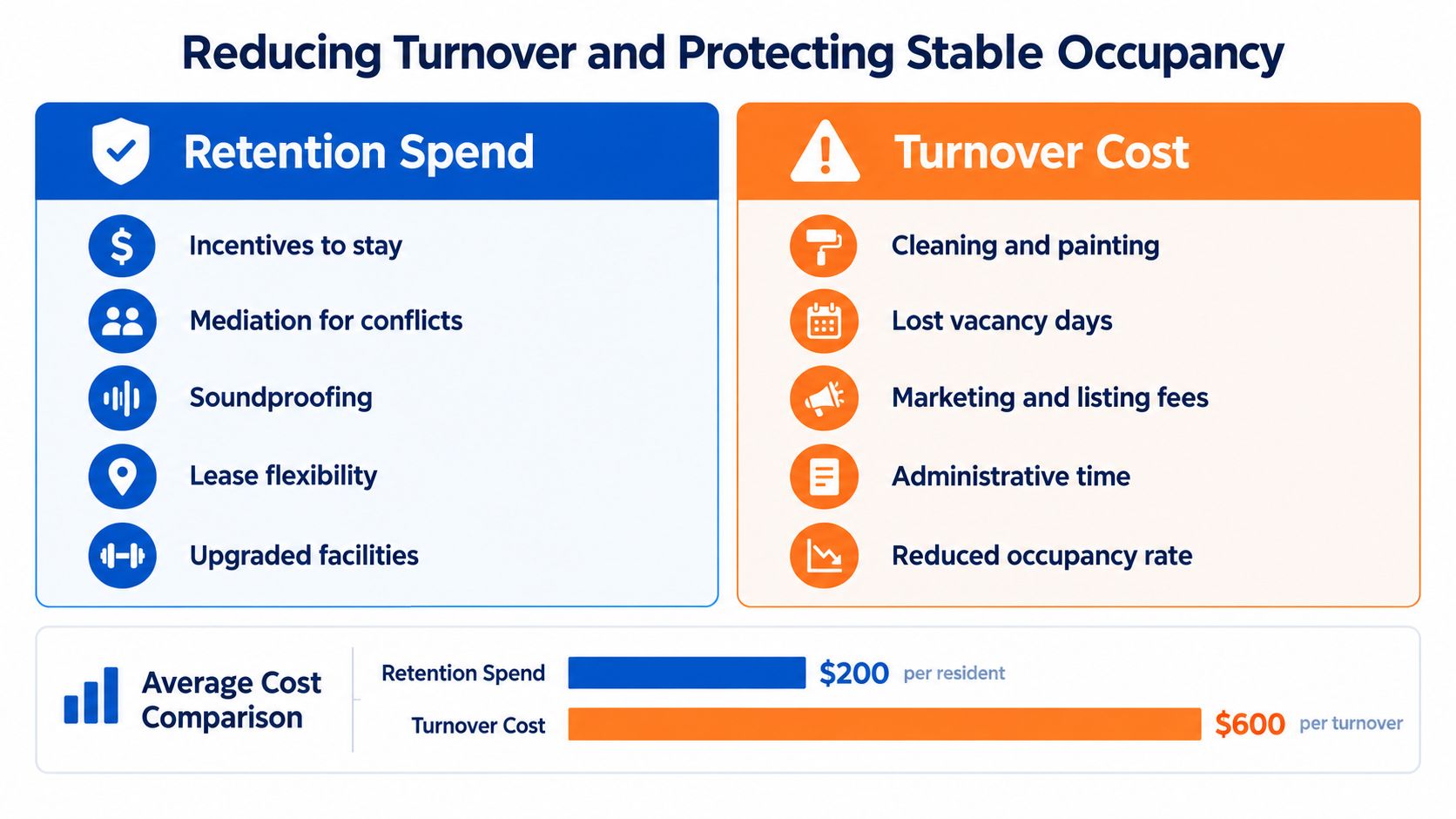
A retained resident is a vacancy day you don't have to create. Compare the cost of a small retention intervention with the cleaning, repairs, marketing, administration, and lost revenue that follow a move-out.
Start by sorting notices into five common categories: price, housemates, noise, maintenance response, and neighborhood safety. Each category needs a different response. Discuss rent expectations around month four, use written chore and quiet-hour agreements, respond to maintenance within 24 hours, and improve visible exterior lighting where safety concerns affect confidence.
A 90-day renewal prompt gives residents time to decide without creating last-minute pressure. Offer six-month and 12-month options, then use a modest benefit such as a cleaning credit or Wi-Fi upgrade when it protects a good resident relationship. The incentive should be tied to a clear renewal decision, not handed out indiscriminately.
When a resident gives notice, act on day one. Refresh the listing, schedule photos if needed, and start pre-screening immediately. Waiting until the final day creates a predictable vacancy gap. A qualified replacement can be prepared before the room is empty, provided local rules and the current resident's privacy are respected.
The provided benchmark associates a 10-point annual retention swing with an 8 to 12 point change in stabilized occupancy. Treat that as an operating signal, not a promise for every property. The exact result depends on lease terms, resident mix, local demand, and how quickly the team re-leases rooms.
Retention is often cheaper than reacquisition, but only when the intervention addresses the reason the resident is leaving.
Using Smart Home, Automation, and Analytics to Compound Gains
Technology helps occupancy when it removes friction from a real workflow. It doesn't help when it adds another dashboard that nobody checks.
Smart locks can shorten key handoffs and support self-tours. Leak sensors can alert the team before a small issue becomes a move-out complaint. Occupancy sensors can flag unusual room conditions, while connected thermostats help control utility use during vacancy. Each device should have a named response, or it becomes an expensive notification source.
The communication layer should react to room status:
- Vacancy detected: Create a review task for listing accuracy, cleanliness, and readiness.
- Inquiry received: Send an immediate acknowledgment and the next available tour options.
- Tour missed: Send a 72-hour rescue message with a new scheduling link.
- Move-in completed: Deliver rules, access details, and maintenance instructions.
- Day seven: Ask whether anything is not working as expected.
The smart-home integration approach is most useful when device events connect to these resident and leasing workflows. A lock code shouldn't sit in one system while the lease status sits in another with no shared trigger.
Build a minimum viable operating stack
For an operator with fewer than 10 rooms, the stack can stay simple:
- A single spreadsheet or lightweight dashboard for room status and funnel stages.
- One lead form with source attribution.
- Automated email or text follow-ups.
- A digital screening process.
- Smart locks and basic maintenance sensors where they remove a known delay.
The weekly dashboard should show applied leads, qualified leads, tours, offers, move-ins, and 30-day retention. Add vacancy days and revenue per available room so the team doesn't celebrate activity that fails to produce occupancy or collections.
A useful feedback loop might reveal that self-tour prospects view the listing but fail to convert. The operator checks the workflow and discovers that the lock-code message arrives without clear arrival instructions. Rewriting that message, adding parking guidance, and confirming the code's activation window can recover a process leak without changing rent or buying more traffic.
One improvement feeds the next. Better listing data produces better inquiries. Faster messaging creates more completed tours. Cleaner access improves move-in experience. Better resident feedback reduces avoidable turnover. Analytics makes each adjustment visible, so the next decision is based on evidence rather than memory.
Tracking the KPIs That Actually Move Occupancy
A room-by-room operator doesn't need dozens of metrics. The useful dashboard separates activity from outcomes and shows where the next vacancy is likely to appear.
Track weekly leasing movement by room. Applied leads per room, qualified lead rate, tour-to-application conversion, days vacant per turned room, and inquiry response time tell you whether the funnel is moving. A response time under two hours is a practical operating target for keeping prospects engaged.
Review financial and retention measures monthly. Physical occupancy shows how much inventory is occupied. Economic occupancy adds the effect of concessions, unpaid balances, and other revenue leakage. NOI per room and marketing cost per filled room reveal whether occupancy gains are improving the business or merely increasing workload.
| KPI | Cadence | Target Range | Why It Matters |
|---|---|---|---|
| Applied leads per room | Weekly | Property baseline | Shows whether listings create enough qualified demand |
| Qualified lead rate | Weekly | Property baseline | Separates serious prospects from message volume |
| Tour-to-application conversion | Weekly | Property baseline | Exposes presentation, pricing, and expectation gaps |
| Days vacant per turned room | Weekly | Keep below 21 days | Shows the direct speed cost of turnover |
| Inquiry response time | Weekly | Under 2 hours | Protects the earliest funnel stage |
| Physical occupancy | Monthly | 90 to 95 percent | Shows occupied room inventory |
| Economic occupancy | Monthly | 85 to 92 percent | Shows collected revenue quality |
| 30-day turnover rate | Monthly | Property baseline | Flags early churn after move-in |
| Average resident tenure | Monthly | Trend upward | Indicates stability and retention quality |
| NOI per room | Monthly | Property baseline | Connects occupancy to profitability |
| Marketing cost per filled room | Monthly | Trend downward | Tests channel efficiency |
The target ranges above are operating guides, not universal laws. Broader market conditions matter. A global hotel benchmark reported occupancy rising from 58.6 percent in 2022 to 66.4 percent in 2023, a 7.8 percentage-point increase, while the U.S. rental market remained looser, with rental vacancy at 7.1 percent in Q1 2025 and 7.3 percent in Q1 2026, according to the Census housing vacancies release. Those conditions make local segmentation essential.
Use this weekly review checklist:
- Which room has the oldest vacancy?
- Which funnel stage lost the most prospects?
- Did response time exceed two hours?
- Is the problem operational, such as access or readiness?
- Is the issue specific to a neighborhood, room type, or channel?
- Should the team change a process before changing price?
- Did any concession improve revenue quality, or only occupancy?
Keep one source of truth. A well-maintained spreadsheet is better than disconnected systems with conflicting room statuses. Once the team can see the same numbers every week, occupancy rate improvement becomes a repeatable operating discipline rather than a series of guesses.
PadPulse is being built to bring dynamic pricing, automated messaging, smart-home workflows, and portfolio-level reporting into one toolkit for room-by-room operators. Visit PadPulse to join the interest list for launch updates and limited beta access, with no billing required before launch.