Access Log Monitoring for Co-Living Operators
September 19, 2026
A lot of small co-living operators meet access log monitoring the same way. Something odd happens late at night, a tenant texts, and the lock app gives you just enough information to worry, not enough to act.
If you run one house with a handful of bedrooms, shared doors, cleaners, vendors, and rotating guest access, you're already dealing with a miniature security and operations system. The problem isn't whether events are being recorded. The problem is whether those events are useful when you need answers fast.
A Late-Night Entry That Sparked a Real Audit
At 2 a.m., a host managing a six-bedroom co-living house gets a push notification from the front-door smart lock. The alert is short. Door opened. No clear name attached. Just a credential ID.
That's where the stress starts.
A late return from a tenant is normal. An unscheduled cleaner visit is possible. A maintenance vendor showing up at the wrong time is a problem. Someone entering who shouldn't be there is worse. The host opens the lock history feed and sees a string of events, but the feed reads like machine language. Timestamps, lock names, success messages, credential codes.
No context.
Why the raw event feed failed
The host starts checking the usual places:
- Shared calendar: Was there a move-in, a scheduled check-in, or an overnight guest approval?
- Cleaning schedule: Did a cleaner swap shifts or arrive after hours?
- Tenant messages: Did anyone mention losing a code, borrowing a fob, or expecting a friend?
Nothing lines up cleanly. The lock event exists, but it doesn't answer the actual question. Who entered, why, and was it allowed?
That's when the host does something more useful than scrolling the app feed. They pull a proper access log covering the last two months and reconcile it against staff schedules, tenant communications, and recurring entry patterns.
What the audit revealed
The answer wasn't dramatic, but it mattered. One resident's guest had been borrowing a spare key fob after hours. The lock had recorded every entry. The host just hadn't built a system that connected the credential to a real person, a valid time window, and a property rule.
Raw lock history is not the same thing as access log monitoring.
That difference is where many first-time hosts get stuck. A smart lock app can tell you that a door opened. A monitoring setup can tell you whether the event fits normal behavior, whether it breaks policy, and whether you need to respond.
That late-night review became a real audit. Not because the house had enterprise-grade security tools, but because the operator finally treated access events as operational records instead of background noise.
What Access Log Monitoring Actually Means
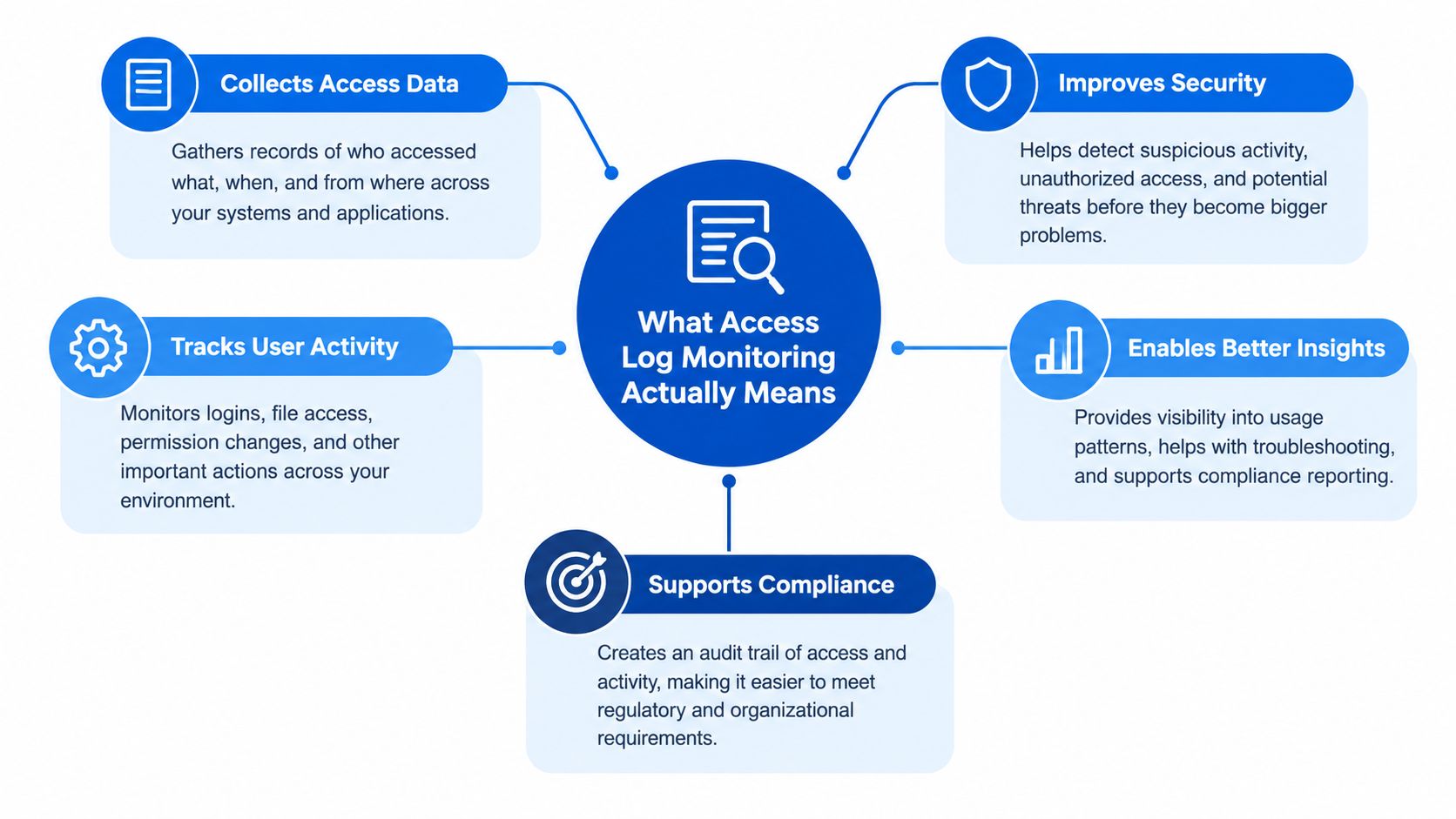
Think of a shared house as a building with a guestbook at every important door. Access log monitoring means you write in that guestbook consistently, you review it regularly, and you flag anything that looks off.
An access log is a timestamped record of who tried to enter which door, using what credential, and whether the attempt worked. In a co-living house, that could be a front-door PIN, a key fob, a mobile entry, or a remote entry sent by the host from an app.
The plain-English definition
Monitoring is the active part. You're not only storing events. You're making them readable and useful.
That means three things happen:
- Events get captured in a consistent format
- Someone can review them without guessing
- Unusual patterns trigger action
If you're still sorting through separate lock apps and text threads, your logs exist, but your monitoring probably doesn't.
What you should capture in a shared house
For a small operator, the important event categories are usually straightforward:
- Tenant entries: Normal successful entries tied to the right room, door, or building.
- Staff and vendor access: Cleaners, maintenance workers, inspectors, movers.
- Guest or visitor entries: Temporary codes, escorted access, approved visitor windows.
- Failed attempts: Wrong PINs, expired codes, dead batteries, repeated denied open attempts.
- Remote opens: Doors opened from a management app by a host or team member.
- Administrative changes: New codes issued, codes removed, schedules changed, locks reprogrammed.
Why structure matters more than volume
A messy stream of events won't help much during a dispute. Best practice guidance for access logs commonly recommends structured fields like userId, timestamp_utc, source_ip, action, resource_path, status_code, and session_id so records can be parsed and analyzed consistently, as summarized in this structured logging glossary.
In property terms, your version of that structure might look like this:
- User or credential
- Door or zone
- Timestamp
- Result
- Source
- Device ID
- Reason or label
If you want a broader foundation for your door permissions and user setup, these access control best practices are a useful companion.
Why Co-Living Operators Cannot Afford to Ignore It
In co-living, people who don't know each other share doors, kitchens, hallways, and routines. That changes the stakes. You're not just protecting a building. You're protecting trust inside a small community.
Security questions become property questions
A tenant says a package went missing. Another mentions a strange smell near the back door. You review entries and notice a maintenance worker accessed the property outside the agreed visit window.
That doesn't automatically prove wrongdoing. It does tell you your vendor access rules need tightening. Without a usable access trail, you'd be left with opinions and half-remembered texts.
Operations problems often start at the door
Weekend noise complaints can seem vague until entry timing gives them shape. A host checks check-in messages against door events and notices a pattern. Different guests arrived late on separate nights, even when the booking details implied a smaller or more controlled arrival plan.
That's not only a house-rules issue. It's an operations issue. Better arrival windows, better code expiration rules, and better communication often solve what looks like a tenant conflict.
A good log doesn't just answer “who opened the door.” It helps you see what process failed before the door opened.
Tenant disputes need evidence, not memory
Shared housing creates familiar disagreements. Who let an unregistered visitor stay overnight? Who gave out the front-door code? Did staff enter a room when they said they wouldn't?
A clean access log won't answer every question by itself, but it narrows the argument fast. If the lock history shows which credential was used and when, you can move from accusation to verification.
Monitoring matters more than collecting
Many explanations stop at “keep logs.” That's not enough for a small co-living operator. Practical guidance on logging and monitoring failures points out a recurring problem. Teams collect events that lack the fields needed for detection, mix them with noisy operational logs, or never route them into alerting workflows, which makes monitoring hard to operationalize. It also warns that centralizing everything into one analytics system can become costly and brittle, so a selective, high-fidelity approach works better than blanket ingestion, as discussed in this logging and monitoring failures guide.
For a single house, that translates into a simple rule. Capture the events that help you resolve incidents, enforce policy, and explain what happened.
Smart Locks, Common Doors, and Staff Access Compared
Most co-living operators don't run one clean system. They often juggle a front-door smart lock, separate room locks, and another workflow for cleaners or contractors. Each produces part of the story.
The three streams most hosts deal with
The first stream is tenant smart locks. These usually cover bedroom doors or individual resident credentials. The second is common-door access, such as front entry, side entry, laundry, or bike room. The third is staff and vendor access, which often lives in a different app, code schedule, or team process.
That split is where blind spots creep in.
| Access points vs. log fields in a co-living property | |
|---|---|
| Access point | Key log fields captured |
| Tenant smart locks | Credential ID or user, timestamp, unit or room door, success or failure, battery or connectivity status, remote unlock event |
| Common doors | Credential ID or user, timestamp, front or shared zone, success or failure, repeated denied attempts, app unlock event |
| Staff or vendor access | Staff label or contractor code, timestamp, door or zone, validity window, success or failure, arrival and departure pattern |
What's worth capturing beyond the basics
The basics get you started, but a few extra fields make audits much easier later.
- PIN change history: Helpful when someone says an old code should've been removed.
- Guest code validity window: Useful when access was allowed, but only during a certain period.
- Contractor arrival labels: Good for checking whether a cleaner or repair person entered during the expected window.
- Device status notes: Battery or connectivity details can explain confusing failures.
- Remote unlock actor: Important when a host or team member opens a door from an app.
A lot of the smart-lock value lives in those small details. If you're comparing vendors or planning your setup, this guide to smart lock features for rental operators helps clarify what to look for.
Why one view matters
When logs stay split across vendors, each event looks smaller than it is. A denied front-door attempt, a successful side-door entry, and a remote operation from a staff app can be related. If you only see them in separate places, you miss the pattern.
That's why many operators try to unify lock and entry streams into one operational view. The goal isn't to build a giant enterprise control room. It's to make one house readable.
Building a Clean Collection and Retention Setup
A clean setup starts the same way a well-run house does. One notebook, one version of the truth, and clear rules about what gets written down.
If your front-door lock app shows one history, the cleaner's keypad uses another, and your staff app keeps its own record somewhere else, you do not really have a log. You have scraps. That becomes a problem the first time two tenants disagree about who entered the kitchen storage area, or a housekeeper says they only stopped by once.
Collect events into one clean format
For a small co-living operator, centralizing logs does not mean building a corporate security command center. It usually means setting up one export, webhook, or shared dashboard so every access event lands in the same format.
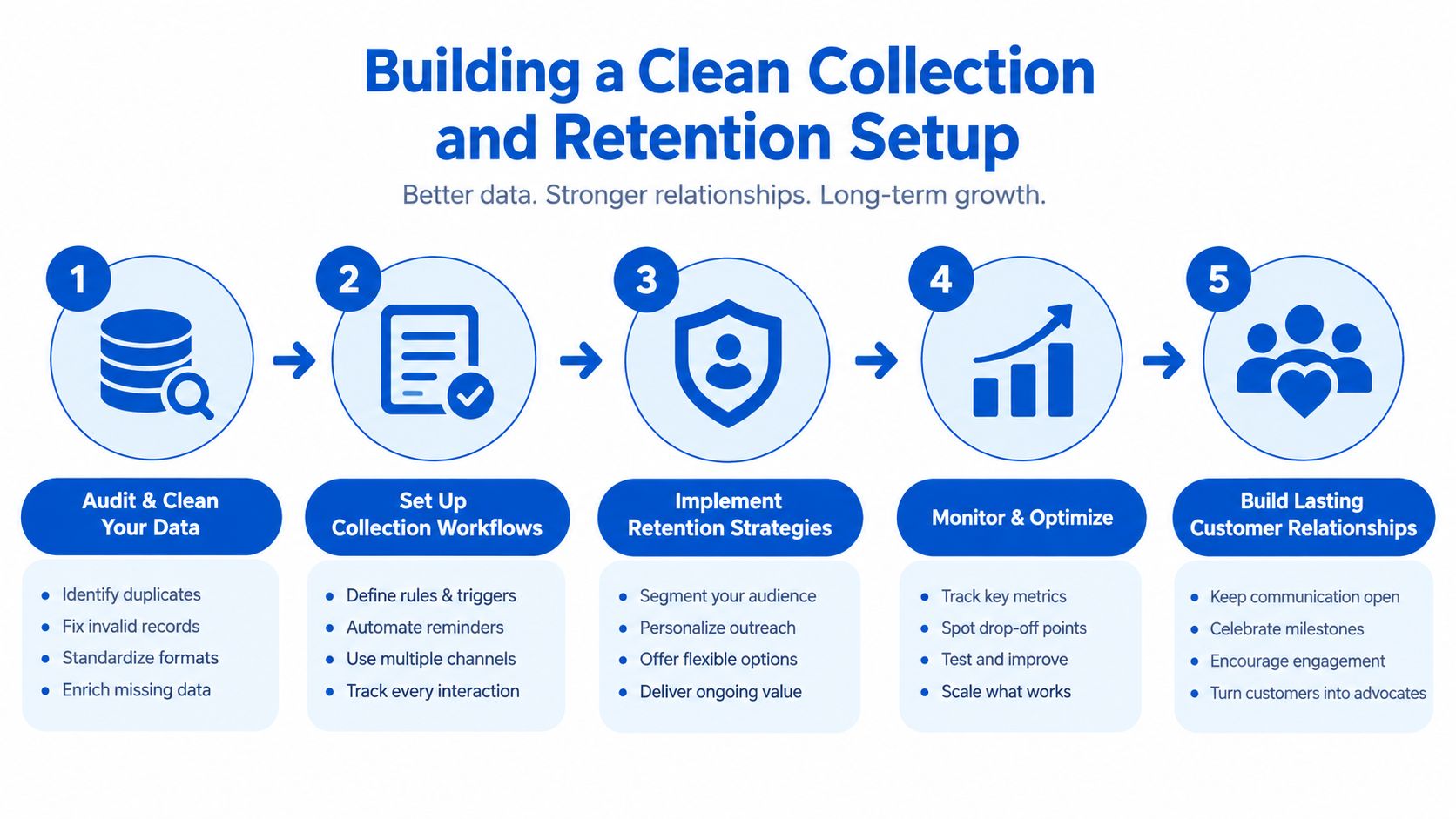
Start with fields that help you answer ordinary house questions fast:
- Door
- User ID or credential
- Credential type
- Result
- Timestamp
- Device ID
- Access source
- Role tag such as tenant, guest, or contractor
That last field matters more than it seems. If Maya entered the back door at 2:15 p.m., you need to know whether Maya is a tenant, a dog walker, or your cleaner covering a turnover. The event is the same. The meaning is not.
If you are joining smart locks, staff apps, and property workflows, these access control integration ideas can help you map the setup cleanly.
Clean the feed before you keep it
Hosts often focus on retention first. In practice, the bigger headache is messy input.
A few simple cleanup rules prevent confusion later:
- Align time zones: One system using local time and another using UTC can make the same visit look an hour off, or worse.
- Remove duplicate events: Some devices resend the same record after a weak Wi-Fi moment.
- Tag people by role: Tenant, guest, cleaner, vendor, and staff should be easy to tell apart.
- Keep door activity separate from maintenance notes: A lock event should not be buried inside a work-order comment thread.
Here's a helpful walkthrough on what a clean process can look like in practice:
Choose retention based on the problems you may need to solve later
Retention works like keeping receipts for the house. You do not save every scrap forever, but you do keep the records that may matter during a dispute, refund request, insurance claim, or safety review.
A practical house-level policy might look like this. Keep recent front-door and common-area events easy to search for day-to-day questions. Archive older records in cheaper storage. Save incident-related records longer when they connect to tenant complaints, property damage, or staff access reviews.
You also need a rule you can explain without guessing. If a tenant asks how long entry records are kept, or a staff member wants to know who can review them, the answer should already be written down and applied the same way every time.
Simple beats fancy here. Clean records, one format, and a retention rule your team can follow will carry a small operator much further than a pile of disconnected lock histories.
Alert Examples That Catch Problems Early
Alerts become useful when they lead to a specific next step. If they only create more notifications, hosts turn them off.
Alert example one with repeated denied entries
A front door starts throwing denied access attempts in quick succession. That can mean a guest is using an expired code, a tenant is typing the wrong PIN, or someone is testing old credentials.
A simple alert can look like this:
- Trigger condition: More than five denied attempts on the front door within ten minutes
- Data fields used: Door, credential ID, timestamp, result
- Notification channel: SMS to the on-call host or a dashboard badge
- Next action: Check whether a guest code recently expired, contact the tenant tied to the credential, and verify whether the front-door lock battery or connectivity needs attention
This kind of rule is useful because it doesn't wait for a tenant complaint. It catches the pattern while it's happening.
Alert example two with unusual hours
A unit-level lock opens during overnight hours on multiple nights, but there's no active booking, no approved transfer, and no known maintenance task. That's the kind of pattern a host won't spot by scanning raw event history once a week.
Practical rule: Build alerts around behavior that needs action, not around every event that looks unusual.
This alert might use:
| Alert item | Example setup |
|---|---|
| Trigger condition | Unit lock opens between midnight and 5 a.m. on repeated nights with no valid occupancy change |
| Data fields used | Unit or room, timestamp, user or credential, occupancy status, result |
| Notification channel | Dashboard flag first, then direct message if the pattern repeats |
| Next action | Review who holds the credential, compare with tenancy status, and inspect whether an old code remained active |
Why baselines matter
Research on enterprise access logs shows anomaly detection works best when it combines real-world access records with synthetic anomalies to create labeled training data, because identity-based threats are rare and imbalanced in production logs. A recent IEEE study described a hybrid ensemble approach using methods such as autoencoders, graph learning, HMMs, and clustering to detect unauthorized access and privilege escalation, reinforcing the operational lesson that access logs are most useful when monitored for sequence-level behavior, not just single events, in this IEEE access-log anomaly detection study.
A host doesn't need to build research-grade models to use that lesson. The practical version is simple. One odd event may mean nothing. A sequence of odd events usually means something changed.
Your Rollout Checklist and Where PadPulse Fits
Good access log monitoring doesn't start with fancy dashboards. It starts with a short list that someone on your team can follow every week.
Phase one with the minimum viable setup
Start with centralization, field definition, and a basic retention policy.
- Put logs in one place: Pull smart-lock and entry events into a single system or shared export process.
- Define a standard record: Decide what every event must include, such as door, credential, timestamp, result, and role tag.
- Write a retention rule down: Even a short written policy beats an unwritten habit.
Privacy guardrails belong here from day one:
- Minimize personal data: Keep only what helps you operate and investigate access issues.
- Restrict viewer roles: Not every team member needs tenant-level event history.
- Document lawful basis: If you're logging access for property operations and safety, write down why.
Phase two with useful review habits
Once the records are clean, add alerts and a review rhythm.
- Weekly review works well for many small operators. Look for denied-entry clusters, after-hours vendor access, and stale credentials that should've been removed.
- Create a small set of alerts tied to real actions. The denied-entry and unusual-hours examples above are enough to start.
- Apply risk-tiered retention. Keep the high-value records easiest to retrieve.
Keep detailed records available for the period you're most likely to need during active incident review, then archive what still matters for disputes or compliance.
Phase three with integrations and export-ready records
The system becomes operationally strong.
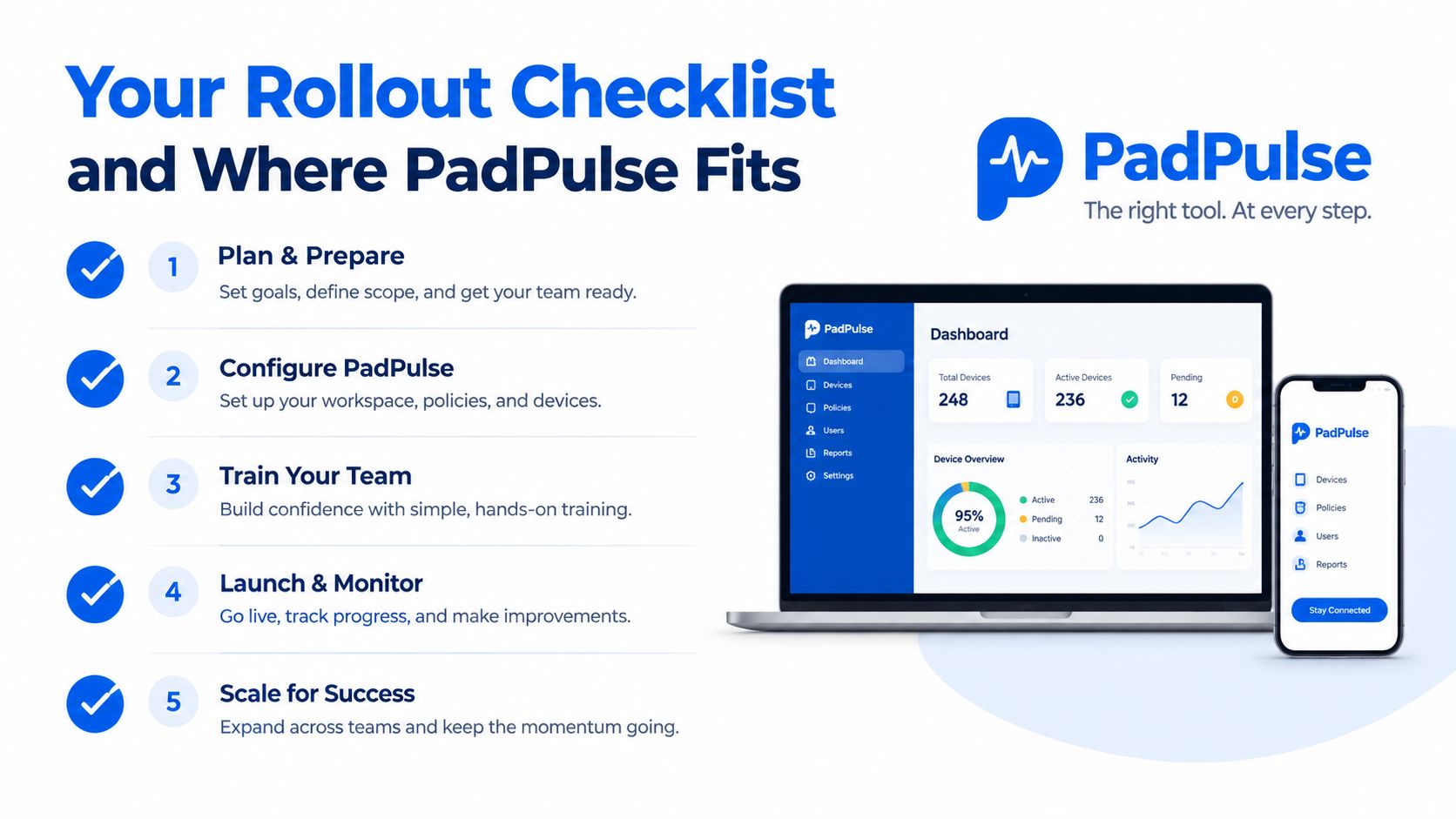
Add:
- API integrations: So lock events sync with tenant, unit, and staff records
- Dashboards: So recurring patterns are visible without exporting CSVs
- Dispute exports: So you can share a clean event trail when a tenant challenge or insurance issue appears
At this stage, the main privacy controls stay the same. Collect less when you can. Limit who can see named records. Keep your policy current.
Where PadPulse fits in the workflow
For pad-style and co-living operators, the missing piece usually isn't the lock hardware. It's the operational layer that connects hardware events to tenants, staff schedules, and day-to-day decisions.
That's where PadPulse fits. It sits between the raw entry event and the property action that follows. Instead of acting like a standalone security tool, it works as the connective tissue for room-by-room operations. It can ingest smart-lock and entry events, help flag unusual patterns, sync logs with tenant and staff records, and surface audit trails that are easier to share during disputes.
Privacy, Compliance, and Final Takeaways
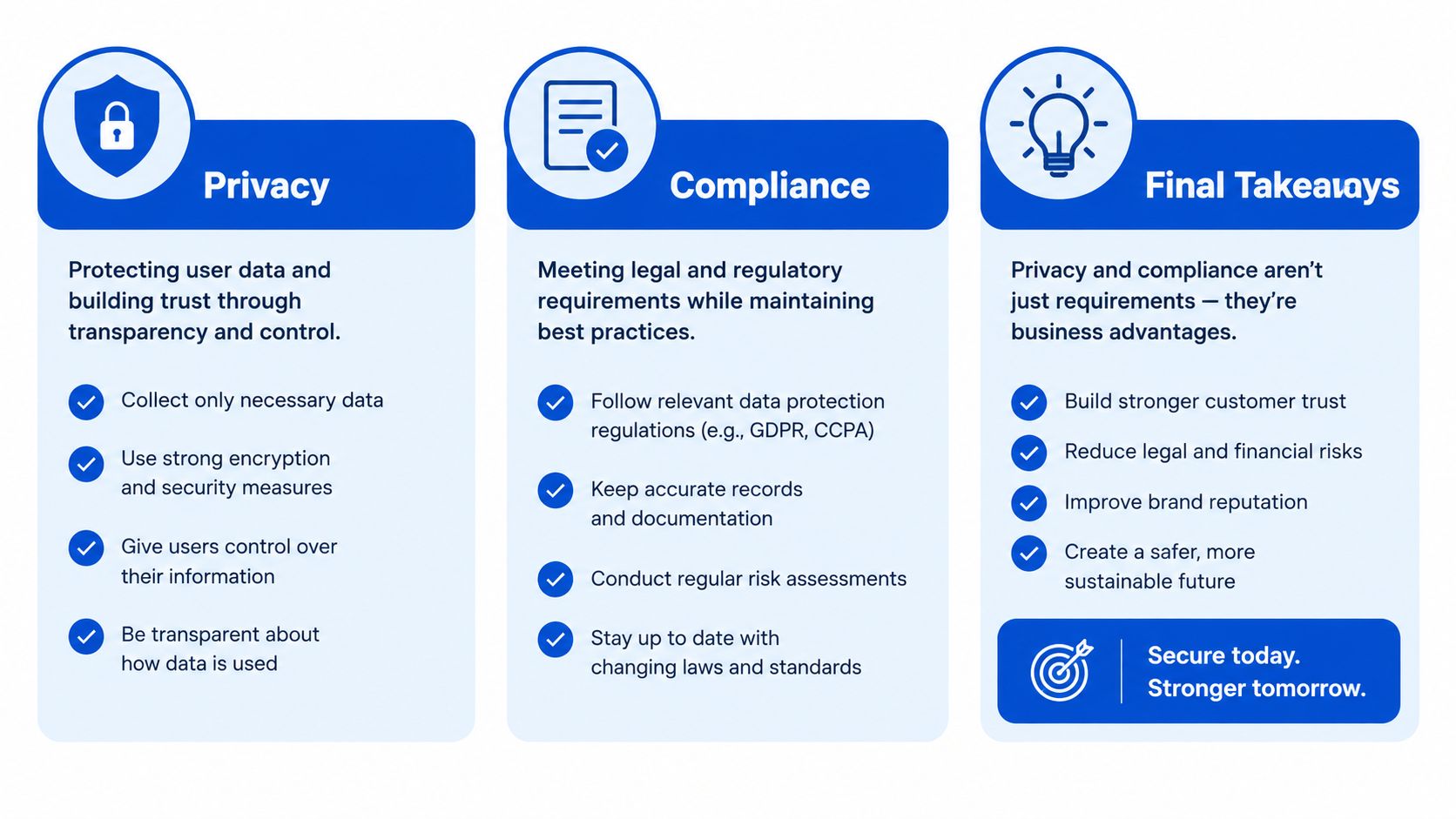
Access logs help you answer hard questions, but they also create responsibilities. If you're recording door activity in a shared house, tenants need a system that is proportionate, controlled, and explainable.
Keep only what you need
The safest rule is data minimization. Log what supports access control, incident review, and operations. Don't turn every person in the house into a surveillance project.
That usually means:
- Store identifiers carefully: Hash or pseudonymize where possible.
- Separate systems: Keep operational logs apart from more sensitive tenant profile data.
- Limit visibility: A cleaner or leasing assistant shouldn't automatically see the same record set as an owner or compliance lead.
Match retention to policy and law
If you operate under GDPR-style frameworks or similar privacy rules, your lawful basis matters. Operators commonly rely on legitimate interest, contract performance, or a clear consent pathway depending on the use case and jurisdiction.
For formal retention rules, the European Banking Authority's logging standards state that the minimum retention period for all log files is six months, and the detailed rules should be documented in a Log Retention Policy, according to the EBA logging and monitoring standard. That standard isn't a universal rule for every landlord, but it is a useful example of what a documented retention baseline looks like.
The three takeaways that matter most
Access log monitoring gets much easier when you keep it anchored to three ideas:
- Capture the right events so the record answers who, where, when, and how.
- Retain them in proportion to risk so you're not drowning in data or deleting what you'll need later.
- Alert on patterns that matter so monitoring leads to action, not noise.
Quick FAQ
How long should I retain smart lock logs?
Keep active records available for the period when incidents and disputes are most likely to be reviewed, then archive according to your written policy and legal requirements. The practical ranges discussed earlier are a good starting point if you don't yet have a formal policy.
Can tenants request access log deletion?
They may have rights to request deletion or access depending on your jurisdiction, but those rights are not always absolute. If the logs are needed for safety, legal claims, fraud prevention, contract performance, or compliance, you may need to retain them. Document the basis and respond through a consistent process.
Do biometric entry events require extra safeguards?
Yes. Biometric data is usually more sensitive than a PIN or fob ID. If you use biometric entry, apply stricter controls, narrower access, and clearer legal review before storing or sharing those records.
PadPulse is being built for operators who need one practical place to connect smart-lock events, tenant records, and room-by-room property workflows. If you want a simpler way to turn access history into usable operations data, visit PadPulse and follow the platform as it develops for co-living and PadSplit-style housing.