Smart Lock Installation Near Me: A Landlord's Guide
June 3, 2026
A tenant is moving in tonight. The old key never came back. Your cleaner needs access this afternoon, and your maintenance tech is asking which lock code still works on the front door.
That's usually when landlords start searching for smart lock installation near me.
For a single-family home, that search is mostly about convenience. For a co-living house or room-by-room rental, it's about operations. You're not just replacing a deadbolt. You're trying to stop key handoff chaos, reduce avoidable lockouts, and get tighter control over who can enter and when.
A smart lock can help, but only if the install is done right. In rental housing, small mistakes turn into recurring problems. A lock that binds, drains batteries faster than expected, or drops offline at the door will cost you more in calls, confusion, and repeat visits than the hardware itself. The good news is that most of those headaches are preventable if you approach installation like an operator, not just a shopper.
Why Professional Smart Lock Installation Matters
In a co-living house, a bad install rarely fails all at once. It shows up as a deadbolt that needs a shoulder push, a cleaner who cannot get in on the first try, or a tenant who says the keypad works sometimes but not every time. Those small misses turn into repeat site visits, battery swaps, lockout calls, and frustrated residents.
Professional installation earns its keep by preventing those recurring problems. For room-by-room operators, the lock has to do more than open a door. It has to support turnovers, vendor access, resident privacy, and a process your team can repeat across multiple properties without constant exceptions.
What a pro gets right
Good installers start with the door and frame. They check whether the deadbolt throws cleanly, whether the strike is lined up, whether the bore holes are usable, and whether the door closes square. That sounds basic, but many rental installs go sideways at this stage, especially in older houses with swollen wood, layered paint, or frames that have shifted over time.
The hardware can be perfectly good and still perform poorly on a misaligned door.
Common operating issues usually trace back to mechanical setup, not the software:
- Bolt resistance burns through batteries faster and causes intermittent locking failures.
- Bad strike alignment forces tenants to pull or push the door to get the lock to engage.
- Weak signal at the entry door creates inconsistent remote commands on connected models.
- Mismatch between lock and door prep leads to extra patching, visible damage, or hardware your team cannot standardize across the portfolio.
One rule saves a lot of trouble. If the installer only wants to talk about app features, keep looking.
Why landlords should think beyond DIY
DIY makes sense on a newer door that already closes cleanly and matches the lock's specs. A lot of co-living inventory does not look like that. You may be dealing with an old mortise conversion, a warped front door, uneven trim, or a jamb that has been adjusted three different ways over the years. That is where a straightforward Saturday install turns into a two-trip project plus a maintenance headache you keep paying for.
I have found that the actual cost is rarely the first install. It is the follow-up labor. If one lock binds during every turnover, your team keeps spending time on resets, battery replacements, tenant messages, and after-hours troubleshooting. Across several rooms or houses, that operational drag adds up fast.
A clean professional install also helps with standardization. The keypad sits straight. The bolt throws cleanly. The door still looks cared for. That matters in shared housing, where every visible shortcut signals to residents how the property is run. More important, it gives you a repeatable setup your staff can manage without reinventing access rules at each house.
Your Smart Lock Pre-Installation Checklist
A rushed lock install usually shows up later, during turnover. The new tenant cannot get in, the cleaner's code never synced, or the deadbolt works only if someone lifts the door first. A ten-minute check before you book an installer prevents a lot of that.
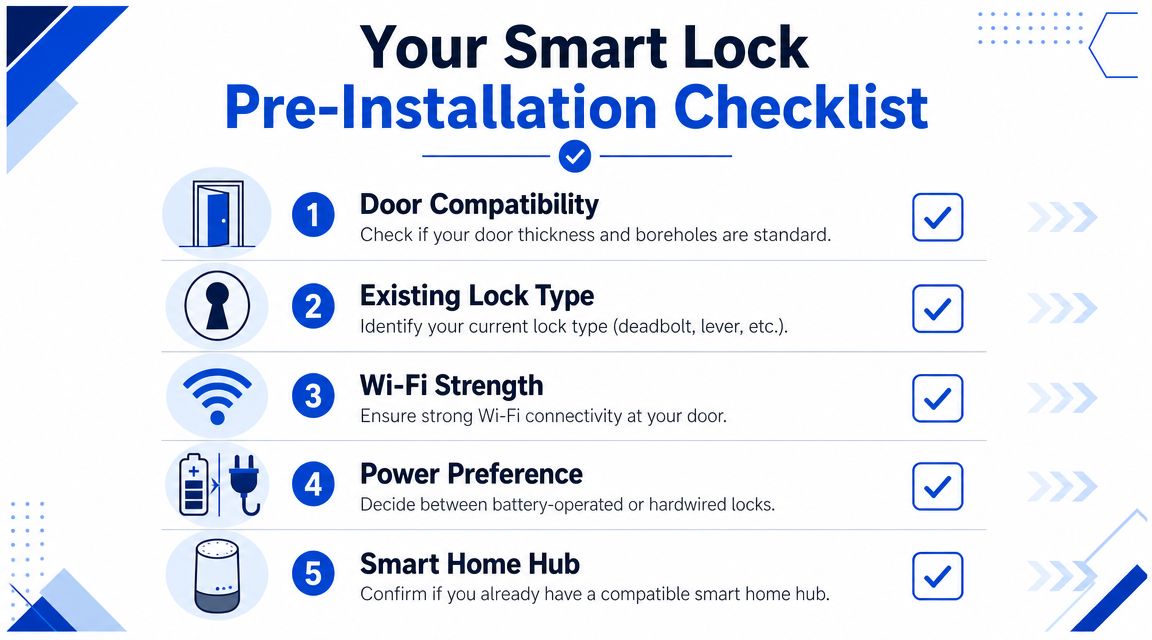
Start with the door and the use case
For co-living operators, the question is not just "Will this lock fit?" The better question is "Will this setup hold up under repeated tenant turnover, vendor access, and room-level management?"
Inspect the physical door first, then match that door to the job the lock needs to do.
- Measure the door thickness. Confirm the actual thickness before you order hardware. Assumptions create returns and install delays.
- Check the backset. Measure from the edge of the door to the center of the bore hole so the trim, latch, and keypad line up correctly.
- Watch how the door closes. If the latch rubs, the deadbolt drags, or the frame needs a shove, the motor will inherit that problem.
- Look at the existing prep. Standard cylindrical lock prep is simple. Older conversions, patched holes, and mixed hardware sizes are not.
- Test signal at the exact door. Stand at the entry with your phone. A strong signal in the kitchen does not help a Wi-Fi lock on a detached side door.
These checks are simple, but they tell you whether you are buying a straightforward install or a door correction project with a smart lock attached.
What to gather before you ask for quotes
Installers quote faster and more accurately when you send photos and a few hard details upfront. For rentals, I want the same package every time. One clear shot of the outside, one of the inside, one close-up of the latch edge, and one photo with the door open usually answers half the questions.
Bring this short checklist to your search:
| Item | What to confirm | Why it matters |
|---|---|---|
| Door type | Front entry, bedroom door, side entry, shared entry | Each opening has different security and access needs |
| Existing hardware | Deadbolt, lever, combo set, older lock body | Shows whether this is a clean swap or a custom fit |
| Door condition | Smooth close, rubbing, paint buildup, loose frame | Mechanical drag causes lock failures and callback visits |
| Connectivity | Wi-Fi or hub coverage at the door | Determines whether remote features will work reliably |
| Use case | Tenant entry, cleaner access, maintenance, room-by-room control | Helps you choose a lock that fits operations, not just aesthetics |
If you are still narrowing down models, this guide to smart lock options near you helps frame what to compare before you schedule installation.
Rental-specific checks that save headaches later
Single-family advice misses the part that matters most in shared housing. The lock has to fit your operating system.
Ask these questions before you buy:
- Is this for one main entrance or several individual bedroom doors?
- Do you need recurring schedules for cleaners, contractors, or touring staff?
- Can your team standardize one model across multiple houses?
- Will the lock support code changes without a site visit?
- What happens when batteries die, Wi-Fi drops, or a resident forgets their code at midnight?
I also recommend deciding who will own access management before installation day. In small portfolios, that may be the operator. In larger co-living setups, it is usually one staff role with backup coverage. If nobody owns code creation, deletion, and audit checks, access control turns sloppy fast.
A good checklist does not take long. It gives you cleaner quotes, fewer install surprises, and a lock setup your team can manage across rooms and properties.
How to Find and Vet a Local Installer
Most local installers now market smart locks as a mainstream service, not a niche upgrade. Local-service listings commonly highlight keypad entry, Wi-Fi connectivity, and home automation integration for homes and multi-unit rentals, which reflects how practical the category has become, as noted in this video overview of smart-lock installation demand.
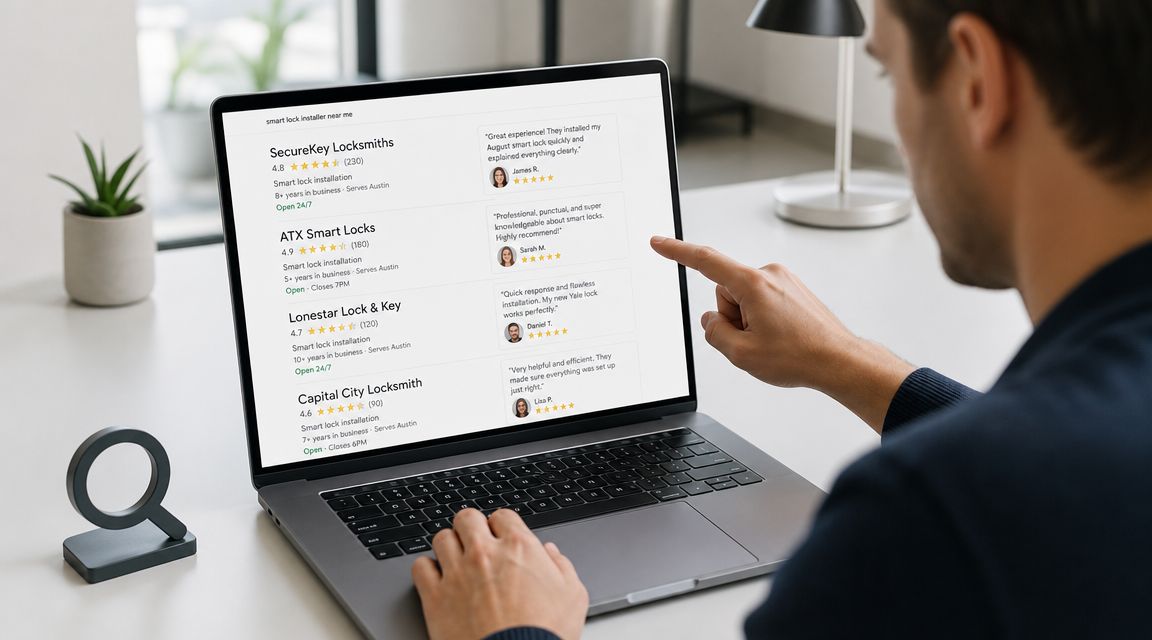
That means your job isn't just finding someone nearby. It's finding someone who understands rentals.
Where to search first
Google Maps is the obvious starting point, but it shouldn't be the only one. For landlords, referrals often beat ads.
Try a mix of:
- Local map listings. Good for fast availability and service area checks.
- Home-service marketplaces. Useful when you want multiple quotes quickly.
- Landlord groups and investor forums. Better for finding pros who've already worked in rental housing.
- Property manager referrals. Often the fastest route to someone who knows turnover pressure.
- Operator resources like this PadPulse guide to smart lock options near you. It helps frame what to look for before you book anyone.
Questions that separate real installers from handymen guessing
A decent installer should answer clearly and without hedging. Ask direct questions.
- Which brands have you installed recently? Brand familiarity matters because setup flows differ by app, pairing method, and user management.
- Have you worked on multi-unit or room-by-room rentals? Installing for a homeowner is different from installing for recurring tenant turnover.
- What do you check before mounting the lock? You want to hear about fit, alignment, and signal, not just “we'll get it on there.”
- Do you handle app setup and programming, or only the hardware? Many landlords assume setup is included. It isn't always.
- What happens if the door needs adjustment? Some installers stop at the lock. Others can correct minor alignment issues.
What a strong answer sounds like
A strong installer will talk about the whole workflow. They'll mention the existing deadbolt, the frame condition, the app pairing process, and how they test the lock before leaving. They'll also ask who needs access after install. That's a good sign.
A weak installer usually focuses on speed alone. Fast matters, but speed without commissioning creates callbacks.
If you want a quick visual on what local service research can look like, this short video is useful:
Don't hire based on “can you do it today?” alone. Hire based on “can you install it so I don't have to think about this door again next week?”
A simple red-flag test
Use this before you approve the job:
| Installer response | What it usually means |
|---|---|
| “Any smart lock fits most doors.” | They may be ignoring compatibility issues |
| “We just install the hardware.” | You may be left handling provisioning yourself |
| “If it locks in the app, it's fine.” | They may not be testing mechanical travel properly |
| “We don't really work on rentals.” | They may miss multi-user access needs |
For a co-living operator, the best installer isn't the cheapest or the flashiest. It's the one who understands that every access point is part of a repeatable operating system.
Decoding Smart Lock Installation Costs and Timelines
The cheapest quote often assumes the easiest door. That's where landlords get caught.
A commonly cited benchmark is about $100 for a straightforward pre-hung-door install and about $200 for harder jobs involving older doors, according to installer pricing discussed on HelloTech's smart lock installation page. That same source also notes that many providers now offer same-day service, and some market 24/7 availability.
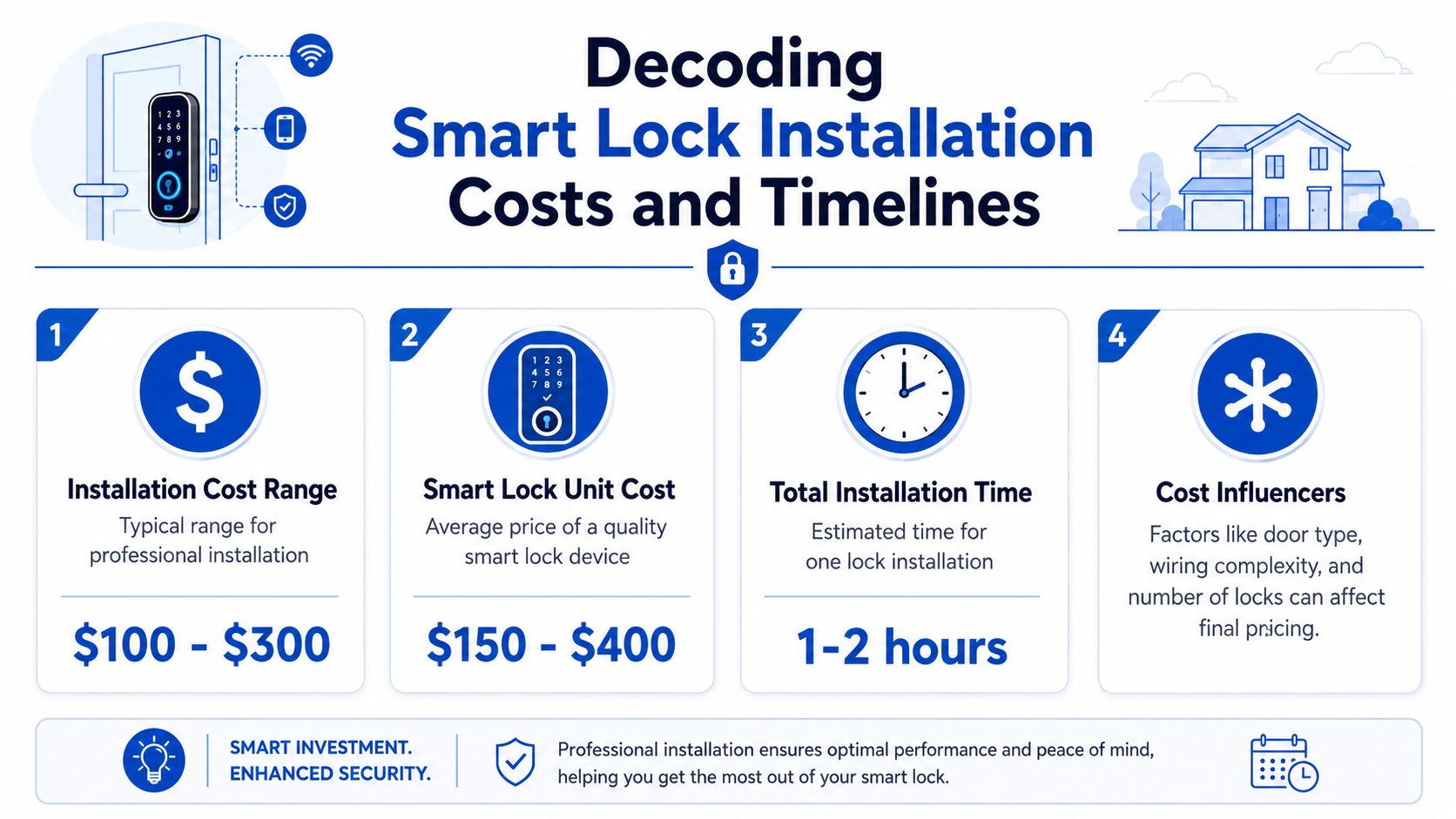
Why one door costs more than another
The labor spread usually comes down to condition and complexity.
A straightforward job tends to mean:
- Modern pre-hung door
- Existing deadbolt lines up well
- No frame correction needed
- Simple swap with setup
A harder job usually involves:
- Older door with wear or sag
- Strike plate that doesn't align
- Extra drilling, chiseling, or adjustment
- More setup time because fit isn't clean
For rentals, this matters because old housing stock can turn a routine install into a site-specific repair job. If the quote feels higher than expected, ask whether the installer is pricing the lock swap or the door problem.
How to budget like an operator
Don't budget only for hardware. Budget for these three buckets:
| Cost area | What it includes | What to ask |
|---|---|---|
| Lock hardware | The device itself and any matching accessories | Is this the exact model I approved? |
| Installation labor | Mounting, fit adjustment, removal of old hardware | Does this include alignment work if needed? |
| Setup and handoff | App pairing, code creation, testing, user tutorial | Will you leave it fully provisioned and tested? |
If you're doing multiple doors, ask for standardization. Even without quoting a bulk discount number, consistent hardware usually makes future maintenance easier.
Timing matters more in rentals
Fast scheduling isn't just a convenience in co-living. It affects move-ins, cleaning coordination, and emergency access after a lock failure.
A same-day installer can save a turnover. A rushed installer can create the next maintenance ticket.
If a provider advertises urgent service, confirm what that covers. Some include setup and programming. Others only mount the lock and leave the software side to you.
The Professional Installation Day Walkthrough
At 11 a.m., a cleaner is finishing one room, a new tenant is due at 2, and maintenance still needs access to the basement. On a co-living property, installation day is not just a hardware appointment. It is an operations event. A good installer keeps the door secure, gets the lock working on the first visit, and leaves your team ready to manage access without extra calls later.
A standard visit usually includes removing the old lock, checking fit at the door, mounting the new hardware, pairing the device, and testing every entry method. The mechanical work matters more than the app demo. If the bolt drags or the door needs a shove to lock, that issue will show up as a tenant message within days.
What should happen at the door
The installer should start with the opening itself, not the box contents. On older rentals, the door may be slightly sagged, the bore hole may be rough, or the strike may be off by just enough to make the motor work harder than it should.
Then comes the swap. The exterior keypad and interior assembly need to sit flat, the tailpiece has to be aligned correctly, and the mounting screws need to be tightened evenly. Too loose, and the lock shifts over time. Too tight, and some models bind.
I look for one thing before anything else gets signed off. The deadbolt should extend and retract cleanly several times with the door open, then again with the door closed. If the installer has to push, lift, or pull the door to make it work, the job is not done.
Common failure points on day one include:
- A strike plate that is slightly out of alignment
- A tailpiece installed in the wrong orientation
- Mounting screws tightened unevenly
- A smart lock motor fighting a door that is not hanging square
Those are small installation misses, but in shared housing they create repeat work fast.
What should happen in the app
Once the lock is mounted, setup moves to provisioning. That usually means powering the unit, pairing it through the manufacturer app, connecting it to Wi-Fi if the model supports remote control, and creating the first admin account.
Stay present for this part. In co-living, the handoff matters as much as the install because one lock may need different access rules for a tenant, cleaner, runner, and maintenance tech. If you use software for room turns and access control, confirm how that lock will fit into your existing smart lock operations workflow for rentals.
Ask the installer to show you, on your device, not theirs:
- How to create and delete a code
- How to confirm lock status remotely
- How battery alerts appear
- How to use the physical key or thumbturn
- How to recover access if Wi-Fi drops
If you cannot add a user and remove that same user before the installer leaves, the setup is incomplete.
The sign-off test operators should use
Do one final test in live conditions. Close the door fully. Lock and disengage it by keypad, by app if supported, and by thumbturn from the inside. Then test the backup method.
For single-family homes, a polished app walkthrough can feel like the finish line. For room-by-room rentals, reliability under normal traffic is the true test. A lock that looks connected but sticks during actual use will create lockouts, late-night calls, and manual work your team thought it had already removed.
Beyond Installation Managing Access for Rentals
Most smart lock content stops at the deadbolt. That's too early for landlords.
The bigger operational issue is multi-user access control and auditability. Many consumer guides don't address how to manage temporary users, revoke access quickly, or maintain a reliable log across tenants, cleaners, and maintenance staff, which is exactly the gap highlighted in this smart lock service overview focused on access management.
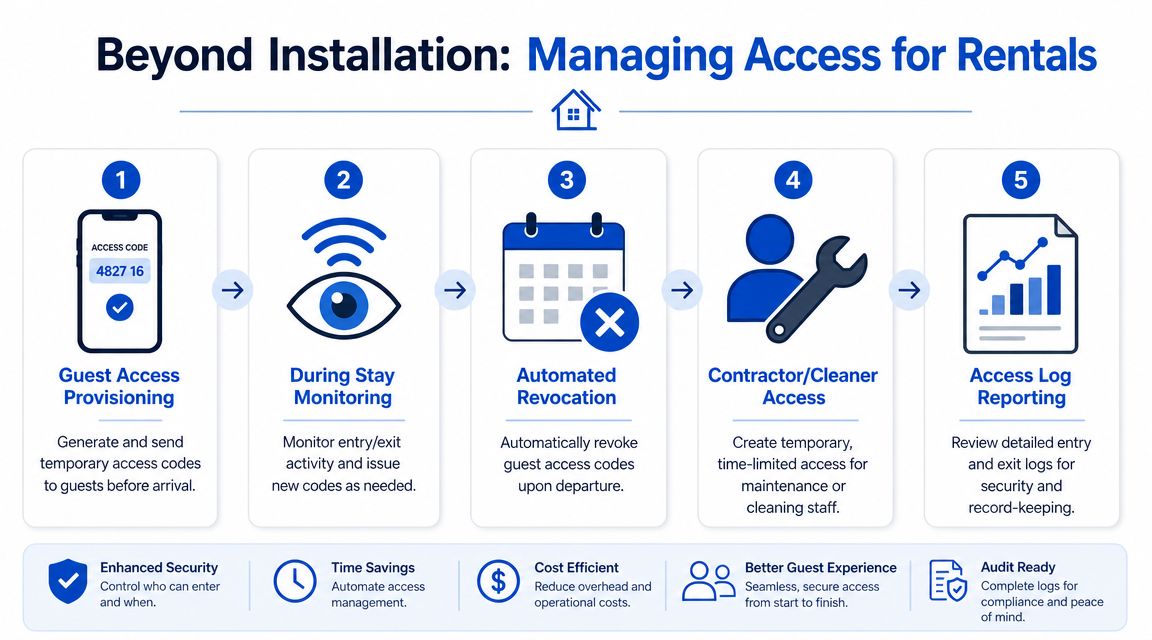
Turn one lock into a workable access system
Once the install is complete, set the property up for repeatable use.
Start with a post-install checklist:
- Change default admin credentials. Don't leave the first setup as the permanent setup.
- Create role-based access. Separate tenant access from cleaner or maintenance access.
- Use temporary codes where possible. Permanent shared codes tend to spread.
- Review activity visibility. Make sure someone on your team can check entry history when needed.
- Document the fallback method. Everyone should know the backup entry process.
What works in co-living and what usually fails
What works is simple policy. Each resident gets their own access credential. Staff access is time-limited. Old access gets removed as part of turnover, not “when someone remembers.”
What fails is shared-code culture. One universal code may feel easier, but it creates confusion, weak accountability, and messy transitions when someone moves out or a vendor changes.
A room-by-room rental also changes the access question. You may need one approach for the front entry, another for private bedrooms, and a separate process for service staff. That's why many operators eventually need more than a lock. They need a workflow.
In rentals, the value of a smart lock isn't the keypad. It's the ability to know who should have access right now, and to change that without driving to the property.
If you're planning your operating stack, this PadPulse article on smart lock setup is a useful next read for thinking beyond installation day.
A professionally installed lock is the foundation. The main benefit emerges after installation, when access becomes cleaner, faster, and easier to control across the whole property.
PadPulse is building an all-in-one platform for PadSplit hosts and co-living operators who want tighter control over pricing, communications, and property access. If you're standardizing smart locks across rooms or houses, join the PadPulse interest list to follow the upcoming platform and get updates on beta access, smart-home integrations, and tools designed for rent-by-the-room operations.