Portfolio Analysis Tool for PadSplit: A Host's Guide
October 7, 2026
You can feel it already if you run a room-by-room portfolio. One house looks busy, another has a few stubborn vacancies, and the utility bill for last month doesn't match what the rent roll made you expect. A portfolio analysis tool is what turns that mix of guesswork and scattered reports into one operating view, so you can see which rooms are carrying the portfolio and which ones are holding it back.
| Feature | Financial Visibility | Operational Efficiency |
|---|---|---|
| Property and room roll-up | Shows how each house and room contributes to the portfolio | Reduces the need to stitch reports together by hand |
| Revenue and expense tracking | Makes NOI and margin visible instead of hidden in spreadsheets | Keeps operating and one-time costs separated |
| Benchmarking | Compares each property to a market or peer group | Helps spot underpriced rooms and avoid false confidence |
| Scenario modeling | Shows the effect of pricing or cost changes before you act | Supports faster decisions on rent, occupancy, and upgrades |
| Integrations | Pulls in leasing, access, HVAC, and accounting data | Cuts manual entry and keeps numbers current |
Table of Contents
- What a Portfolio Analysis Tool Means for Co-Living
- Essential Features for Room-by-Room Operators
- Evaluating Tools for PadSplit Hosts
- Real-World Use Cases and Scenarios
- Why a Unified Platform Beats Spreadsheets
- Adoption Checklist for Selecting a Solution
What a Portfolio Analysis Tool Means for Co-Living
Modern portfolio analysis started in finance, where Harry Markowitz formalized the idea in his 1952 paper, “Portfolio Selection.” His framework used expected return, variance, covariance, and correlation to show that portfolio risk depends on how assets move together, not just on each asset by itself. That history still matters, because a portfolio analysis tool for co-living uses the same logic, but applies it to properties, rooms, leases, revenue, and expenses instead of stocks and bonds, as outlined in the portfolio diversification framework here.
From asset allocation to room-level contribution
For a host, the key question isn't which stock to buy. It's which room type, property, or operating change improves Net Operating Income. A useful tool rolls up the data at multiple levels, so you can see property performance, room performance, and portfolio performance in the same place.
That matters because occupancy alone can fool you. A house can be full and still underperform if pricing is weak, utilities are high, or turn costs are eating the margin. A good portfolio view makes the true contribution margin visible, so you can compare houses on the same basis instead of judging them by raw revenue.
Practical rule: if a metric doesn't separate operating performance from financing and one-time capital costs, it's not giving you a clean operating picture.
The right workflow usually starts with clean inputs, then moves to roll-ups, then to comparison. PadPulse is built around that kind of structure, with portfolio-level analytics and historical data imported through an API, so the tool can track a whole house or an entire portfolio without making you rebuild the numbers every month.
Why this is different from securities tracking
Traditional portfolio software is built to evaluate holdings, benchmark returns, and risk. For co-living, the harder problem is operational. You need to know whether vacancy is a pricing issue, a marketing issue, or an execution issue.
That's why a portfolio analysis tool for shared housing should surface occupancy, revenue, expense, and property-level contribution together. The point isn't to admire data, it's to make a move on it. Once you can see how each room affects NOI, you stop managing houses as isolated assets and start managing them like one operating portfolio.
For a deeper look at how performance tracking fits into that workflow, the companion guide on portfolio performance tracking is worth reading.
Essential Features for Room-by-Room Operators
A serious co-living operator needs more than a pretty dashboard. The software has to answer practical questions fast: Which property is healthy, which room type is underpriced, where is expense creep coming from, and what happens if you change rent or occupancy targets. That's why the strongest platforms combine aggregation, roll-ups, benchmarking, and forecasting instead of treating each function as a separate report.
What matters most and why
The first layer is aggregation. If the tool can't pull property, room, lease, revenue, and expense records into one structure, you'll keep exporting files and reconciling numbers by hand. That creates delays, and delays create bad decisions.
The second layer is P&L roll-ups. A host doesn't manage one spreadsheet per house, they manage a portfolio. The software should let you see property-level results, operator-level totals, and portfolio-level performance without breaking the accounting logic.
The third layer is benchmarking. A room that looks expensive in isolation might be cheap relative to nearby supply, while another room may look full but still underperform because utilities or turn costs are too high. A benchmark gives you context, and context is what stops you from making rent decisions in a vacuum.
Here's the basic trade-off:
- Aggregation gives you visibility across houses, but only if the input structure is consistent.
- Roll-ups make the portfolio readable, but only if the software separates operating costs from capital spending.
- Benchmarking adds market context, but only if the comparisons are relevant.
- Forecasting helps you act, but only if the assumptions are visible and editable.
For a practical feature checklist, the guide on property management software features fits well beside this decision.
Comparison table for operator priorities
| Feature | Financial Visibility | Operational Efficiency |
|---|---|---|
| Aggregation | Connects rent, expense, and occupancy data in one view | Prevents double entry and inconsistent reporting |
| P&L roll-ups | Shows margin by room, property, and portfolio | Makes it easier to compare houses without rebuilding files |
| Benchmarking | Reveals underpricing, overpricing, and cost outliers | Focuses attention on the properties that need action |
| Forecasting | Shows likely NOI impact before you change pricing or spend | Helps test decisions without waiting for a full month-end close |
| Integrations | Brings in leases, access, HVAC, and accounting data | Reduces manual reconciliation and keeps reports current |
A platform wins when it makes the next decision obvious, not when it produces the longest report.
The best tools also preserve traceability. If a number changed, you should be able to see why. That means the software has to store the calculation logic, the input dates, and the mappings used for each report. Without that, the dashboard looks polished but you can't trust it when the stakes are real.
Evaluating Tools for PadSplit Hosts
A room sits empty for three weeks, utility bills rise, and the property dashboard still shows a healthy monthly rent roll. That is the test for a portfolio analysis tool. It should separate market-driven vacancy from execution-driven vacancy, then connect both to the operating costs that affect NOI. A soft local market calls for different action than a weak listing, an overpriced room, or a slow turnover process.

Benchmarking that helps you decide
Start with the comparison set. The tool should compare a room or house with nearby or similar properties, not a broad market average that hides differences in size, condition, furnishing, and included utilities. HUD's Fair Market Rent methodology provides a useful reference because it defines FMRs as estimates of the 40th-percentile gross rent for standard-quality rental units. Gross rent includes shelter rent and most tenant-paid utilities, but excludes telephone, cable or satellite television, and internet costs HUD FMR methodology.
That distinction matters in shared housing. A room with utilities included can have a higher effective cost than its advertised rent suggests. Your software should show rent, utility allocation, and vacancy together, so the comparison reflects what the resident pays and what the operator keeps.
Benchmark quality matters as much as benchmark selection. The same HUD methodology requires statistical checks before ACS data is used as a direct base-rent input, including a margin of error below 50% of the estimate and at least 100 survey cases. If the underlying comparison is weak, a precise-looking recommendation can still send you toward the wrong price.
Scenario modeling and smart-home data
A useful platform lets you test an operating decision before making it. Model a rent increase, a utility cost change, a vacancy shift, or a smart-home upgrade, then review the likely effect on occupancy and NOI. The model should show the assumptions behind the result, including the expected vacancy response and the period used for utility costs.
Smart-home data belongs in that analysis when energy costs vary materially by house. Research summarized by the American Council for an Energy-Efficient Economy found that Nest thermostat users experienced an average 16.1% reduction in electricity use for cooling ACEEE summary. That result will not transfer automatically to every property. Use it as a reference point, then compare the expected savings with installation costs, resident behavior, and the time needed to recover the investment.
If the tool cannot show assumptions, confidence ranges, and the source of each input, it asks you to trust a result you cannot properly evaluate.
What to test before you buy
Run the same sample property through every product demo. Use a house with one vacant room, uneven utility usage, and a recent repair so the system has to handle real operating conditions.
- Benchmark quality: Ask how local data is selected and how comparable properties are defined.
- Scenario output: Check whether the tool shows incremental NOI, occupancy effects, and downside cases.
- Smart-home integration: Confirm that HVAC or access data can be connected where it affects your workflow.
- Vacancy diagnosis: Look for a clear separation between market pressure and operator execution.
- Audit trail: Require inputs, assumptions, calculation dates, and timestamps, not only a final recommendation.
Choose a decision tool, not another report library. If the platform cannot explain why vacancy, utilities, or NOI changed, it will not help you manage room-by-room operations when conditions shift.
Real-World Use Cases and Scenarios
A room stays vacant, utility bills rise, and a repair pushes one house's costs above plan. Those decisions rarely wait for month-end reporting. A portfolio analysis tool earns its keep by connecting room-level vacancy, utilities, pricing, and operating choices, then showing which action is most likely to improve the result.
Pricing a room without guessing
A vacant room often triggers an immediate rent cut. That may fill it faster, but it can also reduce revenue unnecessarily if the issue is listing quality, timing, or a weak comparison set. The tool should compare the room's all-in cost with relevant local benchmarks and model how a modest price change could affect occupancy and NOI.
HUD's FY 2026 methodology illustrates the value of visible pricing inputs. It starts with a statistically reliable base rent, applies a recent-mover adjustment, updates for inflation, applies a forward trend factor, and checks the result against minimums and prior-year constraints FY 2026 FMR methodology. For a co-living operator, the practical lesson is clear. Pricing should show its assumptions and adjustments instead of presenting one unexplained number.
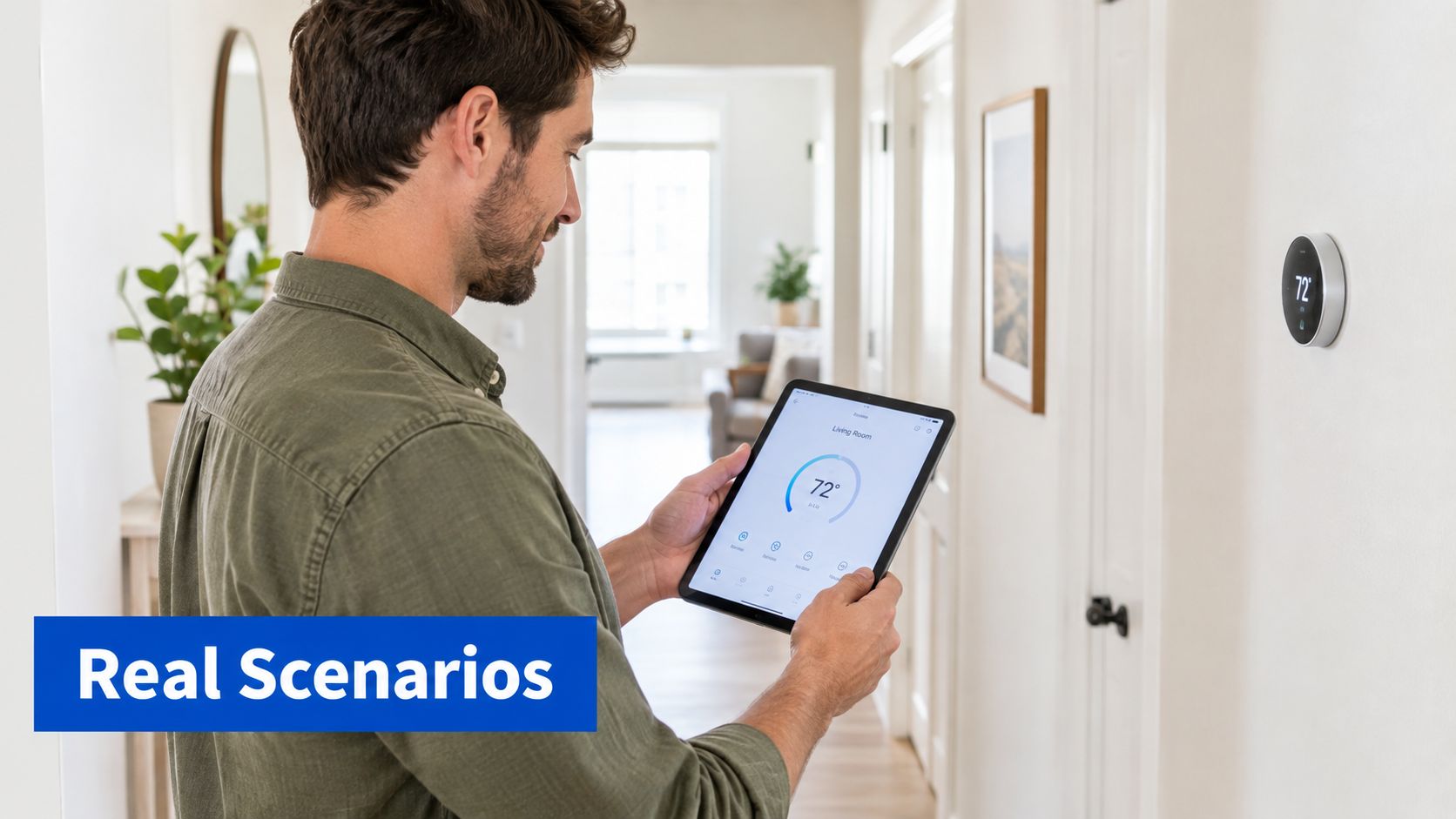
Deciding whether to add smart thermostats
High HVAC costs can make smart thermostats look like an obvious purchase. The decision requires a property-by-property comparison of usage before and after installation, while accounting for occupancy, maintenance, and resident behavior. The ACEEE cooling-reduction benchmark cited earlier gives you a concrete anchor for the decision. Your portfolio tool should show whether actual properties are moving in that direction.
A useful dashboard connects utility savings with operating outcomes. Lower consumption alone does not prove that the installation improved NOI. If the change also supports resident comfort, reduces service calls, or limits cost volatility, those effects belong in the investment review.
Identifying the houses that need attention
The problem may sit at house level rather than room level. One property can produce strong revenue but weak NOI because repairs are frequent or utilities are uncontrolled. Another may appear average until comparison with similar homes reveals that one bedroom type consistently underperforms.
A portfolio tool should bring those patterns into view quickly. Review portfolio contribution margins, property-level variance, and rolling 3-, 6-, and 12-month windows. A strong month should not hide a gradual decline in occupancy, rising utility costs, or repeated repair expense.
That analysis supports management by exception. Instead of reviewing every house with the same intensity, focus operating time on properties where vacancy, utilities, or margins have moved outside the expected range. This turns room-by-room operating gaps into specific actions, such as revising a listing, checking HVAC settings, or investigating a recurring repair.
Why a Unified Platform Beats Spreadsheets
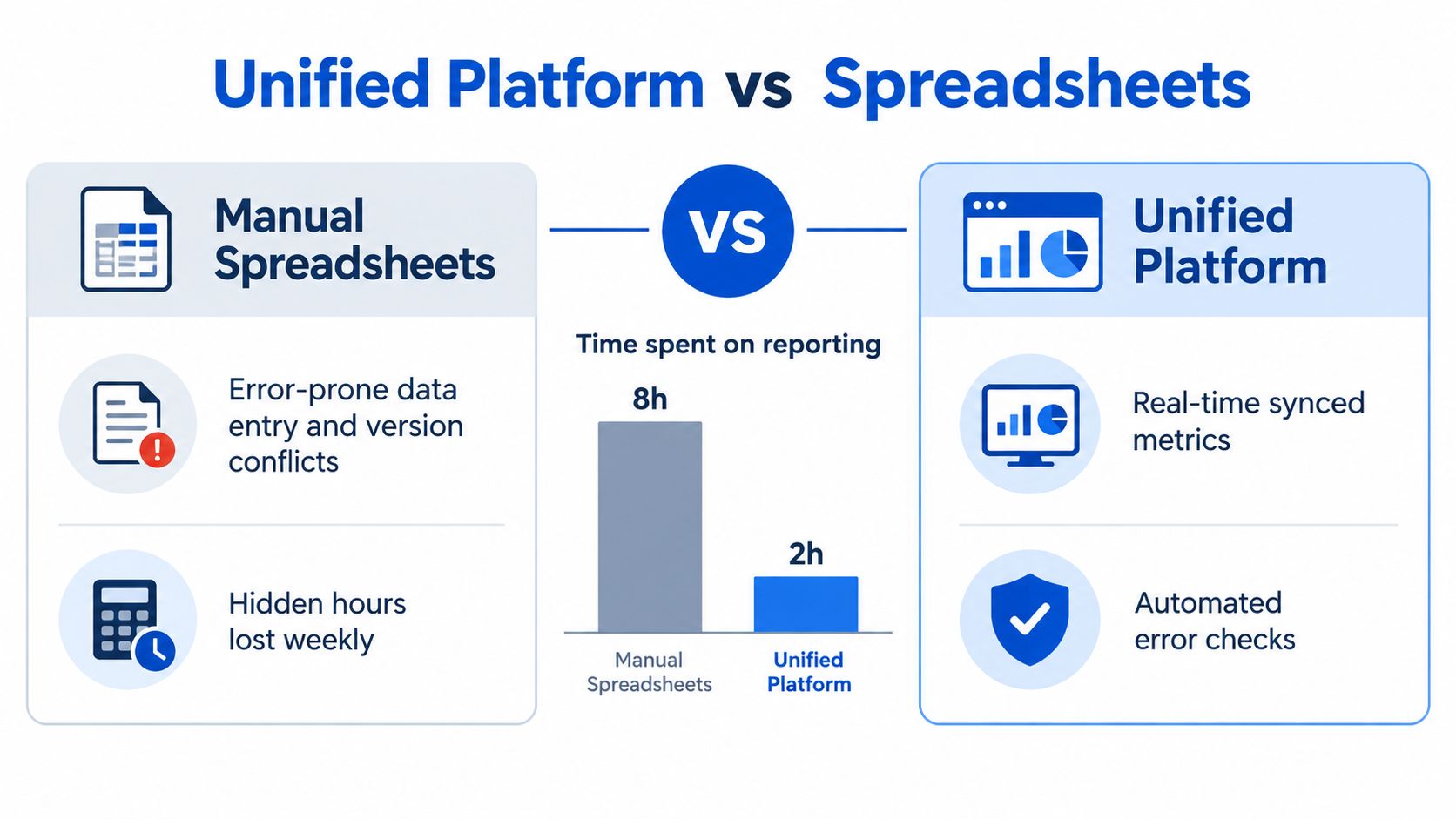
Spreadsheets still have a place, but they stop being efficient the moment several people touch the same file, or the moment you need a clean roll-up from multiple houses. Manual entry creates version conflicts, and every extra copy increases the chance that one missed formula will distort the whole report. A unified platform removes that friction by keeping the same data structure across pricing, occupancy, expenses, and reporting.
What spreadsheets do well, and where they break
A spreadsheet is fine for a one-off question. It's useful for a quick estimate, and it can be flexible when you're testing an idea. The problem is that co-living operations don't stay one-off for long.
Once you're tracking multiple properties, manual files become fragile. One version might have current rents, another might have updated utility costs, and a third might still be using last month's occupancy. You can spend an hour finding the right tab and still end up with the wrong answer.
A unified system is stronger because it centralizes the working data. That means fewer duplicate entries, fewer broken formulas, and less time spent reconciling the same number in multiple places. It also gives you a consistent definition for NOI, occupancy, and contribution margin, which matters more than many realize.
Why data hygiene becomes a competitive edge
Good analysis depends on clean inputs. If the rent roll, expense records, and occupancy data don't line up, the reporting will always lag reality. A platform built around a single source of truth makes it easier to audit changes and easier to trust the result when you're making pricing or spend decisions.
The reporting stack in what property management software does is a good reference point here, because the value isn't just convenience. It's faster decisions with less correction work later.
The operator who sees the portfolio in one place usually reacts earlier, and earlier decisions are cheaper decisions.
PadPulse is one option in this category. It's being built as an all-in-one platform for PadSplit hosts and co-living operators, with portfolio analytics, pricing workflows, and operational visibility in one place. That kind of setup matters because the cost of scattered spreadsheets isn't software, it's delayed action.
Adoption Checklist for Selecting a Solution
Start with the data flow. If the platform can't accept clean property, room, lease, revenue, and expense records, it won't give you a reliable portfolio view. Ask how it handles historical imports, how often data updates, and whether it keeps immutable snapshots for prior periods.
Next, test the reporting logic. You want to see whether the system separates operating performance from one-time capital spend, and whether it can roll results up by room, property, and portfolio without manual fixes. If the vendor can't show that clearly in a demo, the monthly close will be painful later.
Then look at scenario support. A solid tool should let you model pricing changes, utility shifts, occupancy assumptions, and upgrade costs. The output should be understandable enough that you can explain it to a partner or a property manager without translating the report first.
Use this short checklist before you commit:
- Verify integration fit. Make sure the platform can connect to the systems you already use, especially leasing, accounting, access control, and HVAC where relevant.
- Check benchmark logic. Confirm the comparison set is relevant to your market and property type, not just a generic average.
- Review scenario modeling. Ask for a live example showing how a price or cost change flows through to NOI.
- Inspect auditability. The system should show inputs, assumptions, timestamps, and calculation settings.
- Confirm scale. It should still work cleanly when you add more houses, more rooms, or more operators.
- Test reporting clarity. If you can't explain the output in one conversation, the platform is too opaque.
The right choice won't just report what happened. It will help you decide what to do next, and it will do that without forcing you back into spreadsheet cleanup every week.
If you're comparing tools for your own co-living portfolio, look for one that keeps pricing, occupancy, expenses, and reporting in the same workflow. PadPulse is built to do exactly that for room-by-room operators, and you can follow the product as it develops on PadPulse.