Photo Documentation Software for Co-Living Operators
June 20, 2026
A member moves out on Sunday. Your cleaner walks the room on Monday and finds a long gouge in the floor by the bed. You charge for the repair, and by Tuesday you're in a message thread that goes nowhere fast.
The former member says the damage was already there. Your team finds one old photo on someone's phone. It's blurry, angled badly, and mixed into a camera roll full of grocery receipts, family pictures, and random maintenance shots. Nobody can say with confidence when it was taken or whether it shows the same spot.
That's the daily reality in co-living. Room-by-room rentals create more handoffs, more inspections, more shared-space wear, and more chances for disagreement. If you manage a house with private rooms plus common kitchens, hallways, and bathrooms, loose photo habits stop working very quickly.
Photo documentation software stops being a nice extra and becomes part of operations. Used properly, it gives you a clean record of room condition, shared-space condition, maintenance history, and turnover status. That saves admin time, shortens back-and-forth with members, and gives your team a better basis for deposit decisions, vendor follow-up, and compliance records.
The Move-Out Dispute You Can Finally Win
The hardest disputes in co-living usually aren't dramatic. They're small, repetitive, and expensive because they waste staff time.
A scratched floor in one bedroom. A broken closet door. A stained mattress protector. Scuffs in the hallway outside a room where three different members have rotated through over the year. Each issue on its own looks manageable. Together, they create friction across every turnover.
What usually goes wrong
Most operators already take photos. The problem is that they don't have a system.
A common pattern looks like this:
- Move-in photos live on one person's phone.
- Move-out photos go into a shared drive with weak naming.
- Maintenance photos sit inside text threads or email chains.
- Nobody can quickly compare room condition across dates.
When a dispute starts, the team scrambles. They search by memory instead of by property, room, and inspection type. That's slow, and it weakens your position.
If your evidence takes longer to find than the dispute takes to argue about, your process is broken.
In co-living, that weakness shows up more often because you're not just managing one household turnover at a time. You're managing constant mini-turnovers inside the same building.
Why a random photo isn't enough
A single image without context doesn't help much. If the date is unclear, the angle is inconsistent, or the room isn't obviously identifiable, the photo becomes an opinion rather than a record.
Good operators fix this by treating inspection photos like operations data, not casual snapshots. Every image needs a place in the workflow, just like a signed agreement or a completed checklist. That's also why standardized turnover processes matter. If your inspections still feel improvised, tightening your property management checklists will usually expose where photo records are failing.
The practical win is simple. When a member disputes a deduction, your team should be able to open one record, pull the move-in set, pull the move-out set, and compare the same area from a consistent angle. That changes the conversation from argument to evidence.
What Is Photo Documentation Software
At its best, photo documentation software is not just a place to store pictures. It's a system for turning photos into a structured business record.
Modern tools became a mainstream field workflow because they attach metadata such as timestamps and geolocation to images, which turns those images into a structured audit trail with centralized access, as described in this overview of photo documentation workflows. That's the core shift. The value isn't the photo alone. It's the combination of image, time, place, and organization.
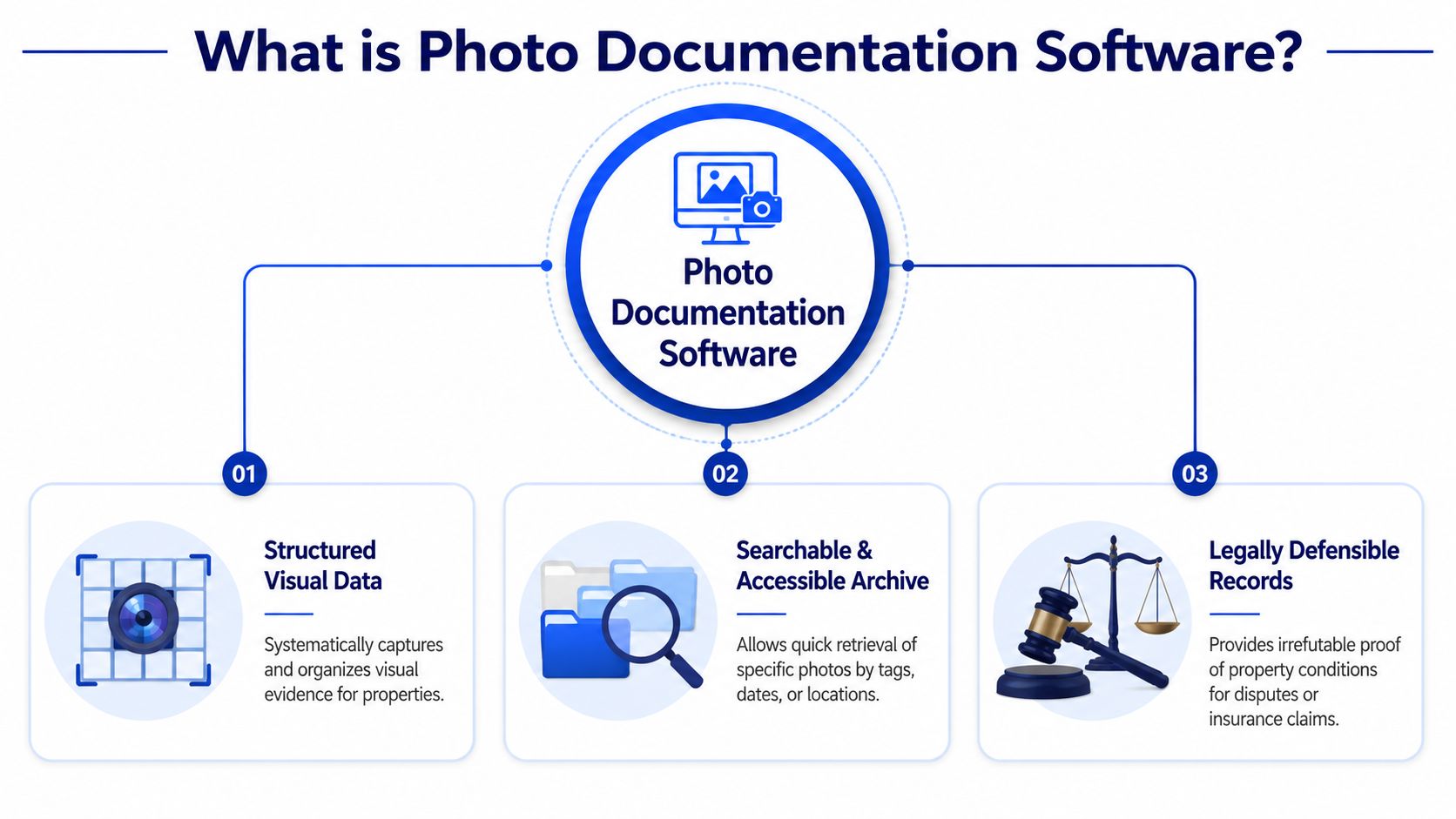
It's closer to an inspection ledger than a photo album
A camera roll is a shoebox full of receipts. You might have what you need in there, but finding it later is painful.
Photo documentation software works more like a ledger. It organizes images by property, unit, room, inspection type, or work order. In a co-living setup, that usually means records like:
- House-level records for exterior, hallway, kitchen, laundry, and living room
- Room-level records for each private bedroom
- Event-based records for move-in, routine inspection, maintenance, and move-out
- Issue-specific records for a leak, appliance problem, or damage claim
That structure matters because disputes rarely start with “Do you have a photo?” They start with “Can you prove the condition of this exact room before this exact member moved in?”
What makes the record useful
The strongest systems do a few things automatically.
- They capture metadata. The image has a time reference and often a location reference.
- They keep records centralized. Your cleaner, field manager, and back-office staff can retrieve the same file.
- They support sorting and search. You can find “Room 3 move-in” faster than scrolling through months of images.
- They connect photos to forms or reports. HybridForms, for example, is described as letting users take unlimited photos on site and automatically display them in the corresponding form with a timestamp and secure synchronization in the same Filio summary linked above.
For beginners, the easiest way to understand this is to stop thinking about “taking photos” and start thinking about creating verifiable records.
Practical rule: If a photo can't be tied to a room, a date, and a business event, it probably won't help you much when pressure hits.
That's why co-living operators should treat photo documentation software as risk management. It helps with disputes, but it also helps with routine turnover, owner reporting, maintenance oversight, and shared-space accountability.
Why Co-Living Operators Need This Software
Generic landlord advice usually assumes one tenant, one unit, and one move-out. Co-living doesn't work like that. You have a moving target of members, room assignments, shared amenities, and overlapping responsibility.
By 2024 to 2025, photo documentation software had matured into a defined category, with dedicated products and baseline expectations such as project-based organization, tags, labels, annotations, offline capture, and report generation, as noted in KnowHow's discussion of top photo documentation tools for 2025. That matters for co-living operators because the category now fits real operating needs instead of acting like a minor add-on.

Frequent room turnover creates constant risk
In a traditional rental, you might inspect once between long leases. In co-living, one room can change hands while the rest of the house stays occupied.
That creates two operational problems. First, staff must document private-room condition quickly and consistently. Second, they must separate room damage from general house wear.
A structured photo system helps because your team can document a single bedroom turnover without losing the context of the whole property. You're building a timeline, not just taking pictures for memory's sake.
Shared spaces create blurry accountability
Damage attribution becomes complex in co-living. The kitchen table wasn't broken during a full-unit move-out. It was damaged sometime during overlapping occupancy. The same goes for hallway walls, bathroom fixtures, refrigerator shelves, and entry doors.
Without a timeline of shared-space condition, staff often default to one of two bad choices:
- Charge no one, which leads to increased operating cost
- Charge the wrong person, which creates preventable disputes
A dated visual record won't solve every common-area issue, but it gives you a fairer starting point. If your team inspects kitchens, hallways, and bathrooms routinely, responsibility becomes easier to narrow down.
Compliance records are easier to maintain
Co-living properties need consistent proof that the building is being maintained. That includes habitability issues, recurring repairs, cleaning standards, and safety checks.
Photo documentation software helps with that because it turns recurring inspections into a retrievable record. When an insurance question, city issue, or legal challenge comes up, your team isn't rebuilding history from memory.
Here's what that usually looks like in practice:
- Before a move-in, staff documents bedroom condition and any visible marks in shared spaces nearby.
- During occupancy, maintenance photos show what was reported and what was fixed.
- During routine inspections, your team captures kitchens, bathrooms, hallways, and mechanical trouble spots.
- At move-out, the record supports a clean comparison instead of a debate.
The software doesn't eliminate conflict. It removes a lot of the ambiguity that causes it.
That's a major difference. In room-by-room operations, clarity is often more valuable than perfection.
Critical Features Every Landlord Should Demand
Not every photo tool is built for evidence. Some are just better galleries.
For co-living operators, the primary question isn't whether an app can store photos. The question is whether it can support consistent capture, controlled access, and a reliable audit trail when multiple staff members touch the same property.
Must-haves for operational use
The basics should be considered mandatory.
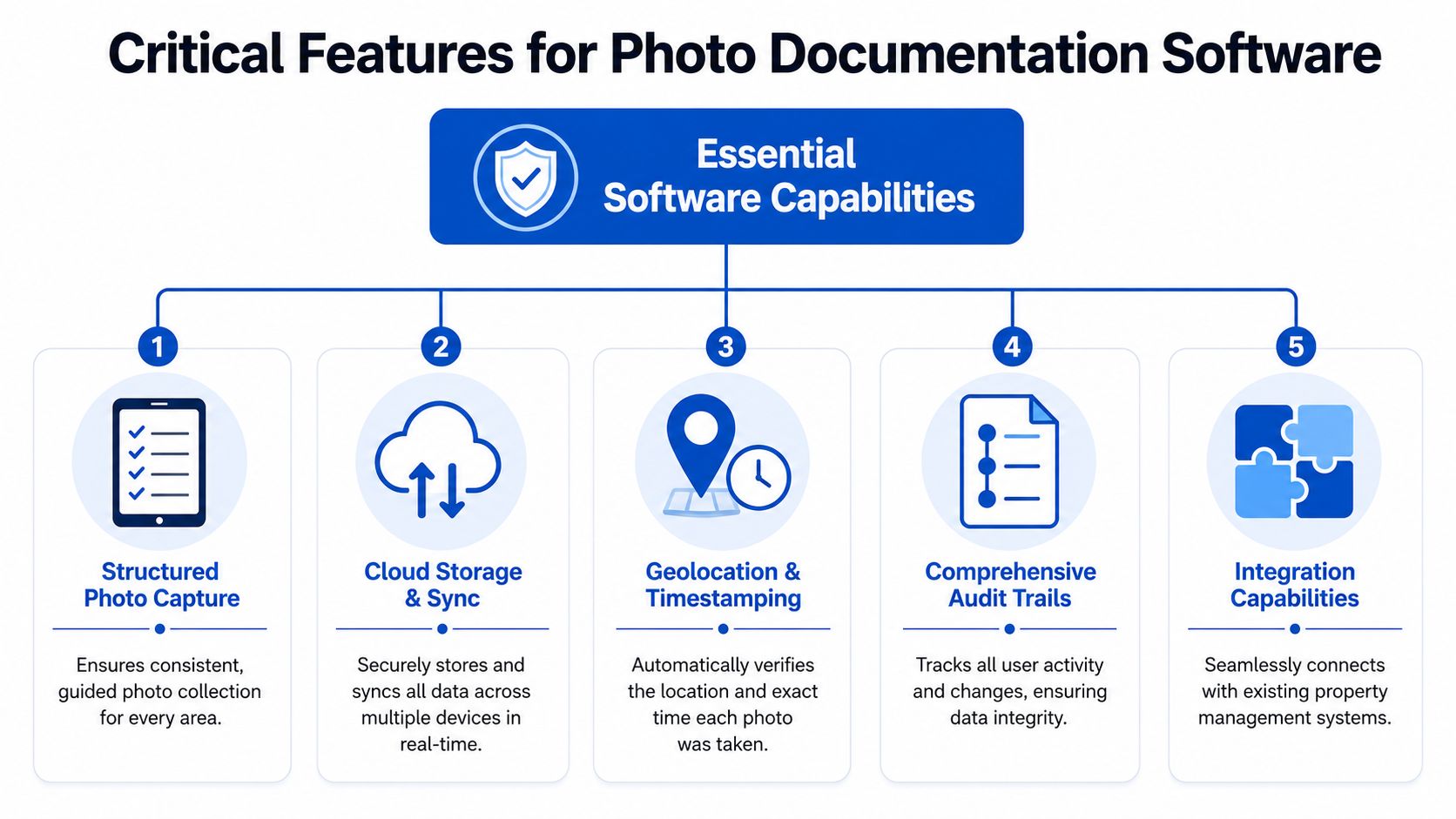
Timestamping and location data
These are part of what makes the record more credible. You want each image tied to when it was captured, and ideally where.Property and room-based organization
If your software can't separate “123 Oak, Room B, move-in” from “123 Oak, upstairs bath, quarterly inspection,” your team will fight the system.Annotations and notes
A photo of a chipped sink is helpful. A photo with a note saying “chip on right side of basin before move-in” is better.Report export
Managers, owners, members, and vendors often need a clean PDF or shareable report. Raw image folders are weak communication tools.Role-based permissions
Your cleaner may need capture access. Your regional manager may need review access. Not everyone should have the same rights to edit or delete records.
Evidentiary strength matters more than most buyers realize
Many operators commonly choose the wrong tool. They buy for convenience and later expect the photos to hold up in a dispute.
A clinical review of photodocumentation makes an important point. Defensible records depend on strict capture standards, including consistent camera distance, angle, and lighting, along with avoiding distortion and using a ruler correctly when relevant. It also notes that laterality is best established with a marker placed in the field at capture time, according to this review on evidentiary photo standards.
That source comes from a clinical setting, not landlord operations, but the lesson carries over cleanly. A disorganized app doesn't fix sloppy capture habits.
A photo is only as strong as the method used to capture it.
For landlords, that means your software should help enforce consistency. Templates, guided checklists, required photo fields, and room-by-room prompts all strengthen the record. If your team already uses digital forms, tying photos into service forms and operational workflows is one of the easiest ways to make inspections repeatable.
Nice-to-haves that become valuable fast
Some features sound optional until your portfolio grows.
| Feature | Why it matters in co-living |
|---|---|
| Offline capture | Basements, utility rooms, and older properties often have weak signal |
| Bulk upload with auto-sort | Helpful when turnover teams document many rooms in one day |
| Search by tag or issue type | Lets staff find “water damage,” “mattress,” or “hallway wall” records quickly |
| Side-by-side comparison views | Speeds up move-in versus move-out review |
| Integration with task systems | Connects damage evidence to repair follow-up |
What doesn't work well
Some setups look cheap at first and get expensive later.
- Generic cloud folders usually fail because naming discipline slips.
- Text message photos disappear into conversations and aren't searchable by property.
- Personal phone galleries create retrieval and privacy problems.
- Apps without audit history leave you guessing who changed what.
A strong tool should make the right process easier than the lazy one. If it doesn't, adoption will stall.
How to Choose the Right Vendor for Your Portfolio
The best vendor for a restoration company may not be the best vendor for a co-living operator. Your use case is narrower in some ways and messier in others. You need room-level speed, shared-space clarity, and simple adoption by staff who may not be tech-heavy.
Start with your operating model
Before you book demos, write down how your business runs.
Ask practical questions:
- Do you inspect by property or by room?
- How often do rooms turn over?
- Who takes the photos?
- Do you need owners or back-office staff to review reports?
- Will you use the tool mostly for disputes, maintenance, compliance, or all three?
Those answers shape the shortlist faster than feature marketing does.
A vendor that charges in a way that fits multifamily might become awkward for room-by-room rentals. If pricing grows sharply as you add users, rooms, or properties, the “affordable” option may stop being affordable once your portfolio expands.
Evaluate usability before feature depth
Operators often overbuy. They choose software with every advanced function, then discover the cleaner, handyman, or turnover lead won't use it correctly.
In practice, the winning tool is often the one your least technical team member can use on the first day with minimal supervision. That means:
- clear mobile capture
- easy room selection
- simple note entry
- obvious report generation
- minimal training burden
Support matters too. If your team gets stuck during move-out week, you need fast help and usable documentation, not a support portal that sends them in circles.
Vendor evaluation checklist
Use a simple scorecard during demos so you don't decide based on whoever gave the slickest presentation.
| Criteria | Vendor A | Vendor B | Notes |
|---|---|---|---|
| Room-by-room organization | |||
| Shared-space inspection support | |||
| Timestamps and location metadata | |||
| Checklists and templates | |||
| Annotations and notes | |||
| Audit trail visibility | |||
| Offline capture | |||
| PDF or report export | |||
| Permissions by role | |||
| Integrations with existing systems | |||
| Pricing fit for your portfolio | |||
| Ease of use for field staff | |||
| Onboarding and support quality | |||
| Data storage and security comfort level |
Don't ask vendors only what the software can do. Ask what your staff can do with it after one training session.
A good demo should include a mock room turnover, a shared-bath inspection, a maintenance issue, and a move-out comparison. If the vendor can't show those smoothly, keep looking.
Implementing a Photo Documentation Workflow
Software alone won't save you. The workflow does.
The most reliable co-living operators use the same sequence every time, whether the task is a move-in, a quarterly inspection, or a repair follow-up. Consistency is what turns photos into evidence rather than clutter.
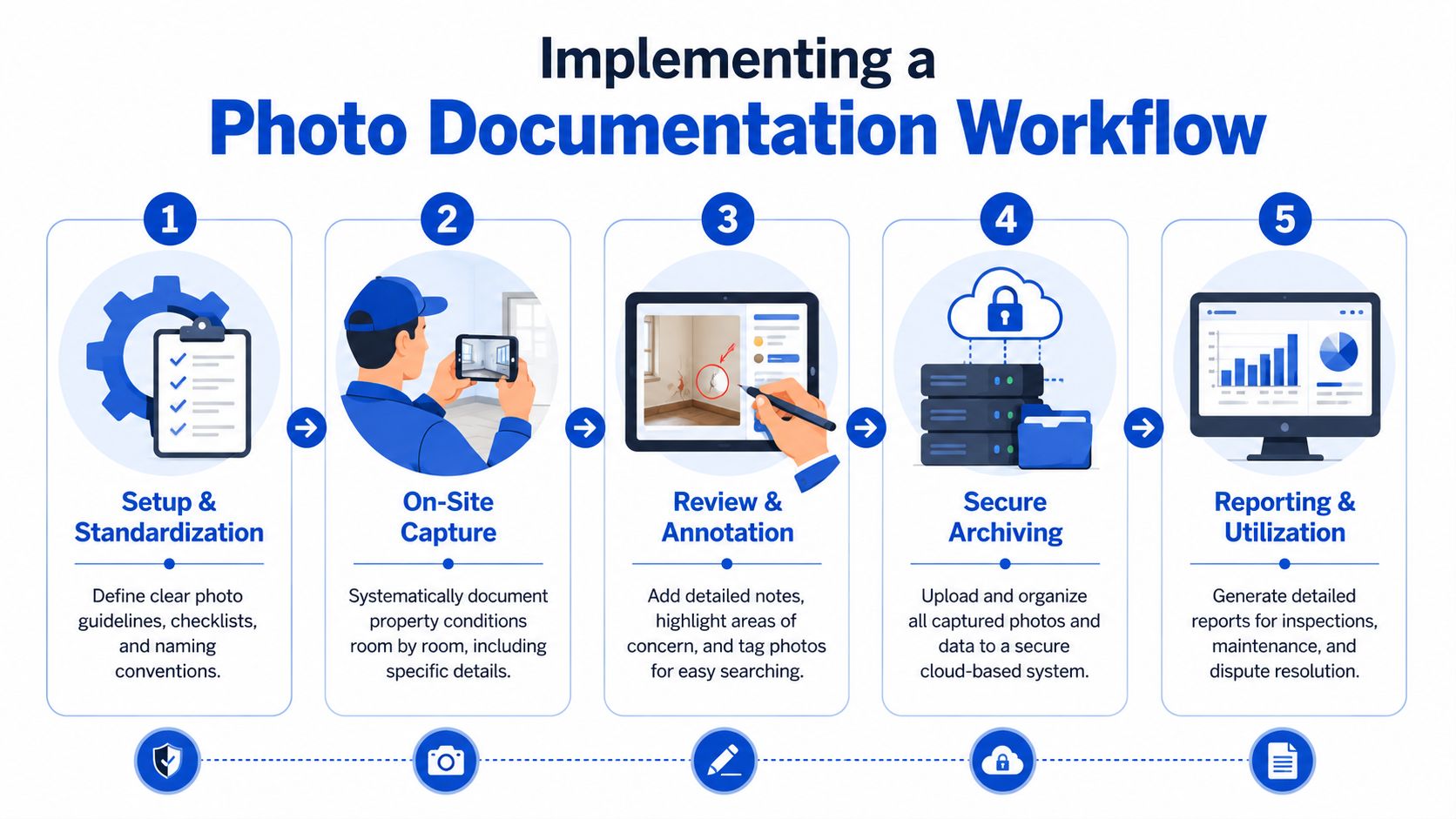
Move-in and room setup
Before a new member arrives, staff should document both the private room and the shared areas that member will use. That means the bedroom itself, plus nearby hallways, the assigned bathroom if relevant, and major kitchen or common-area surfaces.
The key is standardization. Capture the same views in the same order every time. Wide shot first. Then corners, flooring, walls, windows, closet, ceiling, fixtures, and any existing wear.
A simple move-in routine looks like this:
- Open the correct property and room record
- Use the move-in checklist
- Take the required wide and detail shots
- Add notes for pre-existing wear
- Save the record before handing over access
That process protects both sides. The member can see what was documented at handoff, and your team has a stable baseline for later comparison.
Routine inspections and maintenance
Routine inspections matter more in co-living because common areas age faster under shared use. Kitchens, bathrooms, laundry rooms, and hallways usually need a regular photo trail, even when nothing dramatic is wrong.
This is also where integration starts to matter. CompanyCam points out a gap in much market coverage. True value comes when photos connect to operational workflows such as punch lists, drawings, and other work systems, rather than sitting in a nicer archive, as discussed in its guidance on what to look for in construction photo documentation software.
That idea applies directly to co-living. If a hallway wall gets scuffed, the photo should link to the repair task. If a bathroom leak appears during inspection, the image should travel with the maintenance workflow, not vanish into a gallery. Teams trying to automate document workflow get the most value when inspection records, issue tracking, and repair follow-up live in the same operational path.
Good documentation doesn't stop at capture. It stays attached to the work that follows.
Move-out and deposit review
Move-out is where the system earns trust.
When the member leaves, staff should repeat the same capture sequence used at move-in. Same room. Same angles. Same order. Then review the two records side by side.
This makes deposit decisions more defensible because your team can separate:
- Normal wear
- New damage
- Older issues already noted at move-in
- Shared-space wear that shouldn't be assigned to one room by default
A reliable move-out process usually includes these steps:
- Complete the room checklist before any cleaning starts
- Photograph common areas the member regularly used
- Annotate anything that appears new or worsened
- Compare against the move-in record
- Export a clean report if a deduction is necessary
That creates a much calmer internal workflow. Staff spend less time debating memory and more time reviewing the actual record.
Maximizing ROI and Driving Team Adoption
The return on photo documentation software doesn't come from one dramatic legal win. It comes from dozens of smaller operational improvements that stack up across the portfolio.
You save time during turnovers because staff don't have to hunt for old images. You cut down on repetitive messages because everyone can access the same record. You make maintenance triage faster because the issue is visible before someone drives out. And when disputes happen, your team can answer with documentation instead of delay.
Adoption starts with one workflow
If you try to roll out everything at once, staff will treat the tool like extra admin.
Start with the workflow where pain is clearest. For most co-living operators, that's move-out inspections. Once the team gets used to room-based capture and report retrieval, expand into move-in, routine inspections, and maintenance tickets.
A rollout that works usually has a few characteristics:
- One simple standard for how photos are taken
- Short training focused on the exact tasks staff perform
- Clear ownership so someone checks compliance
- Fast review loops when a record is incomplete or sloppy
Make field use frictionless
Field staff won't adopt a system that fights them. One of the strongest technical requirements is offline-first capture with automatic synchronization, which allows continuous on-site documentation even without connectivity and then syncs photos and reports when signal returns, as described in this explanation of offline-first photo documentation workflows.
That matters in co-living more than many operators expect. Utility rooms, older buildings, basements, and stairwells often have weak service. If the app fails in those spots, the workflow breaks.
The real ROI is operational calm
The software pays off when your team trusts the record.
Signs you're getting value include:
- Fewer arguments over room condition
- Faster turnover decisions
- Cleaner maintenance handoffs
- Better shared-space accountability
- Less manager time spent reconstructing history
What drives all of that isn't the app alone. It's consistency. The same rooms, the same angles, the same checklist logic, every time.
Teams don't need a perfect record. They need a complete and repeatable one.
For co-living operators, that's the difference between a business that reacts to disputes and one that prevents most of them before they spread.
PadPulse is building an all-in-one platform for PadSplit hosts and co-living operators who want tighter control over room-by-room operations, communications, access, and reporting. If you want updates on the upcoming platform and early access opportunities, join the PadPulse interest list.