10 Best Tenant Communication Tools for Hosts in 2026
July 16, 2026
It is 7:12 a.m. A PadSplit prospect has replied to last night's showing message. One member needs a lock code reset before work. Another is asking whether the upstairs bathroom will be cleaned today. A vendor texts for access. By 8:00, the core problem is clear. It is not message volume alone. It is channel sprawl across PadSplit Messenger, SMS, email, and smart lock alerts, all tied to rooms, not just properties.
That is why co-living operators need a different standard than a typical apartment portfolio. In room-by-room housing, one issue can involve a current member, a prospect, a cleaner, and a house lead at the same time. If your system is built around one lease and one household, communication starts breaking the moment you add shared kitchens, staggered move-ins, or house-level maintenance.
The cost shows up in operations fast. Missed updates create repeat questions. Repeat questions slow leasing and maintenance. Then the avoidable problems arrive: frustrated members, weaker reviews, longer vacancy turns, and staff time spent piecing together what happened from scattered threads.
Good communication tools fix more than inbox clutter. They help co-living and PadSplit hosts keep a record by room, route the right message to the right person, and automate the repetitive parts without losing context. AI can help with high-volume inquiry handling, but only if the tool also respects the way shared homes run, including member messaging, smart lock workflows, and turnover coordination.
This guide focuses on that narrower use case. These are not generic property management platforms picked for broad feature lists. They are the tenant communication tools worth examining if you manage shared homes, run PadSplit inventory, or need one system that can keep prospect outreach, member support, and house operations from turning into a daily text chase.
1. PadPulse
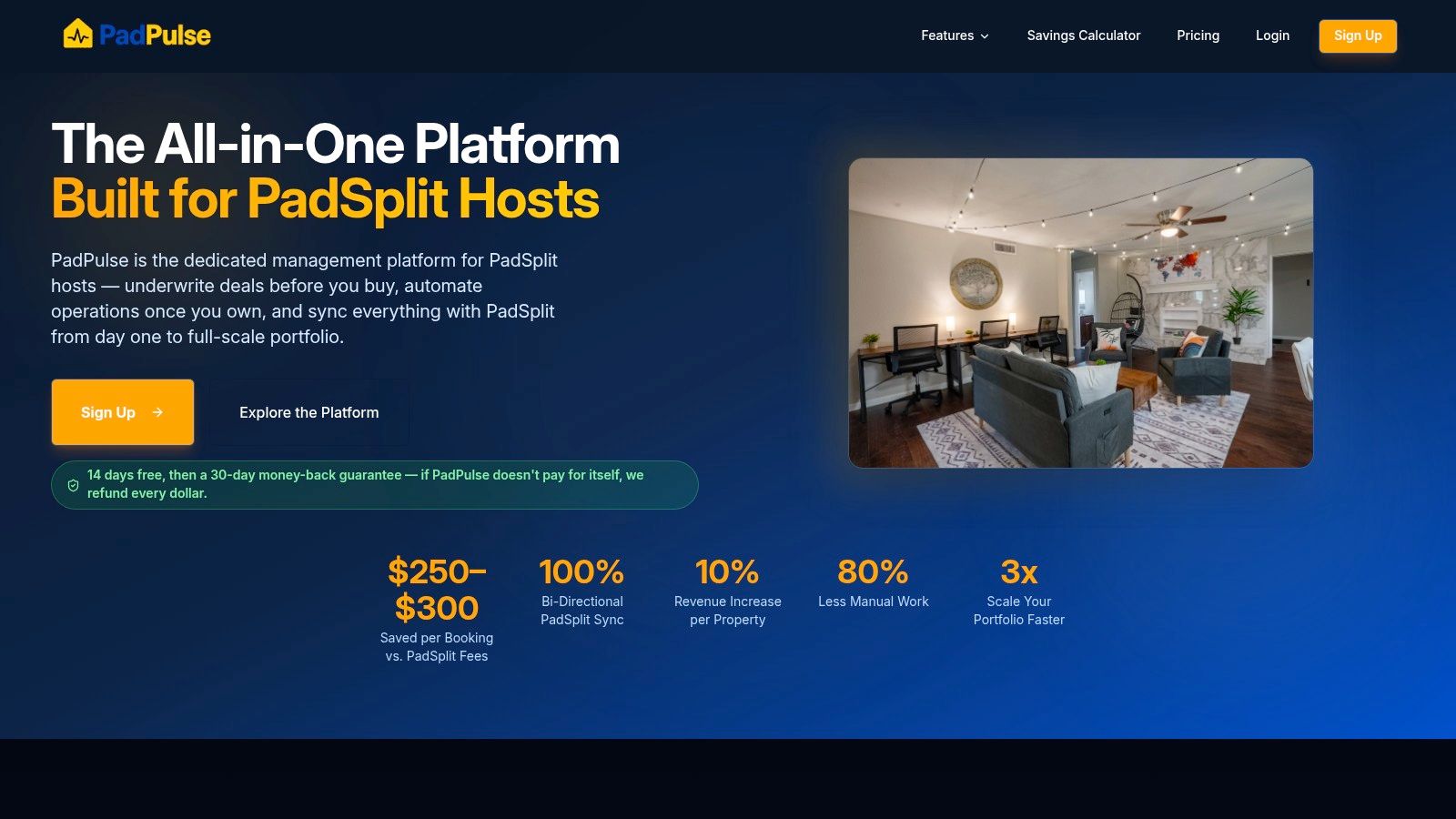
A prospect is asking about a room, one member is locked out, and a cleaner needs access for a same-day turn. In a standard property management system, those conversations usually end up split across text threads, email, and a resident portal that was built for one lease per unit. PadPulse is more relevant for co-living because it is set up around rooms, shared homes, and PadSplit workflows from the start.
That distinction matters in day-to-day operations. In shared housing, communication has to follow the room, the member, and the house issue at the same time. If the platform only understands a unit-level resident record, your team still has to sort out who should get what message and when.
Why it fits room-by-room operations
PadPulse brings SMS and PadSplit Messenger into one inbox, which solves a very practical problem for hosts handling high inquiry volume and active member support at the same time. It also keeps pricing, vendor coordination, reporting, and smart device controls close to the communication layer, so staff are not constantly switching tools just to answer a simple question.
That setup is especially useful for operators managing PadSplit inventory. If rates change, a room turns, or a new member is moving in, the communication history stays closer to the operational record. For room-by-room housing, that usually matters more than having the longest feature list.
Practical rule: If a tool cannot route messages by room, member, and house issue, it will look organized in the demo and get messy in live operations.
AI messaging is part of the appeal here, but the key test is whether it reduces repetitive work without stripping out context. For co-living teams, automated responses can help with first-touch inquiries, scheduling updates, and common move-in questions. The value drops fast if staff still have to manually reconcile those messages with PadSplit activity or house access events. PadPulse appears designed to reduce that handoff problem.
Smart lock and smart thermostat compatibility also make more sense in this product than in a generic communications tool. In shared homes, access and HVAC are often part of resident communication, not separate admin tasks. A lock code issue at 9 p.m. is a communication issue and an operations issue.
Where PadPulse works well, and where to pressure-test it
The strongest case for PadPulse is a host or operator with real room-by-room complexity. If the portfolio runs on PadSplit, has frequent turns, or depends on smart lock workflows, a specialized system can save a lot of admin cleanup.
There are still trade-offs.
- Best fit: Co-living operators and PadSplit hosts who need communication tied to rooms, members, pricing, and house operations
- Less ideal fit: Small landlords with a simple unit-based portfolio and low message volume
- Operational change required: Teams coming from texts, spreadsheets, and scattered apps need clear process discipline for the platform to pay off
- Product maturity check: Some advanced capabilities are tied to the roadmap, so operators should confirm what is live today before building workflows around it
This is also the section where bias can creep in, so it is worth being direct about the limitation. PadPulse is the product publishing this article, and readers should judge it on fit, not on brand claims. For the narrow use case of co-living and PadSplit management, the product appears more purpose-built than broad property management systems. That does not automatically make it the best choice for every portfolio. It does make it one of the few tools on this list that seems designed around the realities of room-by-room communication instead of adapting unit-based software after the fact.
PadPulse is worth a close look if your biggest communication problems start at the room level, not the property level.
2. AppFolio Property Manager
AppFolio Property Manager makes the most sense when communication needs to stay attached to the work itself. In a shared house, that matters fast. A resident reports a clogged shower drain, another asks whether the vendor is still coming, and a third says no one gave notice before entry. If those updates live across texts, email, and a separate maintenance app, your team wastes time piecing together what happened.
AppFolio is good at keeping that record in one place. Messages, maintenance history, resident details, tasks, and accounting all sit inside the same system. For operators managing room-by-room issues inside larger house operations, that creates a cleaner paper trail than a stand-alone inbox.
The practical advantage is accountability. Teams can see who responded, what was promised, and whether the work order moved. That is useful in co-living, where one house issue often affects several residents at once and communication can get messy quickly.
AppFolio also offers AI-assisted drafting through Realm-X and resident communication tools through its portal and workflows. That can help teams handling high inquiry volume, but a crucial point for co-living hosts is not whether AI exists. It is whether the messaging logic matches room-by-room operations. AppFolio handles standard property workflows well. It is less suited to PadSplit-style membership models, frequent room turns, or house-specific coordination like access code changes and roommate notice timing.
That distinction matters.
If your operation already runs on conventional leasing, centralized maintenance, and formal process steps, AppFolio can be a strong fit. If your team is juggling room-level occupancy changes, smart lock updates, and a steady stream of resident questions across shared spaces, some of that workflow may need workarounds or outside tools.
Where AppFolio fits best for co-living teams
AppFolio is easiest to justify for operators who want one operating system, not just a messaging tool. Communication is strongest when it supports leasing, maintenance, accounting, and compliance in the same place.
For room-by-room management, I would look closely at these points before committing:
- Works well for: Operators who want resident communication tied directly to maintenance, tasks, and financial records.
- Less ideal for: Smaller co-living hosts who mainly need fast messaging, flexible room-level workflows, or PadSplit-specific operational support.
- Check before you sign: API access, smart lock integrations, resident messaging channels, quote-based pricing, and how much setup your team can realistically absorb.
The trade-off is weight. AppFolio is not lightweight, and it usually makes more sense once the portfolio is large enough to benefit from process control. For smaller shared housing operators, that can feel like buying a full back office system when the immediate problem is keeping resident communication organized.
3. Buildium
Buildium has been a common stepping-stone platform for operators who want more structure without jumping straight into enterprise software. That's still its main appeal. The communication tools are approachable, and the published pricing is easier to evaluate than quote-only competitors.
For co-living hosts, Buildium can work if your communication needs are solid but not highly specialized. The Resident Center supports announcements, texts, emails, and maintenance back-and-forth. That covers a lot of day-to-day traffic.
Where Buildium is practical
Buildium is usually easiest to recommend when a team needs a cleaner communication record but doesn't need deep room-level logic. If you're managing several small houses and want residents to submit issues, receive updates, and keep documents in one place, it can do the job without a long implementation cycle.
Its higher tiers also add more automation and AI assistance, plus API access on premium plans. That gives growing operators some room to expand without switching immediately.
What it doesn't solve as cleanly is the nuance of roommate-heavy operations. Shared houses often need more targeted logic than bulletin-style announcements and standard resident communication flows.
Trade-offs for room-by-room hosts
Buildium is sensible software. That's praise, not a knock. The downside is that co-living usually stops being sensible in the standard-property-management sense.
Use it if you want straightforward communication basics:
- Resident-facing messaging: Good for common notices and maintenance updates.
- Published pricing: Easier to budget before talking to sales.
- Upgrade path: Better than cobbling together separate tools.
Skip it if your biggest headaches involve per-room assignment, smart lock workflows, or high inquiry volume that needs purpose-built automation. In those cases, Buildium may feel like a good generalist that still leaves your hardest problems on the side.
4. Yardi Breeze
Yardi Breeze is often the tool operators choose when they want recognizable resident-facing apps without taking on the full weight of a large enterprise setup. The connection to RentCafe and the resident app experience helps here. Renters often find the interface familiar, which reduces training friction.
For communication, Yardi Breeze handles the standard set well. Residents can pay, submit maintenance requests, receive notices, and work through the portal or app. For many landlords, that's enough.
Why some hosts like it
The modular feel is the selling point. A smaller operator can start with the basics and grow into a larger Yardi ecosystem later. If you're managing co-living homes but expect to broaden into more conventional rentals, that upgrade path has value.
There's also a simple operational benefit. Putting notices, maintenance, and documents in one resident-facing app reduces the number of places members say they "never saw the message."
That said, co-living hosts should look closely at the gap between broad resident communication and targeted roommate communication. The app can centralize communication, but centralization isn't the same as precision.
The practical limitation
Yardi Breeze is strongest when your residents behave like standard residents. Shared housing rarely works that cleanly.
Before choosing it, think through real scenarios:
- House-wide water shutoff: Breeze can handle the announcement.
- Single-room access issue: You need to see how cleanly that routes and documents.
- Staggered move-ins and move-outs: Check whether your communication workflow supports the churn of room-by-room turnover.
If you want a known platform with a clear resident app and broad property management functions, Yardi Breeze is credible. If you need a communication tool suited for PadSplit-style complexity, it may feel a step too general.
5. Rent Manager
Rent Manager takes a different approach. It gives operators a powerful communication toolkit inside the PMS itself, including texting, email, bulk voice messaging, call tracking, and voicemail tied to the property record. If your team still handles a lot of communication by phone, this matters.
Many platforms treat voice like an afterthought. Rent Manager doesn't. For emergency notifications, vendor follow-ups, and teams that want call history attached to records, that's a real strength.
Where it shines
Rent Manager is good for operators who want control. Not just a resident portal. Actual message workflow control, telephony options, and customization.
This is especially useful in shared housing when issues escalate quickly and you need to notify everyone in one home fast while keeping a record. A burst pipe, power outage, or access issue is not the moment to rely on one person's text thread.
In co-living, emergency communication needs two things. Speed and a record. If you only have one, you'll still end up cleaning up confusion later.
Another plus is the ability to jump from communication windows into work orders and related records. That saves time for teams handling a lot of maintenance coordination.
Why some teams bounce off it
Rent Manager isn't the easiest tool on this list for non-technical users. The flexibility is excellent, but flexibility usually comes with setup decisions, training needs, and more knobs than a small team may want to manage.
It's worth considering if:
- You want phone plus messaging together
- You need mass notifications for urgent property issues
- You have staff who can handle a more configurable system
It's less attractive if your priority is a clean, modern communication layer with minimal setup. In that case, Rent Manager can feel heavier than necessary.
6. Entrata
Entrata makes sense for operators who already run at multifamily scale and want communication tied closely to the rest of the resident workflow. Its Message Center and ResidentPortal keep announcements, resident replies, and staff activity in one place, which helps when several team members touch the same conversation.
For co-living and PadSplit-style operators, the question is less about whether Entrata can send messages and more about how well it handles room-by-room complexity. A 200-unit apartment community and a scattered portfolio of shared homes create very different communication problems.
Strong for process, mixed for shared housing
Entrata's AI-assisted drafting can save real time if your team sends the same reminders over and over. Payment follow-ups, inspection notices, policy reminders, and move-in instructions are easier to standardize when staff are not writing every message from scratch.
That matters most for larger teams. Consistency reduces mistakes, especially when leasing, operations, and maintenance all contact residents from the same system.
The trade-off is structure. Entrata is built around more traditional property and unit workflows, so co-living operators should test whether the communication model maps cleanly to individual bedrooms, house-level issues, and roommate-specific coordination. That is where some shared housing teams start adding workarounds.
What to verify before you commit
Ask for a live walkthrough using your actual use cases, not a generic multifamily demo.
Check these points closely:
- Room-level targeting: Can staff message one resident in one bedroom without creating confusion for the rest of the house?
- House-wide communication: Can you notify everyone in a shared home about cleaning, repairs, or access changes without pulling unrelated residents into the thread?
- PadSplit workflow fit: If you operate PadSplit homes, can your team mirror member communication clearly, or will staff end up managing part of the process outside the platform?
- High-volume lead handling: Does Entrata's AI help with repetitive resident communication only, or can it also support fast responses to heavy inquiry volume?
- Smart lock coordination: Can access instructions, lock changes, and turnover messages be tracked cleanly enough for room-by-room operations?
Entrata is a credible option for larger operators who want communication wrapped into a bigger operating system. For a small co-living team, it can feel polished but heavier than necessary. The best fit is usually an operator with enough scale to benefit from standardization, and enough process discipline to check that shared-home edge cases do not get lost inside a multifamily-first setup.
7. RealPage LOFT
RealPage LOFT works best for operators who already live inside the RealPage stack and want residents using one app for everyday tasks. Messaging sits alongside payments, maintenance, renewals, bookings, and community updates, which usually improves adoption more than a standalone messaging tool.
For a conventional apartment portfolio, that setup is appealing. Residents have one place to check notices, submit requests, pay, and respond to staff. Operations teams also avoid stitching together multiple resident-facing apps.
The fit gets less clear in co-living.
Room-by-room operations create communication problems that multifamily platforms do not always solve cleanly. A host may need to message one member about a late check-in, notify the full house about a cleaner arriving, and coordinate a bedroom turnover with lock-code changes, all without mixing up recipients. LOFT can cover general resident communication well, but shared-home edge cases still need careful testing.
Best if RealPage is already your operating system
LOFT is strongest as part of a larger RealPage setup, not as a standalone answer to co-living communication. If your team already uses RealPage for core property operations, keeping resident messaging in the same ecosystem can reduce training time and cut down on app switching.
That matters more for larger teams than for owner-operators.
For PadSplit and other room-rental models, I would press hard on workflow details before committing. Ask for a live demo using a real house scenario. Can staff target one bedroom without confusing housemates? Can they send house-wide notices that still make sense at the room level? Can access instructions and smart lock changes be communicated clearly during turns? If your leasing team handles heavy inquiry volume, ask whether LOFT helps there or whether you still need a separate AI messaging layer upstream.
Use it when:
- You already run on RealPage and want resident communication inside the same system
- You value one app for payments, service requests, renewals, and notices
- Your portfolio looks more like traditional multifamily than shared housing
Be cautious if your operation depends on PadSplit workflows, per-room messaging logic, or tight smart lock coordination across frequent turns. LOFT can be a solid resident app. It is not built first for the daily messiness of room-by-room management.
8. Zego
A prospect asks about move-in tonight. One resident needs a lock code reset. Another housemate wants to know why the cleaner never showed up. If your stack already handles accounting and leasing, but resident communication still feels scattered, Zego is the kind of tool operators usually start looking at.
Zego works best as a resident engagement layer that sits alongside your core system. It gives teams messaging, chat, announcements, and campaign-style outreach without forcing a full PMS change. For conventional apartments, that is often enough. For co-living and PadSplit-style operations, the question is narrower. Can it support room-by-room communication without creating noise for the rest of the house?
That is where I would focus the evaluation.
Best for operators who already have the back office covered
Zego makes sense when your accounting, rent collection, and maintenance workflows already live somewhere else, but your resident-facing communication is weak. SMS and in-app delivery are both useful here. In shared housing, channel flexibility matters because residents do not all check the same app, and missed messages create real operational drag.
The platform is also more relevant for teams managing volume. If you are fielding a steady stream of resident questions across multiple homes, one place for announcements, reminders, and basic two-way messaging can reduce the constant app switching that slows staff down.
Still, co-living operators should not confuse broad messaging features with true room-level workflow support. Those are different things.
Where it fits, and where it can fall short
Zego is better at resident engagement than at the messy edge cases that show up in room-by-room operations. House-wide notices are easy. Bedroom-specific communication, turn coordination, and messages tied to smart lock changes need closer testing. I would want to see a live workflow for a real turnover, not a polished demo.
Ask practical questions. Can staff message one incoming resident without confusing current housemates? Can the team send access instructions that change by room? Does the system play nicely with the smart lock setup you already use? If you run PadSplit inventory, can it fit around those workflows, or will staff end up managing key steps somewhere else?
Those details decide whether Zego becomes a helpful communication layer or just another inbox.
Good software will not fix bad message discipline. It will scale it.
Zego is a reasonable choice if your main problem is inconsistent resident communication and your core operating system is already in place. If your business depends on heavy inquiry handling, AI leasing replies, or tight coordination between room turns and smart locks, treat Zego as one piece of the stack, not the whole answer.
9. Latchel
Latchel earns its spot on this list for one reason. It takes maintenance communication off your team's plate, especially after hours, when co-living issues tend to blow up.
A shared bathroom backs up at 10:30 p.m. Four residents message at once. One person says it is urgent. Another wants an ETA. A third is frustrated because it happened last month too. In a room-by-room operation, that single issue can eat the rest of the night if nobody owns intake and updates. Latchel is built for that exact workload.
Best for maintenance-heavy portfolios
Latchel focuses on 24/7 maintenance intake, triage, resident updates, and vendor coordination. For co-living and PadSplit-style homes, that matters because one house problem rarely stays one resident's problem. The communication volume multiplies fast.
What Latchel does well is simple. It acknowledges the issue, gathers the right details, routes the request, and keeps residents informed without requiring your staff to answer every text manually. That is often the difference between a manageable repair process and a thread full of avoidable frustration.
As noted earlier in the article, faster and more consistent communication tends to support retention. That matches what operators see on the ground. Residents will tolerate repairs better than silence.
Where it fits in a real co-living stack
Latchel works best as a specialist tool inside a broader operating stack. It does not replace the systems you use for leasing, room assignments, rent collection, or high-volume inquiry follow-up. If your main bottleneck is AI leasing replies, PadSplit lead handling, or coordinating move-in instructions with smart locks, Latchel will not solve that.
It is a better fit if your pain points look like this:
- After-hours maintenance calls and texts
- Repeated resident follow-ups asking for status
- Scattered maintenance communication across phones, email, and vendor chats
- A small team covering too many homes without an on-call process
For room-by-room operators, I would test one thing before committing. Can the communication stay clear at the house and room level? A broken HVAC unit affects the whole home. A bedroom lock issue affects one resident. The tool needs to support both cases cleanly, especially if you already use smart locks or separate workflows for PadSplit turns.
Latchel is useful when maintenance communication is the fire you need to put out first. It is much less useful as a general resident messaging platform.
10. Hemlane
A common Hemlane use case looks like this. An operator has a handful of shared homes, inquiries are still manageable, and the team is tired of chasing rent, maintenance updates, and resident messages across phones and inboxes.
Hemlane works well for that stage. It brings leasing, screening, payments, maintenance coordination, and tenant messaging into one system without the setup burden that comes with heavier property management platforms.
For co-living hosts, that simplicity is the main selling point. You can get organized fast. You can train a small team on it. You do not need a long implementation project to start using it day to day.
Why smaller operators consider it
Hemlane keeps communication practical. Residents can message through the platform, SMS and email are supported, and maintenance conversations stay closer to the related task instead of getting buried in personal text threads. If your current setup is part Gmail, part phone, and part memory, that alone is a real improvement.
It also helps that the pricing is public and the product feels built for owners and smaller managers, not just large portfolios with software admins. That matters in room-by-room operations, where margins are tighter and every extra system adds overhead.
As noted earlier, residents usually respond better to direct, mobile-friendly communication than to portal-first workflows. Hemlane benefits from that because it supports familiar channels instead of forcing everything through a resident app.
Where Hemlane starts to show limits
The trade-off is depth. Hemlane covers the basics well, but co-living operators should look closely at the workflows that break first as volume rises.
If you run a PadSplit-heavy portfolio, the gaps show up quickly. Hemlane is not purpose-built for room-level inventory, frequent room turns, AI leasing replies at scale, or smart-lock-driven move-in coordination. Those are the jobs that start to matter once you are filling individual rooms every week instead of managing a few conventional units.
It is a better fit for:
- Small to midsize operators with straightforward communication needs
- Teams that want SMS and email in the same operating system as rent and maintenance
- Landlords who want one platform and do not need advanced room-by-room automation
I would put Hemlane in the "good first system" category for co-living, not the "best long-term stack" category for high-volume shared housing. If your operation depends on PadSplit integrations, house and room-level messaging logic, or automating move-ins around smart locks, you will likely outgrow it.
Top 10 Tenant Communication Tools Comparison
| Platform | Core features | Quality ★ | Price & value 💰 | Target & USP 👥 ✨ |
|---|---|---|---|---|
| PadPulse 🏆 | Dynamic repricing, AI messaging workflows, native PadSplit bi‑dir sync, smart locks & HVAC, P&L & portfolio analytics | ★★★★☆, claims +10% rev; 80% less manual work | 💰 Free Research → $49/mo Host; $10–$15/room tiers; add‑ons & managed service | 👥 PadSplit hosts & co‑living operators • ✨ Purpose‑built PadSplit sync, unified inbox, automated pricing |
| AppFolio Property Manager | Resident portal, omni‑channel messaging, Realm‑X AI, leasing/workorder/accounting tie‑ins | ★★★★☆, enterprise‑grade scalability | 💰 Quote-based; ~50‑unit minimum; add‑on fees | 👥 Small → enterprise managers • ✨ Messaging embedded into workflows & accounting |
| Buildium (RealPage) | Resident Center (email/SMS/announcements), maintenance, open API (Premium), AI on higher tiers | ★★★☆☆, easy adoption for small operators | 💰 Published plans; processing & add‑on fees | 👥 Small‑mid portfolios • ✨ Transparent pricing & RealPage ecosystem integration |
| Yardi Breeze (RentCafe) | Resident app/payments, maintenance requests, bulk comms, screening modules, upgrade path | ★★★☆☆, simple modular UX | 💰 Per‑unit pricing; varies by plan & sales terms | 👥 Small‑mid market • ✨ Predictable per‑unit entry + path to enterprise Yardi |
| Rent Manager | Integrated texting, mass voice/SMS/email, call recording, work order links, deep customization | ★★★★☆, powerful comms & telephony | 💰 Quote-based; configuration dependent | 👥 Operators needing telephony + custom workflows • ✨ Native bulk voice & advanced messaging |
| Entrata (Message Center) | Email/SMS/announcements, AI drafting, ResidentPortal, centralized interaction timeline | ★★★★☆, strong resident tools | 💰 Sales‑led enterprise pricing (not public) | 👥 Larger communities & midsize operators • ✨ AI drafting + centralized timeline |
| RealPage LOFT | Central messaging hub, mobile app for payments/service/amenities, RealPage integrations | ★★★½☆, deep RealPage integration | 💰 Not public; best value if on RealPage stack | 👥 RealPage customers • ✨ Community/social features & integrated payments |
| Zego (PayLease) | In‑app chat, automated group messages, engagement campaigns, payments integrations | ★★★☆☆, engagement‑focused | 💰 Sales‑led packaging; no public list | 👥 Ops focused on resident engagement • ✨ PMS‑agnostic comms & campaigns |
| Latchel | 24/7 maintenance intake & triage, AI issue resolution, vendor dispatch, proactive status texts | ★★★★☆, improves responsiveness & reviews | 💰 Varies by portfolio; service fees | 👥 Co‑living & SFR portfolios needing 24/7 maintenance • ✨ AI concierge + after‑hours coverage |
| Hemlane | In‑app SMS/email, maintenance workflows, leasing/screening, optional local agent coordination | ★★★☆☆, simple & approachable | 💰 Published plans; affordable for small portfolios | 👥 Small‑mid landlords • ✨ Optional local agent support & straightforward UX |
Centralize Your Comms, Scale Your Business
Friday night exposes weak systems fast. One member is locked out, another wants an update on a bathroom repair, and a new PadSplit lead is still waiting for a reply about room availability. If your team is juggling personal phones, a PMS inbox, a smart lock app, and scattered text threads, response time slips because the information is split across too many places.
That problem shows up faster in co-living than in standard multifamily. Room-by-room operations create more conversations per property, more access questions, more move-in coordination, and more chances for staff to miss context during handoffs. A tool that works fine for one leaseholder per unit often starts breaking down once several members share one house.
The fix is straightforward in theory. Keep leasing, resident messaging, maintenance updates, and access-related communication in one system, or in a set of tools that sync cleanly.
What matters most is practical:
- A shared conversation record so any staff member can step in without asking the resident to repeat the issue
- Automated updates for showings, repairs, payments, and move-ins, which cuts avoidable follow-up messages
- Room-level support for individual members, shared homes, house rules, access control, and frequent turns
Trade-offs matter here. A polished resident app looks good in a demo, but it does not help much if your team still has to retype notes somewhere else. AI drafting can save real time for high inquiry volume, especially for PadSplit hosts, but only if staff can review replies quickly and trust the output. Smart lock compatibility also matters more in co-living than many vendors admit, because lockouts and access changes are daily operational work, not edge cases.
I have seen operators start with broad property management software and patch the rest together later. Texting tool here, lock app there, maintenance intake somewhere else. It can hold together for a while, then a missed handoff during a move-in or maintenance issue forces the team to reconstruct the entire timeline from four different systems.
That is where hours disappear.
For smaller portfolios, Buildium, Yardi Breeze, or Hemlane may cover enough if your workflow is still fairly simple. If you already run on AppFolio, Entrata, RealPage, or Rent Manager, staying in that ecosystem often makes sense because your leasing, payments, and resident records already live there. If after-hours maintenance is the pain point, Latchel can remove a lot of pressure. If resident engagement and campaign messaging are the priority, Zego has a clearer fit.
Co-living and PadSplit hosts need a narrower filter. Can the tool handle room-by-room leasing without constant workarounds? Can it support high inquiry volume, shared-house communication, and smart access workflows without turning your staff into full-time text dispatchers? Can it fit alongside PadSplit operations instead of forcing duplicate entry and manual follow-up?
Those are the questions that affect scale.
The best communication setup does more than clean up the inbox. It reduces missed handoffs, speeds up response times, and gives members clear expectations. In shared housing, that is the difference between a team that runs the portfolio from a system and a team that runs it from their phones.
If you operate PadSplit homes or other room-by-room rentals, PadPulse is worth watching. It is being built for co-living operators who need unified messaging, PadSplit sync, dynamic pricing, smart lock compatibility, and portfolio-level visibility without stitching together several disconnected tools. Join the interest list, follow the Winter 2026 launch, and see whether it matches the way your business runs.