The Best Landlord Accounting Software for Rental Properties in 2024
July 26, 2026
Searching for the best landlord accounting software can be confusing. You'll quickly find yourself choosing between generic business tools and specialized rental platforms. For landlords, especially those managing multiple properties or rooms, the choice is clear. You need software built for the unique financial needs of renting, and generic options often fall short.
Why You Need Specialized Accounting Software for Rentals
Trying to manage rental properties with basic spreadsheets or standard business software is like trying to fit a square peg in a round hole. It can create major financial blind spots. You aren't just tracking a single income source; you're running a collection of mini-businesses, each with its own income, expenses, and tenant details. This is where general-purpose tools start to cause problems.
Think about a simple duplex or a multi-room rental. Without a system designed for this model, you’re stuck manually tracking everything:
- Individual rent payments from different tenants, often with different due dates.
- Shared utility bills that have to be divided fairly.
- Separate security deposits for each lease agreement.
- Maintenance costs, and figuring out if a repair was for a common area or a specific unit.
This kind of manual bookkeeping isn't just a headache—it’s a breeding ground for errors that can quietly eat into your profits. A single missed late fee or a miscategorized repair cost might not seem like a big deal. However, across several properties, these small leaks can add up quickly. For a closer look at the basics, our guide on essential rental property bookkeeping is a great place to start.
The Trouble With One-Size-Fits-All Software
A powerful tool like QuickBooks is great for many businesses, but it wasn't built for the specific details of property management. It can’t easily tell you if one property is a star performer while another is barely breaking even. That’s the real problem: traditional software often views your portfolio as a single unit, but you see multiple distinct income streams.
You need to know which properties or rooms are your financial winners and which ones are dragging down your overall performance. Without property-level or unit-level profit and loss statements, you're just guessing when it comes to setting rent or planning improvements.
This demand for specialized systems is growing. The property management software market, valued at $4,077.2 million in 2023, is projected to hit $8.7 billion by 2033. This growth is driven by landlords who are tired of juggling a messy stack of disconnected tools. You can read more about this trend in the 2026 outlook on property management software.
Ultimately, sticking with outdated methods puts a hard limit on your growth. The administrative work of managing just one or two properties this way becomes completely overwhelming when you scale to five or ten. The best landlord accounting software is designed to solve these exact problems, giving you the clarity to not just manage your portfolio, but to truly optimize it.
What to Look for in Landlord Accounting Software
When you're shopping for landlord accounting software, you need to be selective. Most off-the-shelf platforms aren't built for the complexities of a rental business, leaving you to patch things together with spreadsheets. To get true financial clarity and stop wasting time, you need software with a very specific set of features.
Property-Level Profit and Loss Tracking
Simply put, if your software can't track finances on a per-property or even a per-unit basis, it’s the wrong software for a serious landlord. A standard Profit & Loss (P&L) statement that lumps everything together is practically useless. It hides the most important details you need to run your business effectively.
For example, you might own two similar rental houses. House A is always rented at a great rate and is very profitable. Meanwhile, House B has frequent vacancies. A portfolio-level P&L would average them out, masking the problem with House B. Property-level tracking, however, shines a spotlight on House B, forcing you to ask why. Does it need renovations? A better marketing strategy? A rent adjustment?
Without property-level accounting, you're making decisions based on incomplete data. It's like a coach trying to improve a team's performance by only looking at the final score, without knowing which players scored or made critical errors.
This detailed view is what separates amateur landlords from professional, data-driven investors. It turns your accounting system from a boring record-keeper into your most powerful tool for maximizing profit.
Automated Rent Collection and Late Fee Management
As a landlord, you're not just collecting one rent check per month. You're juggling multiple tenants, all with their own lease dates, payment methods, and potential for late payments. Trying to track this manually is a recipe for mistakes, missed revenue, and endless administrative headaches. The right software takes this entire burden off your plate.
Look for a system that offers these key automation features:
- Scheduled Rent Reminders: The software should automatically send tenants an email or text a few days before rent is due. This simple feature can significantly reduce late payments.
- Recurring Payments: Give your tenants the option to set up automatic bank transfers (ACH) or credit card payments. This is the key to consistent cash flow—you get paid on time, every time, without lifting a finger.
- Automated Late Fee Calculation: Your lease has rules, and your software should enforce them. A good system will automatically calculate and apply late fees based on the terms you set. This ends awkward follow-up conversations and ensures fairness for all tenants.
For instance, if rent is due on the 1st and your grace period ends on the 5th, the software should automatically post the late fee to the tenant's account on the morning of the 6th. No questions, no delays. This single function can save you hours of work each month and drastically improve your cash flow.
Reporting and Tax Preparation Tools
Come tax time, having organized financials is non-negotiable. The best landlord accounting software makes tax preparation much easier by organizing your income and expenses into the correct categories throughout the year. Instead of scrambling to find receipts in a shoebox, you can generate a clean report with a single click.
A key feature to look for is the ability to generate a Schedule E report. This IRS form is used to report income and loss from rental real estate. Software that can export your data in a format that mirrors Schedule E can save you and your accountant a tremendous amount of time and money. It streamlines the entire process, ensuring your records are accurate and ready for your tax filing.
A Comparative Analysis of Top Accounting Software Options
Now, let's look at the actual software options. Knowing what features to look for is half the battle; the next step is to see how the top contenders perform in the real world. Choosing the best landlord accounting software is less about a features checklist and more about finding a system that aligns with how you run your business.
A tool that’s perfect for a new landlord with one property can quickly become a bottleneck for an operator scaling to ten. To give you a clear picture, we’ll examine three popular choices: Stessa, Landlord Studio, and a hybrid setup with QuickBooks Online. We'll move beyond generic pros and cons to see how each performs for landlords at different stages.
Stessa: The Free and Simple Starting Point
Stessa has made a name for itself as the go-to free tool for real estate investors. Its main appeal is simple: it costs nothing. For a new landlord with just a few properties, Stessa is an excellent first step away from chaotic spreadsheets.
You just connect your bank accounts, and Stessa starts importing and categorizing your transactions. The dashboard gives you a clean, high-level view of your portfolio's financial health, tracking income, expenses, and key metrics like cash flow.
Best For: The New Landlord With 1-5 Units
Imagine you’ve just bought your first rental property. Your main goal is to track basic income and expenses without a steep learning curve or a monthly fee.
- Income Tracking: You can manually log rent payments from each of your tenants. It's not automated, but it gets the job done at this small scale.
- Expense Management: When a charge for a repair hits your linked credit card, Stessa will flag it. You can then categorize it as a maintenance expense and assign it to the right property.
- Reporting: At the end of the month, you can pull a simple income statement to see if you're making a profit.
Stessa’s real strength is its "set it and forget it" approach to data gathering. It’s built for investors who want a financial snapshot without getting tangled up in daily bookkeeping.
However, this simplicity is also its biggest weakness for a growing landlord. It wasn't designed for automated rent collection or detailed tenant management. As you add more properties, manually tracking who has paid and who hasn't becomes a major time-sink.
Landlord Studio: The All-in-One for Growing Operators
So, what happens when "free and simple" isn't enough? That's where a tool like Landlord Studio comes in. It’s designed specifically for landlords who need more than just accounting. It combines financial tracking with tenant management, making it a powerful choice for operators who are serious about growth.
This integrated approach is becoming the standard for a reason. Landlords value the efficiency of having tenant screening, rent tracking, and financials all in one place. According to this detailed market analysis on riooapp.com, the market for this kind of software is booming as operators seek to centralize their tools.
Best For: The Growing Landlord With 6-25 Units
Let's say your portfolio has now grown to three properties with a total of 15 tenants. Manually logging rent is no longer practical, and you need a much clearer picture of how each property is performing.
With Landlord Studio, you can:
- Give each tenant their own account with automated rent reminders.
- Track expenses by property and even log receipts on the go using their mobile app.
- Generate more detailed reports, like a rent roll and overdue payment statements.
This chart shows the key financial features operators need as they scale.
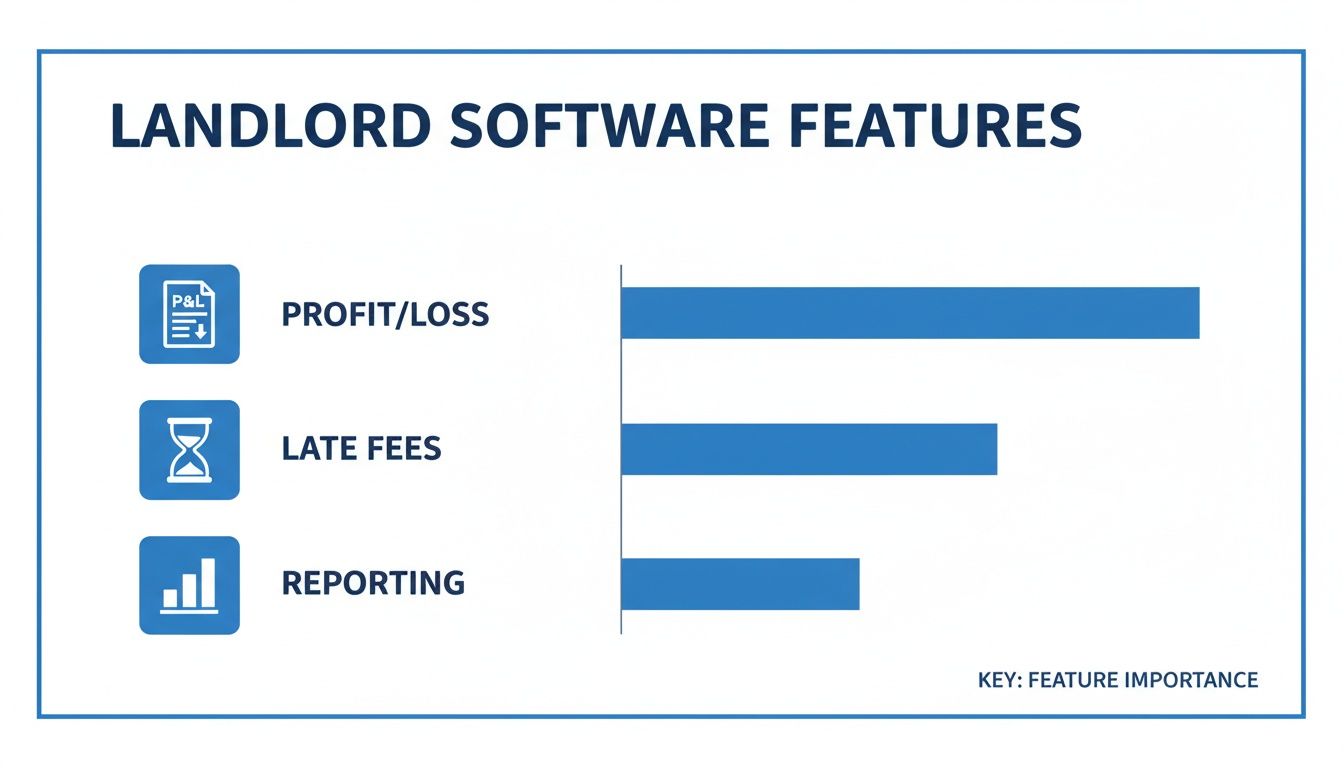
Mastering these three areas is the difference between simple bookkeeping and active financial management that improves your bottom line.
QuickBooks Online: The Hybrid Powerhouse for Scale
For larger operators, the best system is often a hybrid approach: using QuickBooks Online paired with a property management tool. QBO is the leader in small business accounting, offering unmatched depth in reporting, customization, and integrations.
On its own, QBO is not a property management tool. It doesn't understand concepts like tenants, leases, or properties. That's where the hybrid model shines. You can use another app for day-to-day operations (rent collection, maintenance) and sync that data into QBO for professional-grade financial analysis.
Best For: The Scaling Operator With 25+ Units
Imagine you're now managing a 50-unit portfolio across eight properties. You have investors to answer to, banks to secure loans from, and maybe even a bookkeeper on your team.
At this stage, a simple tool won't work. A QBO hybrid system allows you to:
- Use "Classes" for Detailed Tracking: You can set up each property—or even each unit—as a "Class" in QBO. This finally gives you the detailed, property-level P&L statements you need.
- Professional Reporting: Generate the kind of financial packages that lenders and investors expect, including a balance sheet, statement of cash flows, and highly customized reports.
- Scalable and Collaborative: Your accountant or bookkeeper can work directly inside QBO, keeping your books clean, compliant, and ready for tax season.
The core benefit of a QBO hybrid setup is its professional, double-entry accounting. This is essential when you need to secure financing, work with a CPA, or get the deep financial insights required to scale a large portfolio.
The trade-off is complexity and cost. This system takes more effort to set up and manage, and you'll be paying for at least two software subscriptions. It's incredibly powerful, but it's more than what a new landlord needs.
To help you visualize the differences, here is a direct comparison of the features most important for rental property management.
Feature Matrix: Landlord Accounting Software Comparison
| Feature | Stessa | Landlord Studio | QuickBooks Online Hybrid | Best For |
|---|---|---|---|---|
| Property-Level Accounting | Yes (Property-level only) | Yes (Property & Unit Level) | Yes (Using "Classes") | QBO offers the most granular control, but Landlord Studio is simpler for direct tenant tracking. |
| Automated Rent Collection | No | Yes (Integrated ACH) | No (Requires 3rd-party app sync) | Landlord Studio has this built-in, making it the most seamless option. |
| Expense Tracking | Automated via bank sync | Manual entry + bank sync | Automated via bank sync | Both Stessa and QBO excel at automated import, but QBO's rules are more powerful. |
| P&L by Property/Unit | By Property | By Property | By Property and Unit | QBO is the only one that can reliably produce a P&L by unit. |
| Mobile App | Yes (Limited functionality) | Yes (Full functionality) | Yes (Full accounting features) | Landlord Studio's app is best for on-the-go property tasks; QBO's is for pure accounting. |
| Scalability | Low (1-10 units) | Medium (5-50 units) | High (25+ units) | The QBO hybrid model is built for unlimited growth. |
| Pricing | Free | $ | $$+ | Stessa is free, Landlord Studio is affordable, and QBO Hybrid is a professional investment. |
This matrix makes it clear that there's no single "best" solution—only the best fit for your current size and future goals. While Stessa is a great entry point, a growing rental business will likely need the landlord-focused features of Landlord Studio or the enterprise-level power of a QuickBooks Online hybrid system.
How to Implement Your New Accounting System
Switching to a new accounting system can feel like a big project, but with a solid plan, you can move from spreadsheet chaos to financial clarity without the headache.
Think of it as a one-time setup that will save you time and money for years to come. A structured implementation ensures no data gets lost and you can start using your new tool with confidence.

The very first step is to get your current records in order. Before you even sign up for new software, you need to tidy up your spreadsheets, gather your bank statements, and make sure your rent roll is 100% accurate.
Your Pre-Migration Checklist
To make this process as smooth as possible, choose a cut-off date. This is the exact date you’ll stop logging anything in your old system—for example, the last day of the previous month. This creates a clean break and makes balancing your books much easier.
Once your date is set, work through this checklist:
- Organize Financial Documents: Gather digital copies of all essential paperwork, from bank and credit card statements to loan agreements and property tax bills.
- Finalize Existing Books: Close out the books in your old system. Make sure every transaction is categorized and every account is balanced right up to your chosen cut-off date.
- Compile Tenant and Property Data: Create one master spreadsheet. Include property addresses, unit numbers, tenant names, lease dates, and security deposit details.
Getting this groundwork right is the most important part of the process. A clean start prevents old mistakes from messing up your new, organized system.
Migrating Your Data Step-by-Step
With your old data neatly organized, you’re ready to start populating the new system. Most modern platforms will guide you through the setup, but the accuracy is up to you. Don’t rush this part.
For a logical migration, follow this order:
- Set Up Properties and Units: Start by building the foundation. Enter all your properties and the individual units within them first.
- Connect Bank Accounts: Link all your business bank and credit card accounts so the software can start pulling in transactions automatically.
- Import Tenant Information: Add each tenant, their lease details, and their current balance, making sure to include any outstanding rent or credits.
- Enter Opening Balances: This is a critical step. For each bank account, enter the exact balance as of your cut-off date. This ensures your software’s starting point matches reality. Our guide on how to properly reconcile a bank statement can be a lifesaver here.
The single biggest mistake landlords make is rushing the opening balance. If your software's starting balance doesn't match your bank statement on day one, every report you generate from that point on will be wrong.
Optimizing Your New System from Day One
Once the data is in, it's time to make the software work for you. This is where you get back all the time you just invested.
Set up rules to automatically categorize recurring expenses like mortgage payments, utilities, or HOA fees. It takes a few minutes per rule but saves you hours every month.
Then, build the reports that actually matter to you. Create a custom template for a property-by-property profitability report or a portfolio-wide cash flow summary. Spending a couple of hours on these initial tweaks will give you incredible financial insights and save you countless hours in the long run.
The future of property management isn't just about better bookkeeping; it's about true business intelligence. That’s where the industry is headed—integrated platforms that finally connect the dots between your day-to-day operations and your accounting. This is the next logical step for anyone serious about optimizing a rental portfolio.
The growing influence of AI is making these kinds of integrated systems more powerful than ever. You can dive deeper into this shift by reading our post on AI's role in modern property management.
A Look Ahead: PadPulse
It's this gap between basic bookkeeping and true optimization that we noticed firsthand, and it's exactly what we're building at PadPulse. We're developing an all-in-one platform specifically for modern landlords and co-living operators. PadPulse is being designed to tackle these challenges, bringing all the essential tools together under one roof.
Our focus is on solving the real-world problems you face every day:
- Integrated Unit-Level Accounting: Finally get a true Profit & Loss statement for every single unit. You’ll know precisely which units are your profit centers and which ones need attention.
- Advanced Portfolio Analytics: Go beyond basic reports. We're building tools that deliver deep market insights, so you can make confident, data-backed decisions that grow your bottom line.
- Smart Automation: We aim to automate tasks beyond just rent collection, helping you streamline everything from maintenance requests to financial reporting.
Our goal is simple: to give landlords the purpose-built tools they need to stop just managing their properties and start truly optimizing them for peak performance.
We’re looking for forward-thinking landlords to join us. Be the first to get launch updates and have a chance to join our exclusive beta program.
Join the PadPulse Early Adopter List Today!
Frequently Asked Questions
When you're running a rental business, sorting through the software options can feel overwhelming. Let’s cut through the noise and get straight answers to the questions we hear most often from landlords just like you.
Can I Just Use QuickBooks for My Rental Properties?
I get this question all the time. The short answer? You can, but for most landlords, it's not the best choice.
QuickBooks is a phenomenal tool for general business accounting, but it wasn't built for the specific challenges of property management. It has no native functions for collecting rent, managing tenant accounts, or running property-specific reports without a complicated setup. For a landlord who needs to track income and expenses on a per-unit basis, a standard QuickBooks setup becomes a real headache.
Most successful operators either go with an all-in-one platform designed for rentals or adopt a hybrid approach, syncing a tool like Landlord Studio with QuickBooks for more advanced needs.
How Much Should I Budget for Landlord Accounting Software?
Your budget will really depend on the size of your portfolio and the features you need. It generally breaks down into a few tiers.
- Free: A tool like Stessa is a fantastic starting point. You get basic income and expense tracking for free, but it won’t have advanced features like automated rent collection.
- $20 - $60 per month: This is the sweet spot for many growing landlords. Platforms in this range, such as Landlord Studio, offer a great mix of tenant management, online rent collection, and solid accounting features.
- $100+ per month: This is where you’re looking at a more robust system. This budget typically covers a QuickBooks Online hybrid setup or enterprise-level software. It's a serious investment, but it's often necessary for larger portfolios that demand deep financial analytics.
Do I Still Need an Accountant if I Use Software?
Yes, 100%. Don't make the mistake of thinking software can replace a qualified accountant or CPA.
Think of it this way: your software is your bookkeeper. Its job is to keep your daily transactions organized, track every dollar, and maintain clean records. Your accountant is your financial strategist.
They take that clean data and put it to work. An accountant provides critical tax advice, helps you structure your business for growth, and guides your long-term financial planning. Good software makes their job faster and your bill smaller, but it absolutely does not replace their expertise.
Managing a rental portfolio effectively requires tools built for the job. The right accounting software can provide the property-level insights, automation, and reporting you need to maximize your returns. For those looking for the next evolution in property management, PadPulse is building an all-in-one platform to deliver the financial intelligence modern landlords need.